KS Photo: Kudiret S.
Kudiret S.
iCloud unlock specialist
10years of experience
4.37rating, 100 reviews

Your MacBook Pro A2251 shut down in the cold or got liquid damage — we'll find the fault for free and put the price on the receipt before work starts.
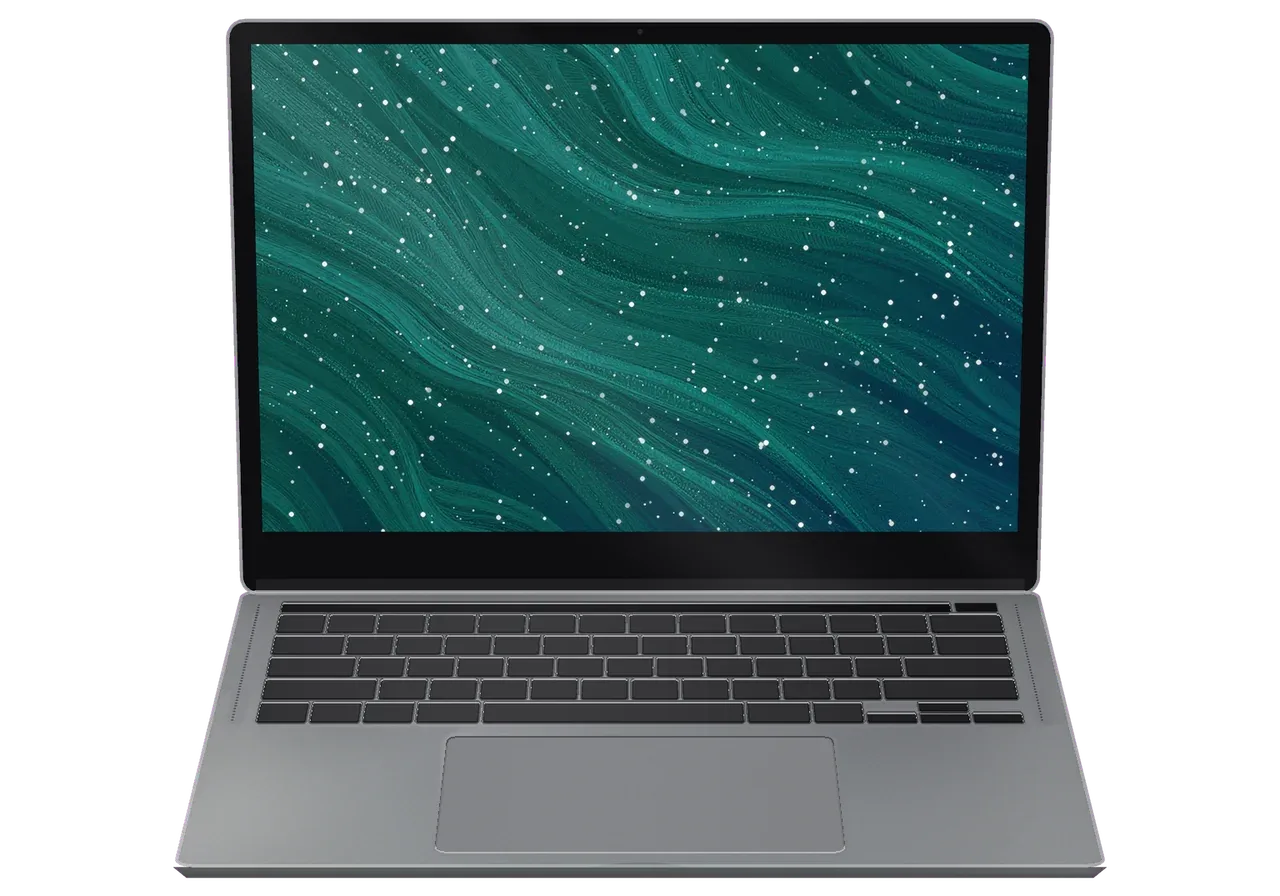
Astana winters hit a laptop with condensation and a drained battery, while ports, static and sticky keys cause trouble all year round.
After a walk outside the charge drops in jumps and the laptop dies early.
Moving from frost into a warm room leaves droplets on the board and power faults.
A power bank squeezed against the lid grows a spiderweb across the panel.
Dry heated air throws sparks at the cable and triggers restarts.
After the cold the touch strip fades or responds late to touches.
Pocket lint and grit stop the socket from gripping the charging cable.
Crumbs and damp fingers jam the scissor mechanism under a key.
A clogged heatsink makes the Intel chip roar and throttle.
The bottom is bowed, the trackpad sits raised, and the laptop rocks on the table.
At medium volume you hear rattling, and the bass sounds hoarse.
The picture disappears if you open the lid wider — the flex cable is damaged.
The laptop hangs on the logo or shows a folder with a question mark.
The table lists A2251 jobs with a "from" price; the technician names the exact amount after inspecting your laptop.
| Service | Original | Aftermarket |
|---|---|---|
| Display panel replacement | 364 900 ₸ | 225 900 ₸ |
| Battery replacement | 120 900 ₸ | 69 900 ₸ |
| Keyboard replacement | 94 900 ₸ | 52 900 ₸ |
| Charging port replacement | 35 900 ₸ | 19 900 ₸ |
| Speaker replacement | 49 900 ₸ | 27 900 ₸ |
| Fan replacement | 26 900 ₸ | 14 900 ₸ |
| Backlight repair | 364 900 ₸ | 225 900 ₸ |
| Other repairs | Price | |
| Logic board repairmicrosoldering · 1–3 days | 16 900 ₸per job | |
| Liquid damage cleaningcorrosion cleaning · diagnostics up to 2 days | 16 900 ₸per job | |
| Dust cleaningdisassembly and dust cleaning | 10 900 ₸per job | |
| Wi-Fi module repairwireless module · board-level repair | 41 900 ₸with parts | |
| MacOS installationOS installation, no parts replaced | 10 900 ₸per job | |
The final amount depends on the inspection result and the chosen part; the technician agrees it with you before the repair starts.
For the A2251 the answer depends on how often the laptop travels with you and how vital it is for work.


Repairs should fit around your day, so diagnosis comes before any sum is named and we explain the difference between parts honestly.
We have repaired Apple devices for eleven years and know how a winter commute treats a laptop compared with a hothouse life.
You learn the price after inspection: first we find out whether cold, moisture or wear is to blame, then decide what to replace.
Every repair we finish carries a warranty up to 1 year, and before any work begins the technician walks you through what your particular case involves.
Experienced technicians handle your laptop; they are used to washing boards and replacing fragile cables.
We explain how an original battery differs from an aftermarket one and let you pick what suits your budget.
On weekdays the shop is open 10:00–19:00, while on Saturdays, Sundays and public holidays it opens at 11:00 and closes at 18:00.
Usually the whole journey — from message to pickup — takes less than an hour; complex repairs follow the timeline in the receipt.
Book a repairYou send a photo of the damage on WhatsApp — we quote the price and available time. Or you call a courier.
An engineer checks the device in front of you and shows what is broken. 0 ₸, even if you decline the repair.
We fix the price, the part (original or analog), the timeline and the warranty. You sign — we start.
Before installation we show you the new part in its factory packaging. You wait in the waiting area with coffee and Wi‑Fi.
Screen, keyboard and trackpad, camera, microphones, speakers, charging, Wi‑Fi. You check together with the engineer.
Together with the receipt, warranty card and the old part. Payment — Kaspi, card or cash.
Technicians for iPhone, Mac, iPad, Apple Watch and AirPods repair.
Photo: Kudiret S. Photo: Kamran A.

“If the repair didn’t suit you or you have a complaint, write to me personally.”
Send a photo of the fault — an engineer will reply on WhatsApp, give the price and a time you can come in.
Astana MacBook Pro A2251 Repair with Diagnostics in Just 15 Minutes
At iServices, MacBook Pro A2251 repairs in Astana are carried out by in-house technicians — no middleman involved. Diagnostics cost nothing and take roughly 15 minutes with you present; the majority of devices are ready within an hour up to a full day, and we install a genuine or third-party component covered by a warranty up to 1 year.
The A2251 is a 13-inch MacBook Pro built on Intel with the T2 security chip. That single fact decides which parts fit your machine and what can be replaced at all.
A small inscription on the lower case carries the model number, and this particular 13-inch Pro — not the Air, not the 16-inch body — is marked A2251. Flip the laptop and locate the row beginning with Model A: you will find it beneath the hinge, close to the regulatory symbols. Some units carry the number A2251 alongside an EMC code, and the two together leave no doubt about the generation. The Touch Bar above the keyboard and the four USB-C ports confirm it visually. The marketing name on the box tells you almost nothing about parts, so quote the A-number when you ask about a screen or battery and the answer will be exact.
We treat the A2251 as an Intel 13-inch Pro with the T2 security chip, a Touch Bar, Touch ID in the power button and USB-C charging instead of MagSafe. The T2 handles encryption and the SSD controller, so any board-level work has to respect it. On this generation both memory and storage sit soldered onto the logic board — an approach Apple repeated later across its Apple Silicon range. The keyboard is the scissor mechanism, not the earlier butterfly design, which is why key replacement here is a deck job rather than a single-cap swap. Because memory and SSD sit on the board, a storage upgrade is not a swap you can order, so plan capacity before purchase rather than after.
| Unit | Replaceable on its own | Notes |
|---|---|---|
| Display assembly | Yes | Matrix and lid come as one part |
| Battery | Yes | Adhesive-held, needs a proper pull |
| Keyboard deck | Yes | Top case with keyboard and battery bay |
| Trackpad | Yes | Force Touch unit |
| Logic board | Board-level work | Both memory and SSD come soldered |
| RAM and SSD | No | Fixed to the board |
The A2251 arrives with a fairly predictable set of complaints, and each one points to a different part and a different repair time.
We see lines, dark patches and backlight dropouts on this 13-inch Pro, and the usual cause is either impact damage to the matrix or wear on the display flex cable. The panel is a Retina unit with True Tone, not the mini-LED assembly used in the 16-inch models, so a replacement keeps the original contrast and colour behaviour. The flex that carries backlight power runs through the hinge and bends every time the lid moves — after years of daily opening it cracks internally, and the backlight fails before the image does. Impact damage looks different: a bright spot, a cluster of dead pixels or a vertical band that stays put. A backlight that dies only at certain lid angles is a flex symptom, so open and close the lid slowly before assuming the panel itself is gone.
We replace the battery when cycle count and condition show real wear, and we treat any swelling as urgent because the cells press on the trackpad and the lower shell. A healthy cell holds its rated capacity for roughly 1000 full cycles, and macOS reports both the count and the current maximum under battery health. Once the chassis starts to bulge, the Force Touch trackpad loses its click or sits unevenly, and the bottom plate no longer lies flat on a desk. Swollen lithium cells also push against the keyboard and can distort the top housing if left alone for weeks. A trackpad that suddenly clicks stiffly or sits unevenly is often a battery problem, not a trackpad problem, so check the body for a bulge first.
| Complaint | Likely cause | What we do |
|---|---|---|
| Key sticks or double-types | Debris or worn mechanism | Clean or replace the top case |
| Touch Bar blank or unresponsive | Strip or flex fault | Replace the Touch Bar unit |
| Touch ID stops reading | Separate sensor fault | Test and replace the sensor |
| Fan loud at idle | Dust in heatsink | Clean and renew thermal paste |
| Hot under light load | Dried thermal paste | Service the cooling system |
The visit is short by design, and most of it happens in front of you rather than behind a closed door. Below is each stage, starting with your first message and ending when you walk out with the machine.
We ask for a photo of the damage on WhatsApp, an engineer replies within 5 minutes and quotes a price from that photo, and you get a free time slot. The message needs a clear shot of the fault — a cracked lid, a swollen base, a cable that will not charge — plus the model line so we match it to the right component. Repairs run on a direct basis with our own technicians and workshop, so the quote comes from the person who will actually open the machine, not from a call centre. If reaching us is difficult, a courier can be arranged. A photo taken in good light with the lid open saves a second visit, because the engineer can already tell whether the replacement is likely in stock.
Even when you choose not to proceed with a repair, we still perform free diagnostics with you watching for around 15 minutes; afterwards the receipt is issued in about 2 minutes and lists the cost, the part used, how long it takes and the warranty terms. The engineer opens the base, inspects the battery, the display flex and the board, and shows you what is broken instead of describing it from memory. Nothing is ordered or fitted until that slip is signed, and the warranty runs up to 1 year. The new unit is shown in factory packaging before installation, so you see what goes in. Ask for the old component back at handover, because comparing it with the fresh one is the simplest way to confirm the work you paid for was actually done.
Laptop servicing at our shop usually spans an hour up to a day, logic board work needs 1 to 3 days, yet 72% of jobs are completed on the spot while clients sit in our waiting area. The waiting corner has coffee and Wi-Fi, and payment goes through Kaspi, card or cash when the job is done. For a MacBook Pro A2251 repair in Astana, owners can plan the day around that window rather than lose the machine for a week. After reassembly the final check covers 32 functions in about 10 minutes — charging, ports, speakers, microphones and the fan under load among them. Test the keyboard, ports and Wi-Fi yourself at the counter before you leave with the machine.
The part decision is yours, but it should be made with the trade-offs in plain view rather than at the counter under time pressure.
We offer both a factory component and an aftermarket one, and 64% of our customers pick the genuine version, which we show in sealed packaging prior to installation. For a display, the genuine panel keeps the colour profile and True Tone behaviour, while a third-party assembly can shift the white point and dim unevenly at the edges. On a battery, the difference is cycle life: a quality aftermarket cell holds up for a couple of years, a genuine one matches the wear curve the machine was designed around. Keyboard and top case follow the same logic — fit and key feel are where non-original options show their limits first. On a screen, the gap usually surfaces in colour accuracy and brightness uniformity during the opening weeks, so judge the choice by how long you plan to keep the laptop.
Before work starts, four things go on the receipt — price, component type, turnaround and warranty — so none of them can shift once the machine is opened. The warranty runs up to 1 year, and it is tied to the named item rather than to the visit as a whole. If the engineer finds a second fault during the 15 minute check, it is added to the receipt and shown to you before anything is unscrewed — you approve it or the work stops there. The old unit goes back to you with the device, which lets you see exactly what came out. A quote that changes after disassembly is the classic complaint in this market, and a signed receipt with the item named is what prevents it.
In these cases the opening hour counts for more than which service you pick, and sometimes the honest answer is that the data matters more than the machine itself.
Power the laptop off immediately, unplug the charger and do not try to switch it on again, because corrosion spreads as long as current reaches the logic board. Liquid attacks the traces and the power controller first, and the damage is invisible from the outside. Tilt the unit so fluid runs off away from the keyboard, leave it powered off, and get it to us as soon as possible. Rice and a warm radiator do not stop corrosion, and a laptop that boots happily the next morning can fail weeks later when the traces under a chip give way. When liquid has been inside, diagnostics may need up to two days before we know what can be recovered — so the earlier the device is opened and cleaned, the more of it survives.
We check the USB-C ports, the charger, the battery and the power controller in that order, since a dead port and a dead controller look identical from the outside. The A2251 charges over USB-C or Thunderbolt, unlike the Air M2 and the 16-inch Pro, which moved to MagSafe 3 — so a worn port on this model is a real failure point, not just a cable problem. Supply faults at circuit level are the second common cause, and we confirm which one it is during the free 15 minute check, prior to any work being agreed. Try a different USB-C port and a known charger ahead of booking anything, because a surprising share of no-power cases are cable or port related rather than component related.
Microscope-level logic board work is what we do; allow 1 to 3 days for it, and when liquid damage is involved, diagnostics may stretch to two days before we can say what is recoverable. For this laptop, nearly every other repair is done inside a day — only a fault like this one means you should count on leaving the device with us. The T2 chip and the soldered SSD mean recovery is not a simple drive pull — the storage cannot be lifted out and read elsewhere. Keep a Time Machine backup running and know your login and your Find My Mac status before handing the device over, because that account state decides whether we can access the drive at all once the circuitry is alive again.
A short set of rules decides whether the repair goes smoothly or drags on, and they cost nothing to follow.
Did not find an answer? Message us on WhatsApp: an engineer replies, not a bot.
Ask a questionIf it still handles your apps, repairing it is usually the sensible choice. The A2251 is one of the last Intel thirteen-inch models, so it runs Windows and older Intel-only software that newer Macs cannot; if you do not need that, compare the repair estimate with an upgrade.
Open System Settings, choose Battery and click the info button next to Battery Health; System Report under Power shows the cycle count. When macOS says Service Recommended, it is time to plan a battery replacement in Astana.
A restart often brings it back, and advanced users can restart the Touch Bar process from Terminal. If it stays dark or shows stripes, the strip or its cable is tested and replaced at the workshop.
Light scratches can sometimes be polished, but a real dent usually means replacing the display assembly, because the aluminium lid is part of it. The engineer first checks whether the dent has pressed on the panel underneath.
Dust in the fans and radiator and dried thermal paste are the usual reasons, and the Intel chip in this model heats up quickly when airflow is blocked. Check Activity Monitor for a runaway process first; if the load is low and the noise stays, the laptop needs a cleaning.
No, it can stay on. Just remember your login password, since the engineer will ask you to sign in at pickup to check macOS, Touch ID and the keyboard together with you.
Yes, a USB-C power bank with Power Delivery charges it, though a weak bank only slows the drain while you work. Pick one rated for laptops and use a good USB-C cable.
Жұмыстан кейін баруға болатын жер керек еді. Алдымен интернеттен қарадым, кейін осында келдім. Қайта жүгінуден тартынбаймын
Техника рабочая, терять её надолго нельзя. Скептически относился, пока не забрал. Проблема — залили водой. Перезвонили на следующий день, уточнили детали. Внешне не видно, что разбирали.
Искал, где есть оригинальные запчасти, а не «как оригинал». Сдал MacBook Pro A2251 мастеру. Проблема — не включается. Камран А. не пропал после ремонта, помог с настройкой. Работает, даже лучше прежнего)
Принёс с мороза, открыл — не включается. После ремонта — как новое. Дома включил, всё на месте.
Техника рабочая, терять её надолго нельзя. Утром открыла крышку, а там — не включается. Камран А. разрулил всё быстро. Сказали, что перезвонят, и правда перезвонили. Пришлось ставить: плата. Ни разу не пожалела
Камран А. сам позванил и сказал, что готово. Ответили в WhatsApp, потом созвонились. Работает, даже лучше прежнего
Сдала MacBook Pro A2251 мастеру. Проблема — шумит кулер. Приняли, объяснили, что и почему. Обошлось заменой: клавиатура. Квитанцию потеряли, пришлось восстанавливать. Не разочаровалась. Вернули — проверила, всё ок.
Скептически относилась, пока не забрала. Проблема — вздулась батарея. Экран яркий, батарея держит.
Телефонмен кеңестім, кейін апардым. Диагностика тегін болды. Келесіде де осында келемін)
На MacBook Pro 13″ Intel (2020, 4 порта) аккумулятор быстро садился. В севрисе проверили состояние батареи и решили вопрос с автономностью.

Replace the battery when macOS reports Service Recommended and runtime no longer covers your workday. A free 15-minute check shows whether the cell is at fault.

Why your MacBook runs hot and loud, and whether cleaning solves it or the board needs repair.

Power it off, unplug the charger and bring the laptop in for a free 15-minute check before corrosion spreads.

Sticky or unresponsive keys usually mean debris, worn mechanisms or liquid damage. A technician can check the keyboard and advise on cleaning or replacement.

Back up your data, turn off Find My, and bring proof of purchase — then the repair starts faster.


 iPad
 iMac
 Mac mini and Studio
 Apple Watch
 AirPods
 Apple Pencil
 Apple TV
 HomePod
