The 5s has a single rear camera with no raised block, so damage usually comes from drops, water or a worn flex rather than from the lens catching on surfaces. Here is how to read the symptom.
Why the Camera Shows a Black Screen or Blurry Spots
A black screen in the Camera app after a drop usually means a damaged rear camera unit or a loose flex connector, while blurry spots with working focus often point to cracked lens glass. On the 5s the sensor sits flush with the back shell, so the outer pane takes the impact directly and hairline cracks let in dust that settles underneath. A connector that has shifted on its socket cuts the signal entirely, which is why the preview stays dark while the rest of the phone works normally. Focus hunting and a faint rattle on startup suggest the stabiliser rather than the sensor itself. Ahead of booking anything, take one photo against a plain wall — if the spot stays in the same place on every shot, the fault is physical, not software, and a restart will not clear it.
Symptom, Likely Cause and What We Do
Faults matched to causes and bench action| Symptom | Likely cause | What we do |
|---|
| Spots or haze, focus still works | Cracked or dusty outer pane | Replace glass only |
|---|
| Black screen after a drop | Sensor unit or loose flex | Reseat flex, then unit |
|---|
| Shaking image and clicks | Failed stabiliser | Replace the unit |
|---|
| Flash and camera both dead | Shared flex or board | Board check under microscope |
|---|
| Blur after water contact | Oxidation on connector | Clean, then diagnose |
|---|
Glass or Full Module for iPhone 5s Camera Replacement
The 5s lens sits flush with the body, so a cracked outer layer is common and cheap to fix — but only when the assembly behind it is healthy. This is how we tell the two apart.
When Replacing Just the Glass Is Enough
We swap just the outer layer when photos stay sharp but carry spots, scratches or a visible crack, and the job takes about 20 minutes. On the 5s this thin pane sits over the camera assembly, so dust and moisture reach the sensor only when the break has opened a real gap. Our engineer cleans the seating, fits the new pane and checks focus on a test shot prior to handing the phone back to you. Ask for the old piece back — a clean break with no dust inside confirms the optics were never exposed, which is a good sign for the rest of the camera.
Signs the Whole Module Has to Go
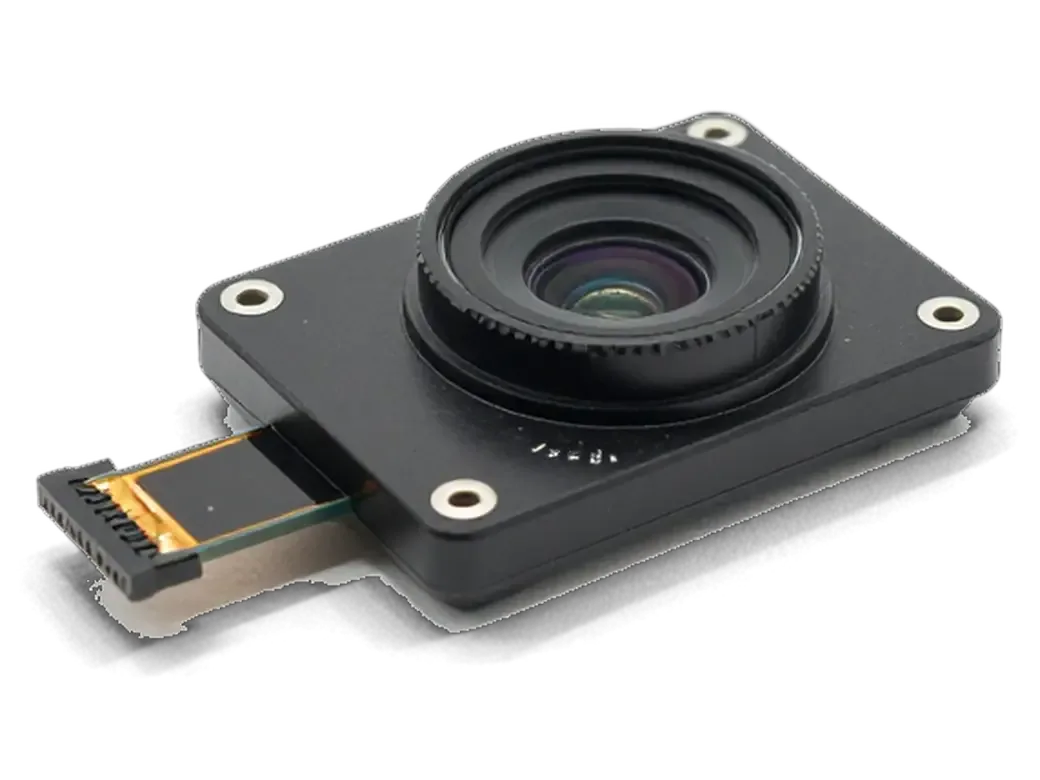
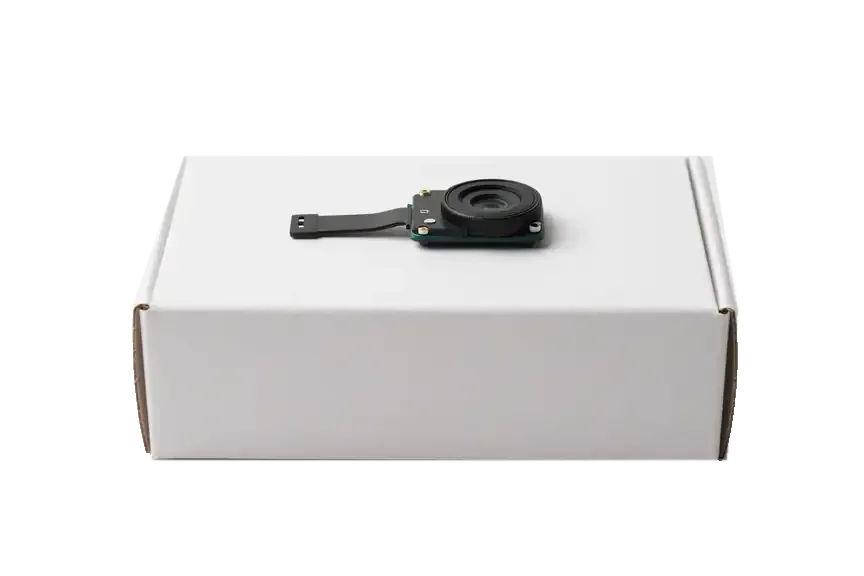
A full assembly swap is needed when focus hunts, the image shakes, or the camera stays black even with clean outer glass — most of these jobs finish in 20–40 minutes while you wait. The stabiliser and sensor sit inside one housing, and a knock strong enough to shatter the front often shifts the alignment underneath. We test the unit on the bench first: if the picture still drifts or the frame freezes, the front pane alone will not help. You then pick between an original part and an aftermarket one with the engineer, and the choice is written on the receipt ahead of any work. On a 5s the camera is a single sealed unit, so there is no partial repair inside it; once the stabiliser or sensor fails, swapping the whole thing is the only reliable fix.
What Changes After an iPhone 5s Camera Replacement in Astana
A 5s has one rear camera and no portrait mode or optical zoom, so the checklist is shorter than on newer models — but the flash and video still need a proper check.
Autofocus, Flash and Video After the Swap
After fitting the new part we check autofocus at near and far distance, the True Tone flash, and video with sound, all in front of you. The rear camera on this model is a single 8-megapixel unit with a fixed aperture, so there is no second lens to align or telephoto element to calibrate — the work is about seating the connector and confirming focus travel. We shoot a close object and a distant one, fire the light indoors, then record a short clip and play it back. This block sits inside our standard 32-function review of about 10 minutes, which also covers Touch ID, microphones, speakers and charging. An iPhone 5s camera replacement in Astana ends with this same check, so you see the result prior to leaving.
The Handover Check We Run Together
- Focus: shoot a close subject and a distant one, then confirm the image locks sharp both times.
- Flash: fire it indoors and confirm the colour comes out neutral.
- Video: record a short clip with sound and play it back on the spot.
- Front lens: switch to selfie mode and confirm the preview is live.
- Old module: take the replaced unit home in the same bag as your receipt.
What the Paperwork Covers
We hand the phone back only after a 32-function review of about 10 minutes, and you run the camera checks with the engineer. Keep the receipt and warranty card together with the old camera — that paper fixes the component, turnaround and coverage if anything needs a second look. The same document names the part type — original or aftermarket — so a later question about the camera is answered by the paper rather than by memory. Bring the receipt and the old module back if the image ever drifts, and the engineer can match the record to the fitted component in minutes.
Original or Aftermarket Camera for the 5s
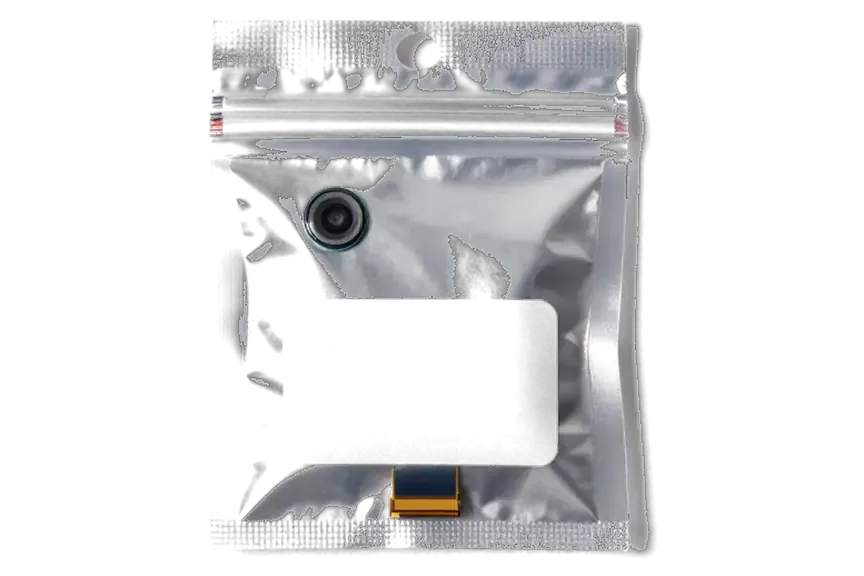
Both options work, but they differ in image consistency and how the component is documented. We show the new camera in factory packaging ahead of installation, whichever you pick.
How the Two Options Differ in Practice
How the two camera choices compare in daily use| Option | Image and focus | What the receipt shows |
|---|
| Original module | Closest to factory colour and focus | Part type, turnaround, warranty |
|---|
| Aftermarket module | Good everyday result, slight colour shift possible | Part type, turnaround, warranty |
|---|
| Packaging shown | Sealed factory box before fitting | Matches the line on paper |
|---|
| Coverage | up to 1 year on original, 6 months on aftermarket | Fixed on the same document |
|---|
Choosing With the Engineer Before Work Starts
We name the component, the turnaround and the warranty on the receipt ahead of any work, and 64% of our customers pick the original camera. The engineer shows the new part in factory packaging prior to installation, so you see exactly what goes into the phone rather than taking a description on trust. Both choices carry the same coverage of up to 1 year, and the printed line stating which item was fitted is what a later claim is checked against. Our technicians handle the swap in front of you at the workbench, and most camera jobs finish in 20 to 40 minutes. If you plan to keep the 5s as a backup phone, the original camera is the safer long-term bet; for a device already near retirement, the aftermarket option does the job.
Booking, Timing and What to Do Before You Come In
The whole visit usually takes under an hour from first contact to pickup. A few small steps before you arrive keep the camera from getting worse.
From WhatsApp Photo to Pickup
Send a photo of the damage on WhatsApp and an engineer replies within 5 minutes with a price and a free time slot, then the job is fixed on the receipt in about 2 minutes. We confirm the part — original or aftermarket — the turnaround and the warranty in writing ahead of any screwdriver touching the device, and the new component is shown in factory packaging first. Most camera jobs take 20–40 minutes while you wait in the seating area with coffee and Wi-Fi, and afterwards you check the cameras, flash and video together with the engineer. Booking a slot ahead of your visit saves the wait — most of our repairs finish while the customer sits in the waiting area, so a confirmed time keeps you in that group.
What to Do With a Damaged 5s Camera Before the Visit
- Back up first: run an iCloud or computer backup ahead of any repair, in case the handset needs a reset during diagnostics.
- Cover the crack: put tape over broken lens glass so dust and grit stay out of the module underneath.
- Skip the heat: after water contact, do not use a hairdryer or warm the device — heat spreads corrosion across the board.
- Note the symptoms: write down when the fault started, after a drop or on its own, to speed up the free check.
- Leave it assembled: bring the handset as it is, since a cracked cover left in a pocket collects grit that scratches the optics behind it.
Summary: iPhone 5s camera replacement
A camera on the 5s breaks in a few predictable patterns, and each pattern maps to one specific repair. These takeaways sum up the decision points, timings and checks worth remembering.
- Black screen after a drop: a faulty camera unit or a loose flex is the usual cause, while spots that leave focus working point to a cracked lens cover.
- Lens cover only: the quickest camera fix on a 5s, at roughly 20 minutes with fresh glass fitted and the optics cleaned.
- Full module swap: required when autofocus hunts or the picture shakes, and most of these jobs finish in 20 to 40 minutes.
- Handover check: test autofocus, the flash and video with sound before leaving the workshop.
- Receipt and old part: the document should name the component, turnaround and warranty, and the original goes home with you.







 iPad
 MacBook
 iMac
 Mac mini and Studio
 Apple Watch
 AirPods
 Apple Pencil
 Apple TV
 HomePod




