KS Photo: Kudiret S.
Kudiret S.
iCloud unlock specialist
10years of experience
4.37rating, 100 reviews

Air A2681 dies in the cold or has a swollen battery — we'll replace it in an hour and put the price on the receipt.
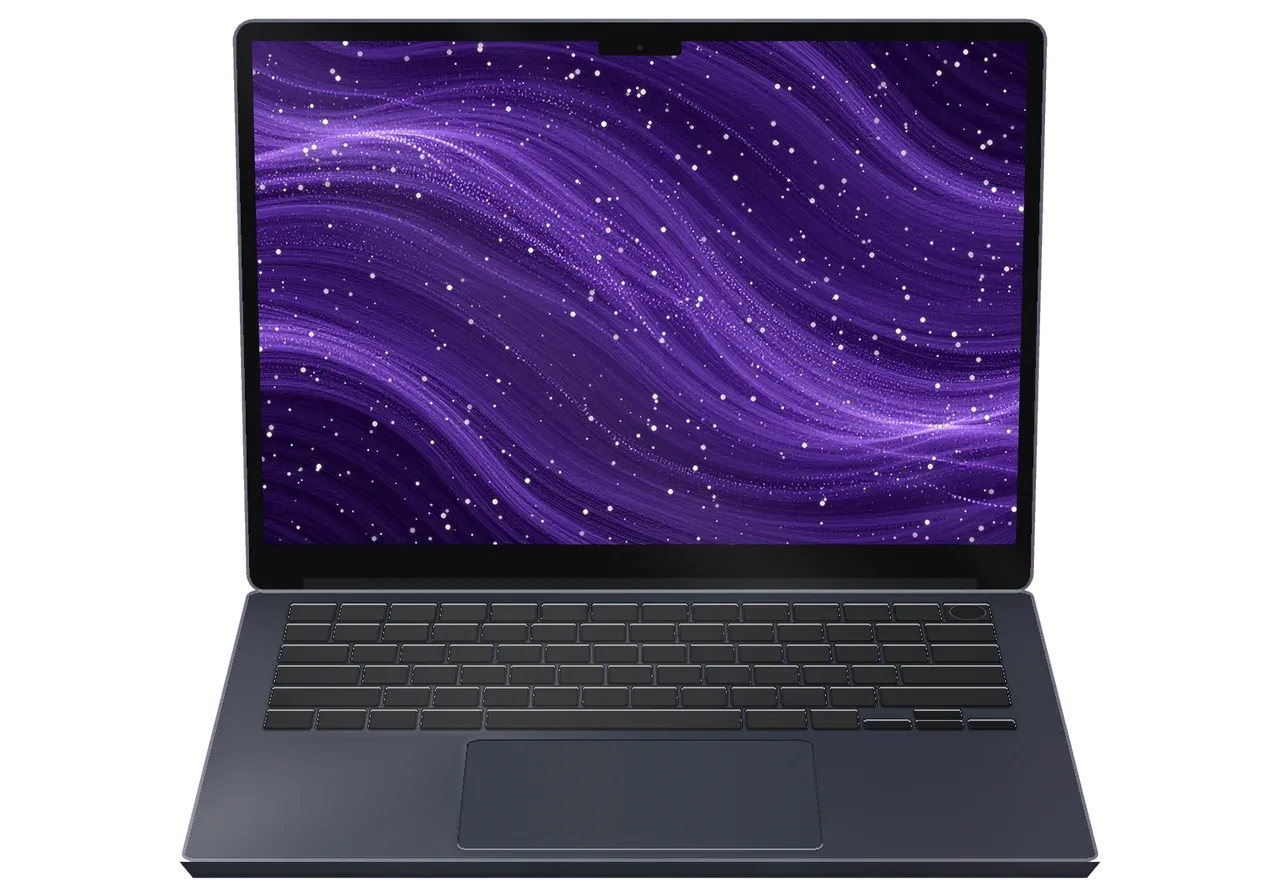
Shutdowns in the cold, condensation after coming indoors, a spilled coffee: the winter-city stories of this slim laptop.
The laptop dies on the way to work in the cold, then shows a normal level once warmed up.
Powering on right after coming indoors can cause flicker, restarts or a blank screen.
A spilled latte leaves a sticky film, and keys start to stick or repeat letters.
The MagSafe cable pops off at a touch because metal dust fills the socket.
Pressure on the lid on a trip leaves lines or dark blotches across the display.
A screen on a USB-C link flickers or vanishes during a presentation or a call.
The laptop rocks on a flat table and the trackpad feels stiff: the battery may be bulging.
After an update you see the apple logo, then a blank screen or an endless restart loop.
The camera above the screen won't turn on or gives a blurry picture on calls.
Speakers distort at high volume, and voices sound muffled on calls.
The power button doesn't recognize your fingerprint and asks for the password again.
The 3.5 mm jack doesn't see the headset, and sound only comes from the speakers.
The main jobs for the A2681 in Astana, with labor prices that exclude any extra part choices.
| Service | Original | Aftermarket |
|---|---|---|
| Display panel replacement | 273 900 ₸ | 169 900 ₸ |
| Battery replacement | 165 900 ₸ | 95 900 ₸ |
| Keyboard replacement | 100 900 ₸ | 55 900 ₸ |
| Trackpad replacement | 89 900 ₸ | 49 900 ₸ |
| Charging port replacement | 35 900 ₸ | 19 900 ₸ |
| Speaker replacement | 33 900 ₸ | 18 900 ₸ |
| Other repairs | Price | |
| Logic board repairmicrosoldering · 1–3 days | 16 900 ₸per job | |
| Liquid damage cleaningcorrosion cleaning · diagnostics up to 2 days | 41 900 ₸per job | |
| Wi-Fi module repairwireless module · board-level repair | 41 900 ₸with parts | |
| MacOS installationOS installation, no parts replaced | 10 900 ₸per job | |
The technician confirms the final amount after inspection, since it depends on board condition and the part you select.
Battery and keyboard jobs offer two routes, and the better one depends on how hard the laptop works.


A slim Air will not forgive rough disassembly, so here is what its owner receives when repairing it in Astana.
Every repair comes with a one-year guarantee, and before work starts the technician explains what applies to the exact part in your device.
Eleven years around Apple devices make recurring faults of thin fanless laptops quick to recognise and diagnose.
Experienced technicians open the case, so adhesive-mounted batteries and delicate flex cables are handled the way they should be.
You get a clear finding about what failed first, and only then a conversation about price and part options.
We describe how the original battery or keyboard differs from an aftermarket one and leave the final pick to you.
Devices are accepted in Astana and Almaty: Monday to Friday 10:00–19:00, and 11:00–18:00 at weekends and on public holidays.
Usually the whole journey — from message to pickup — takes less than an hour; complex repairs follow the timeline in the receipt.
Book a repairYou send a photo of the damage on WhatsApp — we quote the price and available time. Or you call a courier.
An engineer checks the device in front of you and shows what is broken. 0 ₸, even if you decline the repair.
We fix the price, the part (original or analog), the timeline and the warranty. You sign — we start.
Before installation we show you the new part in its factory packaging. You wait in the waiting area with coffee and Wi‑Fi.
Screen, keyboard and trackpad, camera, microphones, speakers, charging, Wi‑Fi. You check together with the engineer.
Together with the receipt, warranty card and the old part. Payment — Kaspi, card or cash.
Technicians for iPhone, Mac, iPad, Apple Watch and AirPods repair.
Photo: Kudiret S. Photo: Kamran A.

“If the repair didn’t suit you or you have a complaint, write to me personally.”
Send a photo of the fault — an engineer will reply on WhatsApp, give the price and a time you can come in.
MacBook Air A2681 Repair in Astana with Clear Terms
MacBook Air A2681 repair in Astana is handled by iServices as a direct contractor with its own technicians. Diagnosis is free and takes 15 minutes while you wait; many repairs finish within a day. Choose an original or aftermarket part. Before work begins, the cost, component, timeline and a warranty of up to 1 year go on the receipt.
This A2681 model is a 13.6-inch Air built around the M2 chip, featuring a notch display and MagSafe 3. Its failure set is specific, and the symptom already points to the node worth checking first.
| Symptom | Likely node | What we check first | Typical turnaround |
|---|---|---|---|
| Cracked or striped screen | Display assembly | Matrix, lid, flex | 1 day |
| Battery drains fast, trackpad bulges | Battery | Cycle count, swelling, fit | 1 day |
| Will not charge | MagSafe 3 port, power controller | Port, cable, rail | 1 day |
| Spilled liquid | Logic board | Corrosion under microscope | 1–3 days |
| Dead unit, no boot | Logic board, power | Rails, SSD, T2 handoff | 1–3 days |
On the A2681 the display is replaced as a complete assembly, because the matrix, lighting layer and flex are bonded into the lid and are not supplied separately. A cracked corner or a bright vertical stripe therefore means a full swap, not a glass-only job. The hinge cover hides the flex cable, and that part bends every time the lid opens; repeated opening wears the copper traces until the picture goes dark. If only the glass in the corner is cracked but the image is clean, we still inspect that cable — after an impact it often tears later, and the screen fails weeks afterwards. Ask for it to be checked, not just the visible crack, before you agree to a replacement.
A swollen battery pushes against the trackpad and the bottom case, so clicking becomes uneven and the chassis bows outward. The Force Touch pad has no spring of its own; it relies on firm support underneath, and a cell that has grown by a few millimetres removes that support. A bulge of 2–3 mm is enough to make clicks feel mushy or to lift the bottom cover until it no longer sits flush. Running the laptop with a swollen cell is not worth the risk even if charging behaves normally: the pack can press into the logic board or, in the worst case, ignite, so replacement should not be postponed. Store it discharged and away from soft furnishings until it is swapped.
The A2681 runs on Apple Silicon, and that reshapes the list of what can actually be repaired. We break down what is soldered, what swaps as a module, and how to avoid confusing this Air with its neighbours.
On the A2681, memory and SSD are soldered directly to the logic board, so there is no separate swap the way older Pro models allowed — only the whole board is replaced or its circuit is repaired. The M2 chip, unified memory and NAND storage sit on the same substrate, which is why no repair shop can drop in a larger drive or extra RAM. What does get serviced is the power and data path around them: a dead SSD controller or a shorted memory rail is a board-level job under a microscope, not a parts swap. The practical takeaway: if you are short on space, moving data to an external drive is cheaper and more reliable than hoping for an upgrade inside the chassis.
On the A2681, charging runs through MagSafe 3, while USB-C stays for data and a second adapter, so a "not charging" complaint sends us down both chains. We test the magnetic port, the USB-C/Thunderbolt ports and the power controller separately, because a fault in any one of them mimics a dead battery. The magnetic connector saves the laptop from a yanked cable, but the port itself collects lint and stops making contact — cleaning the port often solves the problem without a replacement. We check the charging chain before quoting a battery, since a tired port looks exactly like a tired cell.
The A2681 cools without a fan, so it makes no noise, and overheating shows up as throttling and a hot chassis under load rather than a spinning cooler. Heat travels from the M2 chip through thermal paste into a passive heatsink and out through the aluminium body, which means sustained heavy work pushes temperatures up and clock speeds down. Dust still settles on the internal components and the heatsink fins, and over time it insulates the very surfaces meant to shed heat. Since no fan exists to fail, preventive paste replacement is needed less often than on Intel Pro machines, yet a dusty interior still runs hotter than it should.
The process is the same for any fault on the A2681 and built so you see every step. Here is the journey that starts with a WhatsApp photo and ends with handover after a function check.
Send a WhatsApp photo showing the damage and receive a response in 5 minutes with price and available free time slot; the engineer then inspects the device at no charge for 15 minutes while you observe. The photo route saves a trip when the fault is obvious, and the in-person check catches what a picture cannot show. Roughly 2 minutes before work starts, the cost, component, timeline and warranty are written onto the receipt. That entry protects you from surprise add-ons if a hidden defect turns up once the lid is open. Ask for the free diagnostic even when you are unsure about repairing — the engineer shows you exactly what has failed before you commit to anything.
Seventy-two percent of repairs finish while the customer waits in the waiting area with coffee and Wi-Fi, and the whole journey from the first message until pickup usually takes under an hour. Laptop fixes usually need between an hour and a day, while microscope-level board repairs stretch across 1–3 days. If you cannot come in, a courier can be called, yet board timelines stay the same, so plan a second visit for anything deep. The wait-in-person route suits screen, battery and port work, while logic board faults are better dropped off and collected later. Either way, the turnaround is written on the receipt first.
For the A2681 we offer either an original part or an aftermarket equivalent, and that choice shapes price, turnaround and how the node behaves. The difference between the two, and what your paperwork ends up showing, is outlined here.
| Parameter | Original part | Aftermarket part |
|---|---|---|
| Behaviour of the node | Matches factory spec | Close, may differ slightly |
| Display colour and brightness | Reference level | Small deviation possible |
| Battery cycle resource | Full rated life | Shorter in some batches |
| Availability | Ordered, may add time | Usually in stock |
Ahead of any work, the cost, the component type, the timeline and a warranty of up to 1 year go onto the receipt, and those terms stay unchanged afterwards. The engineer shows the new part in factory packaging before installation, so you see exactly what goes into the laptop. On the receipt the part is named as original or aftermarket, not left vague. A MacBook Air A2681 repair in Astana therefore starts from a document, not from a promise. Keep the receipt, the warranty card and the old part you get back at pickup — the old component is physical proof of what was fitted before, which helps if the node later behaves differently from what you expected.
An aftermarket part is reasonable when the laptop is a spare machine, when the damage is cosmetic, or when the original is on order and the wait stretches the repair time. For a display that shows a faint mark in one corner, a compatible panel often does the job without touching the rest of the device. The model number A2681 defines which screens, batteries and keyboards fit, so compatibility is checked against it rather than guessed. If the unit carries daily work and data, though, saving on a core node tends to end in a second visit — that is one place where it pays not to rush.
When a spill happens or a laptop simply will not power on, the first minutes decide whether the logic board survives. What to do right away, and how such units are handled by us, is described here.
When liquid hits the machine, power it down at once and do not plug in the charger, because corrosion keeps spreading as long as current reaches the logic board. Tilt the laptop to let the fluid run out through the vents and bring it in as early as you can — the sooner the circuitry is cleaned, the more of it stays intact. Do not try to boot it every few hours just to check: each attempt adds a fresh layer of oxidation across the traces. Coffee or sweet drinks are worse than clean water, since the residue keeps attracting moisture long after the surface appears dry. Skip the hairdryer and never rest the unit on a radiator — heat accelerates the reaction between the liquid and the metal and can warp the display assembly. Letting the fluid drain and getting it to a bench quickly is what actually helps.
If liquid got inside, our diagnostics can take as long as two days in some cases: corrosion must be located under a microscope, since appearance alone tells you nothing. The circuitry can look spotless on top and still carry oxidation under the shielding or between the RAM chips, so the engineer inspects it layer by layer and checks the power rails for shorts. The free 15-minute check in front of you still happens first — we open the unit, show you what the liquid touched, and only then decide whether a deeper strip-down is needed. A fast verdict of "the board is fine" following water is almost always premature: oxides surface days later, so we do not rush promises. That patience is what separates a machine that runs for years from one that dies a month later.
Logic board repairs are done under a microscope and typically completed within one to three days; your data remains intact as long as the storage itself is not damaged. The SSD on this model is soldered down, so the drive cannot be pulled and read elsewhere — recovery depends on reviving the circuitry around it. The security chip is the second hurdle: if the machine will not boot, unlocking the system afterwards needs the original account credentials. Before handing the laptop over, make a Time Machine backup if the unit still powers on, and turn off Find My Mac — with a soldered SSD and a security chip, that single step noticeably simplifies restoring access. If the unit is already dead, tell the engineer what mattered most on it, and we plan the work around protecting that data first.
A short recap of what decides the outcome on this Air: the exact model number, the symptom you describe, and the terms written down before work starts.
Did not find an answer? Message us on WhatsApp: an engineer replies, not a bot.
Ask a questionCheck the output device in Sound settings first: macOS sometimes keeps playing through the speakers or a Bluetooth device. Lint in the headphone jack also blocks contact. If the jack is clean and still silent, the audio part is checked.
Yes, with an external display, a keyboard and a mouse connected, the A2681 works in clamshell mode. Keep the charger plugged in, and do not close the lid on anything lying on the keyboard.
Check Low Power Mode, automatic brightness and True Tone first, because they lower brightness. If one area is darker than the rest, the backlight of the panel may be failing.
Yes, the click pressure is set in Trackpad settings, and Force Click can be turned off. If the click feels weak at every setting, the technician checks the trackpad and the battery underneath it.
Try a different source first, since some audio files are already distorted. If every sound rattles at volume, a speaker may be damaged by liquid or wear, and it can be replaced.
macOS shows this when a connected device draws more power than the port can supply. Unplug the accessory and use a powered hub. If the message appears with nothing connected, the port is checked.
Работаю рядом, заехала в обед. Думала, придётся оставить на неделю. Проблема — треснул экран. Оплату взяли после ремонта. Работает, как будто и не ломалось)
Живу в Есиле, искал поближе к дому. Проблема — не включаеться. Полёт нормальный.
Проблема — залили водой. Камран А. разобрался в редкой модели. Функционирует, тьфу-тьфу)
У нас в офисе три таких ноутбука, один сломался. Сдал MacBook Air A2681 мастеру. Проблема — залили водой. Сказали, что перезвонят, и правда перезвонили. Пришлось ставить: клавиатура. Сказали 37 000 по телефону, столько и вышло. Внешне не видно, что разбирали!!
Обратился по поводу MacBook Air A2681. Проблема — не работает клавиатура. Внешне не видно, что разбирали.
Скептически относился, пока не забрал. Проблема — залили водой. После ремонта — как новое
В работе было: MacBook Air A2681. Проблема — не включается. Полёт нормальный
Проблема — залили водой. Камран А. показал старую деталь, всё прозрачно. Пользуюсь и вспоминаю добрым словом
Позвонила по объявлению, приехала на следующий день. Сдала MacBook Air A2681 мастеру. Проблема — треснул экран. Перезвонили на следующий день, уточнили детали. Ни шума, ни запаха, всё штатно.
Искал, где есть оригинальные запчасти, а не «как оригинал». Проблема — не работает клавиатура. Третий месяц — никаких проблем.

Replace the battery when macOS reports Service Recommended and runtime no longer covers your workday. A free 15-minute check shows whether the cell is at fault.

Why your MacBook runs hot and loud, and whether cleaning solves it or the board needs repair.

Power it off, unplug the charger and bring the laptop in for a free 15-minute check before corrosion spreads.

Sticky or unresponsive keys usually mean debris, worn mechanisms or liquid damage. A technician can check the keyboard and advise on cleaning or replacement.

Back up your data, turn off Find My, and bring proof of purchase — then the repair starts faster.



 iPad
 iMac
 Mac mini and Studio
 Apple Watch
 AirPods
 Apple Pencil
 Apple TV
 HomePod
