Eng

MacBook logic board repair in Astana

MacBook won't turn on, charge, or keeps shutting down — we find the board fault, quote the price upfront and give a 1-year warranty.

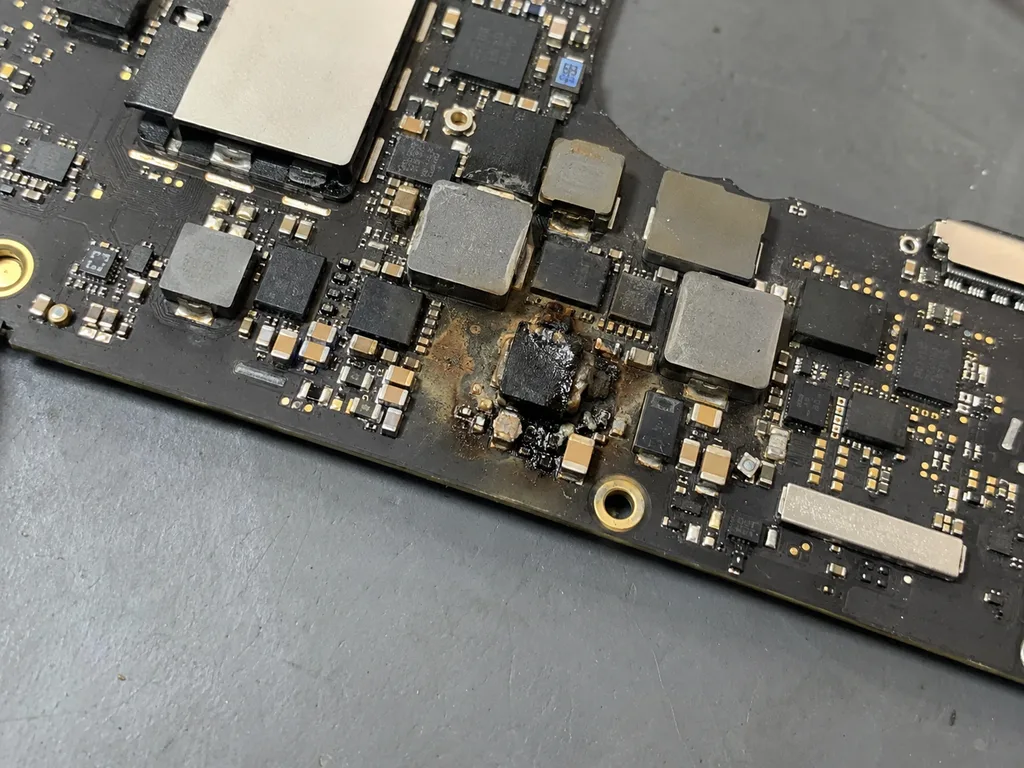
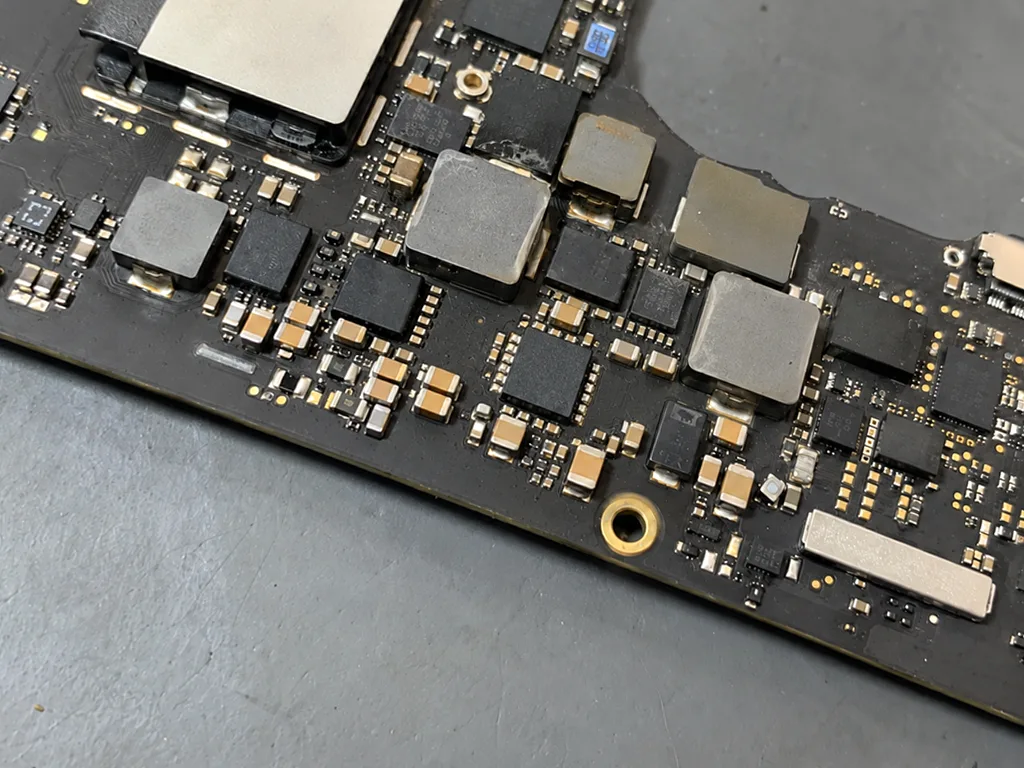
Open MacBook with fully dark screen without backlight or imageMacBook with large gray circular restart icon centered on blue wallpaperMacBook with black screen and no image but faint backlight glow at edges
Open silver MacBook laptop with screen on showing dark blue wave wallpaper
BeforeAfter
Won't turn on
Price incl. labor
from 16 900 ₸
Warranty
up to 1 year
  • Visual inspection
  • Current measurement
  • Locating the faulty block

Symptoms that point to the board

When a laptop will not start, ignores the charger or shows a blank screen, the cause often lies on the board.

Will not power on

You press the power button, yet the screen stays dark, the fan is silent and there is no startup chime.

Will not charge

The charger is plugged in, but the light stays off, the battery will not climb or the port area gets hot.

Restarts and crashes

The MacBook reboots itself, shows an error message or hangs on the Apple logo during startup.

No picture

Sound plays and the keyboard glows, but the screen is black and an external monitor shows nothing either.

MacBook logic board repair prices by model

Cost depends on the model and the nature of the fault, and common versions are listed below by number.

ServiceWhat's includedPrice
MacBook Pro A2289 logic board repairmicrosoldering · 1–3 days27 900 ₸per job
MacBook Pro A2251 logic board repairmicrosoldering · 1–3 days16 900 ₸per job
MacBook Air A2179 logic board repairmicrosoldering · 1–3 days44 900 ₸per job
MacBook Pro A2159 logic board repairmicrosoldering · 1–3 days27 900 ₸per job
MacBook Pro A1990 logic board repairmicrosoldering · 1–3 days27 900 ₸per job
MacBook Pro A1989 logic board repairmicrosoldering · 1–3 days27 900 ₸per job
MacBook Air A1932 logic board repairmicrosoldering · 1–3 days44 900 ₸per job
MacBook Pro A1708 logic board repairmicrosoldering · 1–3 days55 900 ₸per job
MacBook Pro Retina A1534 logic board repairmicrosoldering · 1–3 days129 900 ₸per job
MacBook Pro Retina A1502 logic board repairmicrosoldering · 1–3 days27 900 ₸per job
MacBook Pro Retina A1425 logic board repairmicrosoldering · 1–3 days16 900 ₸per job
MacBook Pro Retina A1398 logic board repairmicrosoldering · 1–3 days27 900 ₸per job
MacBook Pro A2991 logic board repairmicrosoldering · 1–3 days16 900 ₸per job
MacBook Pro A2780 logic board repairmicrosoldering · 1–3 days16 900 ₸per job
MacBook Pro A2485 logic board repairmicrosoldering · 1–3 days16 900 ₸per job
MacBook Pro A2338 logic board repairmicrosoldering · 1–3 days16 900 ₸per job
MacBook Pro A1707 logic board repairmicrosoldering · 1–3 days155 900 ₸per job
MacBook Pro A1706 logic board repairmicrosoldering · 1–3 days55 900 ₸per job
MacBook Air 11" A1370 logic board repairmicrosoldering · 1–3 days16 900 ₸per job
MacBook Pro A1297 logic board repairmicrosoldering · 1–3 days21 900 ₸per job
MacBook Pro A1286 logic board repairmicrosoldering · 1–3 days27 900 ₸per job
MacBook Pro A1278 logic board repairmicrosoldering · 1–3 days21 900 ₸per job
MacBook Air A2941 logic board repairmicrosoldering · 1–3 days16 900 ₸per job
MacBook Air A2681 logic board repairmicrosoldering · 1–3 days16 900 ₸per job
MacBook Air A2337 logic board repairmicrosoldering · 1–3 days55 900 ₸per job
MacBook Air A1466 logic board repairmicrosoldering · 1–3 days27 900 ₸per job
MacBook Air A1465 logic board repairmicrosoldering · 1–3 days24 900 ₸per job
MacBook Air A1369 logic board repairmicrosoldering · 1–3 days16 900 ₸per job
MacBook Pro 16" M4 logic board repairmicrosoldering · 1–3 days16 900 ₸per job
MacBook Pro 14" M4 logic board repairmicrosoldering · 1–3 days16 900 ₸per job
MacBook Pro 14" M3 logic board repairmicrosoldering · 1–3 days16 900 ₸per job
MacBook Air 15" M4 logic board repairmicrosoldering · 1–3 days16 900 ₸per job
MacBook Air 13" M4 logic board repairmicrosoldering · 1–3 days16 900 ₸per job

We name the final amount after diagnostics, since the scope of board work is not visible in advance.

What MacBook logic board repair includes

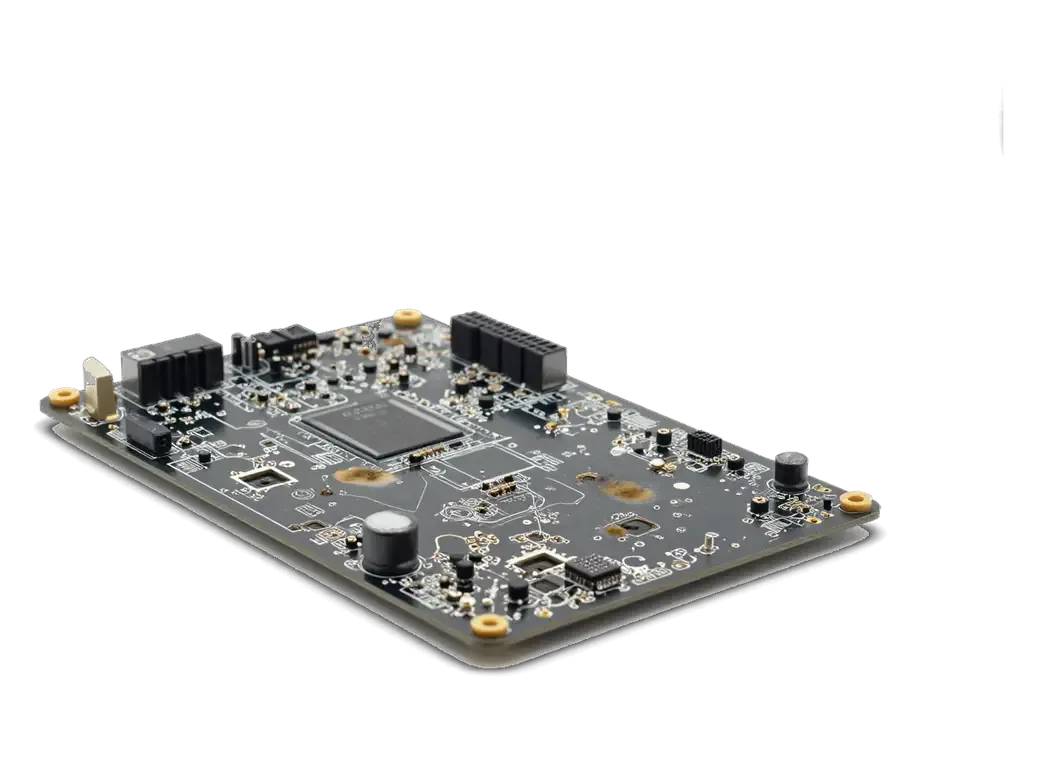
Board repair begins with inspection and measurements, followed by locating the faulty block, restoring the circuit and testing.

  1. 01
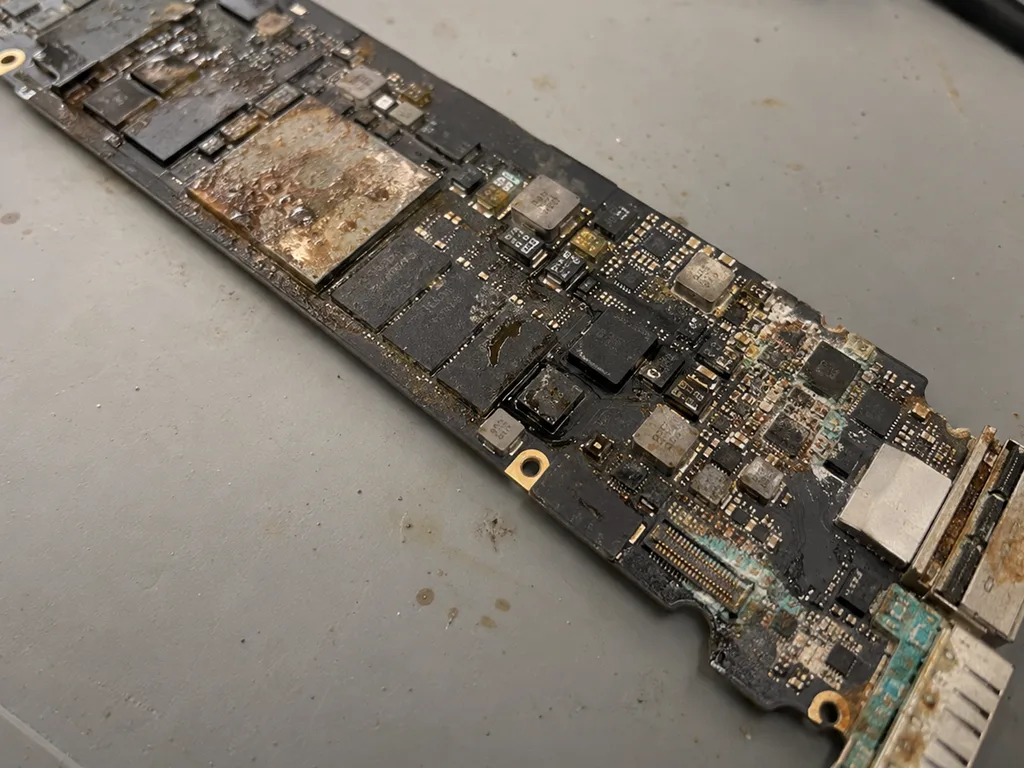
    MacBook motherboard with corrosion marks and a swollen capacitor
    Visual inspection

    Before power goes on, the technician looks for moisture traces, swelling, oxidation and damaged connectors.

  2. 02
    Laboratory power supply for testing a MacBook motherboard
    Current measurement

    The board runs from a lab power supply, and the current draw shows where the short circuit sits.

  3. 03
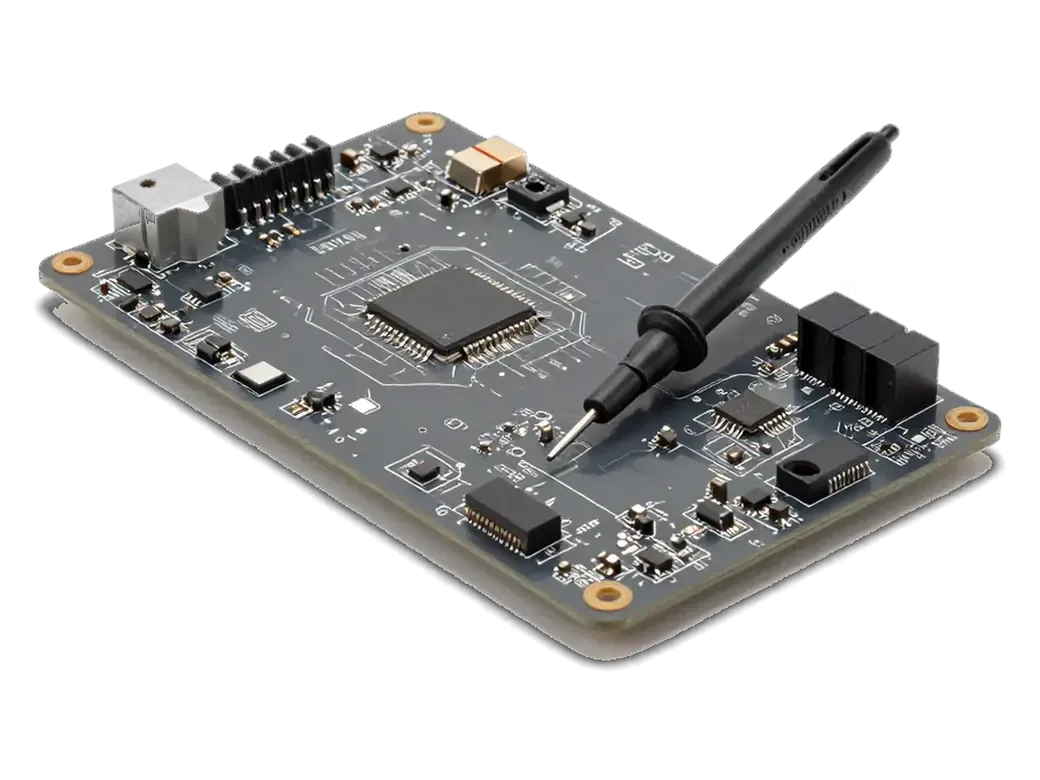
    MacBook motherboard with a burnt chip and multimeter probe
    Locating the faulty block

    Power, charging and backlight circuits are tested to find a burned chip or capacitor.

  4. 04
    MacBook motherboard with a new chip and a jumper on traces
    Restoring the circuit

    Failed parts are replaced, and damaged traces are rebuilt with jumper wires where needed.

  5. 05
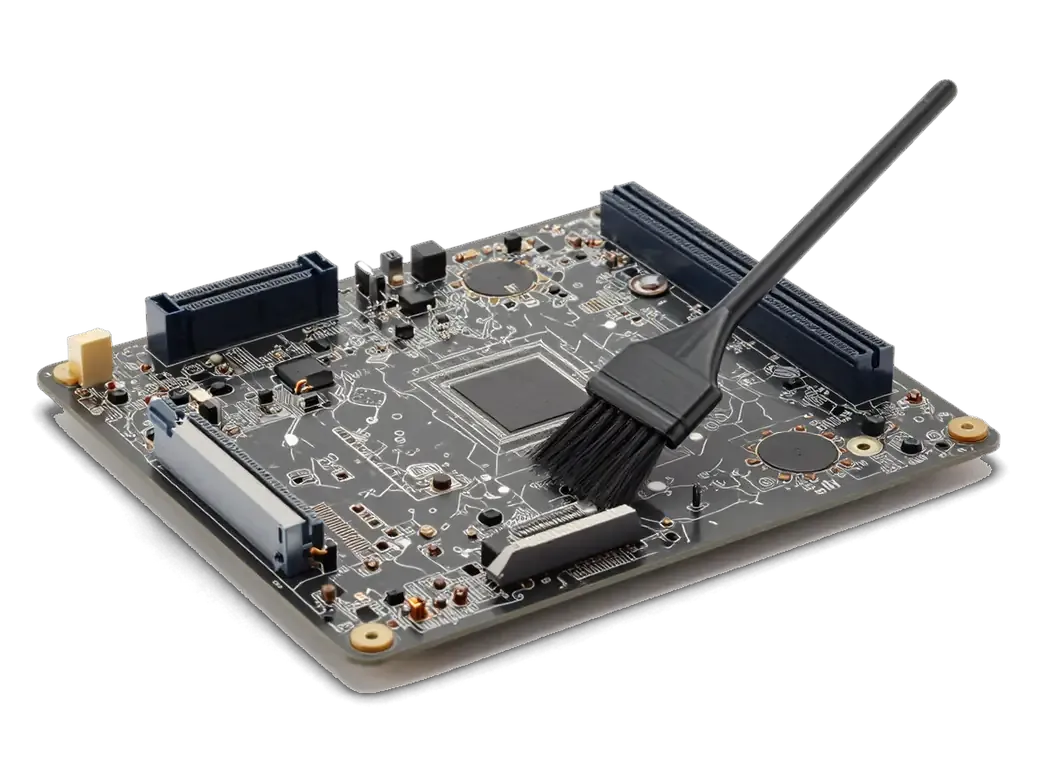
    MacBook motherboard with oxidation and a black cleaning brush
    Corrosion cleaning

    If liquid reached the board, it is washed and oxidation removed before it eats neighboring parts.

  6. 06
    Open MacBook with a checkmark on screen and charging cable connected
    Post-assembly test

    The system is started and we check charging, picture, sound, ports and behavior under load.

  7. MacBook Pro A2251 logic board repair
    from16 900 ₸

    If the board cannot be restored, we explain that honestly along with the reason.

    Price for my model

Is it better to restore single components or replace the whole board

After diagnostics there are usually two paths, and the choice depends on the damage, the age of the laptop and your budget.

Original Applewarranty up to 1 year
MacBook logic board repairafter diagnostics
MacBook laptop with a gear icon on screen during diagnostics
What is done
Failed chips are replaced on the existing board
When it fits
One power or charging block is damaged
What stays
Your drive data and original assembly
Limit
Needs parts and healthy neighboring circuits
Chosen by 64% of clients
Book with an original part
Aftermarketwarranty 6 months
MacBook logic board repair16 900 ₸
MacBook motherboard close up
What is done
Another board is fitted in place of the damaged one
When it fits
Damage is wide and repair is not worthwhile
What to watch
Needs a match by model and board revision
Limit
Device pairing and system locks may get in the way
Chosen by 36% of clients
Book with an aftermarket part

What diagnostics with us gives you

Board work calls for a sober assessment, so the decision stays with you and a refusal, when needed, is stated honestly.

11years

Apple device work

Eleven years of repairing Apple devices means the typical board faults of MacBooks are very familiar to us.

1year

Warranty on repairs

Our warranty on finished work lasts up to 1 year, and the conditions are explained when you hand over the device.

6technicians

Experienced technicians

A experienced technician handles the board and shows you where the fault was found and what is proposed.

The decision is yours

We lay out the options and what follows from each, and we begin only after you agree.

5min

An honest no

If restoring the board is not sensible, we say so plainly so you do not pay for a doubtful result.

2cities

Astana and Almaty

We accept devices in two cities under shared rules, and the working schedule is the same in both branches.

MacBook logic board repair in Astana before and after

1 / 2
Before photo: MacBook board with corrosion after coffeeBefore: MacBook board with corrosion after coffee
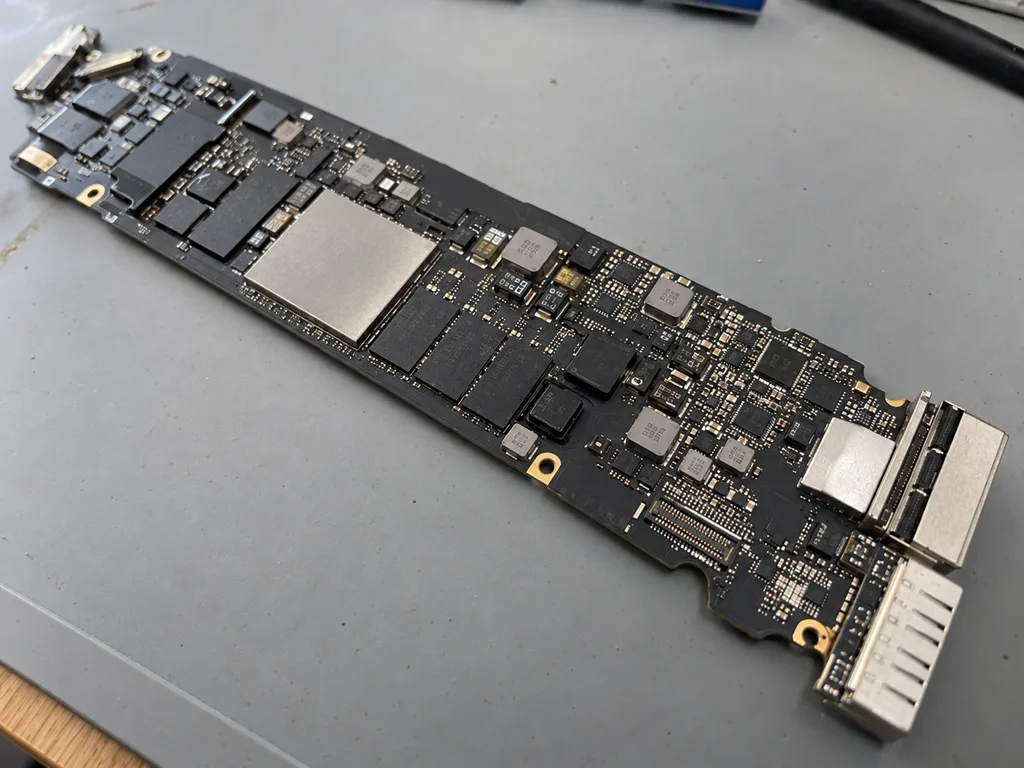
After photo: board after ultrasonic cleaningAfter: the board after ultrasonic cleaning
BeforeAfter

MacBook Air M2: coffee spill

2 daysLogic board repairWarranty 6 months
Problem
Coffee spilled on the keyboard, the laptop won't turn on. Another service suggested replacing the board for 520 000 ₸.
What we did
Cleaned the board in an ultrasonic bath, replaced 2 power controllers and the top case. The data was preserved.
−431 000 ₸against board replacement
I want the same
Before photo: burnt element on the boardBefore: burnt element on the board
After photo: restored boardAfter: restored board
BeforeAfter

MacBook Pro 16 2019: does not turn on

3 daysMicrosolderingWarranty 6 months
Problem
Does not turn on after a thunderstorm, charging is not detected.
What we did
Found a failed power controller, resoldered it under a microscope, and ran a 12-hour test.
3 daysinstead of a board for 480,000 ₸
I want the same

How MacBook logic board repair works in Astana

Usually the whole journey — from message to pickup — takes less than an hour; complex repairs follow the timeline in the receipt.

Book a repair
  1. Step 1

    Message or call

    5 min

    You send a photo of the damage on WhatsApp — we quote the price and available time. Or you call a courier.

  2. Step 2

    Free diagnostics

    15 min

    An engineer checks the device in front of you and shows what is broken. 0 ₸, even if you decline the repair.

  3. Step 3

    Price in the receipt

    2 min

    We fix the price, the part (original or analog), the timeline and the warranty. You sign — we start.

  4. Step 4

    Repair while you wait

    20–40 min

    Before installation we show you the new part in its factory packaging. You wait in the waiting area with coffee and Wi‑Fi.

  5. Step 5

    Post-repair check

    10 min

    Screen, keyboard and trackpad, camera, microphones, speakers, charging, Wi‑Fi. You check together with the engineer.

  6. Step 6

    Pick up your device

    warranty up to 1 year

    Together with the receipt, warranty card and the old part. Payment — Kaspi, card or cash.

Meet the iServices team

Technicians for iPhone, Mac, iPad, Apple Watch and AirPods repair.

1 / 2
KSKudiret S. — iCloud unlock specialist, iServices service center in AstanaPhoto: Kudiret S.

Kudiret S.

iCloud unlock specialist
10years of experience
4.37rating, 100 reviews
KAKamran A. — MacBook repair technician, iServices service center in AstanaPhoto: Kamran A.

Kamran A.

MacBook repair technician
4years of experience
4.33rating, 117 reviews
Bakmukhammed S., on-site iPhone technician
“If the repair didn’t suit you or you have a complaint, write to me personally.”
Bakmukhammed S.on-site iPhone technician · +7 701 333-47-01

We'll quote a price for MacBook logic board repair in Astana from a photo in 5 minutes

Send a photo of the screen and the MacBook model. An engineer will reply on WhatsApp, give the price and today's available time.

  1. 5 minAn engineer replies and names the price
  2. 0 ₸Diagnostics in front of you in 15 minutes
  3. 30 minMost repairs — while you wait

MacBook Logic Board Repair in Astana with Free Diagnostics

In short

iServices handles MacBook logic board repair in Astana as a direct contractor, not a middleman. Our experienced technicians run free 15-minute diagnostics in front of you, then repair the faulty component under a microscope instead of swapping the whole board. Board work takes 1–3 days with a warranty up to 1 year.

iServices Editorial TeamWe reply on WhatsApp within 10 minutes
Ask

How Intel and Apple Silicon boards behave differently during MacBook logic board repair

A logic board carries the processor, memory, storage and power circuits together, yet Intel and Apple Silicon versions are built to different rules. That difference shapes both the repair itself and what happens to your files.

How Intel-era and Apple Silicon boards differ

Two generations compared by layout and repair outcome
Board generationStorage and memory layoutWhat it means for repairData outlook
Intel MacBook (pre-M1)Partly modular, some chips solderedComponent-level fixes often possibleStorage can be read separately
Apple Silicon (M1 and newer)NAND and unified memory soldered beside the SoCBoard health governs accessFiles live on the board itself
Both generationsPower delivery and charging circuitsRail faults can stop the board before storage is reachedData stays intact if the rail is restored

Why you cannot simply swap the SSD or RAM on M-series

On M-series machines the storage and unified memory are part of the board itself, so there is no slot to drop in a new module the way older laptops allowed. The memory sits in the same package as the SoC, and the NAND chips are soldered a few millimetres away, which means a failed supply rail can cut access to your files even when those chips are intact. In our workshop we read the board under a microscope and trace the supply lines before touching any component. Our engineers handle macbook logic board repair in Astana as a board-first job, not a parts swap. That is why we treat the board as the priority — restoring its power and data paths matters more than any single chip.

The faults we actually find during MacBook logic board repair

Not every MacBook that won't start has a dead board, but a handful of faults show up again and again — and each one points to a specific part of the circuitry.

Common board faults and the symptoms they cause

  • No power at all: the device stays dark and shows no charging light, often a short on the supply rails.
  • Charges but won't start: the charging controller or a power rail has failed while the port still works.
  • Random restarts and heat: a damaged chip or failing voltage delivery overheats under load and forces reboots.
  • Liquid damage: corrosion spreads across the board and interrupts traces, so functions drop out in sequence.
  • Dead USB-C or MagSafe: a broken connector or the small circuit feeding it cuts charging and data transfer.

What to do first after liquid gets inside

Power the laptop down immediately and keep it off — running current through a wet board is what turns a spill into permanent corrosion. Unplug the charger, disconnect anything attached and do not try to boot it again "just to check" how bad it is. Bring it to us in Astana and we open the machine in front of you: an engineer replies on WhatsApp within 5 minutes and quotes the cost from a photo, and the free 15-minute check shows exactly where the liquid travelled. Skip the hairdryer and the rice; heat pushes moisture deeper, and residue keeps eating the traces long after the surface looks dry. The sooner we clean the corrosion, the more of the board survives — a board opened within the first day or two is far more often repairable than one left sitting wet for a week.

How we diagnose a board before any repair

We have to know exactly which rail or chip has failed prior to naming the cost. So diagnosis comes first, and it happens while you watch.

Free diagnostics in front of you in 15 minutes

We run free diagnostics in front of you in about 15 minutes, measuring current draw and hunting for shorts even if you decide not to go ahead with the repair. The engineer connects the board to a lab power supply and reads how much current each line pulls, then traces the short with a multimeter across the supply circuits. Nothing is hidden behind a counter: the readings, the probe points and the suspect area are all visible on the bench. The 15-minute check is the same whether the fault turns out to be a single capacitor or a shorted line feeding the CPU. Watching the numbers on the bench tells you more than any description — you see the exact line pulling too much amperage before a single screw is turned.

Why a liquid-damaged board can take up to two days to diagnose

After liquid gets in, diagnostics can stretch to two days because corrosion hides faults that only surface once the board is cleaned and tested under load. Spilled coffee or condensation leaves residue between pins and beneath chips, and that film keeps conducting in ways the hardware was never designed for. We strip the corrosion, inspect the traces through a microscope, then run the board with voltage applied to see which lines fail only when warm. Soldering on these boards requires a microscope and a rework station, and each corroded trace has to be traced individually. A board that looks fine at first glance can carry several of them, and every one must be mapped before we promise a fix.

Component repair or a full board replacement

Most boards we see do not need to be thrown away — the question is whether the failed component can be replaced on its own or whether the damage is too widespread.

When we repair the component and when we replace the board

repair versus replacement by damage pattern
SituationWhat we doWhy
One failed chip or railComponent-level repairRest of the board is healthy
Localised corrosionClean and rebuild tracesDamage is contained
Widespread corrosionRecommend board replacementToo many traces compromised
Cracked or burnt boardRecommend board replacementNo stable base to repair
Failed charging controllerComponent-level repairThe rest of the power path is intact

Choosing between an original board and an aftermarket one

When a replacement is unavoidable we offer both an original board and an aftermarket one, and we show the new part in its factory packaging before it goes in. On the bench the difference shows up in the small things: an original board keeps the same power behaviour and thermal profile the machine was designed around, while an aftermarket one can leave a MacBook Air with slightly different charging habits or fan curves. We fix the price, the part, the turnaround and the warranty on the receipt before work starts, so the choice is made on paper, not on trust. 64% of customers pick the original part. The decision usually comes down to how long you plan to keep the machine — a board that matches the original spec holds its behaviour and resale value better over the years.

Timelines, documents and the warranty you get

Board work is not a while-you-wait job like a screen, so it helps to know up front how long it takes and exactly what you walk out with.

How long board repair takes and what we check afterwards

Board repair takes 1–3 days, and once it is done we test the machine under load and check the functions that matter before handing it back. MacBook and iPad repairs take from 1 hour to 1 day, but a logic board is a different scale of work: the technician works under a microscope, and a single cold joint or a shorted rail has to be traced before anything is powered on again. After the fix we run the laptop through a real workload rather than a boot screen, then check 32 functions in about 10 minutes — charging, network, speakers, microphones, cameras, True Tone and the rest. A board can pass a power-on test and still fail under real work, so we run it hard rather than trusting a single boot screen.

The receipt, warranty card and old part you receive

Before work starts we fix the price, the part, the turnaround and the warranty on the receipt, and you leave with that receipt, a warranty card and the old part. The part itself is shown in factory packaging before installation, so you see what goes into the machine, and the terms on paper take about 2 minutes to lock in. Warranty runs up to 1 year on the work and the component we fitted. Keeping the old board matters if you ever resell or need a second opinion — it is your proof of what was actually replaced. If you are in another district, a courier can be called and the same documents travel back with the laptop.

Summary: MacBook logic board repair

Board-level faults reward a measured approach over a rushed one. The points below summarise what decides the outcome when a laptop stops powering on.

  • Measure before replacing: a device that will not start or charge does not automatically need a new board — test first and swap only the failed part.
  • Soldered memory and storage: on Apple Silicon the SSD and RAM sit on the board itself, so board health and your data are tied together.
  • Spills need speed: after liquid gets inside, power down at once and skip the heat — corrosion is what turns a spill into a dead board.
  • Repair keeps your board: component-level service preserves the original board, while a full swap is the fallback when damage is broad.
  • Fixed on paper first: a board job runs 1–3 days, and the part, turnaround and warranty are agreed in writing before anything is opened.


What clients ask about MacBook logic board repair

Did not find an answer? Message us on WhatsApp: an engineer replies, not a bot.

Ask a question
Can a MacBook Air logic board simply be replaced with a donor board?

Physically yes, but on T2 and Apple-chip models a donor board brings its own encrypted storage, so none of your data comes with it, and Touch ID has to be paired again. That is why repairing your own board is usually the first choice.

Is logic board repair different on a MacBook Pro with an Apple chip?

Yes, the processor, memory and storage sit together on one board. Faults in power circuits and other components around them can be repaired, while a failed main chip means the board has to be replaced.

My MacBook only works while plugged in. Is that the logic board?

Not necessarily: a dead battery or a damaged battery connector cause the same symptom. If a working battery does not help, the engineer traces the charging circuit on the board.

Will my MacBook keep its serial number and Apple ID link after the board is repaired?

Yes, when your own board is repaired, the serial number, Activation Lock and Touch ID pairing stay as they were. Swapping the whole board is what changes these links.

My MacBook smells burnt. Can I try switching it on again?

No, unplug it straight away and do not press the power button again. A burning smell means a component on the board or in the charger has overheated, and repeated attempts can spread the damage.

Can data be recovered if the MacBook board cannot be repaired?

On older models with a removable SSD, the drive can be read in another Mac. On T2 and Apple-chip MacBooks the data lives on the board itself, so recovery depends on bringing that board back to life.

Reviews of MacBook logic board repair in Astana

1 / 10
4.9

iServices network rating on Google Maps, wikicity and our website · 2 028 reviews
Google Maps4.438 reviews ›wikicity5.015 reviews ›Reviews on the iServices website4.91 975 reviews ›
ДЕ
Дархан Е.Order No. •••23 · 2 September 2026
MacBook Pro 14″ M3 · battery

Было ощущение, что ремонт выйдет дороже нового. Проблема — вздулась батарея. Камран А. провозился, но сделал. Приняли, объяснили, что и почему. Вышло из строя: плата. Проверил на всех режимах — держит.

iServices customer review, in Russian
ЖЮ
Жұлдыз Ю.Order No. IS‑•••40 · 13 August 2026
MacBook Air 13″ (M2, 2022) · screen

Работаю рядом, заехала в обед. Думала, придётся оставить на неделю. Проблема — треснул экран. Оплату взяли после ремонта. Работает, как будто и не ломалось)

iServices customer review, in Russian
АЦ
Асыл Ц.Order No. ISV‑•••00 · 22 July 2026
MacBook Air 15″ (M4, 2025) · water damage

Друг посоветовал, у него после воды ноут подняли. Принёс с мороза, открыл — залили водой. Работает, как будто и не ломалось.

iServices customer review, in Russian
МЭ
Михаил Э.Order No. ISV‑•••36 · 1 May 2026
MacBook Pro 14″ M3 · water damage

Обратился по поводу MacBook Pro 14" M3. Проблема — не включается. Третий месяц — никаких проблем.

iServices customer review, in Russian
АЧ
Алишер Ч.Order No. ЗК‑IS‑•••10 · 20 April 2026
MacBook Air M2 · water damage

Позвонил в три места, здесь внятно объяснили по цене. Работал в жару, и вот — залили водой. Камран А. посмотрел и честно сказал: менять не надо. Работает, как будто и не ломалось.

iServices customer review, in Russian
АЯ
Ақжүніс Я.Order No. •••98 · 15 April 2026
MacBook Pro M2 · water damage

Было ощущение, что ремонт выйдет дороже нового. Проблема — залили водой. Ответили в WhatsApp, потом созвонились. Вытащили и показали: кулер. В 72 500 уложился, как и обещали. Спасибо, что выручили. Функционирует, тьфу-тьфу.

iServices customer review, in Russian
ДЭ
Данияр Э.Order No. IS‑•••75 · 26 March 2026
MacBook Pro 16″ A2991 · water damage

Залил кофе, и через день — залили водой. Камран А. принял без вопросов, хотя был без записи. Позвонил, описал проблему, сказали привозить — посмотрят. Позвонил в i-service по номеру из объявления. Пользуюсь и вспоминаю добрым словом.

iServices customer review, in Russian
МВ
Мақпал В.Order No. IS•••55 · 17 February 2026
MacBook Air M3 · battery

Записалась на ремонт MacBook Air M3. Проблема — вздулась батарея. Камран А. посмотрел и честно сказал: менять не надо. Приняли, объяснили, что и почему. Вскрытие показало: плата. Сказали 25 000 по телефону, столько и вышло. Ставлю пять. Все функции проверила — работают

iServices customer review, in Russian
БИ
Борис И.Order No. ЗК‑IS‑•••60 · 21 January 2026
MacBook Air 13″ (M2, 2022) · water damage

Проблема — залили водой. Камран А. разобрался в редкой модели. Функционирует, тьфу-тьфу)

iServices customer review, in Russian
НД
Нагима Д.Order No. IS‑•••94 · 20 January 2026
MacBook Air M3 · water damage

Просто выключился, и теперь — залили водой. Мастер сам предложил забрать технику позже. Проверил на всех режимах — держит.

iServices customer review, in Russian
Showing 10 of 101

Where to get MacBook logic board repair in Astana

Address
Astana, Kabanbay Batyr Ave., 7/2
Opening hours
Mon–Fri 10:00–19:00Sat–Sun 11:00–18:00
Phone and messengers
+7 727 339-99-12WhatsApp: +7 701 333-47-01
Directions map: iServices Astana© OpenStreetMapFind us on the maps: Google Maps · 2GIS