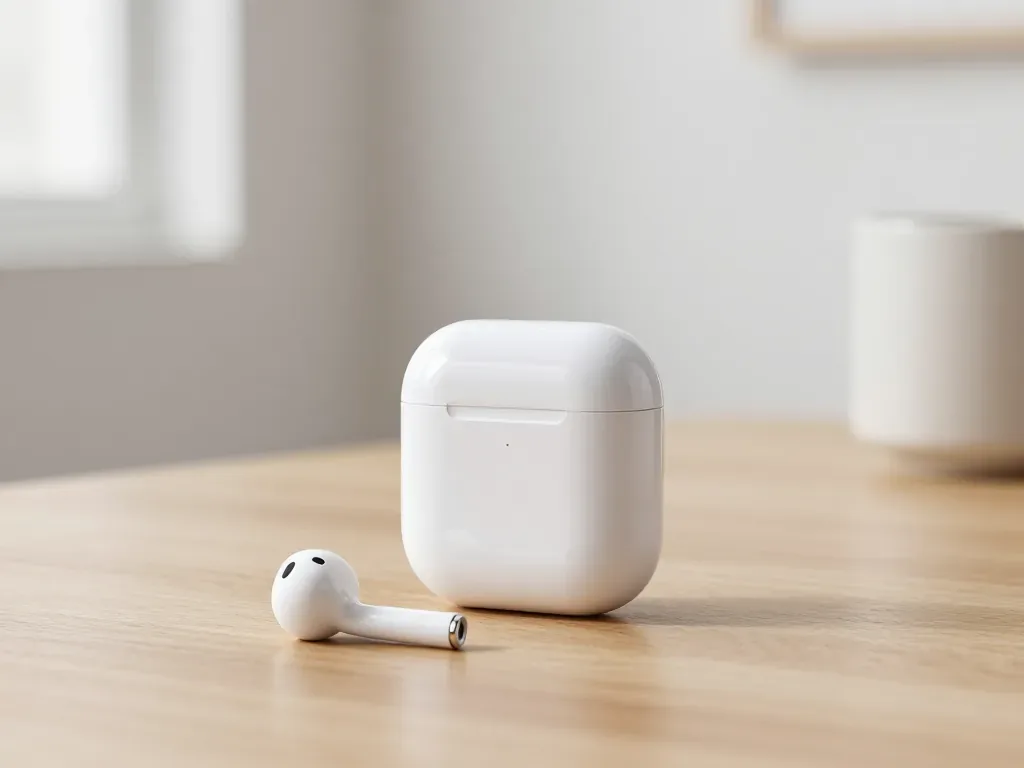
When your AirPods case not charging in Almaty, start simple: clean the pin contacts, try another cable and adapter, then reset the AirPods. If the LED stays dark or the case heats up, the fault is usually the battery, the port or the board. iServices checks the case free in front of you in 15 minutes.
Why airpods case charging stops and how to check it yourself
Most "dead" cases are not dead at all — dirty contacts, a worn cord or a deeply discharged cell account for the majority of complaints. Below is the check order our engineers follow, from simplest to most invasive.
Service details: “AirPods Battery Replacement”.
The five checks to run before you panic
- Cable swap: try another Lightning or USB-C cord you know works, because one that charges a phone can still fail on the case's lower draw.
- Adapter swap: plug into a different power adapter or a laptop port to rule out a weak charger.
- Contact inspection: look inside the earbud wells with a torch — lint and pocket fluff block the pins.
- Deep discharge reset: leave the case on charge for 20–30 minutes untouched, since a drained cell needs time before responding.
- Earbud reseat: pull both buds out, push them back until they click, then watch whether the light reacts.
How to read the LED and what a dark indicator means
A dark LED with a known-good cord means the case is not receiving power at all, while a blinking amber light usually points to a contact or battery problem. Solid amber shows normal charging, and green means the cell is full. On models with a small light inside the lid, the colour only appears while the lid stays open — close it and the status disappears. A light that flashes once and goes dark is often the protection circuit stepping in, not a failure. If you are dealing with airpods case not charging in Almaty, this same check order helps you tell a contact fault from a battery fault before you decide on a repair. Hold the case open and watch the LED for ten seconds after plugging in — some units flash only briefly before the protection circuit cuts in.
Cleaning the contacts and when heat is a warning sign
Clean the two pin contacts at the bottom of each earbud well with a dry cotton swab and isopropyl alcohol, then let them dry fully before charging. Work gently — the pins sit on a thin spring assembly that bends easily, and a bent pin stops the transfer far more reliably than dirt does. Check the metal ring at the base of each earbud too, since a film of skin oil there breaks the circuit even when the well looks spotless. A case that becomes noticeably warm within minutes is not normal — stop charging it and have the battery checked, because continued charging can swell the cell. Warmth on the outside after an hour of charging is ordinary; heat within the first two or three minutes is the signal to unplug.
Airpods case charging itself or not charging the earbuds
These are two different faults with different causes and different repair costs, and mixing them up is the most common mistake we see. Here is how to tell one from the other in a couple of minutes.
Two symptoms that look the same but are not
If the LED lights up when you plug the case in but the earbuds stay at zero, the case is charging fine and the fault sits in the contacts or the earbud batteries. A dead case behaves the opposite way: no light, no reaction, nothing on the screen even with a known-good cable. The two scenarios point at completely separate parts inside the accessory, which is why the diagnosis has to start with the indicator rather than with the earbuds. Swap one earbud at a time into the case and watch the battery widget — if only one side fails to charge, the problem is that earbud, not the case.
A quick test that tells you which part is failing
- Plug in and read the LED: a steady amber light means the case is drawing power, while no light at all points to the port, cable or internal battery.
- Seat one earbud and watch the widget: the charge level should climb within a minute; if it stays flat, that earbud or its contact ring is the fault.
- Repeat with the second earbud: one side charging and the other not isolates the problem to a single earbud rather than the case.
- Bring both earbuds and the case to us: an engineer runs free diagnostics in front of you for 15 minutes and shows what is broken, even if you decide not to repair.
What the charge level in the widget really shows
The battery widget reports the case and each earbud separately, so a case at 100% with earbuds at 0% is a clear sign the case is not passing power through. That reading is more useful than the colour of the light, because it splits the system into three independent numbers instead of one vague signal. When the widget shows the case but never the earbuds, the internal contacts are the usual culprit rather than the battery itself — the cell holds charge, but the pins that should hand it to the earbuds are dirty, bent or corroded. If the widget shows neither the case nor the earbuds, the accessory is not communicating at all, and the port or the board deserves a closer look under magnification.
What can be repaired inside the AirPods case charging and when replacement makes sense
A charging case is not one sealed block. Its battery, pin contacts, socket and board fail and get fixed separately, and only a narrow set of faults genuinely calls for a new case.
The four parts that fail most often
- Battery: the cell wears down with every cycle and eventually holds only a fraction of its original capacity.
- Pin contacts: the spring-loaded pins that touch the earbuds collect dust and oxidise, so the buds stop receiving charge.
- Socket: the Lightning or USB-C inlet takes the stress of every cable and loosens or cracks over time.
- Logic board: this small circuit handles power routing and charging logic, and it is what water and hard drops damage.
Repair options side by side
| What fails | What we do | Typical time | Warranty |
|---|---|---|---|
| Battery | Replace the cell | 25 min | up to 1 year |
| Pin contacts | Clean or replace | 20–40 min | up to 1 year |
| Charging socket | Replace Lightning or USB-C | 20–40 min | up to 1 year |
| Board | Microscope repair | 1–3 days | up to 1 year |
| Hinge or lid | Mechanical fix | 20–40 min | up to 1 year |
When a full replacement is the honest answer
We advise swapping the case outright only when the board is cracked through or water has corroded several traces at once, since a part-by-part repair on that damage does not hold. Everything else stays repairable: a case that took a hard fall and now charges at just one angle usually has a cracked solder joint at the inlet, and that joint is fixable far more often than owners expect. Our engineers work on the circuit under a microscope, which is how a hairline crack gets found instead of guessed at. A worn cell that drains overnight with the buds outside is the cheaper fault to sort out, not a reason to bin the whole unit. Bring it in and we will tell you plainly whether the fault is worth fixing.
Model differences across Lightning, USB-C and MagSafe variants
Cases from different generations are built differently, and a fix that rescues one will do nothing for another. Below is how Lightning, USB-C and MagSafe versions differ during diagnosis.
How the case changed from Lightning to USB-C
Older cases use a Lightning connector, while AirPods 4 and newer Pro models moved to USB-C, which changes both the repair and the cable you should test with. The Lightning plug sits in a narrow recess that collects lint until it no longer seats fully; a wooden toothpick and a light blast of air usually restore contact. On AirPods 4, including the ANC version, the opening is wider but the internal contact plate is thinner, so bent plugs damage it faster. The socket itself is a different part and cannot be moved between generations. A USB-C case that charges from a laptop but not from a wall adapter is often a negotiation issue between the two, not a dead socket — test with a known USB-C-to-USB-C cord first.
MagSafe cases and wireless charging quirks
MagSafe cases on AirPods Pro and AirPods 3 can charge wirelessly, but a misaligned pad or a thick cover will stop the coil from working even when the socket is fine. The coil sits on the inner face of the lid, and a drop that cracked nothing visible can still break its solder points; the unit then charges by cord and ignores every pad. Third-party covers with metal plates shield the coil entirely, and the accessory reads as not charging while the battery is healthy. Test on a flat pad with the lid closed and the unit centred — off-centre placement loses up to half the transfer and the LED may never turn amber. If wireless charging fails but the cord works, the coil or its solder points are the suspect, and that is a separate repair.
Original versus aftermarket parts for each model
We offer both an original part and a tested aftermarket option for every case generation, and 64% of our customers choose the original. For AirPods Pro 2 and AirPods 3 the original battery cell keeps the exact capacity the unit shipped with, while a quality aftermarket cell is a tested alternative that costs less. On AirPods Max the battery sits in the ear cup rather than the case, so the part list differs entirely and the headband connector has to be checked too. Every option is shown in factory packaging before installation, and price, part, turnaround and warranty are fixed on the receipt first. For older Lightning units an aftermarket battery often makes more sense, while for current Pro models the original cell holds its capacity noticeably longer.
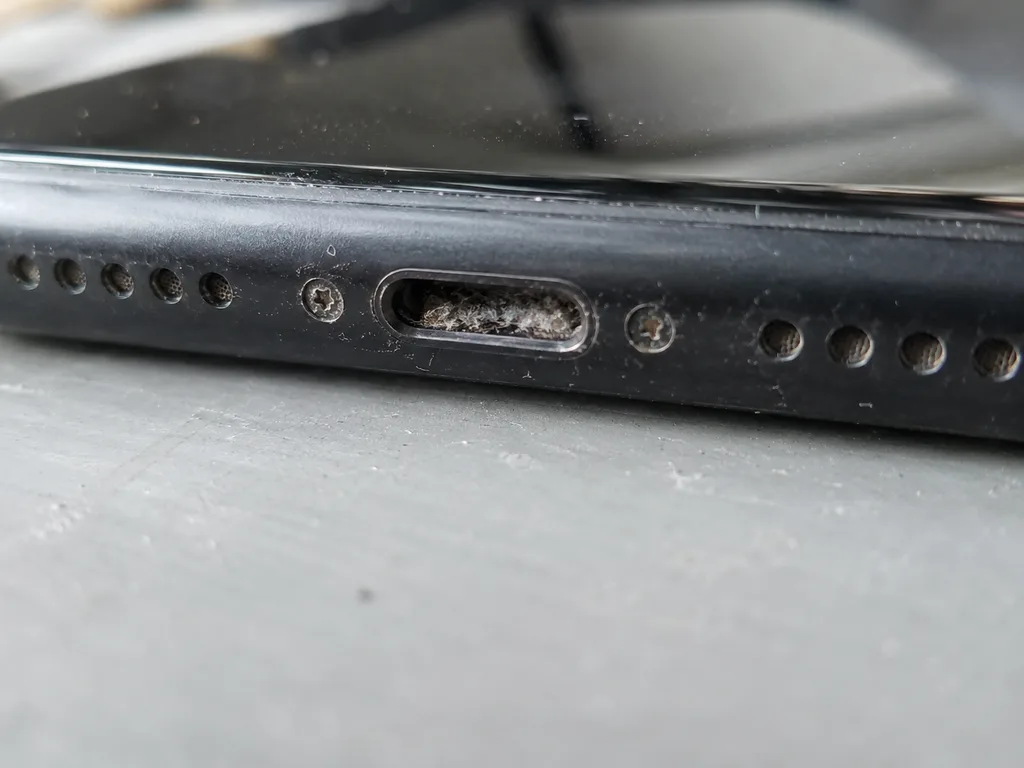 Before: the port does not charge
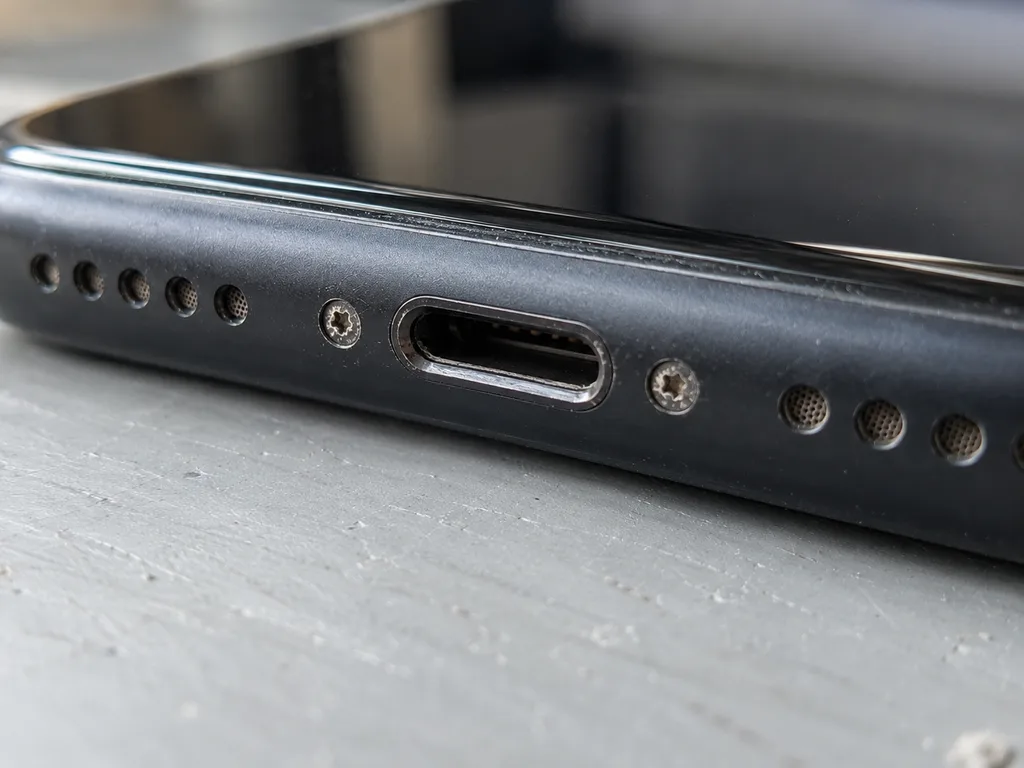 After: a new port
Water damage, drops and cases that sat dead for months
Water, a fall and a long idle stretch hit a charging case in three different ways, and first aid differs for each. Below are the three scenarios, the mistakes that make them worse, and what actually helps.
What to do in the first hour after water
Power the case off, do not plug it in, and skip the hairdryer — heat drives moisture deeper into the board and can warp the battery. Take the earbuds out, leave the lid open and let the case air-dry at room temperature, away from radiators and direct sun. Rice does not pull water out of a sealed case; the only reliable step is open-air drying followed by a proper check, because corrosion on the charging contacts and board begins within hours, not days. In our workshop, diagnostics after water sometimes runs up to two days, since residue keeps shorting traces until it is fully cleaned. If the case took a soak in a sink or a washing machine, do not test it with a cable to "see if it works" — that single attempt can turn a cleanable board into a dead one.
Why a case that sat dead needs more than a charge
A case left at zero for months often has a battery that has dropped below its safe recharge threshold, so a normal charger will not wake it up. Lithium cells self-discharge slowly, and once voltage falls too low the protection circuit blocks current on purpose. Do not keep a deeply discharged case on the charger for hours hoping it revives — a swollen cell is a fire risk, and a technician can tell within minutes on a tester whether the battery is recoverable or has to be swapped. Capacity also fades with age, so a case that sat idle for a year may charge again but hold far less than before. Bring it in with the story of how long it lay unused: that detail tells the engineer whether to attempt a wake-up charge or go straight to replacement.
After a drop, what usually breaks inside
After a fall the most common internal damage we see is a cracked solder joint on the charging port or a loose contact spring, not a shattered board. The shell absorbs the impact, the port takes the leverage, and the joint underneath gives way — which is why the case looks fine but refuses to charge. We show the fault to the customer during the free diagnostic, so you see the loose joint or bent pin yourself before any work starts. If the case charges only when you press or angle the cable, describe that to the engineer — it points straight to the port joint and saves diagnostic time. A drop onto a hard floor can also shift the battery connector; that shows up as intermittent charging rather than a total failure.
When to bring the case to a service in Almaty and what to expect
If the basic checks got you nowhere, the next step is a technician with proper bench equipment. Here is how a visit is arranged, how long it takes, and what you walk out with.
How a visit works from photo to pickup
- Photo first: send a picture of the case on WhatsApp and an engineer replies within five minutes with a price and a free time slot.
- Fixed on paper: the price, the part, the turnaround and the warranty go on the receipt before any work starts, so nothing changes once the unit is open.
- Your choice of part: the new component is shown in factory packaging before installation, and you pick original or aftermarket.
- Work in front of you: most jobs are done while you wait in the seating area, which has coffee and Wi-Fi.
- Handover: the device comes back with the receipt, the warranty card and the old part, so you can see exactly what was swapped.
What the free 15-minute check covers
The engineer examines the case in front of you for a quarter of an hour and shows you what is broken, even if you decide not to repair it. On the bench the technician reads the LED behaviour, tests the contacts with a charge tester and traces whether power reaches the battery or stops at the connector. That sequence separates a dead cell from a worn Lightning or USB-C port quickly, without guesswork. We always suggest standing at the bench during this step: watching the indicator react and the contact test run tells you more about the fault than any written report. If the unit came in wet, the same check sometimes stretches to two days — moisture hides damage that only shows after the board dries.
Warranty, timing and getting the case to us
Every job carries a warranty up to 1 year, most cases are finished in 20–40 minutes while you wait, and a courier across Almaty takes 90 minutes and is free with a repair. We accept devices seven days a week — weekdays 10:00–19:00, weekends and holidays 11:00–18:00 — and take payment by Kaspi, card or cash, so a Saturday drop-off does not cost you a weekday. Our technicians handle 46,000+ jobs over 11 years, and 72% are completed in the waiting area. If you cannot come in, send the photo on WhatsApp and we book the courier instead.
Summary: AirPods Case Not Charging
A quick recap of what separates a five-minute fix from a bench repair, so you can decide the next step with a clear head.
- Start simple: check the contacts, the cable and the adapter before assuming the case is dead — most false alarms end here.
- Lights up but no charge: a case that shows power while the earbuds stay at zero points to the pins or the buds, not a dead battery.
- Parts are separate: battery, charging pins, port and board are each repaired on their own, and full replacement is rarely the only route.
- Match the cause: water, drops and months of storage each need a different first response, and heat or swelling means stop charging at once.
- Last step: if the basic checks fail, a bench diagnosis tells you within minutes whether the unit is repairable.