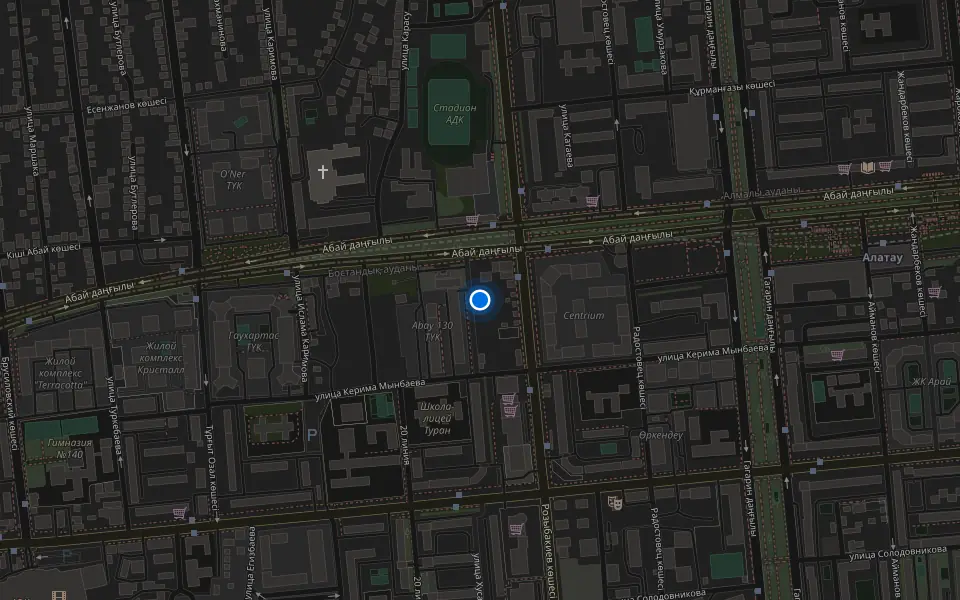
Your city

AstanaAstana, Kabanbay Batyr Ave., 7/2 · +7 727 339-99-12
Eng

Apple ID (iCloud) Unlock in Almaty

Forgot your iPhone iCloud password? Show the box or receipt and we'll handle the unlock; we don't take in found devices.

iPhone with a dark blue wallpaper and a large gray lock icon in the centeriPhone with a dark blue wallpaper and a large gray crossed-out SIM card iconiPhone with a dark blue wallpaper and a large gray gear icon with a lock
iPhone with the screen on and a dark blue abstract wallpaper
BeforeAfter
Activation lock
Price incl. labor
from 4 990 ₸
Warranty
up to 1 year
  • A talk about your case
  • Device status check
  • Ownership evidence review

When you need an Apple ID (iCloud) unlock

Cases where iCloud help is needed: an Activation Lock screen, a second-hand phone, a locked account or lost access to the old email or number.

Activation Lock screen

After a reset or an update the iPhone asks for an Apple ID and a password that you no longer remember.

A phone bought second-hand

The previous owner never signed out, so the device keeps asking for someone else's account details.

Account locked for security

Your Apple ID was disabled, and you cannot open the App Store, iCloud or Find My on this phone.

Old email or number

Verification codes go to a mailbox or a SIM card you no longer have, so a password reset keeps failing.

How much does an Apple ID (iCloud) unlock cost?

The row below is a starting point for the technician's work; the final amount depends on your model and case.

ServiceWhat's includedPrice
Apple ID (iCloud) unlockowner only: box or receipt13 900 ₸per job
iPhone firmware flashingsoftware restore, no parts replaced4 990 ₸per job
iPad firmware flashingsoftware restore, no parts replaced8 900 ₸per job
Apple Watch firmware flashingsoftware restore, no parts replaced5 490 ₸per job
MacBook macOS installationOS installation, no parts replaced10 900 ₸per job
iMac macOS installationOS installation, no parts replaced13 900 ₸per job
iPad Apple ID (iCloud) unlockowner only: box or receipt13 900 ₸per job

The result depends on the model, the state of the account and which papers you can show as the owner.

What an Apple ID (iCloud) unlock visit covers

How an unlock request is handled: a talk about your case, a device status check, a review of ownership evidence and getting access back.

  1. 01
    iPhone with a magnifying glass icon on the screen for inspection
    A talk about your case

    We learn the model, how the lock appeared and what you have already tried on your own.

  2. 02
    iPhone with a shield icon and a checkmark on the screen
    Device status check

    The technician sees where activation stops and whether the phone is still tied to an account.

  3. 03
    Dark tablet with a blank sheet and a list icon
    Ownership evidence review

    We explain which receipt, box and account details best show that the iPhone belongs to you.

  4. 04
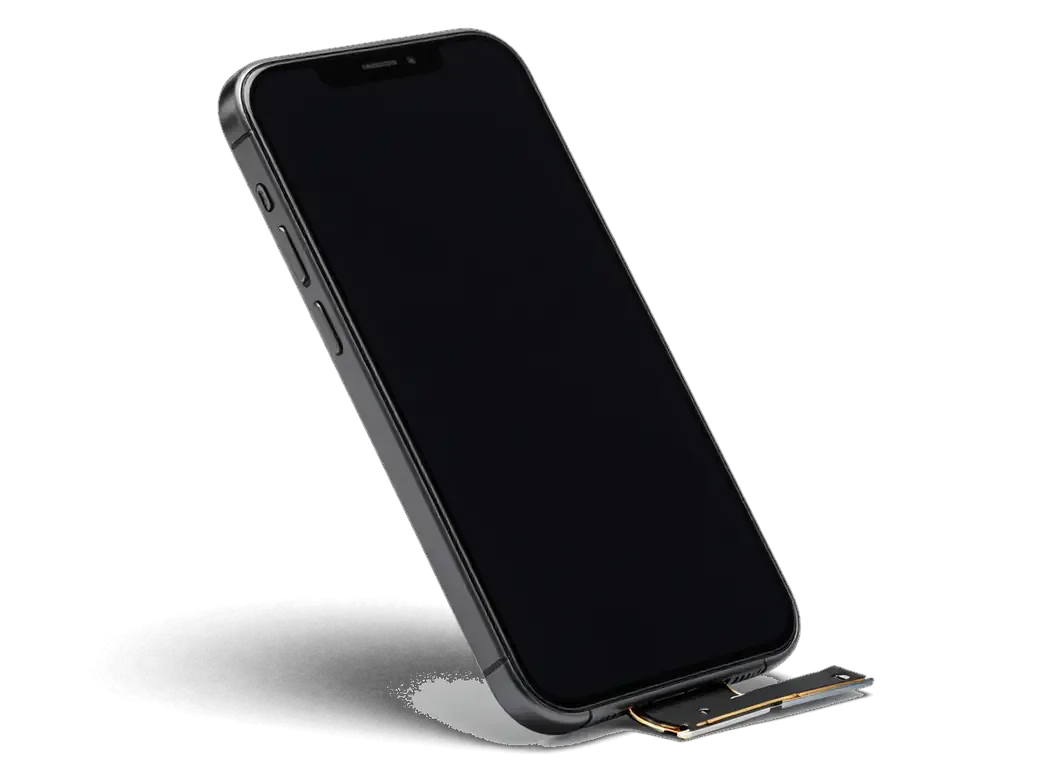
    Opened iPhone with the display folded back on its flex cable
    Getting access back

    We guide you through the recovery steps open to an owner and set up your sign-in again.

  5. 05
    iPhone with a green checkmark on the screen after testing
    Check after sign-in

    We confirm that the phone activates and that iCloud, the App Store and Messages open normally.

  6. 06
    Dark warranty card with a shield icon
    Account safety advice

    We show how to turn on two-factor protection and where to keep recovery keys.

  7. Apple ID (iCloud) unlock
    from4 990 ₸

    We work only on devices whose ownership can be shown.

    Price for my model

Does a password or a purchase receipt prove the iPhone is yours

The route to unlocking depends on what you still have: account details or papers for the phone.

Original Applewarranty up to 1 year
Apple ID (iCloud) unlockafter diagnostics
iPhone with a large lock icon on a dark screen
Account details
You know the Apple ID and reach the mailbox
What we do
Reset the password and sign out of the account
Best when
The phone is yours and the password is forgotten
Outcome
Full access to iCloud and your purchases
Chosen by 64% of clients
Book with an original part
Aftermarketwarranty 6 months
Apple ID (iCloud) unlock13 900 ₸
iPhone with a green checkmark on a dark screen
Paperwork
A receipt, box or sale contract in your name
What we do
Prepare a request for Apple's support team
Best when
The login is lost but the purchase is provable
Outcome
Depends on the answer from Apple support
Chosen by 36% of clients
Book with an aftermarket part

How we help when an Apple ID will not let you in

How we help when an Apple ID will not let you in: we judge the chances honestly up front and explain every step in plain language.

11years

11 years with iPhones

The service has worked with Apple devices for eleven years and recognizes the usual lock scenarios quickly.

8technicians

Experienced technicians

Your case is reviewed by experienced technicians who know what is possible and what is not.

1year

Warranty up to 1 year

Completed work carries a warranty up to 1 year, and the technician explains its terms before starting.

A straight answer

If access cannot be restored lawfully, we tell you at once instead of stretching the process out.

2cities

Two cities

We accept devices in Almaty and in Astana, so you can pick the branch that suits your schedule.

5min

Plain explanations

We explain without jargon what happened to the account and how to keep it from happening again.

iPhone before and after repair

1 / 2
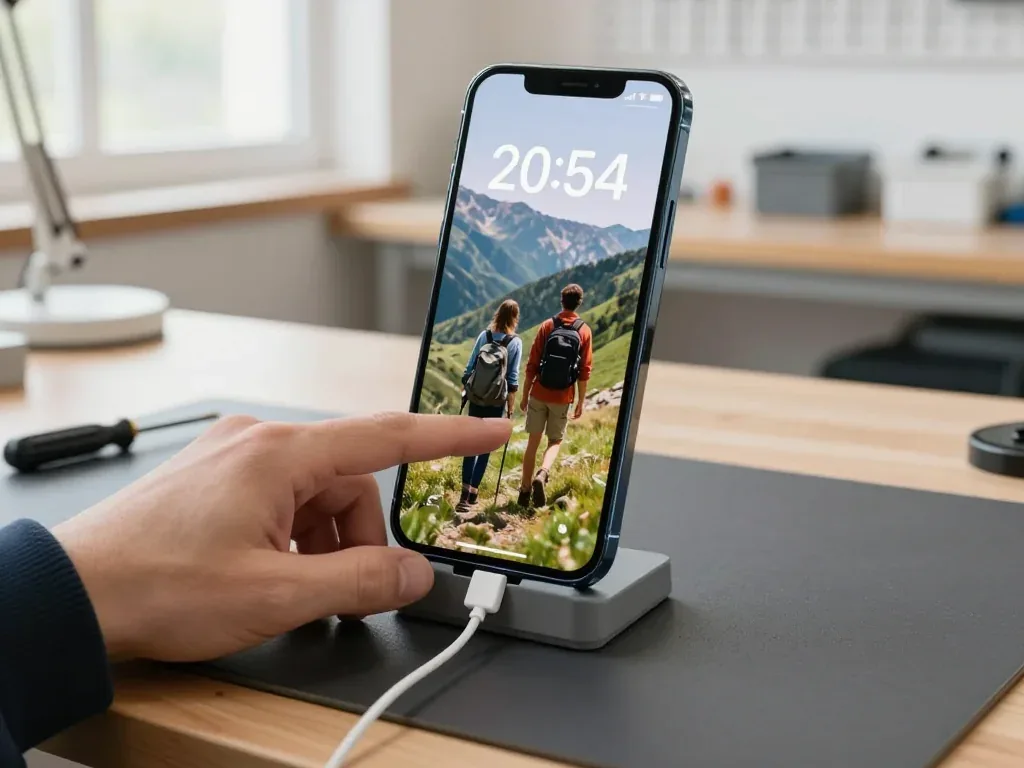
Blue iPhone 13 in a stand with a cable connected, lock screen showing a photo of tourists in the mountains

iPhone 13: forgot the lock code

The customer forgot the passcode on their iPhone 13 and couldn't get into the phone. We checked the purchase documents, reset the device and reinstalled the system — the phone works again and the data was restored from a backup.

from 13 900 ₸repair cost
I want the same
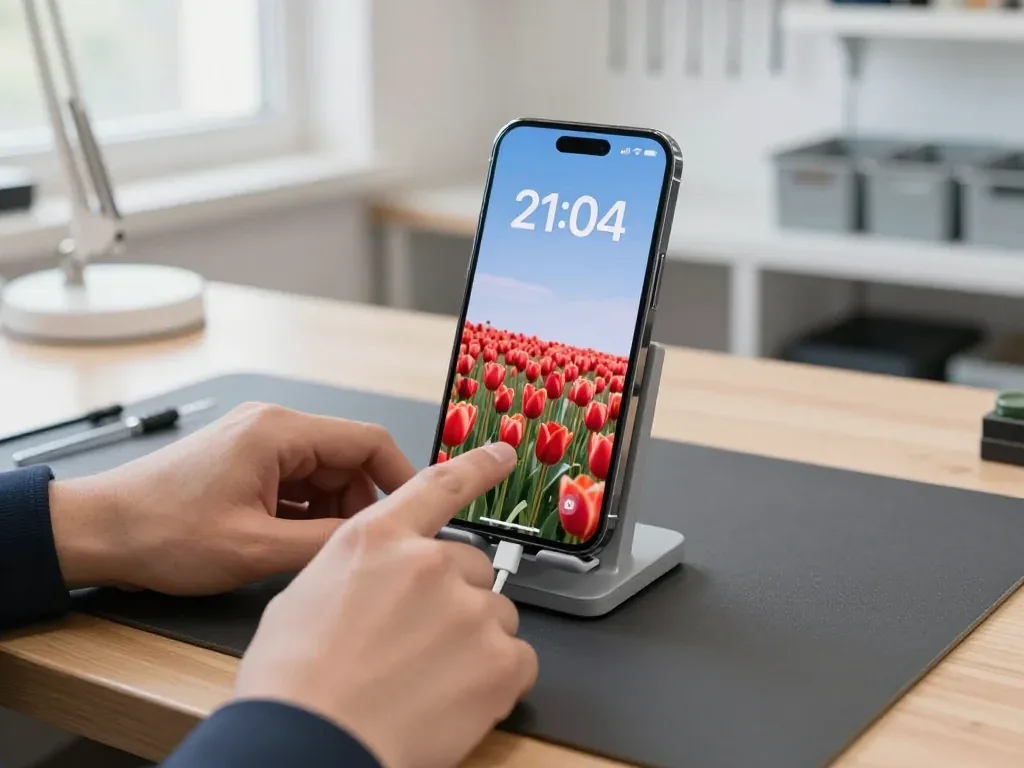
iPhone 14 Pro in a stand with a cable connected, lock screen showing 21:04 and a field of red tulips

iPhone 14 Pro: forgot the lock screen code

A customer forgot the passcode on their iPhone 14 Pro and brought it to our Almaty service. We checked the purchase documents, reset the device and reinstalled the system.

from 13 900 ₸repair cost
I want the same

How Apple ID unlock works in Almaty

The whole process — from a message to a finished phone. We give you the old screen.

Book a replacement
  1. Step 1

    Message or come in

    5 min

    Send a photo on WhatsApp and we'll tell you the price and time. Or just come in without an appointment.

  2. Step 2

    Diagnostics in front of you

    10 min

    We check Face ID and the logic board: sometimes after a drop it's not the screen but the flex cable that's at fault.

  3. Step 3

    Price in the receipt

    2 min

    We write down the model, screen type (original or aftermarket), price and warranty.

  4. Step 4

    We show you the new screen

    1 min

    We open the factory packaging in front of you and check the number against the receipt.

  5. Step 5

    We replace it and transfer True Tone

    25 min

    We remove the old screen, install the new one with water-resistant adhesive and transfer True Tone with a programmer.

  6. Step 6

    You check together with the engineer

    warranty up to 1 year

    Touch, brightness, Face ID, True Tone. You take the phone, the receipt and the old screen.

Who will unlock your iPhone

Technicians for iPhone, Mac, iPad, Apple Watch and AirPods repair.

1 / 8
SBSybanbaev Birzhan — firmware specialist, iServices service center in AlmatyPhoto: Sybanbaev Birzhan

Sybanbaev Birzhan

firmware specialist
7years of experience
4.75rating, 74 reviews
MNMukhpilov Nail — smartphone repair technician, iServices service center in AlmatyPhoto: Mukhpilov Nail

Mukhpilov Nail

smartphone repair technician
10years of experience
4.83rating, 83 reviews
GKGamid K — phone repair technician, iServices service center in AlmatyPhoto: Gamid K

Gamid K

phone repair technician
9years of experience
4.8rating, 65 reviews
AAArman A — on-site technician, iServices service center in AlmatyPhoto: Arman A

Arman A

on-site technician
8years of experience
4.9rating, 43 reviews
MRMolchanov Rinat — Apple repair and diagnostics engineer, iServices service center in AlmatyPhoto: Molchanov Rinat

Molchanov Rinat

Apple repair and diagnostics engineer
10years of experience
4.85rating, 33 reviews
SAShokan A — diagnostics technician, iServices service center in AlmatyPhoto: Shokan A

Shokan A

diagnostics technician
8years of experience
5.0rating, 37 reviews
DGDenis Gushchin — display replacement technician, iServices service center in AlmatyPhoto: Denis Gushchin

Denis Gushchin

display replacement technician
20years of experience
5.0rating, 34 reviews
DADuisebaev Azhdar — connector replacement technician, iServices service center in AlmatyPhoto: Duisebaev Azhdar

Duisebaev Azhdar

connector replacement technician
7years of experience
4.3rating, 35 reviews
Gamid K, phone repair technician
“If the repair didn’t suit you or you have a complaint, write to me personally.”
Gamid Kphone repair technician · +7 705 900-70-95

We'll quote Apple ID (iCloud) unlock in Almaty from a photo in 5 minutes

Send a photo of the screen and the iPhone model. An engineer will reply on WhatsApp, give the price and today's available time.

  1. 5 minAn engineer replies and names the price
  2. 0 ₸Diagnostics in front of you in 15 minutes
  3. 30 minMost repairs — while you wait

Apple ID (iCloud) Unlock in Almaty for Owners Who Lost Access

In short

An Apple ID (iCloud) unlock in Almaty starts with identifying which lock is on the device, because a screen passcode, an account password and Activation Lock are removed in completely different ways. We run free diagnostics in front of you for 15 minutes, confirm ownership, and fix the price, part and warranty on a receipt before any work begins.

Sybanbaev BirzhanWe reply on WhatsApp within 10 minutes
Ask

Which Apple ID iCloud Unlock Lock Is Actually Blocking Your iPhone

Three restrictions can look almost identical on a dead phone, yet each is removed differently. We read the exact message on your display and work out which one you have before quoting an unlock in Almaty.

Four Locks and How Each One Shows Up on Screen

Four lock types compared by on-screen sign and outcome
What you seeLock typeWho can remove itWhat happens to data
"iPhone Unavailable" or passcode screenScreen passcodeService via recovery modeErased unless backed up
Apple ID password prompt after resetActivation LockAccount owner or Apple requestErased, restored from backup
"Remote Management" screenMDM profileOrganization that enrolled itUntouched, profile removed
Passcode prompt inside Settings limitsScreen Time passcodeOwner or serviceUntouched

Why the Difference Matters Before You Hand Over the Phone

We ask you to send a photo of the display on WhatsApp, and an engineer replies within 5 minutes with which restriction it is and what the visit will involve. That early read matters because the four situations above share almost nothing beyond a password field: a passcode is cleared through recovery mode, while Activation Lock needs the account owner or a request to the vendor, and a Remote Management prompt cannot be bypassed by any reset at all. The photo call saves owners a wasted trip, since a device described as "iCloud locked" sometimes turns out to have a different lock, such as a Screen Time passcode, and the engineer tells you which one before you travel. If the display shows Remote Management, no recovery mode will help, so the visit is really a conversation with your company's IT administrator.

Forgotten Screen Passcode and Apple ID iCloud Unlock Photo Risks

A forgotten screen passcode is the most common reason owners bring a phone to us, and the case where people worry most about their photos. Here is what the flash does and when pictures come back.

Recovery Mode, DFU and the Erase That Comes With Them

A forgotten passcode is removed only by flashing iOS through recovery mode, and that wipe is not optional. The handset has no path back in that keeps the locked content: the restore erases the storage as part of the process, and Finder on a Mac or iTunes on Windows walks you through the same steps. DFU sits one level deeper and skips the display entirely, which helps when the standard interface will not load but changes nothing for your files. The button order differs by generation: iPhone 8 and later need a quick press of volume up, volume down, then a held side button, iPhone 7 uses volume down plus the side button, and iPhone 6s uses home plus the side button. Check your model first.

What a Backup Brings Back and What It Does Not

If you have an iCloud or computer backup, we restore photos, contacts and messages right after the flash, and if none exists the content is gone. An iCloud copy holds the camera roll, contacts, messages, notes and app data up to its last automatic run, which happens when the phone is charging, locked and on Wi-Fi. A computer copy made through Finder or iTunes carries the same items plus any health and keychain entries you chose to include. What neither returns is anything created after its last date, and iCloud Photos items sync back only if the same account signs in again afterwards. At iServices we check that date with you ahead of the erase so you know exactly which day your pictures stop at. A copy made while access still worked is the only thing that returns data, so look at iCloud storage from another device first.

Activation Lock and Proving the iPhone Is Yours

Activation Lock appears after a reset and holds the device until the account password is entered. Below we cover what counts as proof of purchase and how a request to Apple support actually runs.

Documents That Prove You Own the Device

ownership evidence ranked by weight for activation lock cases
Proof of ownershipStrengthWhat it shows
Receipt with serial or IMEIStrongestPurchase and matching device
Box with IMEI stickerStrongDevice identity
Sales contract between peopleMediumTransfer of ownership
Access to the Apple ID email and phoneSupportingAccount control

How the Apple Request Works and Why It Takes Time

Activation Lock is removed either by entering the account password or by a support ticket that reviews your proof of purchase. That ticket goes through account recovery, where the company confirms you control the email and the trusted phone number tied to the profile before any unlock is considered. A receipt with a matching serial number speeds the review; a box photo alone rarely clears it. The waiting period is built in on purpose, so plan for days rather than hours and keep the trusted number reachable the whole time. If the mailbox is one you can no longer open, resolve that first — the process stalls the moment the recovery contact cannot be verified. Photograph the receipt and the Settings screen showing the same IMEI before you start, so the unlock case rests on matching identifiers from the first message.

A Used iPhone With Someone Else's Account

Buying a phone second-hand is its own story: the handset may still be tied to the previous owner's account or to a company profile. Both cases need handling before money changes hands.

Getting the Seller to Release the Device Remotely

The fastest legal route is asking the seller to sign in to iCloud and remove the handset from their account, which clears the restriction remotely. Once removed, the phone no longer asks for the previous owner's password during setup, and Find My iPhone stops reporting its location. Ask them to do it through the Find My app on another device or through iCloud.com, then confirm the handset disappears from their account list. Do this while you are still with the seller and watch the Find My iPhone switch turn off in front of you, because a promise to do it later rarely holds — and once you have paid and left, your leverage is gone.

MDM Profiles on Company and Former Corporate Phones

An MDM profile belongs to the organization that enrolled the phone, and only that organization's administrator can remove it. A Remote Management display at setup means the handset is still supervised by a fleet — a bank, a retailer, a logistics company — and no amount of resetting clears that link. The profile can push passcode rules, restrict the App Store and wipe the phone on command, so it is not something to live with. Former corporate phones are often still enrolled, so ask the seller for a written release from the company before paying, not after the Remote Management screen appears. A release letter or an email from the IT department confirming the phone was removed from their system is what an administrator acts on.

How the Work Goes at iServices

Here is what a visit looks like from the first message to handing the device back, and why we do not start any work without confirming that the owner has approved it.

From a WhatsApp Photo to the Receipt

You send a photo of the screen on WhatsApp, an engineer replies within 5 minutes, and the price, part, turnaround and warranty are fixed on the receipt before work starts. We put the part choice in writing too: 64% of customers pick an original component, and the new part is shown in factory packaging before installation. Most jobs take 20–40 minutes while you wait in the seating area with coffee and Wi-Fi, and 72% of repairs finish without the customer leaving. Free diagnostics run 15 minutes in front of you, and you can walk away without repair even after the engineer has looked at the device. For an apple id (icloud) unlock in Almaty, ask for the receipt terms in writing before you agree to anything, because that single page is what protects you if the result differs from the promise.

The 32-Function Check and the Warranty You Leave With

After the work we check 32 functions in about 10 minutes, including Face ID, True Tone, cameras, microphones, speakers, charging and network, together with you. The engineer hands the device back with the receipt, the warranty card and the old part, and coverage runs up to 1 year. A courier can be called across the city in 90 minutes, free with a repair, so the handover does not always mean a trip to the workshop. A service that promises to bypass the activation restriction without documents is either taking your money or your data, so a refusal to prove ownership is a warning sign, not a shortcut. Before you pay, ask whether the technician will show the device working on every function in front of you.

Summary: Apple ID (iCloud) Unlock

The outcome depends on which restriction is active, what proof of ownership you can show, and whether a backup exists. The points below summarise what to check before paying anyone.

  • Name the restriction first: a screen passcode, an account password and the activation restriction are removed by different methods, so the exact message on the display decides the plan.
  • A forgotten passcode means an erase: recovery mode flashing clears the device, and photos return only from a backup made earlier.
  • The activation restriction needs evidence: the account password, or a request backed by a receipt, box or contract with a matching serial number, is the sole route.
  • A used iPhone is safe when the seller signs out in front of you: confirm no MDM profile remains under Settings before money changes hands.
  • Any bypass offer without documented ownership is a risk: it threatens your money and data rather than saving time.

Questions about Apple ID (iCloud) unlock

Did not find an answer? Message us on WhatsApp: an engineer replies, not a bot.

Ask a question
Can the previous owner remove Activation Lock from my iPhone remotely?

Yes, the previous owner can sign in at iCloud.com, open Find Devices, select the iPhone and remove it from the account. After that, restart the phone and it activates without asking for their Apple ID. This is the fastest route when the seller is still reachable.

Does the technician need my Apple ID password to unlock the iPhone?

No, the password and any verification codes are entered by you alone. A technician only guides you through the steps on the screen. Anyone who asks you to send them a code from a text message is running a scam.

Will an iCloud unlock bring back the photos on my iPhone?

Only if they were stored in iCloud Photos or in a backup. Unlocking returns access to the device, but it does not restore content that was erased before the lock appeared. After you sign in, the photos sync back from iCloud.

What if the email address linked to my Apple ID no longer works?

You can still recover the account through Apple's account recovery using your trusted phone number. Recovery may take several days, because Apple adds a waiting period for security. Once you have access again, change the email to one you use.

Does an Apple ID unlock also remove a carrier lock from an iPhone?

No, these are separate locks. Activation Lock belongs to an Apple ID, while a carrier lock is set by the mobile operator that sold the phone. Only that operator can lift a carrier lock.

Can Activation Lock be removed from an iPhone that was found or bought without papers?

Not legitimately: only the Apple ID owner, or Apple support with proof of purchase, can lift Activation Lock. A found phone should go back to its owner or to the police. If you bought a used iPhone without papers, contact the seller first and ask them to remove it from their account.

Can I bring an iCloud-locked iPhone to the Almaty branch on a Sunday?

Yes, a locked phone can be brought in at the weekend: Saturday, Sunday and holidays run from 11:00 to 18:00, weekdays from 10:00 to 19:00. Take the box and the purchase receipt along, since the conversation starts with proof of ownership.

Reviews after Apple ID unlock in Almaty

1 / 4
4.9

average rating on Google Maps, wikicity and our website · 445 reviews
Google Maps4.438 reviews ›wikicity5.015 reviews ›Reviews on the iServices website5.0392 reviews ›
СЖ
Сериккан Жумагалиев14 April 2024

Ничего не умеют. Я повез туда айфон 14 на разблокировеу сказали оставьте телефон через месяц МОЖЕТ сделаем. Я поехал в ЦУМ мне за 15 минут сделали, даже телефон с коробки не вытаскивали по IM коду сделали. Наберите нормальных специалистов.

АС
Алуа Саянова27 July 2020

Решила восстановить свой iphone SE , думаю для звонков подойдет, щас после ремонта работает отлично. Стекло поменяли, аккумулятор новый, и все, эффект получен.

Service reply

Здравствуйте, Алуа! Благодарим Вас за такой душевный и теплый отзыв. Спасибо за доверие и прекрасные слова в адрес нашего сервиса. Всего Вам хорошего! Ждем Вас снова!

ДА
Дастан Айбекулы18 December 2019

Надо было восстановить работу Айфона пытался сначала сам сделать но при переустановке по постоянно выдавало ошибку восстановления . В этом сервисном центре помогли исправить ошибку . Мастеру понадобилось пару часов на это . Когда я вернулся в сервис уже айфон был в порядке . Спасибо действительно лучше заплатить немного мастеру чем самому мучиться.

VD
Van Day23 October 2024

отнёс туда свой телефон, восстановили, всё сделали, рекомендую!

Showing 4 of 4See all reviews

Where to get Apple ID (iCloud) unlock in Almaty

Address
Khusainov St., 28
Opening hours
Mon–Fri 10:00–19:00Sat–Sun 11:00–18:00
Phone and messengers
+7 705 900-70-95WhatsApp: +7 705 900-70-95
Directions map: iServices Almaty — Khusainov, 28© OpenStreetMapFind us on the maps: Google Maps · 2GIS