Eng

Apple ID (iCloud) Unlock in Astana

Your iPhone asks for someone else’s Apple ID — we remove the iCloud lock once ownership is confirmed with the box and receipt; we do not accept found devices.

iPhone smartphone seen from the front
Price incl. labor
from 4 990 ₸
Warranty
up to 1 year
  • Inspection and questions
  • Identifying the lock
  • A plan of action

How to tell an iCloud (Apple ID) unlock is required

A request for someone else's Apple ID after a reset, a device-management notice or a disabled phone are different locks with different causes.

When an iCloud unlock is needed

The welcome screen wants a stranger's or a forgotten account, which is Activation Lock tied to iCloud.

"iPhone is disabled" message

Too many wrong screen passcodes closed access, and the phone now suggests connecting to a computer.

A remote management notice

During setup the screen names an organization that controls the phone through an MDM profile.

No signal with another SIM

The phone works only with one carrier's SIM and says the other one is not supported.

What does an Apple ID (iCloud) unlock cost?

The starting point below covers removing the link to an Apple ID; for other lock types we price the job after an inspection.

ServiceWhat's includedPrice
Apple ID (iCloud) unlockowner only: box or receipt13 900 ₸per job
iPhone firmware flashingsoftware restore, no parts replaced4 990 ₸per job
iPad firmware flashingsoftware restore, no parts replaced8 900 ₸per job
Apple Watch firmware flashingsoftware restore, no parts replaced5 490 ₸per job
MacBook macOS installationOS installation, no parts replaced10 900 ₸per job
iMac macOS installationOS installation, no parts replaced13 900 ₸per job
iPad Apple ID (iCloud) unlockowner only: box or receipt13 900 ₸per job

The amount can change once we check the model, the iOS version and the evidence of ownership.

What the iCloud (Apple ID) unlocking procedure includes

The technician inspects the phone, asks questions, identifies the type of lock, proposes a plan, does the work, checks startup and then gives advice.

Apple ID (iCloud) unlock
from4 990 ₸
If a lock cannot lawfully be removed, we say so right away.
Price for my model
  1. Step 1

    Inspection and questions

    We read what the screen shows and ask about the phone's history: purchase, repairs, firmware.

  2. Step 2

    Identifying the lock

    We tell iCloud activation apart from a screen passcode, MDM and a carrier restriction.

  3. Step 3

    A plan of action

    We explain which route is open to you and which details you will need to confirm.

  4. Step 4

    The technician's work

    We carry out the allowed steps: access recovery, a firmware restore or a support request.

  5. Step 5

    Startup check

    We turn the phone on, activate it and test the network, cameras, Wi-Fi and account sign-in.

  6. Step 6

    Tips for the future

    We show how to store the passcode and account details so this does not happen again.

Why an Apple ID (iCloud) unlock depends on whether you own the account

The details you still have decide whether recovery goes through the owner or through proof of purchase.

Original Applewarranty up to 1 year
Apple ID (iCloud) unlockafter diagnostics
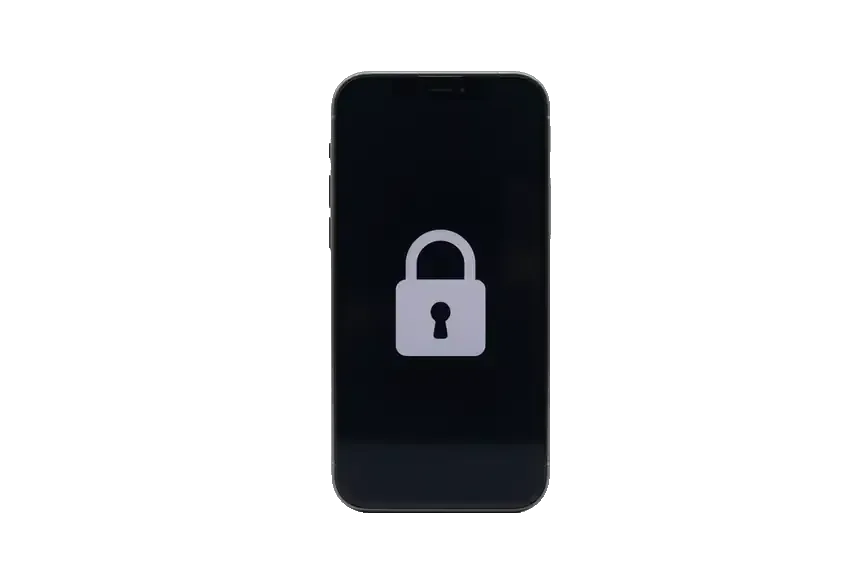
iPhone with a large lock icon on a dark screen
Login and email
Can an iPhone be proven yours with a receipt or password
Time to solve
Depends on the reply from Apple's system
Risk
Low, your data stays where it is
Best for
A forgotten password on your own iPhone
Chosen by 64% of clients
Book with an original part
Aftermarketwarranty 6 months
Apple ID (iCloud) unlock13 900 ₸
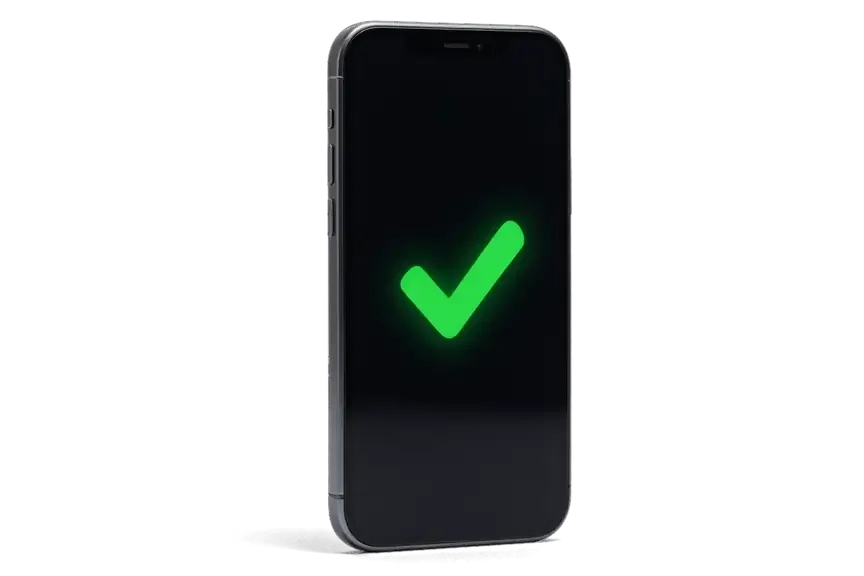
iPhone with a green checkmark on a dark screen
Receipt only
We contact support with the documents
Time to solve
Set by the support team
Risk
They may refuse if the details do not match
Best for
A purchase where the account holder vanished
Chosen by 36% of clients
Book with an aftermarket part

Why bring a locked iPhone to us

A lock cannot be treated by guesswork, so we diagnose first and work without dubious schemes, on a clear schedule and with a warranty.

0₸

Diagnosis first

We do not promise miracles blind: we identify the lock type and only then name the price of the work.

11years

Eleven years of experience

11 years at the service has produced many different iPhone stories, so an unusual case does not scare us.

6technicians

Experienced technicians

When an Apple ID blocks entry, here is how our team assists with the situation and what steps we take to help you regain access

1year

Warranty up to 1 year

What we do when an Apple ID blocks your access: we assess the odds honestly from the start and walk you through each step in plain words.

No dubious schemes

We do not use hacked servers or bypass tricks that disappear after the next iOS update.

7days a week

A convenient schedule

We receive visitors on weekdays from 10:00 to 19:00, and at weekends and on holidays from 11:00 to 18:00.

iPhone before and after repair

1 / 2
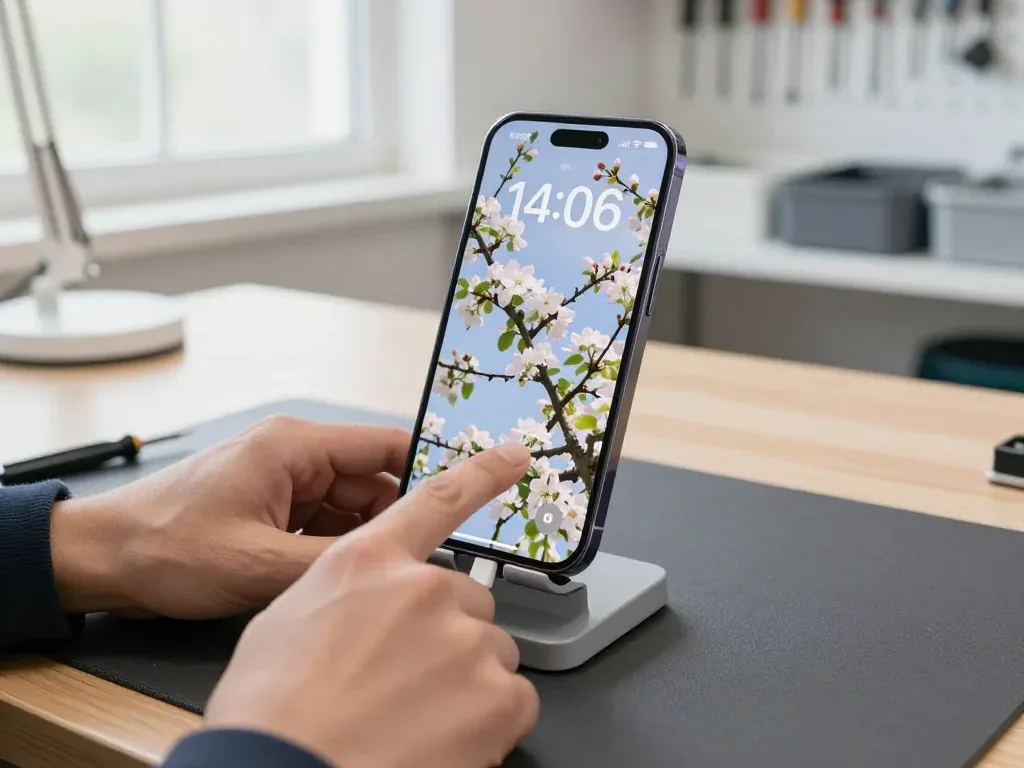
Dark purple iPhone 14 Pro in a stand with a cable, blooming apple tree wallpaper on screen, technician's hand touching the display

iPhone 14 Pro: forgot the lock code

The customer forgot the passcode and couldn't get into the phone. We checked the proof of purchase, reset the device and reinstalled the system — the phone works again, and the customer will restore the data from their own backup.

from 13 900 ₸repair cost
I want the same
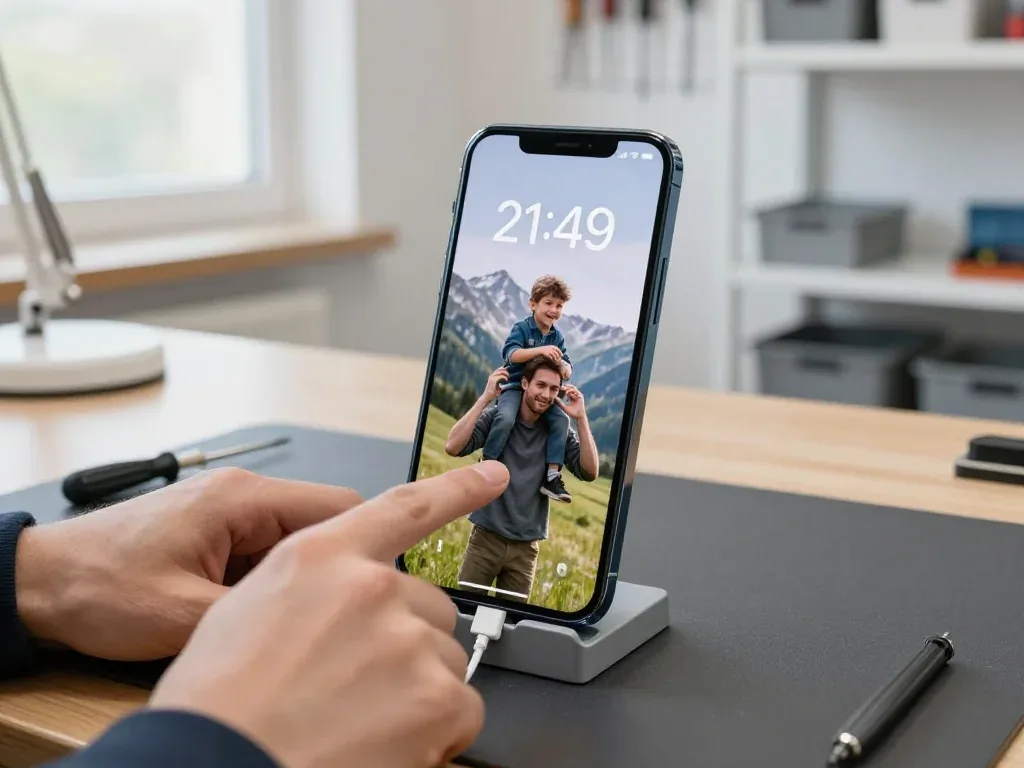
Blue iPhone 13 in a stand with a cable, screen showing a wallpaper of a father and son in the mountains, a technician touching the display

iPhone 13: forgot the passcode and got locked out

A client from Astana forgot the passcode and couldn't get into the phone — it was stuck on the lock screen. We checked the purchase documents, reset the device and reinstalled the system; the phone works again, and the owner set it up to his liking.

from 13 900 ₸repair cost
I want the same

Apple ID unlock in Astana how the process works

The whole process — from a message to a finished phone. We give you the old screen.

Book a replacement
  1. Step 1

    Message or come in

    5 min

    Send a photo on WhatsApp and we'll tell you the price and time. Or just come in without an appointment.

  2. Step 2

    Diagnostics in front of you

    10 min

    We check Face ID and the logic board: sometimes after a drop it's not the screen but the flex cable that's at fault.

  3. Step 3

    Price in the receipt

    2 min

    We write down the model, screen type (original or aftermarket), price and warranty.

  4. Step 4

    We show you the new screen

    1 min

    We open the factory packaging in front of you and check the number against the receipt.

  5. Step 5

    We replace it and transfer True Tone

    25 min

    We remove the old screen, install the new one with water-resistant adhesive and transfer True Tone with a programmer.

  6. Step 6

    You check together with the engineer

    warranty up to 1 year

    Touch, brightness, Face ID, True Tone. You take the phone, the receipt and the old screen.

Meet the iServices team

Technicians for iPhone, Mac, iPad, Apple Watch and AirPods repair.

1 / 6
BSBakmukhammed S. — on-site iPhone technician, iServices service center in AstanaPhoto: Bakmukhammed S.

Bakmukhammed S.

on-site iPhone technician
13years of experience
4.93rating, 107 reviews
GSGalymzhan S. — iPhone repair technician, iServices service center in AstanaPhoto: Galymzhan S.

Galymzhan S.

iPhone repair technician
8years of experience
4.79rating, 90 reviews
ZSZhandos Sh. — iPhone screen replacement technician, iServices service center in AstanaPhoto: Zhandos Sh.

Zhandos Sh.

iPhone screen replacement technician
6years of experience
4.65rating, 112 reviews
DTDarkhan T. — iPhone firmware technician, iServices service center in AstanaPhoto: Darkhan T.

Darkhan T.

iPhone firmware technician
8years of experience
4.44rating, 19 reviews
KSKudiret S. — iCloud unlock specialist, iServices service center in AstanaPhoto: Kudiret S.

Kudiret S.

iCloud unlock specialist
10years of experience
4.37rating, 100 reviews
KAKamran A. — MacBook repair technician, iServices service center in AstanaPhoto: Kamran A.

Kamran A.

MacBook repair technician
4years of experience
4.33rating, 117 reviews
Bakmukhammed S., on-site iPhone technician
“If the repair didn’t suit you or you have a complaint, write to me personally.”
Bakmukhammed S.on-site iPhone technician · +7 701 333-47-01

We'll quote Apple ID (iCloud) unlock in Astana from a photo in 5 minutes

Send a photo of the screen and the iPhone model. An engineer will reply on WhatsApp, give the price and today's available time.

  1. 5 minAn engineer replies and names the price
  2. 0 ₸Diagnostics in front of you in 15 minutes
  3. 30 minMost repairs — while you wait

Apple ID (iCloud) Unlock in Astana for the Rightful Owner

In short

An Apple ID (iCloud) unlock in Astana is only possible for the device's rightful owner, and the route depends on what is locked. When the screen passcode slips your mind, a restore wipes all data to clear it; Activation Lock and MDM profiles, however, require action from the account holder or the organization. We confirm ownership first, then act.

iServices Editorial TeamWe reply on WhatsApp within 10 minutes
Ask

Which Lock Is On Your iPhone

The word "locked" covers four different problems, each with its own legal route. We first read the display and name the exact block, since one fix will not touch another.

Four locks and how to tell them apart

Matching the on-screen message to the block behind it
Your screen showsLock typeWho can clear it
"iPhone Unavailable" or code promptScreen passcodeRestore via recovery mode
Apple ID prompt following a resetActivation LockAccount holder or Apple request
"Remote Management" bannerMDM profileThe organization that enrolled it
"Screen Time passcode" promptScreen Time codeAccount holder

Why the type decides everything that follows

Every case begins with a free 15-minute diagnostic done while you watch, since restoring a handset stuck under Activation Lock merely erases it without resolving anything. An unlock request in Astana usually turns out to be one of two things: a forgotten code, or an account still tied to the phone through Find My iPhone, which switches Activation Lock on the moment the device is erased. When the task is an Apple ID (iCloud) unlock in Astana, the route depends entirely on which of these two situations you are in. Recovery mode and a firmware flash clear the first and do nothing for the second.

What to bring before the first visit

  • The device itself: bring the iPhone as it is, without attempting a reset or a flash first.
  • Proof of purchase: a receipt, the original box with the IMEI sticker, or a sales contract.
  • Account details: the email used for the account and any trusted number you still have.
  • Backup status: before erasing anything, verify if a backup exists in iCloud or on a computer.
  • Seller's messages: keep the chat if the phone was bought second-hand.

Forgotten Screen Passcode and What Happens to Your Data

A forgotten passcode has one technical answer, and it costs the data unless a backup exists. Here is what a restore does and how to check for a copy.

A restore clears the passcode and the data with it

To clear a forgotten passcode, we restore iOS via recovery mode; if no saved copy exists, photos and messages on the handset are lost. The restore rewrites the whole system partition, so the lock code, the encrypted user data and every app container are erased together — no partial wipe keeps the library and drops only the passcode. iCloud copies made while the device was unlocked stay in iCloud and are not affected by this step; local computer copies behave the same way. The handset comes back as a fresh setup screen, and whatever you had not copied off it before the lock is unrecoverable.

What a backup can and cannot bring back

A backup restores contacts, photos, messages and app data, but anything created after the last saved date is lost for good. An iCloud snapshot occurs nightly only when the handset is locked, charging, and connected to Wi-Fi, so the latest copy may lag weeks behind the moment the passcode was forgotten. A backup created with Finder or iTunes contains the same data types but resides on that computer and can be restored only if you still have access to it. Call logs, health data and app settings come back with the file; purchased apps reinstall from the store. Photos synced to iCloud Photos live in the cloud, so they often survive a restore even without a device backup.

Recovery mode buttons differ by iPhone generation

  • iPhone 8 and newer: press and release volume up, then volume down, then hold the side button until the recovery screen appears.
  • iPhone 7: hold volume down with the side button until the connect-to-computer prompt shows.
  • iPhone 6s and older: hold the home button and the top or side button together.
  • DFU mode: a deeper state when recovery fails, entered with a longer timed sequence.

Activation Lock and Establishing Ownership of the Device

Activation Lock is the one barrier no tool removes, tied to the profile, not the hardware. The only lawful keys are the account holder's password or a proof-of-purchase request to Apple.

What serves as proof of ownership

documents that tie a device to its buyer
ProofStrengthNotes
Receipt showing serial or IMEIStrongestMatches handset to purchase
Original box with IMEI stickerSupportingUseful when receipt is lost
Bank statement of purchaseSupportingLinks payment to handset
Sales contract between peopleSupportingNames both parties

The lawful route runs through the account holder or Apple

We never bypass Activation Lock on a handset we cannot tie to its owner; the lawful paths are the owner's password or a support request to Apple with proof of purchase. If you remember the Apple ID but not the password, recovery on a trusted device resets it without erasing anything. When the login itself is lost, the request goes to Apple with the receipt attached, and the serial number does the matching. The vendor checks that the document and the handset belong together, then releases the profile tied to that serial. Keep the receipt readable and the IMEI visible, since a blurred photo or a missing line is the usual reason a request is sent back.

When the trusted phone number is already gone

  • Trusted number lost: verification takes longer, asks more proof, and can run several days.
  • Trusted device still signed in: use it to approve the reset and shorten the wait considerably.
  • No trusted device left: the request moves entirely to Apple support with purchase documents attached.
  • Second number added in advance: the cheapest safeguard, taking less time than one unlock request.
  • What we see locally: owners rarely set a backup contact, so the wait stretches while documents are gathered.

MDM Profiles and Second-Hand iPhones With a Foreign Account

Two scenarios appear like hacking but actually involve ownership: a company profile on a phone and a used device still linked to the prior owner's profile. Both have a clean way out.

The organization owns an MDM profile

A Remote Management banner indicates the phone is enrolled in an organization's mobile device management, and removal of the profile is possible only by that organization's administrator. You will see it during setup, when the screen asks for a corporate login and lists the restrictions the handset must follow. The profile quietly reinstalls after every erase, because the serial number sits on the organisation's server, not on the handset itself. No local repair, firmware flash or account change clears that enrolment — the record lives with the company that bought the hardware. Because the enrolment lives on the organisation's server, it survives every erase and returns as soon as the handset is set up again.

A used iPhone still tied to the seller's account

  • Before paying: ask the owner to sign out of iCloud and turn off Find My iPhone while you watch.
  • Check settings: the profile field at the top should show no linked profile.
  • Reset together: erase the phone while you watch and confirm it reaches setup without a prompt.
  • Keep proof: save the chat and a photo of their ID with the sale.
  • If already locked: contact the owner first; a remote removal from their side is the only clean route.
  • Walk away: someone who cannot disable Find My on the spot is a red flag; leaving costs less than recovery.

How iServices Handles the Work and How to Prevent a Repeat

Once the lock type is clear, the visit is short: we quote from a photo, fix terms on paper before starting, and check the iPhone with you afterward.

A WhatsApp photo is all it takes to get your device checked

Within 5 minutes an engineer answers on WhatsApp, gives a quote based on your photo, and before starting any work we confirm on the receipt the part, the turnaround, the warranty and the final price. Diagnostics cost nothing and last 15 minutes, carried out right in front of you — you can still walk away — while 72% of repairs are completed during the visit, as the customer waits in a lounge with Wi-Fi and coffee. Once done, a 32-function test follows — True Tone, Face ID, microphones, cameras, speakers, network and charging — after which you get the phone back along with the old part and the warranty card. Because terms are written down first, an iCloud issue rather than a hardware fault is re-scoped openly, not quietly costing more.

Setting up safeguards so this does not happen again

  • Add a recovery contact: a trusted person who can send you a verification prompt when you are locked out.
  • Generate a recovery key: a printed or offline copy that restores access without waiting.
  • Keep the trusted number current: an old SIM in a drawer cannot receive the verification text.
  • Record the Screen Time passcode: it is separate from the main one and easy to forget.
  • Beware of "one-hour unlocks": anyone promising to remove a foreign profile without documents risks your money.

Summary: Apple ID (iCloud) Unlock

The four barriers look alike on screen but differ once you try to remove one, so the summary below is the shortest route to the right next step.

  • Name the barrier first: a screen passcode, iCloud account, Activation Lock and MDM profile each need a separate fix.
  • Expect data loss on a passcode reset: without a backup, a restore clears the phone and the code.
  • The account holder holds the key: only their password or a proof-of-purchase request clears Activation Lock.
  • MDM is an ownership question: only the enrolling organization can release the handset.
  • Prevention is cheap: a recovery key and contact turn a future lockout into a calm reset.

Common questions on unlocking an Apple ID (iCloud)

Did not find an answer? Message us on WhatsApp: an engineer replies, not a bot.

Ask a question
Is an R-SIM a real unlock for a carrier-locked iPhone in Astana?

No, an R-SIM is a thin overlay chip that makes the iPhone think a different SIM card is from its own carrier. It can stop working after an iOS update and does not remove the lock itself. A permanent unlock comes only from the carrier that sold the phone.

Can an iPhone be unlocked by IMEI alone?

An operator unlock is handled by the carrier using the IMEI, so in that scenario the number is what matters. Promises to remove an iCloud lock by IMEI are another matter and are typically fraudulent. Activation Lock can be lifted only via the Apple ID holder or by Apple.

How can I see which Apple ID an iCloud-locked iPhone is tied to?

The Activation Lock screen shows a hint with part of the account email. That hint helps you recall which address you used or which previous owner to contact. The full address is not shown for privacy reasons.

Will Apple lift Activation Lock if I have the original receipt for my iPhone?

It can, because Apple accepts activation lock requests from owners with proof of purchase. The receipt must show the serial number or IMEI of the phone. A technician in Astana can help you check that your papers are complete before you apply.

Can I sign out of an Apple ID on an iPhone without knowing the password?

No, turning off Find My and signing out both require the account password. If you have forgotten it, reset it first through your trusted phone number or another signed-in device. Only then can the phone be released from the account.

Is the Astana branch open on public holidays for locked iPhones?

Yes, on holidays the branch follows the weekend timetable, 11:00–18:00. Weekdays are open 10:00–19:00. Please bring whatever documents you have for the device.

Reviews on Apple ID unlock in Astana

4.9

iServices network rating on Google Maps, wikicity and our website · 2 028 reviews
Google Maps4.438 reviews ›wikicity5.015 reviews ›Reviews on the iServices website4.91 975 reviews ›

Where to get Apple ID (iCloud) unlock in Astana

Address
Astana, Kabanbay Batyr Ave., 7/2
Opening hours
Mon–Fri 10:00–19:00Sat–Sun 11:00–18:00
Phone and messengers
+7 727 339-99-12WhatsApp: +7 701 333-47-01
Directions map: iServices Astana© OpenStreetMapFind us on the maps: Google Maps · 2GIS