Eng

iPhone Firmware Restore in Astana

Your iPhone frozen at the Apple logo or failing to update? We reinstall iOS, and the agreed price is confirmed on the receipt before any work begins.

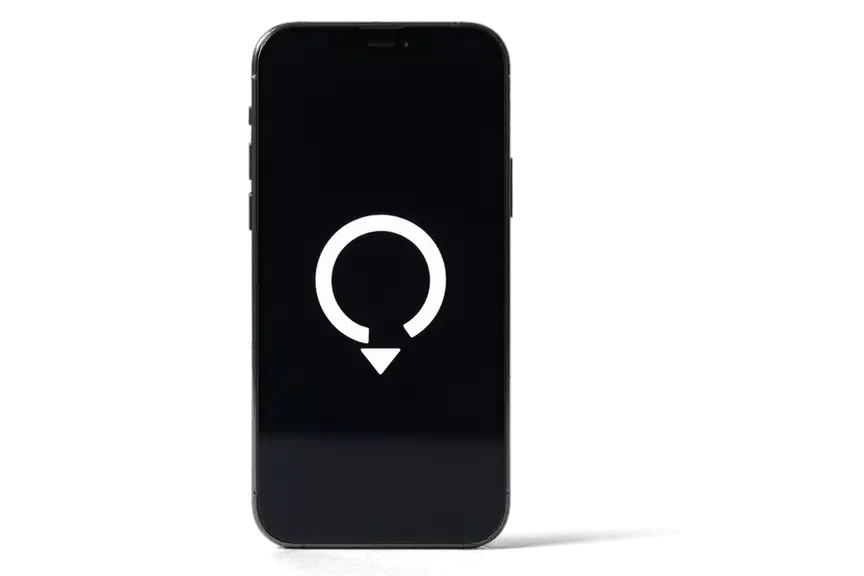
iPhone seen from the front
Price incl. labor
from 13 900 ₸
Warranty
up to 1 year
  • A first check
  • Choosing the firmware
  • Linking to a computer

When a phone needs its system reinstalled

A phone dead after the frost, stuck on the logo or interrupted by an update error: the moments when the system is reinstalled.

Dead after the frost

The cold shut the phone down, and after warming up it shows the logo and reboots without loading the system.

Stuck on the logo

The Apple screen stays on longer than normal, the progress does not move, and a forced restart changes nothing.

An update ended in an error

The download of new iOS broke off midway, and now the phone asks to be connected to a computer.

The system misbehaves

The screen flickers, apps close, the keyboard vanishes, and clearing storage makes no difference.

iPhone firmware restore price in Astana

The table gives a reference for the work; the final amount depends on the model and on the result of the first check of the phone.

ServiceWhat's includedPrice
iPhone firmware restoresoftware restore, no parts replaced4 990 ₸per job
iPhone 17 Pro Max firmware flashingsoftware restore, no parts replaced10 900 ₸per job
iPhone 17 Pro firmware flashingsoftware restore, no parts replaced10 900 ₸per job
iPhone 17 firmware flashingsoftware restore, no parts replaced13 900 ₸per job
iPhone 16 Pro Max firmware flashingsoftware restore, no parts replaced10 900 ₸per job
iPhone 16 Pro firmware flashingsoftware restore, no parts replaced10 900 ₸per job
iPhone 16 Plus firmware flashingsoftware restore, no parts replaced10 900 ₸per job
iPhone 16e firmware flashingsoftware restore, no parts replaced10 900 ₸per job
iPhone 16 firmware flashingsoftware restore, no parts replaced13 900 ₸per job
iPhone 15 Pro Max firmware flashingsoftware restore, no parts replaced10 900 ₸per job
iPhone 15 Pro firmware flashingsoftware restore, no parts replaced13 900 ₸per job
iPhone 15 Plus firmware flashingsoftware restore, no parts replaced10 900 ₸per job
iPhone 15 firmware flashingsoftware restore, no parts replaced13 900 ₸per job
iPhone 14 Pro Max firmware flashingsoftware restore, no parts replaced10 900 ₸per job
iPhone 14 Pro firmware flashingsoftware restore, no parts replaced13 900 ₸per job
iPhone 14 Plus firmware flashingsoftware restore, no parts replaced10 900 ₸per job
iPhone 14 firmware flashingsoftware restore, no parts replaced10 900 ₸per job
iPhone SE (2022) firmware flashingsoftware restore, no parts replaced15 900 ₸per job
iPhone 13 Pro Max firmware flashingsoftware restore, no parts replaced13 900 ₸per job
iPhone 13 Pro firmware flashingsoftware restore, no parts replaced13 900 ₸per job
iPhone 13 firmware flashingsoftware restore, no parts replaced13 900 ₸per job
iPhone 13 mini firmware flashingsoftware restore, no parts replaced13 900 ₸per job
iPhone 12 Pro Max firmware flashingsoftware restore, no parts replaced16 900 ₸per job
iPhone 12 Pro firmware flashingsoftware restore, no parts replaced13 900 ₸per job
iPhone 12 firmware flashingsoftware restore, no parts replaced16 900 ₸per job
iPhone 12 mini firmware flashingsoftware restore, no parts replaced13 900 ₸per job
iPhone 11 Pro Max firmware flashingsoftware restore, no parts replaced16 900 ₸per job
iPhone 11 Pro firmware flashingsoftware restore, no parts replaced10 900 ₸per job
iPhone 11 firmware flashingsoftware restore, no parts replaced16 900 ₸per job
iPhone XS Max firmware flashingsoftware restore, no parts replaced15 900 ₸per job
iPhone XS firmware flashingsoftware restore, no parts replaced10 900 ₸per job
iPhone XR firmware flashingsoftware restore, no parts replaced10 900 ₸per job
iPhone X firmware flashingsoftware restore, no parts replaced15 900 ₸per job
iPhone 8 Plus firmware flashingsoftware restore, no parts replaced10 900 ₸per job
iPhone 8 firmware flashingsoftware restore, no parts replaced10 900 ₸per job
iPhone 7 Plus firmware flashingsoftware restore, no parts replaced10 900 ₸per job
iPhone 7 firmware flashingsoftware restore, no parts replaced10 900 ₸per job
iPhone SE firmware flashingsoftware restore, no parts replaced4 990 ₸per job
iPhone 6s Plus firmware flashingsoftware restore, no parts replaced6 990 ₸per job
iPhone 6s firmware flashingsoftware restore, no parts replaced6 990 ₸per job
iPhone 6 Plus firmware flashingsoftware restore, no parts replaced6 990 ₸per job
iPhone 6 firmware flashingsoftware restore, no parts replaced6 990 ₸per job
iPhone 5s firmware flashingsoftware restore, no parts replaced6 990 ₸per job
iPhone 5c firmware flashingsoftware restore, no parts replaced4 990 ₸per job
iPhone 5 firmware flashingsoftware restore, no parts replaced8 900 ₸per job
iPhone 4s firmware flashingsoftware restore, no parts replaced4 990 ₸per job
iPhone 4 firmware flashingsoftware restore, no parts replaced6 990 ₸per job
iPad firmware flashingsoftware restore, no parts replaced8 900 ₸per job
Apple Watch firmware flashingsoftware restore, no parts replaced5 490 ₸per job
iPhone storage replacement and upgradememory chip installation15 900 ₸with parts
iPhone 17 Air firmware flashingsoftware restore, no parts replaced26 900 ₸per job
iPhone SE 2 firmware flashingsoftware restore, no parts replaced13 900 ₸per job
AirPods firmware flashingsoftware restore, no parts replaced5 490 ₸per job
Apple TV software update and restoresoftware restore, no parts replaced10 900 ₸per job
HomePod firmware flashingsoftware restore, no parts replaced7 990 ₸per job

If the fault turns out to be hardware, the technician says so separately and discusses the next steps with you.

What goes into an iPhone firmware restore

A firmware restore runs from an initial check and choosing a version to writing the system and setting it up, and these are the stages.

  1. 01
    iPhone with a magnifying glass icon on the screen for an initial check
    A first check

    We test the charging, the cable and how the phone behaves, to see whether the fault is software.

  2. 02
    Dark gray firmware selection card with a downward arrow icon
    Choosing the firmware

    We pick an iOS version for your model and confirm that installing that version is possible right now.

  3. 03
    Black braided USB cable for connecting an iPhone to a computer
    Linking to a computer

    We connect the phone by cable to a Mac or Windows PC and put it into the right service mode.

  4. 04
    iPhone with a circular system write indicator on the screen
    Writing the system

    We start the installation and leave it uninterrupted until the system has been written and verified.

  5. 05
    iPhone with a checkmark in a circle on the screen after activation
    Activation and setup

    We switch the device on, join a network, then bring data back from a backup if you made one.

  6. 06
    iPhone with a shield icon and checkmark on the screen before handover
    A check before handover

    We look at boot, sound, cameras, signal and charging to be sure the phone works as it should.

  7. iPhone 13 firmware restore
    from13 900 ₸

    Experienced specialists handle the job, and it comes with a warranty.

    Price for my model

Which method of reinstalling will fit

We pick the method by whether the phone still starts and whether its contents must be kept.

Original Applewarranty up to 1 year
iPhone firmware restoreafter diagnostics
iPhone with a large white downward arrow on a dark screen installing firmware
Update
iOS goes on top, data more often intact
When
the phone starts but runs badly
Speed
usually quicker
Limit
deep errors remain
Chosen by 64% of clients
Book with an original part
Aftermarketwarranty 6 months
iPhone firmware restore4 990 ₸
iPhone with a system recovery icon displayed on its screen
Full restore
the system is written from scratch
When
the phone will not start or boot
Data
In-place update or complete reinstallation
Benefit
clears accumulated errors
Chosen by 36% of clients
Book with an aftermarket part

What a client gets at our workshop in Astana

A glitchy phone comes back to life when the firmware is done sensibly, and below is what a client gets in our workshop.

11years

Eleven years of experience

Restoring iOS on iPhone generations is routine work for us after eleven years with Apple devices.

1year

A warranty on the repair

If the repair fails later, you are protected: the job carries a twelve-month guarantee, and terms get spelled out before any work begins.

6technicians

Experienced technicians

Restores are handled by experienced specialists who know the correct order of steps for each model.

7days a week

A clear schedule

Our team has spent eleven years servicing Apple devices and understands how recovery modes vary across iPhone generations.

Straight talk

If a reflash will not help, the technician says so and does not take on work that does not solve the problem.

5min

Tips for later

We explain how to make backups and update the system safely, to avoid repeat failures.

iPhone before and after repair

1 / 2
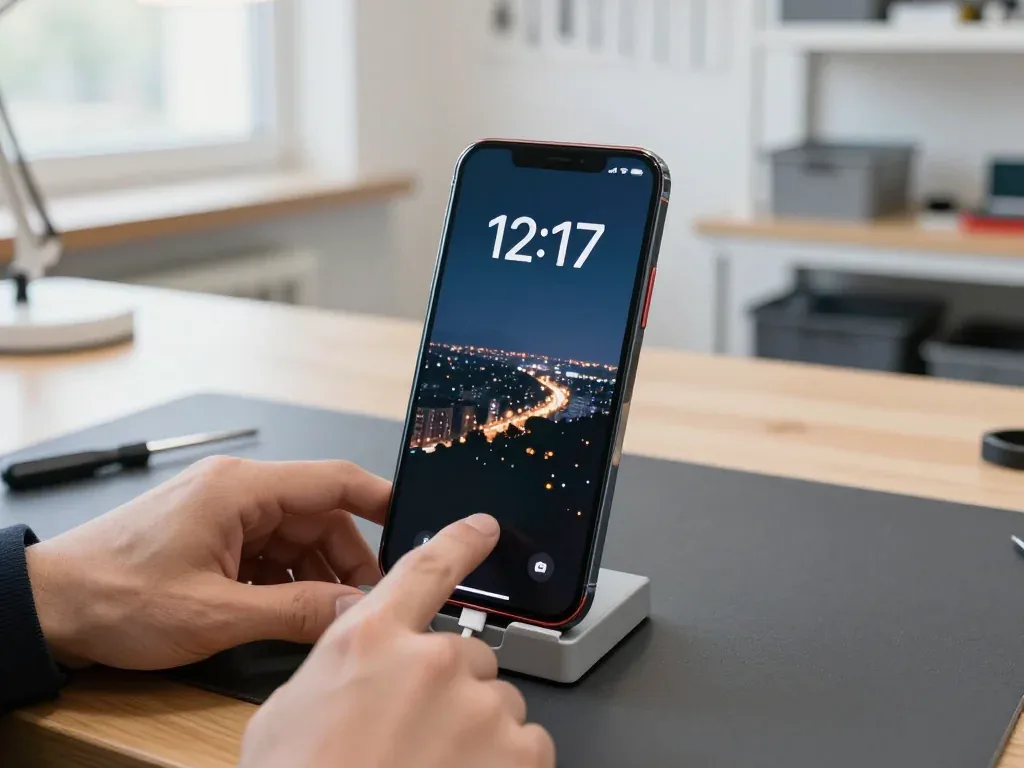
Red iPhone 13 in a stand with a cable connected, technician touching the screen showing a night city wallpaper

iPhone 13: stuck on Apple logo after update

A client in Astana was updating the phone in the evening when it froze on the Apple logo — by morning the buttons did nothing. We put the iPhone into recovery mode and reinstalled the system, keeping all the data.

from 13 900 ₸repair cost
I want the same
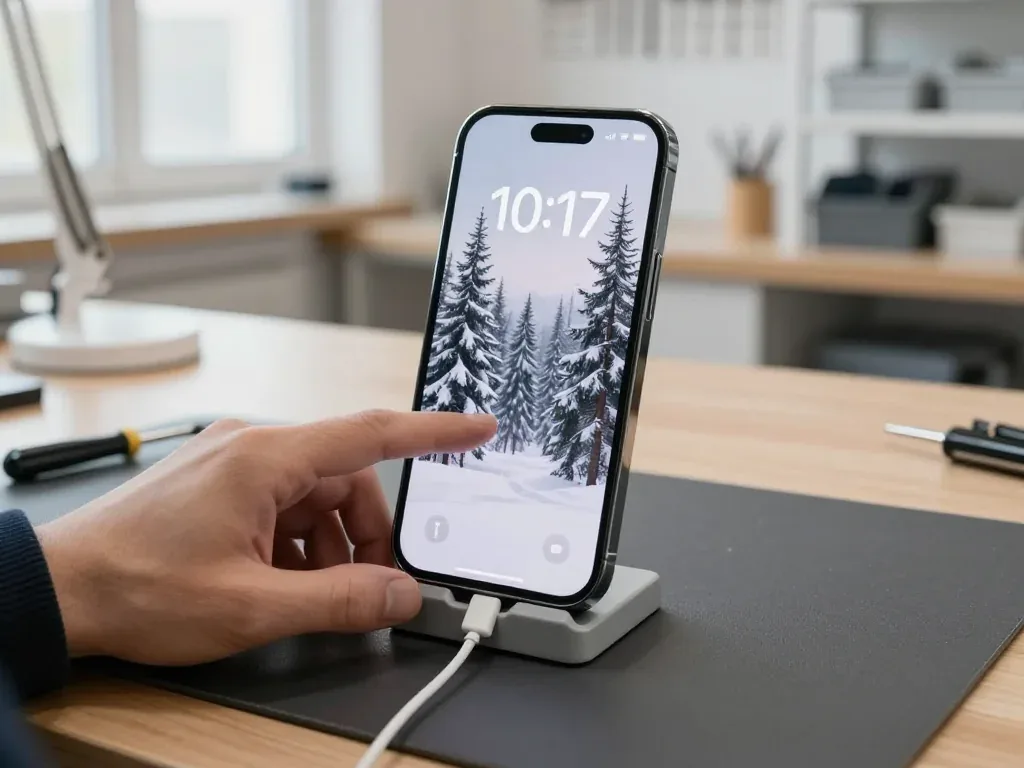
Black iPhone 14 Pro on a stand with a cable, screen shows a snowy forest wallpaper

iPhone 14 Pro: stuck on Apple logo after update

A client from Astana updated the phone in the evening, and in the morning it got stuck on the Apple logo. We put it into recovery mode and reinstalled the system — the data was preserved, and the phone works again.

from 13 900 ₸repair cost
I want the same

How iPhone firmware restore works at iServices in Astana

The whole journey — from message to finished phone, with the time stated on the receipt.

Book a repair
  1. Step 1

    Message or come in

    5 min

    You message us on WhatsApp with the model and what happened — we give you the price and time. Or you come in without an appointment.

  2. Step 2

    Diagnostics in front of you

    10 min

    We check what's blocking startup: a software error or a board fault.

  3. Step 3

    Price in the receipt

    2 min

    We write down the model, the work, the price, the time and the warranty.

  4. Step 4

    We flash the firmware

    time on the receipt

    We install the current iOS via a computer.

  5. Step 5

    We set it up

    10 min

    We turn on the phone and check activation and updates.

  6. Step 6

    You check together with the engineer

    warranty up to 1 year

    Startup, activation, cellular, Wi‑Fi, cameras. You take the phone and the receipt.

Meet the iServices team

Technicians for iPhone, Mac, iPad, Apple Watch and AirPods repair.

1 / 5
BSBakmukhammed S. — on-site iPhone technician, iServices service center in AstanaPhoto: Bakmukhammed S.

Bakmukhammed S.

on-site iPhone technician
13years of experience
4.93rating, 107 reviews
GSGalymzhan S. — iPhone repair technician, iServices service center in AstanaPhoto: Galymzhan S.

Galymzhan S.

iPhone repair technician
8years of experience
4.79rating, 90 reviews
ZSZhandos Sh. — iPhone screen replacement technician, iServices service center in AstanaPhoto: Zhandos Sh.

Zhandos Sh.

iPhone screen replacement technician
6years of experience
4.65rating, 112 reviews
DTDarkhan T. — iPhone firmware technician, iServices service center in AstanaPhoto: Darkhan T.

Darkhan T.

iPhone firmware technician
8years of experience
4.44rating, 19 reviews
KSKudiret S. — iCloud unlock specialist, iServices service center in AstanaPhoto: Kudiret S.

Kudiret S.

iCloud unlock specialist
10years of experience
4.37rating, 100 reviews
Bakmukhammed S., on-site iPhone technician
“If the repair didn’t suit you or you have a complaint, write to me personally.”
Bakmukhammed S.on-site iPhone technician · +7 701 333-47-01

We'll quote iPhone firmware restore in Astana from a photo in 5 minutes

Send a photo of the screen and the iPhone model. An engineer will reply on WhatsApp, give the price and today's available time.

  1. 5 minAn engineer replies and names the price
  2. 0 ₸Diagnostics in front of you in 15 minutes
  3. 30 minMost repairs — while you wait

iPhone Firmware Restore in Astana with Board-Level Diagnostics

In short

At iServices in Astana, an iPhone firmware restore is a clean reinstall of iOS through a computer in Recovery or DFU mode, done by our own technicians. We run free 15-minute diagnostics in front of you, fix the price, part and warranty on the receipt, and back the work with a warranty up to 1 year.

iServices Editorial TeamWe reply on WhatsApp within 10 minutes
Ask

When an iPhone Actually Needs a Firmware Restore

A firmware restore is not the first answer to every glitch. We start by separating the symptoms that a clean iOS reinstall can fix from the ones that point at hardware.

Symptoms That Point to a Software Problem

When an iPhone hangs on the Apple logo, keeps restarting on its own, or an over-the-air update fails, the cause is typically software — and a clean iOS reinstall usually resolves it. The pattern matters more than the single freeze: a phone that hangs once after an interrupted update behaves differently from one that cycles every few minutes on its own. A failed OTA download, a full storage partition and a corrupted system file all produce the same visible result and respond to the same recovery pass. If you are weighing an iPhone firmware restore in Astana, the deciding factor is whether the fault repeats after a clean pass. A loop that survives one restore attempt is a signal to stop repeating it and check the hardware, because each failed pass adds heat and wear without changing the outcome.

When the Phone Is Fine and the Restore Is Not Needed

  • Slow apps and lag: storage pressure or an ageing cell, not a corrupted system — a fresh install brings back the same load.
  • A hot case under light use: points to the power controller or a failing cell, and software cannot cool it down.
  • Fast battery drain: a worn cell misreports percentages, so the phone shuts down early regardless of firmware.
  • Random restarts while charging: often a charging circuit fault that a clean install leaves untouched.

iPhone Firmware Restore in DFU Mode with Restore and Update Side by Side

Three routes look similar on a screen and behave very differently. Here is how a routine upgrade, a standard restore and a DFU restore differ in what they keep and when they are used.

Three Routes Side by Side

what each of the three routes keeps and when it is used
RouteWhat it doesKeeps your dataWhen we use it
UpdateInstalls a newer version over the current oneYesPhone boots, just needs the latest build
RestoreReinstalls the system cleanly through a computerNo, unless backed upStuck logo, failed upgrade, unstable system
DFU restoreReinstalls the system bypassing the bootloaderNoRecovery will not open or restore keeps failing

Why the Button Combination Matters

Entering DFU depends on the model, and our engineers apply the correct sequence for pre-iPhone 7, iPhone 7 and iPhone 8 or newer, so the handset lands in the right state on the first try. The trigger differs because the Home button on older models handles part of it, the iPhone 7 uses the volume-down key, and everything from iPhone 8 onward relies on a quick volume-up, volume-down and side-button hold. A wrong sequence usually drops the device into Recovery instead, and the restore then fails at the same point, which looks like a hardware fault when it is only a missed step. The mode is confirmed on the computer screen before starting, because a two-second timing error sends the attempt back to the beginning.

Where Your Apple ID and Data Stand After the Procedure

Two questions decide how a restore feels for you, whether the photos survive and whether the device will ask for a password afterwards. Both have clear answers.

Will Your Photos and Chats Survive

Because everything on the handset is wiped during a full restore, first we look for a backup — iCloud or on a computer — and then explain honestly which data is recoverable and which is not. Should a recent iCloud backup be available, photos, chats and app data come back once you log in during setup — typically 20 to 40 minutes on a normal connection. A local backup made through Finder or the Apple Devices app restores faster and keeps health data that iCloud sometimes skips. Without either copy, the reinstall leaves a clean system and nothing to put back. If the handset will not boot, the backup has to exist already, because a dead system cannot be read for data, which is why we ask about iCloud before touching the device.

Why the Phone Asks for the Owner Apple ID

A firmware restore does not remove Activation Lock, so after the reinstall the device asks for the Apple ID and password of the person who owns it. Find My iPhone on Apple's servers governs Activation Lock, and the device firmware plays no part — so reinstalling, swapping cables or any DFU key combination will not remove it. A screen passcode is different: it disappears with the restore, while the owner account requirement stays. This is why a second-hand handset with a previous owner account cannot be restored into use, and the only path is the original owner signing in or removing the device from Find My. Buyers in Astana should have the seller sign out on the spot, before money changes hands.

When a Restore Fails and the Board Is the Real Cause

Sometimes the restore runs and still ends in an error. That is the point where the conversation moves from software to the board, and we explain what we look for.

Reading the Restore Error

When a restore stops at the same error code every time, our engineers treat it as a hardware clue rather than a software one and check memory, power and the board. The code itself is only a label: Finder or iTunes reports the stage where the process broke, not the component that caused it. A failure near the start of the flash cycle points at the charging port or the cable, while one that dies mid-write sends us to the NAND memory and the power controller. We compare the percentage on the progress bar across two or three attempts, because a repeating stop at the same figure is far more telling than the number shown on screen. A restore that fails at a random point is often a cable or port issue, while one that fails at the same percentage is usually the NAND or power controller.

Board Repair Under the Microscope

If the fault is on the board, we repair it under a microscope in our own workshop, and only then does a firmware restore have a chance to complete. Our technicians work on the logic board at magnification, tracing power rails and memory lines that a visual inspection cannot reveal. Board-level work takes one to three days, against twenty to forty minutes for most other repairs, and we tell you the timeline before we start. We do not run a full flash on a board with a known fault just to see what happens. Reinstalling iOS on a board with a failing power controller can push it further, so the diagnostic order is board first, software second, not the reverse.

Restore Process Inside Our Workshop

The steps are short and fixed, and you can watch most of them. Here is what happens from the first message to the moment you walk out with the phone.

Signed Receipt Starting From a WhatsApp Photo

  • Send a photo: describe the fault via WhatsApp; within 5 minutes an engineer answers with a price based on that photo.
  • Free diagnostics: for 15 minutes the engineer inspects the device while you watch, then points out precisely which component has failed.
  • Terms in writing: before any work begins, in roughly 2 minutes the receipt records the price, the part, the turnaround and the warranty.
  • Part in packaging: the new component is shown in factory packaging before installation, and 64% of customers pick an original part.
  • What you get back: along with the device you receive the old part, the warranty card and the receipt — the warranty runs up to 1 year.

The 32-Point Check Before You Leave

Once the firmware is back in place, a 32-point diagnostic runs for roughly 10 minutes while you wait on site — it checks Face ID and True Tone, plus the cameras, mics, speakers, charging, and network connections. The engineer hands the device over only once each of those has been tested on the spot, and most visits finish in under an hour from first contact to pickup. You test the same functions yourself alongside the technician rather than trusting a green screen. A restore can leave a setting or a sensor pairing off even when iOS installs cleanly, so the check is what confirms the handset is actually usable, not just booting.

Summary: iPhone Firmware Restore

A restore either fixes the device or proves the fault is physical — the points below help you read the result and choose the next step.

  • What a restore does: a firmware restore is a clean iOS reinstall that resolves software faults and leaves hardware faults untouched.
  • Symptoms it clears: a stuck logo, reboot loops and failed updates go away; slow apps and a weak battery do not.
  • Three routes: an update keeps files, a full restore erases them, and DFU is the deepest option used only when Recovery mode fails.
  • Activation Lock: it survives a restore, so the owner Apple ID and password are needed before the process can finish.
  • Failures that repeat: a restore that stops at the same point every time points to memory, power delivery or the board.
  • The order that saves time: back up, restore, then inspect the board, and confirm the result with a function-by-function check.

Common questions about iPhone firmware restore

Did not find an answer? Message us on WhatsApp: an engineer replies, not a bot.

Ask a question
Can an iPhone 5s still get a firmware restore?

Yes, it can be restored with the last iOS version released for that model. Newer apps may no longer install on it, but calls, messages and basic apps work. The technician in Astana tells you what to expect from such an old phone.

Will WhatsApp chats come back after an iPhone firmware restore?

Only if WhatsApp's own chat backup to iCloud was switched on. Check it in WhatsApp — Settings — Chats — Chat Backup before you hand over the phone. After the restore, sign in with the same number and Apple ID to pull the chats back.

What should I do if my iPhone freezes on the logo during a firmware restore?

Often it is enough to warm the phone and charge it. If it still freezes on the logo afterward, a reinstall or a battery check is needed.

Can an iPhone with Activation Lock be restored?

It can be restored, but afterward the Apple ID owner's password is required. A restore does not bypass the lock.

What if the phone freezes again after the restore?

The cause is most likely hardware: memory, board or power. The technician will run diagnostics and explain what can be done.

Do I have to leave the phone for long?

The time depends on the model, the amount of data and the phone's condition, so the technician names it after checking. We do not promise fixed timing in advance.

Can an iPhone with a broken screen be given a firmware restore?

The restore itself runs from a computer, so it can work even when the display is dark. To check the result and set up the phone, though, the screen has to work. The technician may suggest fixing the display first so the outcome can be seen.

Reviews of iPhone firmware restore in Astana

1 / 10
4.9

iServices network rating on Google Maps, wikicity and our website · 2 028 reviews
Google Maps4.438 reviews ›wikicity5.015 reviews ›Reviews on the iServices website4.91 975 reviews ›
ЕМ
Ерлан М.Order No. ISV‑•••05 · 21 September 2025
iPhone 7 · camera

Смотрел отзывы в 2ГИС, выбрал по адекватности. После обновления началось: камера не фокусируется. Приняли без записи, оформили за пять минут. Замена: шлейф камеры. Ни разу не пожалел.

iServices customer review, in Russian
ЖЧ
Жасұлан Ч.Order No. ISV‑•••46 · 2 June 2025
iPhone 16 · camera

Искал, где есть оригинальные запчасти, а не «как оригинал». После обновления началось: не роботает камера. Назвали срок — два дня, уложились. Сейчас роботает без нареканий

iServices customer review, in Russian
АЧ
Адиль Ч.Order No. IS•••20 · 9 January 2025
iPhone 16 Pro · screen

Искал сервис, где дадут гарантию и чек. После обновления началось: треснул экран. Сейчас работает без нареканий!!

iServices customer review, in Russian
АД
Аружан Д.Order No. IS‑•••03 · 19 July 2024
iPhone 15 · system

Искала, где есть оригинальные запчасти, а не «как оригинал». После обновления началось: не держит заряд. Оплату взяли после ремонта. Приговор — плата. Советую. Третий месяц — никаких проблем.

iServices customer review, in Russian
НЖ
Нургуль Ж.Order No. IS•••46 · 14 June 2024
iPhone X · charging

После обновления началось: не держит заряд. Ғалымжан С. разрулил всё быстро. Выдали номер заказа и сказали, как отслеживать. Нужна была новая деталь: камера. В другом месте просили на треть больше. Ставлю пять. Дома включил, всё на месте.

iServices customer review, in Russian
ПЦ
Павел Ц.Order No. •••55 · 24 August 2022
iPhone 8 · charging

Хотел сначала в официальный, но там очередь и цена. После обновления началось: не заряжается. Выдали номер заказа и сказали, как отслеживать. Вскрытие показало: шлейф зарядки. Разъём зарядки заменили, кабель держится. Сделали так, что и не придерёшься

iServices customer review, in Russian
КЯ
Камила Я.Order No. ISV‑•••81 · 26 January 2021
iPhone 11 Pro · battery

После обновления началось: не заряжается выше 80. Сказали, что перезвонят, и правда перезвонили. Ни шума, ни запаха, всё штатно.

iServices customer review, in Russian
АМ
Аида М.Order No. IS‑•••17 · 11 January 2021
iPhone X · water damage

Живу в Есиле, искала поближе к дому. После обновления началось: попала вода. Сейчас работает без нареканий

iServices customer review, in Russian
ВП
Валентина П.Order No. ISV‑•••02 · 4 September 2020
iPhone XS · screen

После обновления началось: выгорела подсветка. Мастер вышел, послушал и сразу забрал в работу. Обошлось заменой: шлейф дисплея. Смета — 13 500, чек дали. Экран поставили новый, цвета нормальные. Спасибо, что выручили. Сделали так, что и не придерёшься!!

iServices customer review, in Russian
ВС
Виктор С.Order No. IS‑•••73 · 15 February 2023
iPhone X · charging

V Astana servisov mnogo, no po Apple berut ne vse. Posle obnovleniia nachalos: ne vkliuchaetsia. Diagnostiku sdelali pri mne. Po faktu meniali: kamera. Otdal 24 500 i ne zhaleiu. Rabotaet, kak budto i ne lomalos.

iServices customer review, in Russian transliteration
Showing 10 of 16

Finding our Astana workshop for firmware restore

Address
Astana, Kabanbay Batyr Ave., 7/2
Opening hours
Mon–Fri 10:00–19:00Sat–Sun 11:00–18:00
Phone and messengers
+7 727 339-99-12WhatsApp: +7 701 333-47-01
Directions map: iServices Astana© OpenStreetMapFind us on the maps: Google Maps · 2GIS