Your city

AstanaAstana, Kabanbay Batyr Ave., 7/2 · +7 727 339-99-12
Eng

iPhone Firmware Restore in Almaty

iPhone stuck on the Apple logo? We'll reflash iOS at no extra cost once the price is agreed.

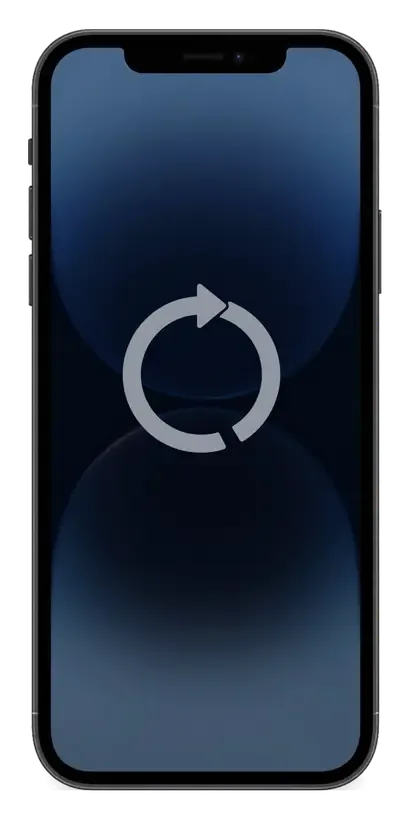
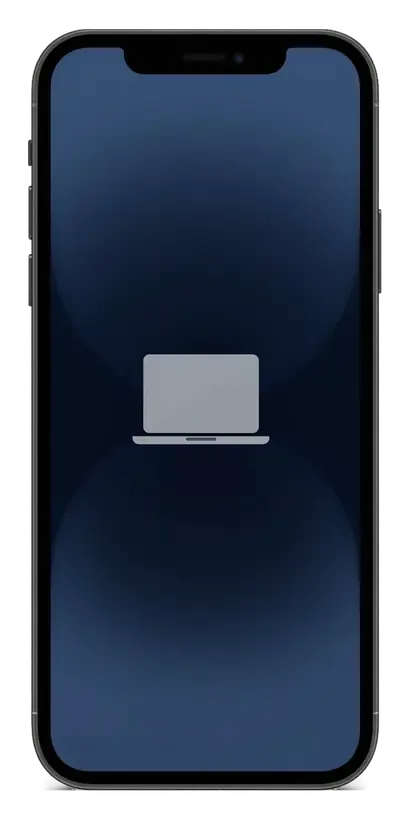
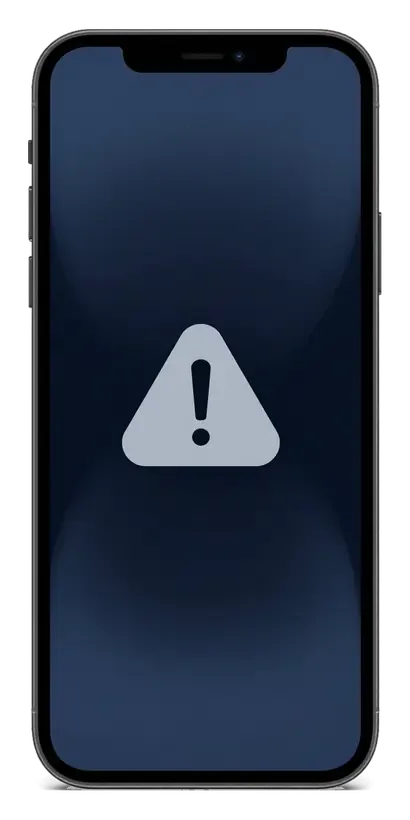
iPhone with a circular reboot icon on the screeniPhone with a cable and laptop icon on the screeniPhone with an update error icon on the screen
iPhone with the screen on showing a dark blue abstract wallpaper
BeforeAfter
Reboot loop
Price incl. labor
from 13 900 ₸
Warranty
up to 1 year
  • Finding the cause
  • Choosing the iOS build
  • Recovery mode

When the system needs a serious reinstall

A phone stuck on the logo, asking for a computer or halting mid-update needs its system reinstalled rather than a hardware fix.

The endless Apple logo

The phone boots, shows the logo and restarts in a loop without ever reaching the lock screen.

It asks for a computer

A cable and laptop icon fills the screen: the system is damaged and needs restoring through a computer.

An update froze midway

The progress bar stopped, the phone stopped responding, and after a restart an error message appears.

Glitches after a crash

Apps quit, settings do not stick, and an ordinary reset fails to clear the accumulated errors.

iPhone firmware restore price in Almaty

The table gives a reference for the work; the final amount depends on the model and on whether extra diagnostics are needed.

ServiceWhat's includedPrice
iPhone firmware restoresoftware restore, no parts replaced4 990 ₸per job
iPhone 17 Pro Max firmware flashingsoftware restore, no parts replaced10 900 ₸per job
iPhone 17 Pro firmware flashingsoftware restore, no parts replaced10 900 ₸per job
iPhone 17 firmware flashingsoftware restore, no parts replaced13 900 ₸per job
iPhone 16 Pro Max firmware flashingsoftware restore, no parts replaced10 900 ₸per job
iPhone 16 Pro firmware flashingsoftware restore, no parts replaced10 900 ₸per job
iPhone 16 Plus firmware flashingsoftware restore, no parts replaced10 900 ₸per job
iPhone 16e firmware flashingsoftware restore, no parts replaced10 900 ₸per job
iPhone 16 firmware flashingsoftware restore, no parts replaced13 900 ₸per job
iPhone 15 Pro Max firmware flashingsoftware restore, no parts replaced10 900 ₸per job
iPhone 15 Pro firmware flashingsoftware restore, no parts replaced13 900 ₸per job
iPhone 15 Plus firmware flashingsoftware restore, no parts replaced10 900 ₸per job
iPhone 15 firmware flashingsoftware restore, no parts replaced13 900 ₸per job
iPhone 14 Pro Max firmware flashingsoftware restore, no parts replaced10 900 ₸per job
iPhone 14 Pro firmware flashingsoftware restore, no parts replaced13 900 ₸per job
iPhone 14 Plus firmware flashingsoftware restore, no parts replaced10 900 ₸per job
iPhone 14 firmware flashingsoftware restore, no parts replaced10 900 ₸per job
iPhone SE (2022) firmware flashingsoftware restore, no parts replaced15 900 ₸per job
iPhone 13 Pro Max firmware flashingsoftware restore, no parts replaced13 900 ₸per job
iPhone 13 Pro firmware flashingsoftware restore, no parts replaced13 900 ₸per job
iPhone 13 firmware flashingsoftware restore, no parts replaced13 900 ₸per job
iPhone 13 mini firmware flashingsoftware restore, no parts replaced13 900 ₸per job
iPhone 12 Pro Max firmware flashingsoftware restore, no parts replaced16 900 ₸per job
iPhone 12 Pro firmware flashingsoftware restore, no parts replaced13 900 ₸per job
iPhone 12 firmware flashingsoftware restore, no parts replaced16 900 ₸per job
iPhone 12 mini firmware flashingsoftware restore, no parts replaced13 900 ₸per job
iPhone 11 Pro Max firmware flashingsoftware restore, no parts replaced16 900 ₸per job
iPhone 11 Pro firmware flashingsoftware restore, no parts replaced10 900 ₸per job
iPhone 11 firmware flashingsoftware restore, no parts replaced16 900 ₸per job
iPhone XS Max firmware flashingsoftware restore, no parts replaced15 900 ₸per job
iPhone XS firmware flashingsoftware restore, no parts replaced10 900 ₸per job
iPhone XR firmware flashingsoftware restore, no parts replaced10 900 ₸per job
iPhone X firmware flashingsoftware restore, no parts replaced15 900 ₸per job
iPhone 8 Plus firmware flashingsoftware restore, no parts replaced10 900 ₸per job
iPhone 8 firmware flashingsoftware restore, no parts replaced10 900 ₸per job
iPhone 7 Plus firmware flashingsoftware restore, no parts replaced10 900 ₸per job
iPhone 7 firmware flashingsoftware restore, no parts replaced10 900 ₸per job
iPhone SE firmware flashingsoftware restore, no parts replaced4 990 ₸per job
iPhone 6s Plus firmware flashingsoftware restore, no parts replaced6 990 ₸per job
iPhone 6s firmware flashingsoftware restore, no parts replaced6 990 ₸per job
iPhone 6 Plus firmware flashingsoftware restore, no parts replaced6 990 ₸per job
iPhone 6 firmware flashingsoftware restore, no parts replaced6 990 ₸per job
iPhone 5s firmware flashingsoftware restore, no parts replaced6 990 ₸per job
iPhone 5c firmware flashingsoftware restore, no parts replaced4 990 ₸per job
iPhone 5 firmware flashingsoftware restore, no parts replaced8 900 ₸per job
iPhone 4s firmware flashingsoftware restore, no parts replaced4 990 ₸per job
iPhone 4 firmware flashingsoftware restore, no parts replaced6 990 ₸per job
iPad firmware flashingsoftware restore, no parts replaced8 900 ₸per job
Apple Watch firmware flashingsoftware restore, no parts replaced5 490 ₸per job
iPhone storage replacement and upgradememory chip installation15 900 ₸with parts
iPhone 17 Air firmware flashingsoftware restore, no parts replaced26 900 ₸per job
iPhone SE 2 firmware flashingsoftware restore, no parts replaced13 900 ₸per job
AirPods firmware flashingsoftware restore, no parts replaced5 490 ₸per job
Apple TV software update and restoresoftware restore, no parts replaced10 900 ₸per job
HomePod firmware flashingsoftware restore, no parts replaced7 990 ₸per job

If the cause turns out to be hardware, the technician says so separately and agrees the next steps.

What an iPhone firmware restore includes

The cause of the failure is found first, then the right iOS build is chosen, recovery mode is started, the system is installed and the result is checked.

  1. 01
    iPhone with a magnifying glass icon on the screen for an initial check
    Finding the cause

    We establish whether it is a software fault and rule out trouble with power, charging and memory.

  2. 02
    Dark gray firmware selection card with a downward arrow icon
    Choosing the iOS build

    We pick a current firmware that your exact model supports and check that it is still signed.

  3. 03
    Black braided USB cable for connecting an iPhone to a computer
    Recovery mode

    We put the phone into the right mode and link it to a computer with a tested cable.

  4. 04
    iPhone with a circular system write indicator on the screen
    Installing the system

    We start the firmware and watch the process, preventing dropped links and power cuts.

  5. 05
    iPhone with a checkmark in a circle on the screen after activation
    First setup

    We activate the device, join the network and bring back data from a backup, if one exists.

  6. 06
    iPhone with a shield icon and checkmark on the screen before handover
    A working check

    We look at boot, cameras, sound, signal and charging before returning the phone to its owner.

  7. iPhone 13 firmware restore
    from13 900 ₸

    A experienced technician does the work, and a warranty applies to it.

    Price for my model

Updating in place or a full restore

The mode depends on the state of the system and on whether the data on the phone must be kept.

Original Applewarranty up to 1 year
iPhone firmware restoreafter diagnostics
iPhone with a large white downward arrow on a dark screen installing firmware
Update
new iOS goes over the existing one
Data
more often stays in place
Suits
a phone that still starts
Drawback
deep faults may remain
Chosen by 64% of clients
Book with an original part
Aftermarketwarranty 6 months
iPhone firmware restore4 990 ₸
iPhone with a system recovery icon displayed on its screen
Restore
the system is installed from scratch
Data
erased, a backup is needed
Suits
a phone that will not boot
Benefit
clears accumulated errors
Chosen by 36% of clients
Book with an aftermarket part

Why firmware work belongs with a technician

A firmware restore can touch your data, so it is better handled by a technician who explains in advance what can be kept and what cannot.

11years

11 years with iPhones

We have worked with Apple devices for eleven years and know how recovery modes differ between iPhone generations.

1year

A warranty on the work

The firmware job is covered by a warranty up to 1 year, and the technician explains the terms at the start.

8technicians

Experienced technicians

The system is restored by experienced specialists who do not gamble with your data without need.

5min

Honest about data

We say in advance what will be kept and what will not, and never promise information that cannot be brought back.

Visits in Almaty

We are open Monday to Friday from 10:00 to 19:00, and on Saturday, Sunday and holidays from 11:00 to 18:00.

0₸

A cause check

If the trouble lies in the board or power rather than the system, the technician tells you and does not reflash in vain.

iPhone before and after repair

1 / 2
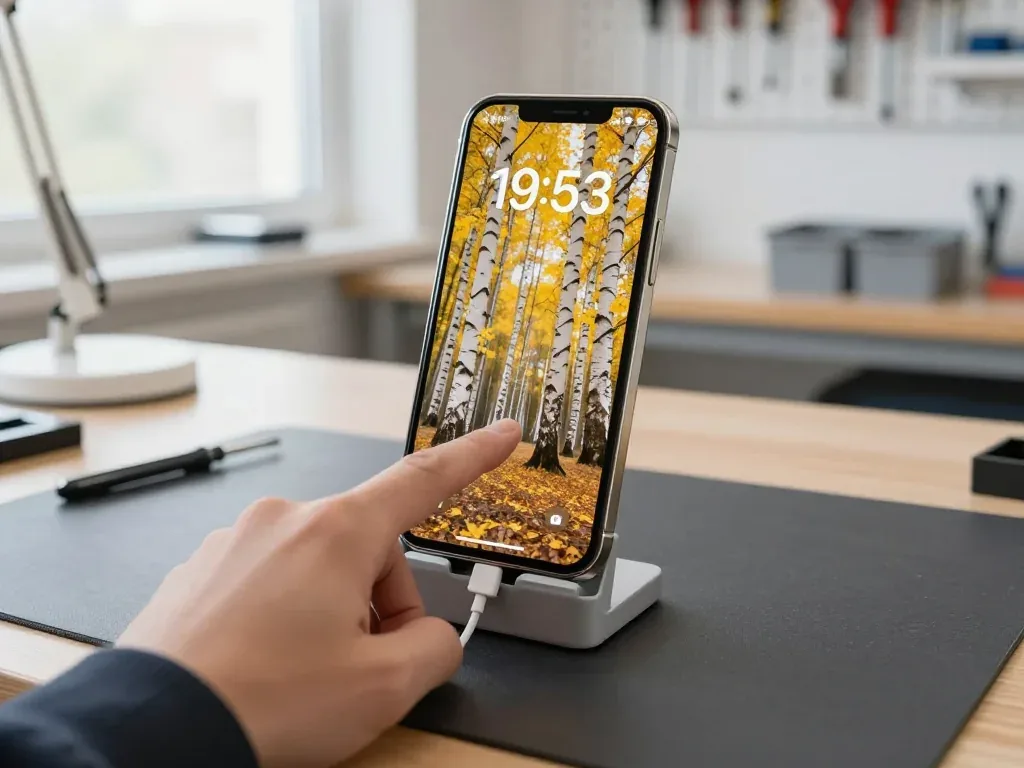
iPhone 13 in a stand with a cable connected, a technician's hand touching the lock screen with a birch grove

iPhone 13: stuck on boot screen after update

A client in Almaty updated the phone in the evening, and by morning the iPhone was stuck on the boot screen — no calls, no messages. We put it into recovery mode and reinstalled the system, and the data was preserved.

from 13 900 ₸repair cost
I want the same
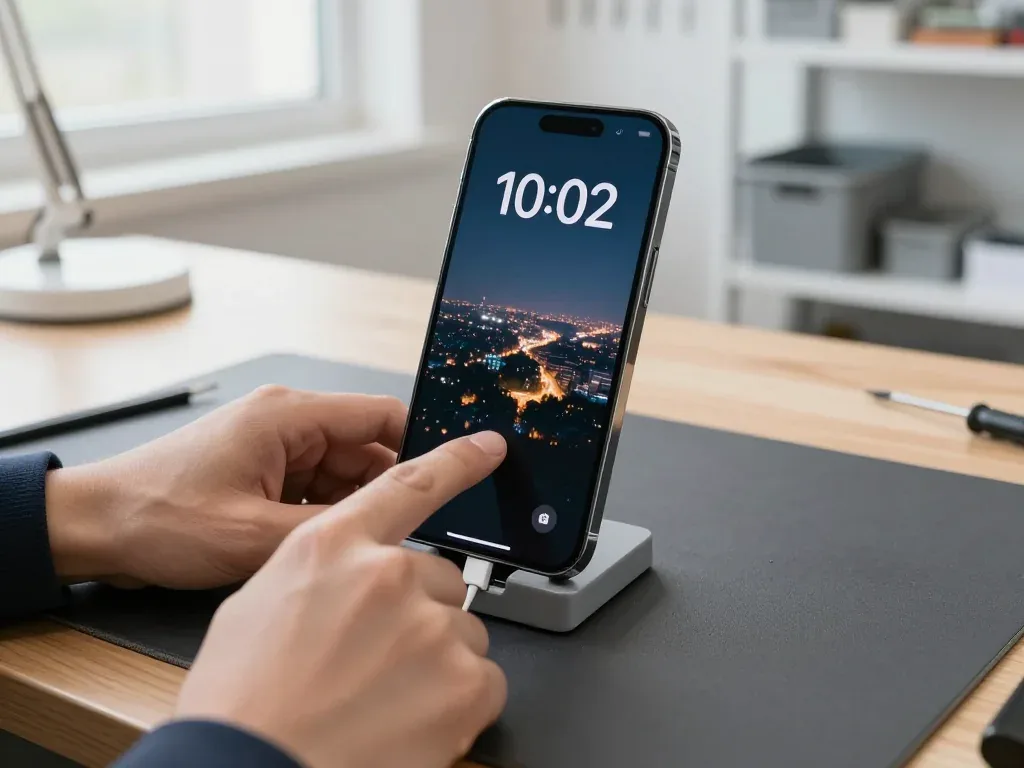
Black iPhone 14 Pro in a stand with a cable connected, technician touching the lock screen showing a night city

iPhone 14 Pro: stuck on boot after update

The client updated the system in the evening and the phone hung on the Apple logo — by morning it still wouldn't finish booting. We put it into recovery mode, reinstalled the system and kept the data.

from 13 900 ₸repair cost
I want the same

How iPhone firmware restore works in Almaty

The whole journey — from message to finished phone, with the time stated on the receipt.

Book a repair
  1. Step 1

    Message or come in

    5 min

    You message us on WhatsApp with the model and what happened — we give you the price and time. Or you come in without an appointment.

  2. Step 2

    Diagnostics in front of you

    10 min

    We check what's blocking startup: a software error or a board fault.

  3. Step 3

    Price in the receipt

    2 min

    We write down the model, the work, the price, the time and the warranty.

  4. Step 4

    We flash the firmware

    time on the receipt

    We install the current iOS via a computer.

  5. Step 5

    We set it up

    10 min

    We turn on the phone and check activation and updates.

  6. Step 6

    You check together with the engineer

    warranty up to 1 year

    Startup, activation, cellular, Wi‑Fi, cameras. You take the phone and the receipt.

Who will update your iPhone system

Technicians for iPhone, Mac, iPad, Apple Watch and AirPods repair.

1 / 8
SBSybanbaev Birzhan — firmware specialist, iServices service center in AlmatyPhoto: Sybanbaev Birzhan

Sybanbaev Birzhan

firmware specialist
7years of experience
4.75rating, 74 reviews
MNMukhpilov Nail — smartphone repair technician, iServices service center in AlmatyPhoto: Mukhpilov Nail

Mukhpilov Nail

smartphone repair technician
10years of experience
4.83rating, 83 reviews
GKGamid K — phone repair technician, iServices service center in AlmatyPhoto: Gamid K

Gamid K

phone repair technician
9years of experience
4.8rating, 65 reviews
AAArman A — on-site technician, iServices service center in AlmatyPhoto: Arman A

Arman A

on-site technician
8years of experience
4.9rating, 43 reviews
MRMolchanov Rinat — Apple repair and diagnostics engineer, iServices service center in AlmatyPhoto: Molchanov Rinat

Molchanov Rinat

Apple repair and diagnostics engineer
10years of experience
4.85rating, 33 reviews
SAShokan A — diagnostics technician, iServices service center in AlmatyPhoto: Shokan A

Shokan A

diagnostics technician
8years of experience
5.0rating, 37 reviews
DGDenis Gushchin — display replacement technician, iServices service center in AlmatyPhoto: Denis Gushchin

Denis Gushchin

display replacement technician
20years of experience
5.0rating, 34 reviews
DADuisebaev Azhdar — connector replacement technician, iServices service center in AlmatyPhoto: Duisebaev Azhdar

Duisebaev Azhdar

connector replacement technician
7years of experience
4.3rating, 35 reviews
Gamid K, phone repair technician
“If the repair didn’t suit you or you have a complaint, write to me personally.”
Gamid Kphone repair technician · +7 701 333-47-01

We'll quote iPhone firmware restore in Almaty from a photo in 5 minutes

Send a photo of the screen and the iPhone model. An engineer will reply on WhatsApp, give the price and today's available time.

  1. 5 minAn engineer replies and names the price
  2. 0 ₸Diagnostics in front of you in 15 minutes
  3. 30 minMost repairs — while you wait

iPhone Firmware Restore in Almaty with Data-First Diagnostics

In short

At iServices, an iPhone firmware restore in Almaty starts with a free 15-minute check in front of you, so we see whether the cause is software or hardware before touching iOS. We fix the price, the part and the warranty on the receipt first, and most restores finish while you wait.

Sybanbaev BirzhanWe reply on WhatsApp within 10 minutes
Ask

Why an iPhone Stops Booting and When an iPhone Firmware Restore Is the Right Move

A symptom is not a diagnosis. We start by watching the handset fail, because a frozen logo can mean a corrupted system or a dying board — and only one of those needs firmware work.

Symptoms That Usually Point to a Software Fault

  • Stuck on the Apple logo: the handset shows the apple and never reaches the lock screen, even after a forced restart.
  • Boot loop: the device reboots every few seconds, flashes the logo and drops again without settling.
  • Failed over-the-air update: iOS downloads, begins installing and throws an error at the identical point each time.
  • Recovery mode screen: a cable icon and a prompt to connect a computer replace the home screen.
  • Sudden resprings: the interface reloads on its own, settings reset and the handset runs hot while idle.

When the Phone Needs More Than a Restore

We treat a restore as a test, not a cure, so if the phone drops back into the loop after iOS is reinstalled, the fault sits in the NAND memory, the power controller or the board itself. A handset that only boots while plugged into a charger points at the power path rather than the operating system, and reflashing it changes nothing. For those cases we move to board-level work under a microscope, checking the memory chip and supply lines before touching the software again. A repeat failure at the exact same second after restore is the clearest signal that the system image was never the problem. Ask for the diagnosis result in writing before agreeing to further work — that single line tells you whether you are paying for software or for hardware.

iPhone Firmware Restore Update Restore and DFU Mode Side by Side

The three modes solve different problems and treat your data in different ways. The table below is the fastest way to pick the one that matches what your device is doing.

Three Modes Compared

four modes by action, data impact and trigger
ModeWhat it doesEffect on dataWhen it is used
UpdateReinstalls iOS over the current buildKeeps photos, apps and settingsThe phone boots but runs unstable
RestoreErases the device and reinstalls iOSWipes everything, then restores a backupBoot loop, forgotten passcode, corrupted system
Recovery modeHolds the device for a computer-driven restoreDepends on the next stepTouchscreen or buttons unresponsive
DFU modeBypasses the bootloader entirelyWipes everythingA normal restore refuses to start

Rolling Back to an Older iOS Version

We can only roll a device back to an iOS version Apple still signs, so an older build you remember is usually gone for good. Signing closes shortly after a new release ships, and once it does, iTunes and Finder reject the IPSW file with an error rather than installing it. Beta builds follow the same logic: while a beta profile is active you can move between beta releases, but you cannot drop to a public version that is no longer signed. A common reason for wanting a rollback is a handset that slowed down after an update. If that happened to you, a rollback rarely fixes it once signing has closed — the realistic path is a clean restore on the current version, followed by a fresh backup and a check of storage and battery health.

Your Data and Apple ID During an iPhone Firmware Restore in Almaty

Two questions come up ahead of almost every job: will the photos come back, and what will the device ask for once it powers on. We settle both before any work starts.

What Survives a Restore and What Does Not

A full restore erases the phone, so we first check whether an iCloud or computer backup exists and warn you plainly if photos and contacts will be lost. A snapshot taken weeks ago still restores the system but not the messages from last week, so check its date before agreeing to a wipe. With no backup at all, the data is gone the moment the firmware is rewritten — nothing on the storage survives. We ask you to confirm that date out loud and note it on the receipt, so nobody is surprised at handover. Contacts synced to iCloud return after you sign in; photos stored only on the device do not. A restore keeps nothing intact that was not backed up. Check Settings for the last successful snapshot before booking an iPhone firmware restore in Almaty.

Why the Owner's Apple ID Is Required

A firmware restore never removes Activation Lock, so the handset will ask for the owner's Apple ID and password the moment it boots, and we cannot bypass that step. Activation Lock is tied to Find My iPhone on the account and lives on Apple's servers rather than on the phone's storage — rewriting the firmware does not touch it. The screen passcode is a separate layer: it protects the data, while the account protects the device itself. If the login is forgotten, the account recovery route through Apple takes days, so sort credentials out ahead of booking the repair. Bring the password with you, or confirm you can reset it, and the handover stays short. A phone that boots to a locked activation screen is unusable no matter how clean the software is.

What Drives the Cost and How Long It Takes

The figure depends less on the model than on the state of the handset and whether hardware work is needed alongside the software. Below is what shapes the estimate and the timeline.

What the Final Quote Depends On

We quote after the free 15-minute check, because the figure depends on whether the handset only needs iOS reinstalled or also needs hardware work, and on whether data has to be preserved. The engineer runs the check in front of you and shows what is broken before any number is named. Faults on the logic board go under a microscope, which changes both the scope and the parts involved. A phone that needs data kept takes longer and costs more than a handset that can be wiped, since the engineer works around a saved copy instead of a clean install. That single decision — keep the files or start fresh — is the biggest swing factor in the estimate. Price, part, turnaround and warranty are fixed on the receipt before work starts, so nothing shifts mid-repair.

How Long You Are Without the Phone

A straightforward restore is usually done while you wait, and 72% of our repairs finish in the waiting area, but a board-level case can take one to three days. The free check takes 15 minutes and holds your slot even if you decide against the repair. Most jobs run 20–40 minutes once the software path is confirmed; a microscope-level logic board fix stretches to one to three days. The clock starts after the data decision, not at drop-off, so a phone with nothing to preserve can sit longer than the same model with files to carry over. It is worth settling that question before you hand the device over — this single choice often saves a day.

How the Restore Runs at Our Workshop and How We Check It

The route from a photo in a messenger to a device handed back with a receipt is short and fixed. Here is what we agree on before touching the handset and what gets verified on the way out.

From WhatsApp Photo to Signed Receipt

  • Photo first: send a picture of the screen on WhatsApp and an engineer replies within five minutes with a price.
  • Free diagnostics: the engineer checks the phone in front of you for 15 minutes and shows what is actually broken.
  • Fixed on paper: price, part, turnaround and warranty are written on the receipt in about two minutes before work starts.
  • Bench supply, not a laptop: a restore cut off by a weak cable or a flat battery can leave the handset worse than it arrived, so we power it properly.
  • Waiting area: coffee and Wi-Fi while you wait, since 72% of repairs finish with the customer on site.

The 32-Point Check Before Handover

After the restore we run a 32-function check that takes about ten minutes, covering Face ID, True Tone, cameras, microphones, speakers, charging and network, together with you. The engineer hands the handset back with the receipt, warranty card and the old part, and you test each item yourself rather than taking our word for it. A restore can reset Face ID enrolment, so re-registering your face is part of handover — not a fault to report later. The same applies to True Tone and to the network search, which sometimes needs a manual carrier pick after a clean install. Most confusion at this stage comes from settings that simply reset, not from hardware. Ask the engineer to walk you through the list before you leave the counter, and note anything that behaves oddly while the technician is still beside you.

Summary: iPhone Firmware Restore

A firmware restore is a software-first fix, and the outcome depends on the fault, the chosen mode and how carefully the handset is checked afterwards.

  • Software first, hardware second: a boot loop, frozen logo or failed update usually clears with a restore, while a handset that stays dark after DFU points to the board.
  • Back up before anything: a restore wipes the phone, so an iCloud or local copy made in advance is the only thing that keeps photos and messages.
  • The Apple ID stays with the owner: Activation Lock needs the original credentials, and no workshop can bypass them on a clean restore.
  • Time on the bench is short: a standard restore finishes within the hour, and board-level work under a microscope stretches to one to three days.
  • A written receipt protects the owner: the part, turnaround and warranty terms should be fixed on paper before any screwdriver touches the case.

iPhone firmware restore questions

Did not find an answer? Message us on WhatsApp: an engineer replies, not a bot.

Ask a question
Why does Finder or iTunes say my iPhone could not be restored?

An unknown error during a restore usually means one of two things: a bad cable or computer, or a hardware fault inside the phone. Try another original cable and USB port first. If the error repeats, the memory or power circuit is likely involved, and the technician checks the board.

Will my iPhone photos and contacts survive a firmware restore?

Only if they are in iCloud or in a computer backup, since a full restore wipes the phone. An update that keeps data is tried first when the system still allows it. Turn on iCloud Photos and Contacts before your visit if the phone still works.

Can reflashing an iPhone remove Activation Lock?

No, a restore does not remove the link to an Apple ID or the owner's password. We do not offer such services; it is the device's protection.

What if my iPhone hangs on the Apple logo?

First try a forced restart and charging. If that fails, a restore through a computer is needed, which the technician performs.

Will a restore help if the hardware is broken?

No, it cures software faults only. If the cause is the board, memory or power, the phone will hang again, and diagnostics reveals this.

Can I go back to an older iOS version on my iPhone?

Usually not, because only current builds are signed. The technician installs a version your model supports.

Can a firmware restore fix an iPhone stuck in a restart loop?

Yes, if the loop is caused by a damaged system or a failed update. If the phone keeps rebooting even on a fresh iOS, the cause is hardware, often the battery or a faulty cable inside. The technician in Almaty checks this before suggesting a repair.

Reviews of iPhone firmware restore in Almaty

1 / 10
4.9

average rating on Google Maps, wikicity and our website · 445 reviews
Google Maps4.438 reviews ›wikicity5.015 reviews ›Reviews on the iServices website5.0392 reviews ›
АЦ
Арман Ц.Order No. IS‑2604‑•••56 · 2 April 2026
iPhone 14 · system

Сначала пытался решить вапрос через настройки, только время потерял. У моего iPhone 14 после обновления начались странные зависания; после обращения проверили систему и помогли вернуть стабильную работу; Шокан спокойно объяснил, с чего лучше начать.

iServices customer review, in Russian
РД
Руслан Д.Order No. IS‑2110‑•••19 · 13 October 2021
iPhone 13 · system

iPhone 13 подвёл: после обновления начались странные зависания. В итоге проверили систему и помогли вернуть стабильную работу; Арман показал, в чём была проблема.

iServices customer review, in Russian
АЭ
Алишер Э.Order No. IS‑2210‑•••05 · 16 October 2022
iPhone XR · system

С iPhone XR вышла неприятность: после обновления начались странные зависания. В сервисе проверили систему и помогли вернуть стабильную работу.

iServices customer review, in Russian
РЧ
Рустам Ч.Order No. IS‑2209‑•••04 · 27 September 2022
iPhone 11 Pro Max · system

На iPhone 11 Pro Max после обновления начались странные зависания. В сервисе проверили систему и помогли вернуть стабильную работу.

iServices customer review, in Russian
ДР
Данияр Р.Order No. IS‑1811‑•••05 · 1 November 2018
iPhone 6 Plus · system

iPhone 6 Plus подвёл: после обновления начались странные зависания. Ребята проверили систему и помогли вернуть стабильную работу.

iServices customer review, in Russian
СЗ
Светлана З.Order No. IS‑1601‑•••42 · 8 January 2016
iPhone 6 · system

iPhone 6 подвёл: после обновления начались странные зависания. В сервисе проверили систему и помогли вернуть стабильную работу.

iServices customer review, in Russian
ДА
Данияр А.Order No. IS‑2511‑•••76 · 9 November 2025
iPhone 17 Pro Max · system

На iPhone 17 Pro Max после обновления начались странные зависания. В итоге проверели систему и помогли вернуть стабильную работу.

iServices customer review, in Russian
ТТ
Тимур Т.Order No. IS‑1705‑•••75 · 31 May 2017
iPhone 6s Plus · system

S iPhone 6s Plus vyshla nepriyatnost: posle obnovleniya nachalis strannye zavisaniya. V itoge proverili sistemu i pomogli vernut stabilnuyu rabotu.

iServices customer review, in Russian transliteration
СЖ
Сериккан Жумагалиев14 April 2024

Ничего не умеют. Я повез туда айфон 14 на разблокировеу сказали оставьте телефон через месяц МОЖЕТ сделаем. Я поехал в ЦУМ мне за 15 минут сделали, даже телефон с коробки не вытаскивали по IM коду сделали. Наберите нормальных специалистов.

АС
Алуа Саянова27 July 2020

Решила восстановить свой iphone SE , думаю для звонков подойдет, щас после ремонта работает отлично. Стекло поменяли, аккумулятор новый, и все, эффект получен.

Service reply

Здравствуйте, Алуа! Благодарим Вас за такой душевный и теплый отзыв. Спасибо за доверие и прекрасные слова в адрес нашего сервиса. Всего Вам хорошего! Ждем Вас снова!

Showing 10 of 12

How to find our Almaty workshop for iPhone firmware

Address
Almaty, Panfilov St., 21
Opening hours
Mon–Fri 10:00–19:00Sat–Sun 11:00–18:00
Phone and messengers
+7 701 333-47-01WhatsApp: +7 701 333-47-01
Directions map: iServices Almaty — Panfilov, 21© OpenStreetMapFind us on the maps: Google Maps · 2GIS