Eng

iPhone Camera Replacement in Astana

If your iPhone camera is blurry or won't start, we'll fit a new module in 40 minutes and return your old one.

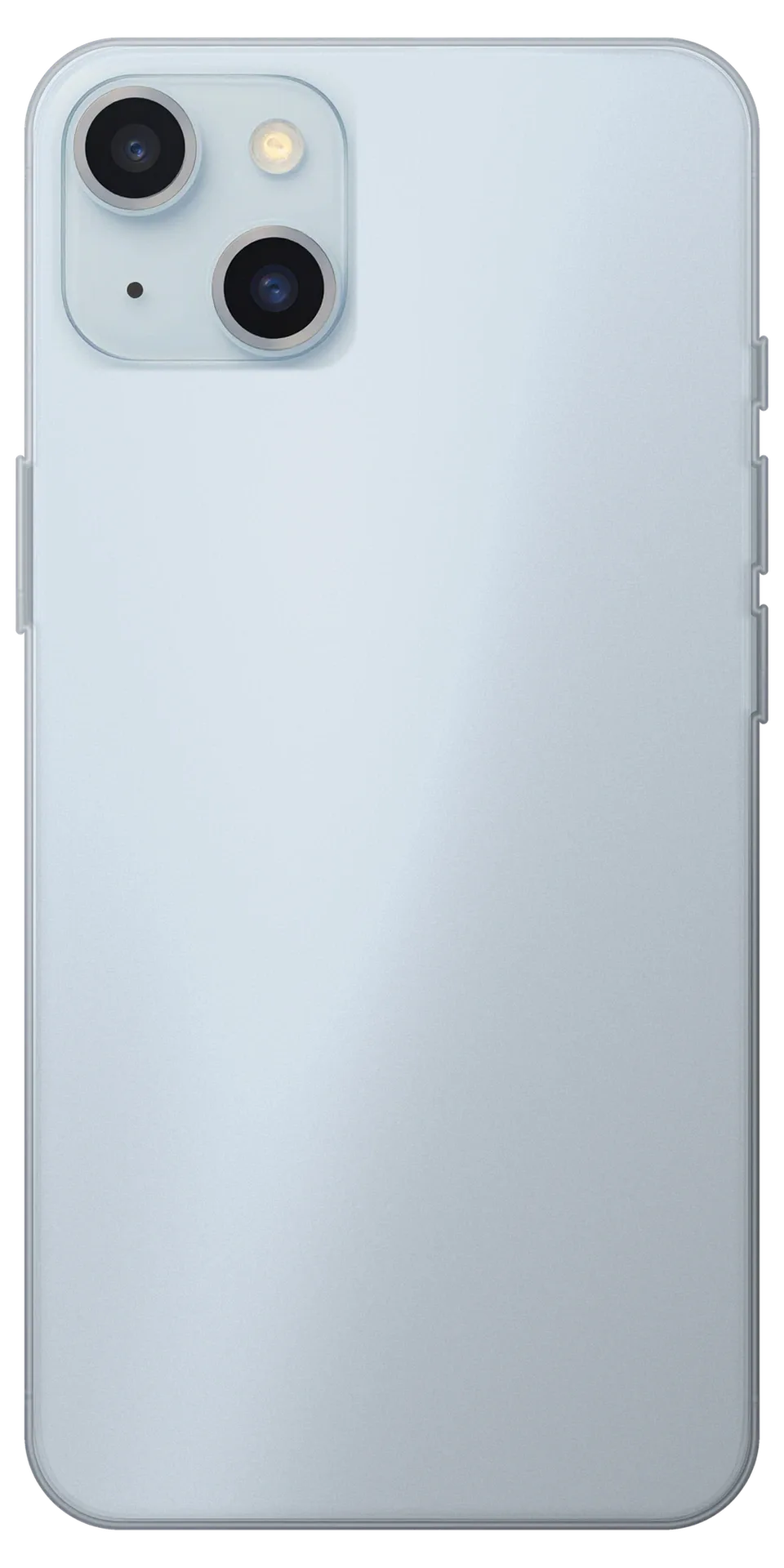
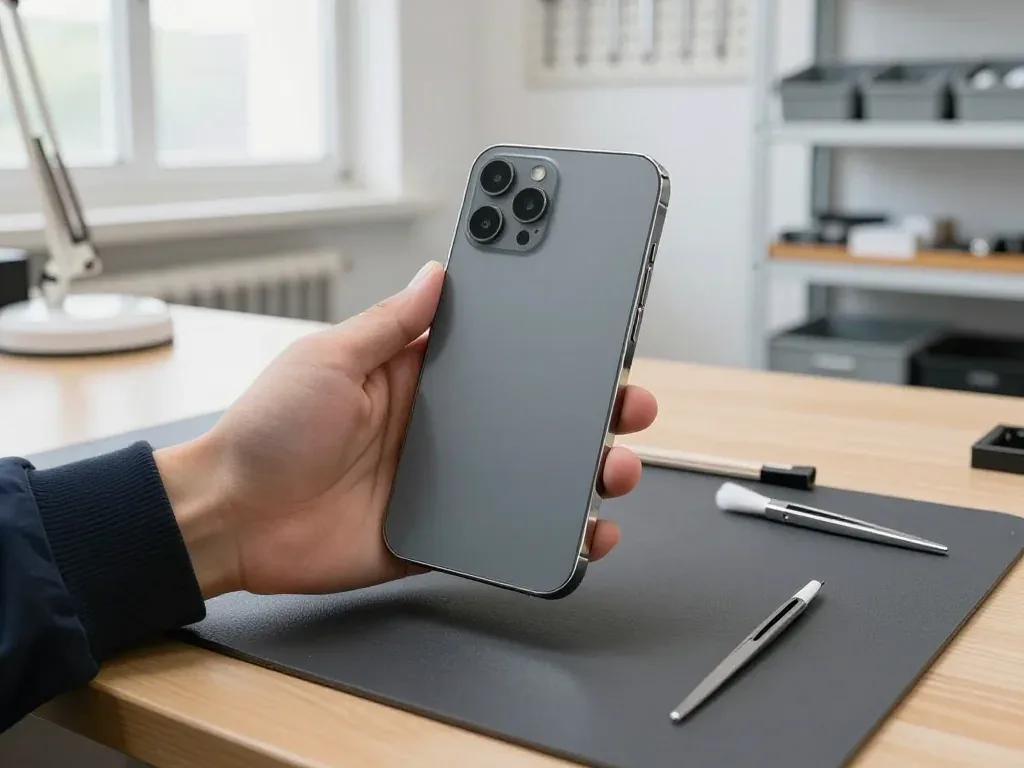
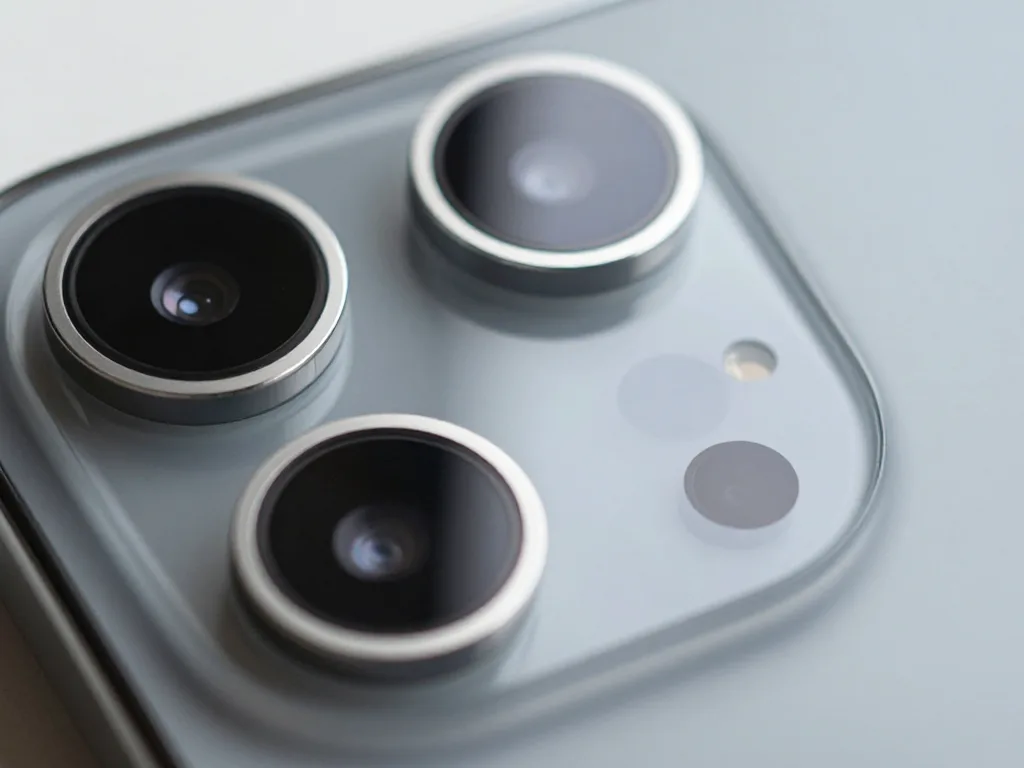
Blue iPhone seen from the back showing the camera module
Price incl. labor
from 44 900 ₸
Warranty
up to 1 year
  • Lens-by-lens test
  • Software check
  • Opening the body

How to tell when your iPhone camera replacement is needed

The phone hints at trouble beforehand: images come out soft, the app displays a dark viewfinder, and the handset vibrates during capture.

Blurry video calls

Colleagues see a smeared picture on calls even in a bright office, and the front lens looks clean.

Scans come out streaked

Documents photographed on a table show a dark band or a soft corner that was never there before.

App closes on launch

The Camera app opens to a black frame, freezes or shuts after a second, whichever lens you pick.

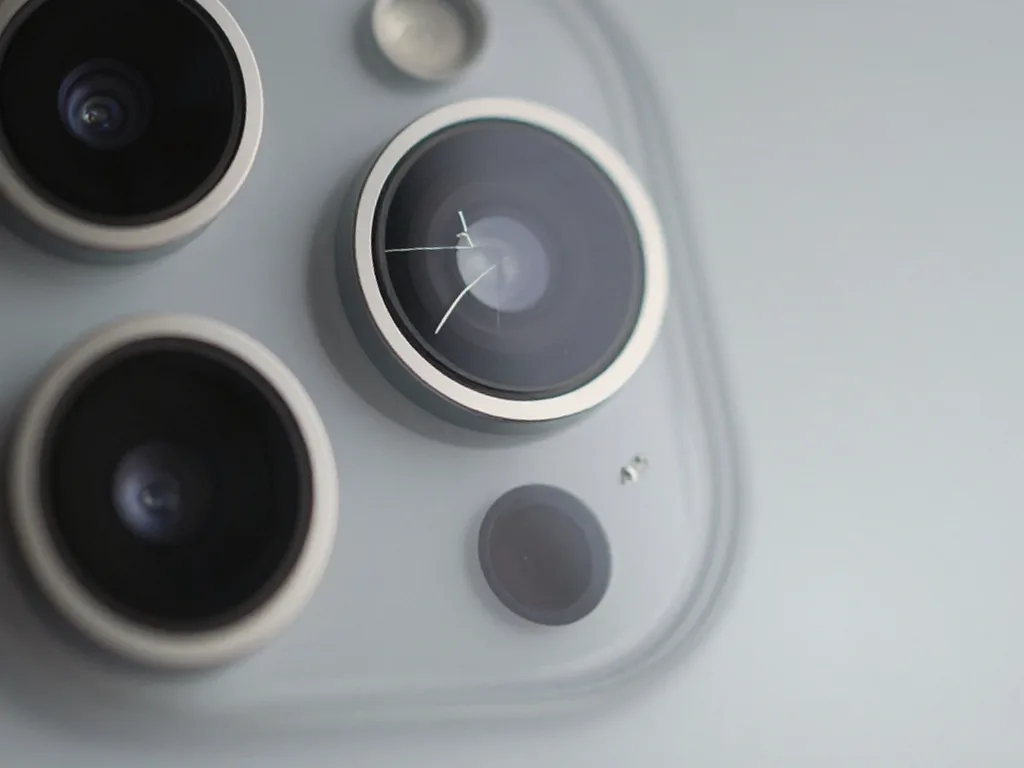
Chipped lens cover

A visible nick on the outer glass produces bright flares from street lamps and car headlights.

iPhone camera replacement cost in Astana

The price depends on the model and the type of part; the table below lists guides for popular iPhones.

ServiceOriginalAftermarket
iPhone 17 camera replacement191 900 ₸106 900 ₸
iPhone 17 Pro camera replacement202 900 ₸112 900 ₸
iPhone 16 camera replacement119 900 ₸66 900 ₸
iPhone 16 Plus camera replacement119 900 ₸66 900 ₸
iPhone 16 Pro camera replacement136 900 ₸75 900 ₸
iPhone 15 camera replacement105 900 ₸58 900 ₸
iPhone 15 Pro camera replacement121 900 ₸67 900 ₸
iPhone 15 Pro Max camera replacement141 900 ₸78 900 ₸
iPhone 17 Pro Max main camera replacement202 900 ₸112 900 ₸
iPhone 16 Pro Max main camera replacement181 900 ₸100 900 ₸
iPhone 16e main camera replacement110 900 ₸61 900 ₸
iPhone 15 Plus main camera replacement110 900 ₸61 900 ₸
iPhone 14 Pro Max main camera replacement119 900 ₸66 900 ₸
iPhone 14 Pro main camera replacement121 900 ₸67 900 ₸
iPhone 14 Plus main camera replacement89 900 ₸49 900 ₸
iPhone 14 main camera replacement85 900 ₸47 900 ₸
iPhone SE (2022) main camera replacement58 900 ₸32 900 ₸
iPhone 13 Pro Max main camera replacement119 900 ₸66 900 ₸
iPhone 13 Pro main camera replacement110 900 ₸61 900 ₸
iPhone 13 main camera replacement80 900 ₸44 900 ₸
iPhone 13 mini main camera replacement74 900 ₸41 900 ₸
iPhone 12 Pro Max main camera replacement96 900 ₸53 900 ₸
iPhone 12 Pro main camera replacement91 900 ₸50 900 ₸
iPhone 12 main camera replacement80 900 ₸44 900 ₸
iPhone 12 mini main camera replacement73 900 ₸40 900 ₸
iPhone SE 2 main camera replacement51 900 ₸28 900 ₸
iPhone 11 Pro Max main camera replacement80 900 ₸44 900 ₸
iPhone 11 Pro main camera replacement80 900 ₸44 900 ₸
iPhone 11 main camera replacement69 900 ₸38 900 ₸
iPhone XS Max main camera replacement64 900 ₸35 900 ₸
iPhone XS main camera replacement64 900 ₸35 900 ₸
iPhone XR main camera replacement69 900 ₸38 900 ₸
iPhone X main camera replacement55 900 ₸30 900 ₸
iPhone 8 Plus main camera replacement60 900 ₸33 900 ₸
iPhone 8 main camera replacement49 900 ₸27 900 ₸
iPhone 7 Plus main camera replacement58 900 ₸32 900 ₸
iPhone 7 main camera replacement38 900 ₸21 900 ₸
iPhone SE main camera replacement35 900 ₸19 900 ₸
iPhone 6s Plus main camera replacement49 900 ₸27 900 ₸
iPhone 6s main camera replacement33 900 ₸18 900 ₸
iPhone 6 Plus main camera replacement24 900 ₸13 900 ₸
iPhone 6 main camera replacement26 900 ₸14 900 ₸
iPhone 5s main camera replacement15 900 ₸8 900 ₸
iPhone 5c main camera replacement12 900 ₸7 490 ₸
iPhone 5 main camera replacement15 900 ₸8 900 ₸
iPhone 4s main camera replacement11 900 ₸6 490 ₸
iPhone 4 main camera replacement15 900 ₸8 900 ₸

The technician gives the final sum after inspection: new lens glass may be enough instead of the whole module.

What is involved in swapping out an iPhone camera

The technician opens the phone, swaps the rear or front module and checks how shooting and focus work.

iPhone 13 camera replacement
from44 900 ₸
The phone is handed back after verification shots on every camera.
Price for my model
  1. Step 1

    Lens-by-lens test

    We shoot with every rear lens and the front camera to see which unit is really at fault.

  2. Step 2

    Software check

    The app is restarted and storage and settings are checked, so a working part is never swapped.

  3. Step 3

    Opening the body

    Camera module replacement on iPhone: what the procedure covers

  4. Step 4

    Fitting the module

    The new unit is connected, its seating is verified and it is secured with the standard screws.

  5. Step 5

    Closing up

    The screen goes back, water-resistance tape is applied around the edge and bottom screws are tightened.

  6. Step 6

    Verification shots

    Sharpness, color, flash and stabilization are checked in bright light, dim light and video.

How an original camera module differs from an aftermarket one

The difference shows most in video and in low light, so consider how you actually shoot.

Original Applewarranty up to 1 year
iPhone camera replacement11 900 ₸
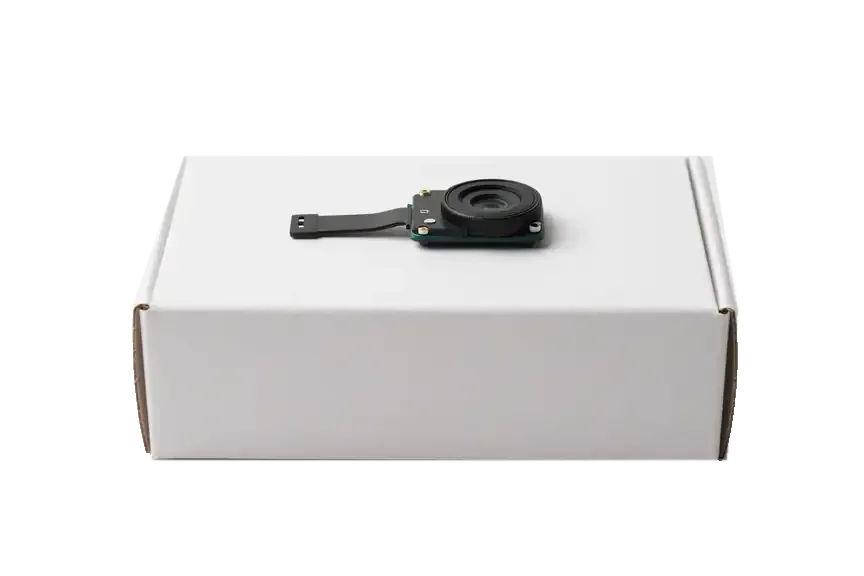
Original: iPhone camera module on a white box
Picture
Colors and contrast as at the factory
At night
Less noise in dark scenes
Video
Stabilization works as designed
For whom
People who shoot a lot
Chosen by 64% of clients
Book with an original part
Aftermarketwarranty 6 months
iPhone camera replacement6 490 ₸−45%
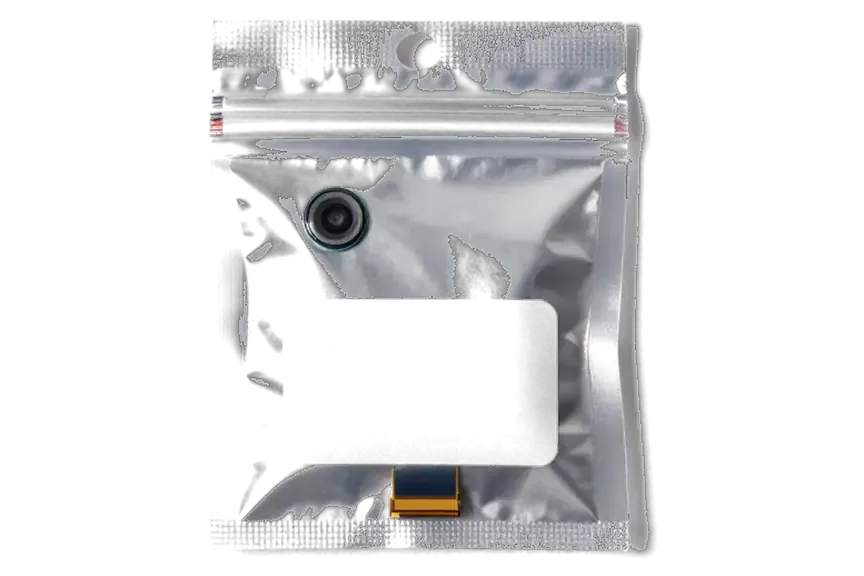
Analog: iPhone camera module in an antistatic bag
Picture
Acceptable by day, colors slightly off
At night
Noise is more visible in weak light
Video
Depends on the module's quality
For whom
Occasional photos and savings
Chosen by 36% of clients
Book with an aftermarket part

What a customer in Astana receives

A customer in Astana gets a choice of module, experienced technicians and a warranty up to 1 year on the finished swap.

1year

Warranty up to 1 year

Every completed repair comes with a warranty up to 1 year, which means a focus problem can be examined again.

11years

11 years of experience

It is wise to leave a camera with experts who first diagnose the root cause, then recommend a replacement and clarify which part to use.

6technicians

Experienced technicians

Your phone goes to qualified specialists who treat thin cables with care and never hurry the opening.

0₸

Diagnosis first

Before swapping a unit we look for the cause: sometimes glass, cleaning or restored settings is enough.

2options

An unhurried choice

We explain how original and aftermarket parts differ and give you time to decide; the choice is yours.

7days a week

Reception hours

On weekdays we accept phones between 10:00 and 19:00, while on Saturdays, Sundays and public holidays the shop opens at 11:00 and closes at 18:00.

iPhone camera before and after repair in Astana

1 / 3
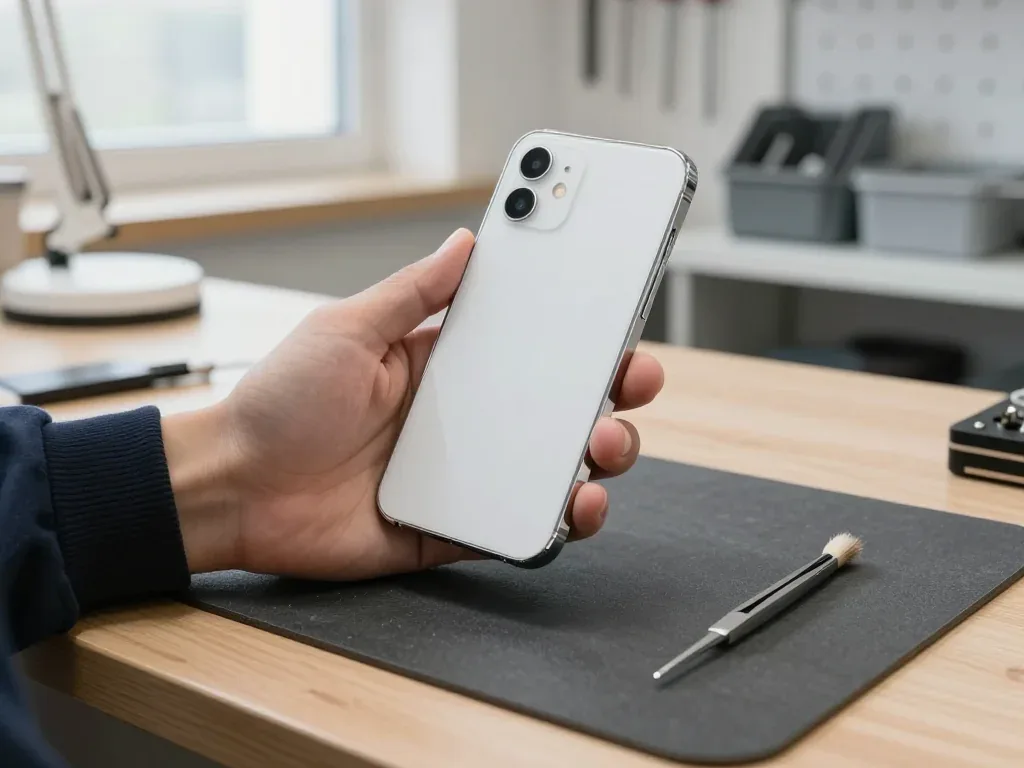
White iPhone 11 held face-down in a technician's hand, showing the square two-lens camera block

iPhone 11: camera wouldn't focus

A customer from Astana said the camera had stopped focusing — shots came out blurry, especially outdoors. We replaced the main camera module and checked every mode: photo, video and portrait all work sharply.

from 38 900 ₸repair cost
I want the same
iPhone 11 Pro in a technician's hand, back side up, showing the triple-lens camera block

iPhone 11 Pro: shaky image in camera

A client from Astana complained that video was shaky and wouldn't stabilize. We replaced the main camera module and checked all modes — photos and videos are sharp again.

from 44 900 ₸repair cost
I want the same
Photo before: cracked camera glassBefore: cracked camera glass
Photo after: new camera glassAfter: new camera glass
BeforeAfter

iPhone 13: cracked camera glass

20 minOriginalWarranty up to 1 year
Problem
A crack in the main camera glass, glare and haze in photos.
What we did
We replaced the lens glass and checked autofocus and stabilization on the stand.
20 minphotos are sharp again
I want the same

How iPhone camera replacement is done in Astana

The whole journey — from message to finished phone. We give you the old part.

Book a replacement
  1. Step 1

    Message or come in

    5 min

    You message us on WhatsApp with the model and what happened — we give you the price and time. Or you come in without an appointment.

  2. Step 2

    Diagnostics in front of you

    10 min

    We check the camera in all modes and the flex cable: sometimes the camera glass or the board is at fault, not the module.

  3. Step 3

    Price in the receipt

    2 min

    We note the model, the part (original or aftermarket), the price, the timeframe, and the warranty.

  4. Step 4

    We show the new camera

    1 min

    We open the factory packaging in front of you and check the number against the receipt.

  5. Step 5

    Replacing the camera

    time on the receipt

    We remove the old camera module, install a new one, and seal the case with water-resistant adhesive.

  6. Step 6

    You check together with the engineer

    warranty up to 1 year

    Focus, flash, all shooting modes, video, and stabilization. You pick up the phone, the receipt, and the old camera.

Meet the iServices team

Technicians for iPhone, Mac, iPad, Apple Watch and AirPods repair.

1 / 5
BSBakmukhammed S. — on-site iPhone technician, iServices service center in AstanaPhoto: Bakmukhammed S.

Bakmukhammed S.

on-site iPhone technician
13years of experience
4.93rating, 107 reviews
GSGalymzhan S. — iPhone repair technician, iServices service center in AstanaPhoto: Galymzhan S.

Galymzhan S.

iPhone repair technician
8years of experience
4.79rating, 90 reviews
ZSZhandos Sh. — iPhone screen replacement technician, iServices service center in AstanaPhoto: Zhandos Sh.

Zhandos Sh.

iPhone screen replacement technician
6years of experience
4.65rating, 112 reviews
DTDarkhan T. — iPhone firmware technician, iServices service center in AstanaPhoto: Darkhan T.

Darkhan T.

iPhone firmware technician
8years of experience
4.44rating, 19 reviews
KSKudiret S. — iCloud unlock specialist, iServices service center in AstanaPhoto: Kudiret S.

Kudiret S.

iCloud unlock specialist
10years of experience
4.37rating, 100 reviews
Bakmukhammed S., on-site iPhone technician
“If the repair didn’t suit you or you have a complaint, write to me personally.”
Bakmukhammed S.on-site iPhone technician · +7 701 333-47-01

We'll quote iPhone camera replacement in Astana from a photo in 5 minutes

Send a photo of the screen and the iPhone model. An engineer will reply on WhatsApp, give the price and today's available time.

  1. 5 minAn engineer replies and names the price
  2. 0 ₸Diagnostics in front of you in 15 minutes
  3. 30 minMost repairs — while you wait

iPhone Camera Replacement in Astana With a Clear Plan Before We Open the Phone

In short

At iServices in Astana, the iPhone camera replacement begins with a free 15-minute check while you watch, letting us determine if the fault lies with the board, the camera module or the lens glass. You choose between an aftermarket or original part, and the majority of camera repairs are completed in 20–40 minutes while you wait.

iServices Editorial TeamWe reply on WhatsApp within 10 minutes
Ask

What Your Photos and the iPhone Camera Replacement App Are Telling You

A camera rarely dies without a trace: how it fails—black preview, shaking picture, or a corner spot—points to a specific part.

Six Symptoms and What Each Usually Points To

Symptom matched to cause and first repair step
What you seeProbable reasonWhat we do
Black preview in every modeLoose flex connector or a faulty camera unitReseat the flex, then replace the camera assembly
Spots or a blurry patch in a cornerCracked or dusty lens coverReplace the lens cover only
Image shakes and clicksFailing stabiliser or autofocus mechanismReplace the camera unit
Focus hunts and never settlesAutofocus mechanism inside the camera assemblyReplace the camera unit
Flash and torch stay darkFlash circuit or camera connectorTest the circuit, then the camera assembly
Front camera shows nothingFront camera module or TrueDepth assemblyDiagnose the front assembly first

When the Fault Sits on the Board Rather Than in the Camera

When a fresh camera assembly still shows a black preview, the fault is usually on the board, and we repair that circuit under a microscope rather than swapping more parts. The camera flex runs into a connector soldered to the logic board, and one corroded pin cuts the signal the camera needs. Face ID components sit on the same board, so a clumsy repair can cost the face unlock too. A board-level fault is where a second opinion saves money, since the camera is often healthy. Board-level camera faults take longer than a module swap, which we tell you at the counter.

Why Water Damage Needs a Longer Look

  • Diagnosis time: after a spill, checks can take up to two days as corrosion hides behind a dead-looking camera.
  • Free first look: the engineer inspects for 15 minutes and shows what is broken, even if you decline repair.
  • What corrosion does: moisture creeps under the camera connector and eats pins, so the camera reads faulty.
  • Why it matters: a working camera after drying does not prove corrosion stopped, so the check matters more.

iPhone Camera Replacement When the Board, Camera Module or Lens Glass Fails

The most common question is whether the whole assembly must go. The answer depends on whether focus and stabilisation still work under a cracked lens, which the free check settles.

A Cracked Lens With a Working Focus Usually Means Glass Only

A cracked lens with a working focus usually means glass only. If the picture is sharp but a spot or haze sits in a corner, the optics are fine and we replace just the cover glass in about 20 minutes. The outer cover is separate on every generation, so a chip does not condemn the sensor underneath. We test autofocus on a near and a far subject; if it settles and holds, the moving group is untouched. A cracked cover lets dust and moisture reach the sensor, so a small chip is cheaper to fix now. For iPhone camera replacement Astana, this check shows whether you need glass only or a full assembly.

When the Module Has to Go Instead

If the image shakes, clicks or never locks focus even with clean glass, the stabiliser or autofocus inside the camera has failed and the whole assembly is what we replace. A stabiliser fault shows up as a drifting frame in video, while a dead autofocus leaves every shot soft. Both failures sit in the same sealed assembly, so repair means fitting a complete replacement camera rather than servicing one component. A swap brings back the functions tied to that camera, so ask which of them your model actually carries before you agree. Check the spec sheet for your exact body first, since stabilisation and autofocus motor types vary between models.

Steps to Take Prior to Your Visit

  • Back up now: full iCloud or computer backup before liquid or drop damage becomes a board fault.
  • Stop shooting through cracks: every photo pushes dust past the broken cover toward the sensor.
  • Skip the hairdryer: heat after water drives moisture deeper instead of drying it.
  • Leave the camera app closed: a shaking or clicking camera wears faster the longer it runs.
  • Photograph the damage: a clear WhatsApp picture gets you a price and a free slot within five minutes.

How Your iPhone Model Affects the Job

The camera layout changed a lot between the 5s and the 11 Pro, deciding how many optics we test and which functions to expect back.

Three Lenses, Two or Just One

Rear lens count and post-swap checks by model
GenerationRear lensesWhat to test after the swap
5s, SESingle, no bumpFocus, flash, front camera
6, 6sSingle, raised blockFocus, stabiliser on Plus models
7, 8SingleStabiliser, flash, video sound
7 Plus, 8 PlusTwo, wide and teleBoth lenses, portrait mode, ×2 zoom
X, XRTwo or single, TrueDepth frontPortrait mode, Face ID, both rear views
11, 11 ProTwo or three, ultra-wide addedAll lenses, night mode, portrait

Face ID and Selfie Lens on iPhone X, XR, 11, 11 Pro

On the X, the XR and the 11 range, the front camera is part of the TrueDepth assembly, so we work there carefully and check that Face ID unlocks before you leave. Inside one block the TrueDepth module keeps the dot projector, infrared camera and front sensor together, and when the rear is repaired the technician works directly beside it. We move the assembly aside, fit the new rear camera and reseat the TrueDepth block in its original position. Face ID parts are matched to the board, so careful reseating is better than a quick swap — a hasty unplug may misalign the sensor and the unlock then fails.

Portrait Mode and Zoom After a Swap

On dual and triple models we open portrait mode and ×2 zoom in front of you, because those functions depend on the second optic and are the first thing to check after a replacement. The wide and tele optics work as a pair: the depth effect reads depth from both views, and the ×2 button switches to the tele sensor. On 11 and 11 Pro models a third view comes from the ultra-wide, and frames from every optic are blended by the low-light setting. When a phone has two or three rear lenses, one of them may fail while the rest still function — so have the engineer test each optic individually.

Aftermarket Versus Original Part and What the Receipt Locks In

The part you pick decides how the photos look and which functions come back, so we settle that choice on paper before the phone is opened.

How the Two Options Differ in Practice

A genuine camera keeps colour, stabilisation and portrait behaviour closest to how the phone left the factory, while an aftermarket unit covers the basics, and 64% of our customers pick the genuine option. Autofocus speed, optical image control and portrait depth mapping are where a cheap component drifts first — the frame looks fine in daylight and falls apart at dusk. Our engineers have done this job across every generation since the iPhone 6, and the pattern holds: daylight hides the difference, evening exposes it. The gap shows up most in low light and video steadiness, so judge by how you actually shoot, not by the price tag alone.

What We Record on the Receipt Prior to Starting

  • The component by name: genuine or aftermarket, written out rather than described as "a new camera".
  • The turnaround: the slot we promise, so a 20-minute glass job is not confused with a full module job.
  • The warranty: up to 1 year, stated on the same sheet you sign.
  • The old component: returned to you at handover, so nothing quietly disappears.
  • The factory packaging: before installation the new component is presented sealed, and you see it taken out of the box.

What We Check Before Handover and How the Visit Runs

Most camera visits fit inside an hour, and the last ten minutes belong to a check you do together with the engineer rather than on your own.

From the First Message to the Waiting Area

After you message a photo via WhatsApp, an engineer replies in five minutes with the cost and an available time, and 72% of fixes are completed while you wait in our customer lounge. Free diagnostics happen while you watch at the start: the specialist opens the phone and shows what is broken, then most camera jobs take 20–40 minutes, with cracked lens glass the quickest at around 20. Before any repair begins, the cost, replacement part, completion time and warranty terms are written on the receipt, and we first present the new camera in its factory box. During the repair you can sit with coffee and Wi-Fi, or collect the device later.

The Ten-Minute Check You Do With the Engineer

  • Focus near and far: a close-up and a distant shot prove autofocus works in both directions.
  • Stabilisation: the preview stays still, with no click or drift, as you move the device.
  • Each lens: wide, tele and ultra-wide can be checked one by one on phones with dual and triple cameras.
  • Portrait and zoom: portrait mode and ×2 zoom open and save a picture.
  • Flash and video: the torch fires and a short clip records with sound.
  • Face ID: we check unlocking works on 11 Pro, 11, XR and X.

Summary: iPhone Camera Replacement

A camera fault rarely means the whole assembly has to go, and knowing which part failed keeps the visit short and the result predictable.

  • Read the symptom first: black preview, shaking image and a corner spot point to three different components.
  • Glass is not the assembly: a sharp picture behind a cracked window usually means a glass-only job.
  • Count the optics: dual and triple setups are tested one lens at a time.
  • Settle the part on paper: component name, turnaround and warranty belong on the receipt.
  • Check it in your hands: focus, stabilisation, every lens, flash, video and Face ID at handover.

Camera replacement in Astana common questions

Did not find an answer? Message us on WhatsApp: an engineer replies, not a bot.

Ask a question
Can the front iPhone camera be replaced on its own?

Yes, the selfie module is replaced separately without touching the rear cameras. The engineer also checks the neighbouring sensors so Face ID works normally afterwards.

Will Face ID still work after the iPhone selfie camera is changed?

Yes, when the work is careful: the Face ID components sit beside the selfie camera and stay in place. After assembly both are tested together with you.

Why does the iPhone camera fog up inside after coming in from the Astana frost?

It is condensation: warm indoor air settles on the cold lenses and inside the module. Let the phone warm up slowly in a pocket; if the haze does not clear within the day, bring it in so moisture does not damage the contacts.

Can an iPhone X camera be replaced?

Yes. The iPhone X has a dual rear module with the wide and telephoto lenses in one unit, so it is changed as a whole, while the front camera is a separate part.

Do you replace cameras on the newest iPhone Pro and Pro Max in Astana?

Yes, the latest iPhone generation, including the Pro and Pro Max, is covered by our camera repairs. Send a photo of the damage on WhatsApp and the engineer will suggest the option for your exact model.

Dust got under my iPhone camera glass. Does the module have to go?

Often not: if the dust sits under the cover glass, the glass is removed, the lens cleaned and new glass fitted. Only dust that got inside the module itself means the camera has to be replaced.

My iPhone flash stopped working. Does the whole camera need replacing?

Not necessarily: a dead flash is often caused by its own cable or a board fault rather than the camera module. The engineer finds the cause first and only then suggests what to replace.

iPhone camera repair in Astana reviews from customers

1 / 10
4.9

iServices network rating on Google Maps, wikicity and our website · 2 028 reviews
Google Maps4.438 reviews ›wikicity5.015 reviews ›Reviews on the iServices website4.91 975 reviews ›
ЕД
Ерасыл Д.Order No. IS•••89 · 30 September 2026
iPhone 16 · camera

Проблема — не работает камера. Ғалымжан С. подобрал аналог дешевле, не навязывал оригинал. Ни шума, ни запаха, всё штатно.

iServices customer review, in Russian
ГФ
Георгий Ф.Order No. ISV‑•••04 · 27 September 2026
iPhone SE (3-го поколения) · camera

Проблема — не работает камера. Ғалымжан С. сам позвонил и сказал, что готово. Полёт нормальный.

iServices customer review, in Russian
ЕЦ
Ерасыл Ц.Order No. IS•••54 · 23 September 2026
iPhone 16 Plus · camera

Отдал в сервис: iPhone 16 Plus. Проблема — не работает камера. Всё чётко, без сюрпризов

iServices customer review, in Russian
СВ
Самал В.Order No. IS‑•••80 · 22 September 2026
iPhone 16e · screen

Смотрел отзывы в 2ГИС, выбрал по адекватности. Залил чаем, и через день — не роботает камера. Ғалымжан С. отсоветовал дорогой ремонт, предложил простой. Сказали, что перезвонят, и правда перезвонили. Вскрытие показало: дисплей. Пять баллов. Сейчас роботает без нареканий.

iServices customer review, in Russian
ГР
Гүлдана Р.Order No. ЗК‑IS‑•••73 · 22 September 2026
iPhone 11 Pro Max · camera

Уронила на плитку — и всё, не работает камера. Перезвонили на следующий день, уточнили детали. Внешне не видно, что разбирали)

iServices customer review, in Russian
КУ
Камила У.Order No. ISV‑•••59 · 10 September 2026
iPhone 17 · camera

Утром включила, а у него не работает камера. Диагностику сделали при мне. Все функции проверила — работают.

iServices customer review, in Russian
СМ
Сара М.Order No. ISV‑•••18 · 10 September 2026
iPhone 16 Pro Max · battery

Полдня гуглила, потом плюнула и поехала. Проблема — не работает камера. Назвали срок — два дня, уложились. Внутри оказалас: аккумулятор. 12 000 за работу и деталь, считаю нормально. Обращусь ещё. После ремонта — как новое

iServices customer review, in Russian
ОР
Оксана Р.Order No. IS‑•••32 · 10 September 2026
iPhone 13 · camera

У нас в офисе три таких ноутбука, один сломался. Неделю лежал без дела, теперь не роботает камера. Бақмухаммед С. всё сделал при мне, за пятнадцать минут. Не пришлось стоять в очереди. Вскрытие показало: шлейф. Ни шума, ни запаха, всё штатно)

iServices customer review, in Russian
РБ
Рамазан Б.Order No. IS‑•••23 · 6 September 2026
iPhone Air · camera

Уронил на плитку — и всё, не роботает камера. Бақмухаммед С. показал старую деталь, всё прозрачно. Диагностику сделали при мне. Вышло из строя: камера. Выбрал iService, потому что близко к работе. Работает, как будто и не ломалось.

iServices customer review, in Russian
ВФ
Василиса Ф.Order No. IS‑•••25 · 7 August 2026
iPhone SE (2-го поколения) · camera

Работаю рядом, заехала в обед. Нужен был ремонт iPhone SE 2. Проблема — попала вода. Оплату взяли после ремонта. По факту меняли: камера. Отдала 11 000 и не жалею. Советую. Внешне не видно, что разбирали.

iServices customer review, in Russian
Showing 10 of 190

Where to get iPhone Camera replacement in Astana

Address
Astana, Kabanbay Batyr Ave., 7/2
Opening hours
Mon–Fri 10:00–19:00Sat–Sun 11:00–18:00
Phone and messengers
+7 727 339-99-12WhatsApp: +7 701 333-47-01
Directions map: iServices Astana© OpenStreetMapFind us on the maps: Google Maps · 2GIS