An SE camera misbehaves differently depending on which layer failed, and the visible crack is often not the real culprit. Before swapping anything, it helps to know what is actually damaged.
Symptoms That Point to the Lens Glass, the Module or the Board
Symptom-to-cause map for a misbehaving SE camera| What you see | Likely cause | What we do |
|---|
| Spots or blur in one corner, focus works | Cracked or dusty front glass | Fit new lens glass |
|---|
| Black preview in every mode | Dead module or loose flex | Reseat flex or fit a new camera |
|---|
| Image shakes and clicks | Failing stabiliser or autofocus | Fit new camera module |
|---|
| Flash dead, picture fine | Flash circuit or connector | Inspect board and connector |
|---|
| Camera dead after water | Corrosion on the logic board | Board-level diagnostics first |
|---|
Why a Cracked Lens Is Not Always a New Camera
We fit just the outer glass when the picture stays sharp and the damage sits on the surface — the fastest camera job on the SE, 20 minutes while you wait. On this body the glass sits flush with the shell, so a knock chips the top layer without reaching the sensor underneath. Shooting through a cracked surface lets dust and moisture in, and trapped grit scratches the coating every time autofocus moves. A small job postponed for weeks can turn into a full camera replacement. If you can still read text in a photo taken at arm's length, ask for the glass first and let the engineer confirm the sensor is clean before anything is ordered.
iPhone SE Camera Replacement Astana Options for the Part
An SE camera can be restored with an original unit or an aftermarket one, and the difference shows up not only in the picture but in how the component behaves a year later.
Original or Aftermarket Camera for the SE
Camera part types compared by image quality and use case| Part | Picture and focus | Best for |
|---|
| Original module | Natural colour, reliable autofocus | Owners keeping the phone long-term |
|---|
| Aftermarket module | Close match, occasional colour shift | Budget repairs on an older SE |
|---|
| Lens glass only | No change to the sensor | Cracked glass with a healthy module |
|---|
How the Replacement Itself Runs
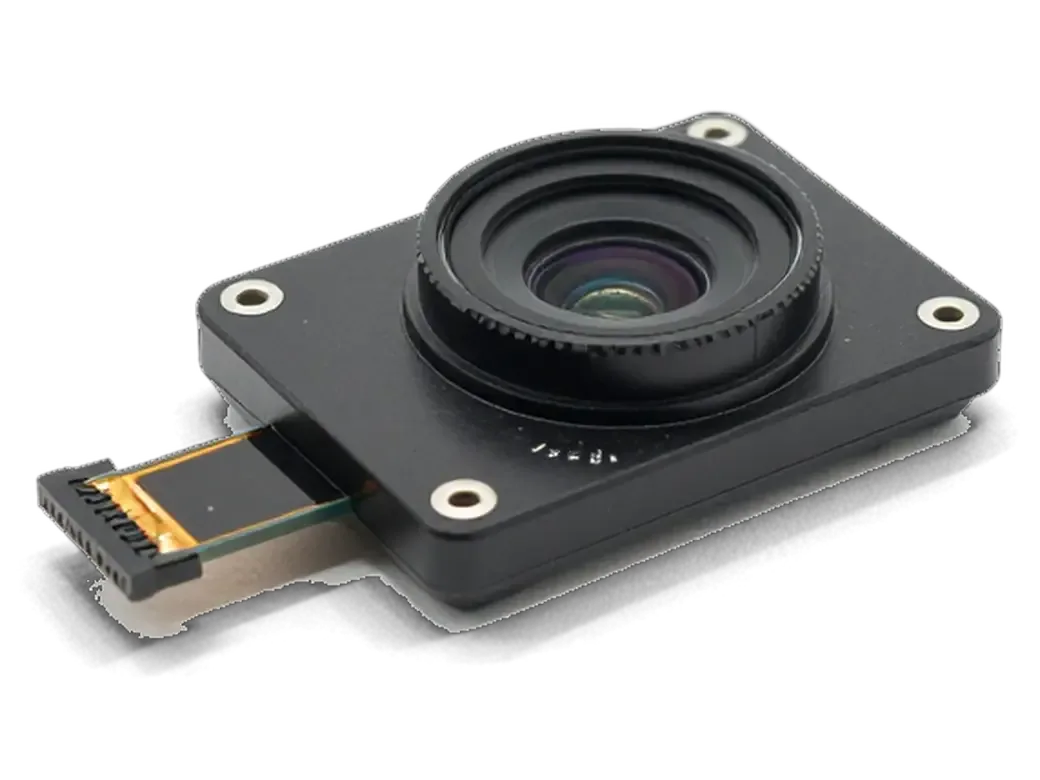
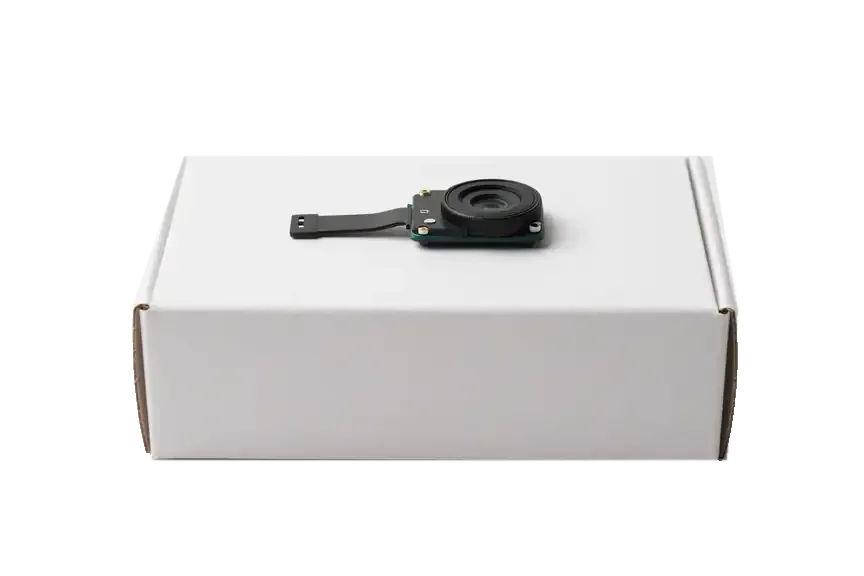
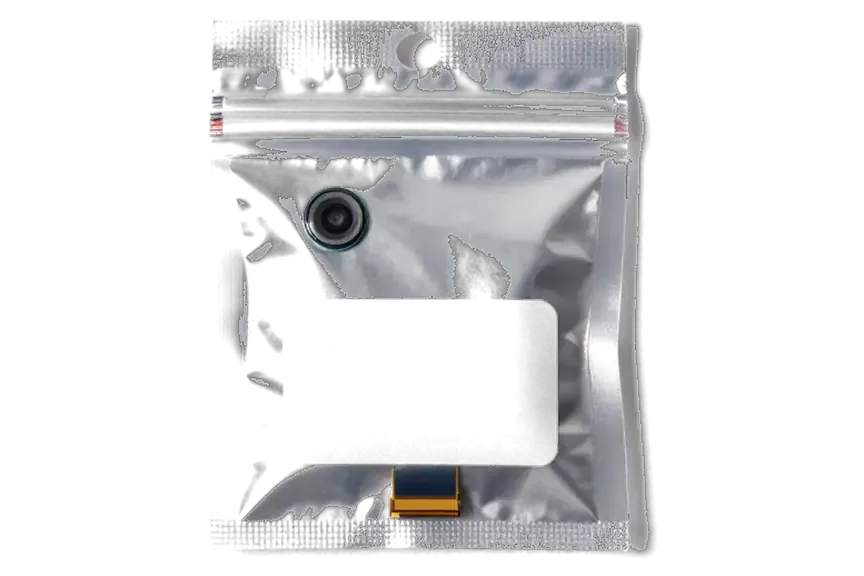
We open the SE, disconnect the camera flex from the board connector, fit the new part and reassemble, and most camera jobs finish in 20 to 40 minutes while you wait. If you are looking for iPhone SE camera replacement in Astana, the engineer shows the new part in its factory packaging before installation, so you see the exact part going in. Price, component type and turnaround are fixed on the receipt in about two minutes before any screw comes out. After assembly we run a 32-function check of roughly ten minutes covering cameras, microphones, speakers, charging and network. You leave with the receipt, the warranty card and the old camera. Keeping the old part matters: it proves which module came out of your phone if a question ever comes up later.
Will Portrait Mode, Zoom and Touch ID Still Work
SE owners most often ask whether shooting modes survive a camera swap and whether unlocking by finger is at risk. The answers depend on the part and the model, not on guesswork.
What Happens to Shooting Modes After the Swap
On the SE the rear camera is a single lens, so there is no telephoto or ultra-wide to lose, and portrait mode is software-driven and stays available after a camera swap. Zoom on this model is digital cropping, so it keeps working with any compatible component. What can fail silently is the hardware behind the modes: autofocus, optical stabilisation and exposure metering live inside the component itself. A replacement with a mismatched sensor can still break focus or stabilisation even when the modes appear in the app, which is why the check happens on real shots, not on the menu. We photograph a textured surface at close range, then a moving subject, and compare sharpness before and after. Ask to see those frames during handover — a menu that lists portrait mode proves nothing about focus accuracy.
Front Camera and Touch ID on the SE
The SE unlocks with Touch ID, not Face ID, so work on the selfie lens carries no biometric risk, and we still test that lens, video calls and the screen flash for selfies. The fingerprint sensor sits in the home button and is untouched by camera repair. We open the front assembly, check the connector seating, then place a video call and switch to the selfie view to confirm focus and colour. Faults here on the SE are often a dirty connector rather than a dead component, so a reseat during diagnostics can save the cost of a replacement. Our engineer shows you the live image on screen before closing the device, and the same check repeats at pickup.
When the Fault Is the Board, Not the Camera
Sometimes a fresh camera changes nothing, because power or signal is lost deeper inside the phone, and the picture stays black even after the swap.
Camera Dead After a Drop or Water
After a drop we check the flex and connector first, and once liquid is involved we run diagnostics on the logic board, which can take up to two days when corrosion has spread. A hard landing usually tears the flex cable or loosens the connector that feeds the optics, and that is a quick fix once the camera comes out. Water behaves differently: it seeps under the shields and starts oxidation around the camera power line, so the optics read as dead while the circuitry underneath is the real fault. We look at the contacts under a microscope before touching anything, since corrosion hides in places the eye misses. A camera that stopped working from liquid contact should not be charged or heated before the check, because current through wet contacts turns a cleanable circuit into a replacement case.
Board-Level Repair and What It Changes
If the camera circuit is damaged, we repair it under a microscope, and that job takes 1 to 3 days instead of the 20 to 40 minutes a straight camera swap needs. A failed stabilizer on that line is a common culprit behind shaking frames and clicking sounds from the camera, and it shows up only when the circuitry is powered and probed. Our engineers trace the camera power rail, replace the shorted component and reflow the joints, then confirm the result with a test shot. This work is quoted only after diagnostics, because the same black-screen symptom can come from a two-minute connector fix or a multi-day trace repair. We tell you which case yours is before any work starts, so a fault on the circuit never turns into a surprise on the receipt.
What You Get Back and How We Check It
A repair ends not when the new part goes in, but when you have seen the results yourself, approved them and walked out with the paperwork in hand.
The Handover Check We Run Together
- Focus: near and far shots to make sure the autofocus locks cleanly instead of hunting back and forth.
- Stabilisation: a short clip recorded while moving, reviewed for shake and any clicking from inside the camera.
- Flash and torch: each fired in turn to prove the flash circuit and the LED are working.
- Video with sound: a brief recording to test the microphone and check the audio track captures properly.
- Front camera: a selfie and a call to verify the front optics focuses and switches over.
Receipt, Warranty and the Old Part
You leave with the device, a receipt listing the part and the turnaround, a warranty card up to 1 year and the old camera in a box. The receipt records which unit went in — original or aftermarket — so there is no ambiguity later about what was installed and when. The warranty covers the labour and the component, and the engineer writes the date on it before you go. Keeping the removed camera matters if a dispute ever arises, since it shows exactly which piece came out of your phone and proves the swap was done. Request both documents before the handover, not after — replacing a lost one takes longer than the repair itself.
Summary: iPhone SE Camera Replacement
The points below summarise what decides the outcome of a camera job on the SE, from the first symptom to the document you keep afterwards.
- Spots or blur with working focus: usually points to lens glass, while a black preview or a shaking image means the module itself.
- No lost shooting modes: a single-lens SE carries no telephoto or ultra-wide, and portrait mode keeps working after a camera swap.
- Unlocking stays intact: Touch ID handles authentication on the SE, so front camera work carries no biometric risk.
- Board faults change the timeline: camera failures after water or a drop can sit on the board, turning a short job into a multi-day repair.
- Proof of the work: a handover check on real shots, a receipt and a warranty card are what confirm the repair was done properly.







 iPad
 MacBook
 iMac
 Mac mini and Studio
 Apple Watch
 AirPods
 Apple Pencil
 Apple TV
 HomePod




