Your city

AstanaAstana, Kabanbay Batyr Ave., 7/2 · +7 727 339-99-12
Eng

Apple Service Center Reviews in Almaty

Not sure who to trust with your device? Check us out: free diagnostics in front of you and the price on the receipt.

Ask a question
4.9

average rating on Google Maps, wikicity and our website
445 reviews

Recent reviews
«Я менял тут экран на айпаде»

Мастер показал планшет после ремонта, дал гарантию. Я как смог проверил, вроде-бы никаких ошибок в системе не выходит, значит экран оригинальный поставили. Еще камеру заднюю…

skshahram khizab9 October 2026 · Google review, in Russian
«Нужна была замена камеры на 14 про макс, узнал все подробности…»

bbpartz30 September 2026 · Google review, in Russian
«Отдавал сюда iPhone 14 Pro Max на ремонт»

Всё сделали аккуратно и достаточно быстро. Персонал вежливый всё объяснили и без лишних проблем. Телефон после ремонта работает отлично Спасибо за хорошую работу рекомендую

UKUmar Khan22 September 2026 · Google review, in Russian
«Нужно было срочно увеличить память на рабочем ноутбуке…»

Сделали всё очень быстро, перенесли всю мою систему со всеми программами без потерь. Скорость работы выросла в разы, супер.

РТРустем Т.31 August 2026 · wikicity review, in Russian

Reviews of our Almaty center left by customers

Reviews from Google Maps and wikicity, with a link to the original. Customer reviews left after an order, stored in the service's CRM. During preparation for publication only gender forms were corrected; there are no star ratings, so they are not included in the Google Maps and wikicity score.

АЮ
Анастасия Ю.Заказ № IS‑2610‑•••59 · 4 October 2026
MacBook Air 15″ (M5, 2026) · charging

Проблема была такая: зарядка постоянно прерывалась — и непонятно, что делать. В севрисе проверили кабель, порт и цепь питания.

iServices customer review, in Russian
СФ
Серик Ф.Заказ № IS‑2606‑•••55 · 17 June 2026
MacBook Pro 14″ (M3, 2023) · board

На MacBook Pro 14″ (M3 2023) компьютер не включался с первого раза. После обращения проверели питание и вернули стабильный запуск.

iServices customer review, in Russian
ДЛ
Дмитрий Л.Заказ № IS‑2605‑•••47 · 20 May 2026
MacBook Pro 13″ (2019, 2 порта) · board

У моего MacBook Pro 13″ (2019, 2 порта) внешний монитор постоянно терял подключениe. В итоге проверили порты и стабильность подключения.

iServices customer review, in Russian
МР
Михаил Р.Заказ № IS‑2604‑•••39 · 15 April 2026
iPhone 11 Pro Max · sound

На iPhone 11 Pro Max собеседники почти перестали меня слышать. После обращения проверели микрофоны и восстановили нормальную связь.

iServices customer review, in Russian
АД
Айгерим Д.Заказ № IS‑2603‑•••22 · 22 March 2026
iPhone 13 · sound

На iPhone 13 собеседники почти перестали меня слышать. В севрисе проверили микрофоны и восстановили нормальную связь.

iServices customer review, in Russian
АТ
Александр Т.Заказ № IS‑2603‑•••18 · 1 March 2026
MacBook Pro 14″ (M5, 2025) · screen

На MacBook Pro 14″ (M5 2025) на экране появились полосы. В итоге проверили подключениe и дисплей, изображение восстановили.

iServices customer review, in Russian
ДВ
Данияр В.Заказ № IS‑2602‑•••94 · 23 February 2026
iPhone 15 Pro · battery

С iPhone 15 Pro вышла неприятность: заряд держался буквально полдня. В итоге проверили аккумулятор и восстановили нармальное время работы.

iServices customer review, in Russian
АТ
Алия Т.Заказ № IS‑2602‑•••92 · 13 February 2026
iMac 24″ (M1, 2021) · charging

Проблема была такая: разъём USB-C работал через раз — и непонятно что делать. После обращения проверели контакты и стабильность соединения.

iServices customer review, in Russian
КЕ
Куаныш Е.Заказ № IS‑2602‑•••00 · 10 February 2026
Apple TV 4K (2-го поколения, 2021) · sound

У моего Apple TV 4K (2-го поколения 2021) звук перестал корректно выходить на колонку. После обращения проверели аудиоподключение.

iServices customer review, in Russian
ДА
Дмитрий А.Заказ № IS‑2602‑•••78 · 4 February 2026
AirPods Max (USB-C) · sound

На AirPods Max (USB-C) в одном ухе звук стал заметно тише. После обращения проверели звуковой тракт и баланс каналов.

iServices customer review, in Russian
АЦ
Асель Ц.Заказ № IS‑2512‑•••71 · 17 December 2025
Apple Watch SE (3-го поколения) · screen

На Apple Watch SE (3-го поколения) у часов начал отходить экран. В севрисе осмотрели корпус и крепление дисплея.

iServices customer review, in Russian
ГВ
Гульмира В.Заказ № IS‑2511‑•••47 · 26 November 2025
Apple Watch Ultra 3 · screen

На Apple Watch Ultra 3 экран не реагировал на часть нажатий. В айсеврис проверили дисплейный модуль и устранили проблему с сенсором.

iServices customer review, in Russian
Showing 252 of 438Show more

Repairs named in Almaty reviews service center feedback

1 / 10
Tuesday, October 14
9:41
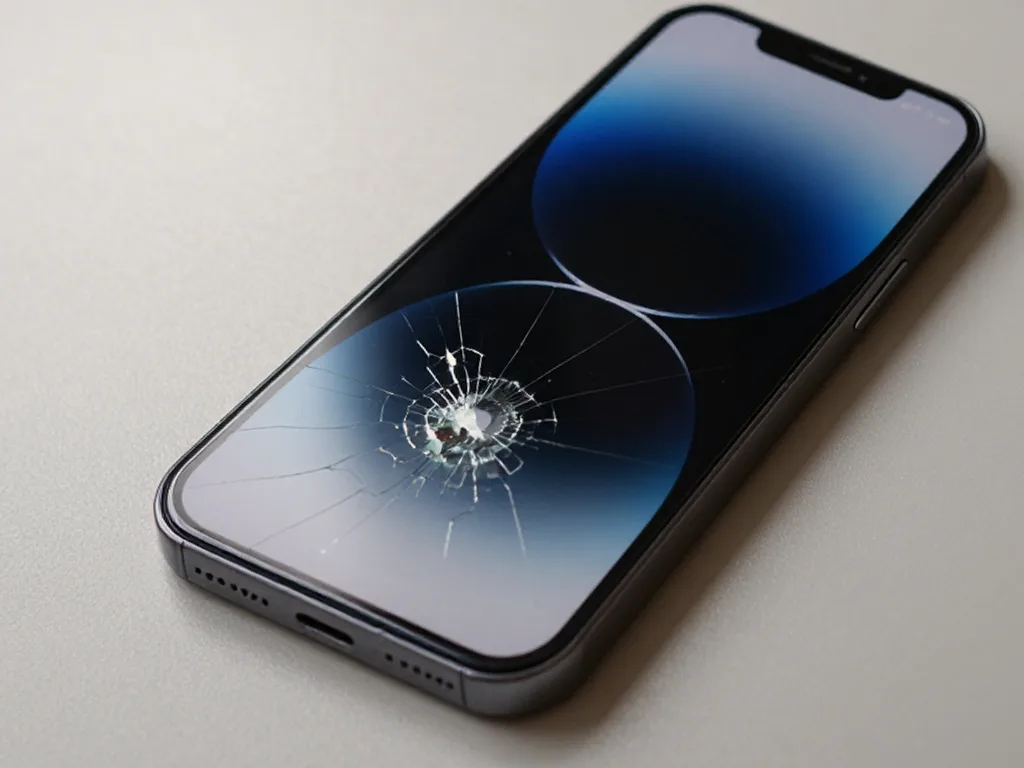
Before: cracked iPhone screen
Tuesday, October 14
9:41
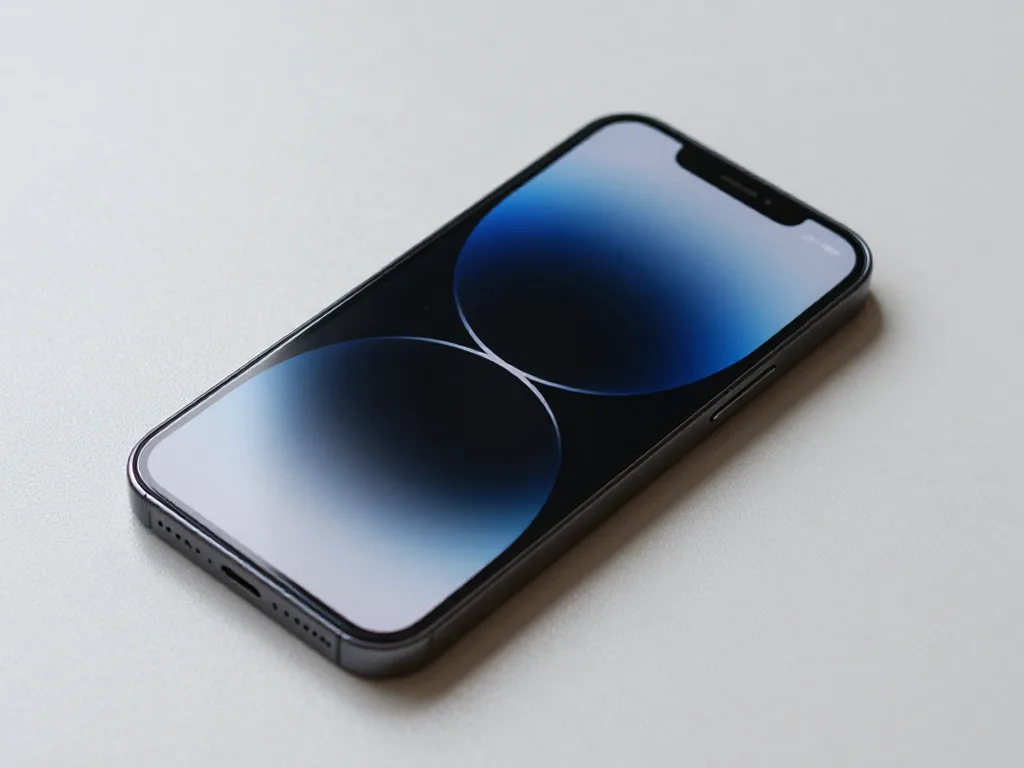
After: iPhone with a new screen
BeforeAfter

iPhone 15 Pro: screen after a fall

40 minOriginalWarranty up to 1 year
Problem
The screen is cracked, the bottom third doesn't respond to touch. Face ID works.
What we did
Installed an original display, transferred True Tone, checked 32 functions.
40 minthe client waited in the waiting area
I want the same
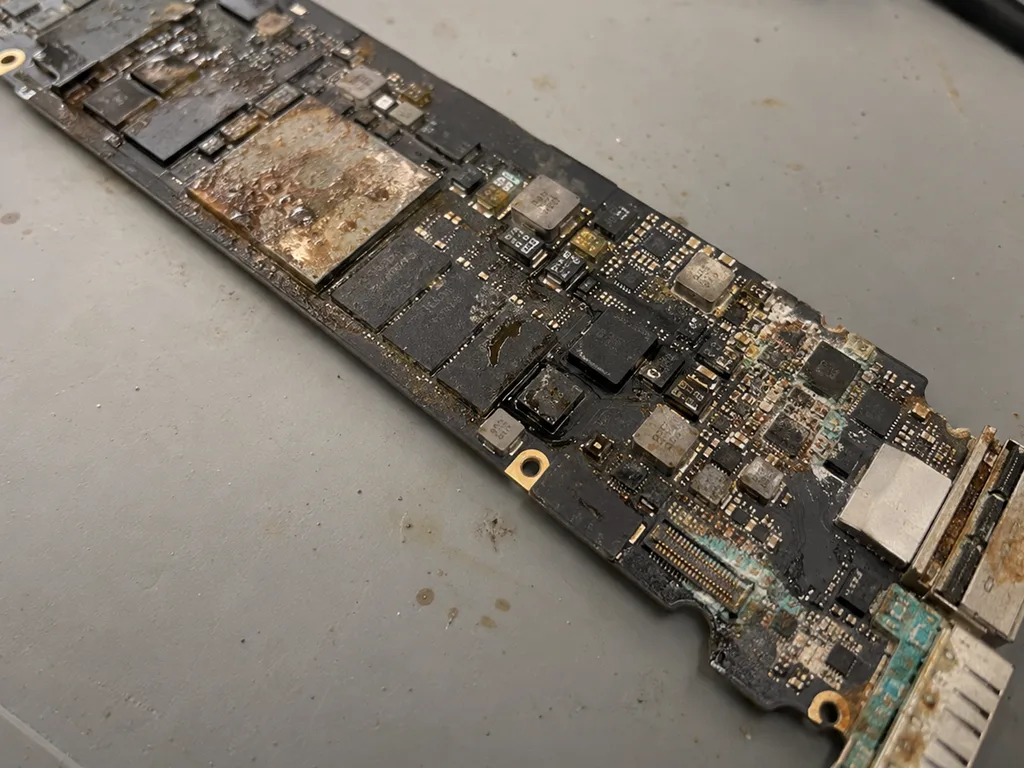
Before photo: MacBook board with corrosion after coffeeBefore: MacBook board with corrosion after coffee
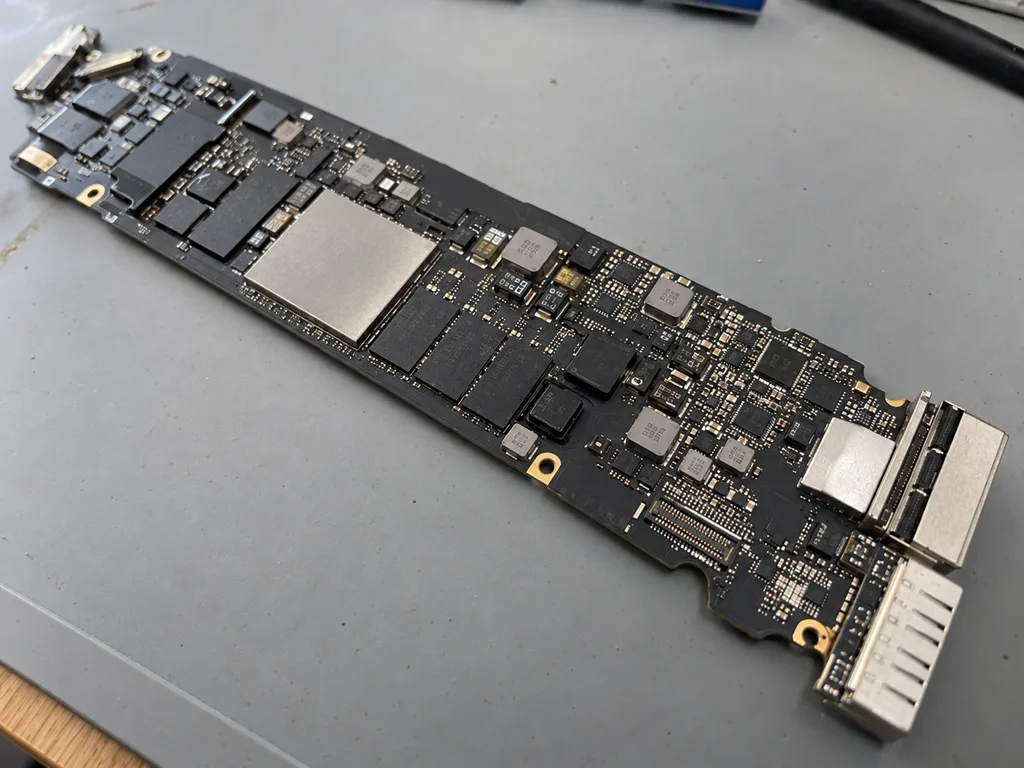
After photo: board after ultrasonic cleaningAfter: the board after ultrasonic cleaning
BeforeAfter

MacBook Air M2: coffee spill

2 daysLogic board repairWarranty 6 months
Problem
Coffee spilled on the keyboard, the laptop won't turn on. Another service suggested replacing the board for 520 000 ₸.
What we did
Cleaned the board in an ultrasonic bath, replaced 2 power controllers and the top case. The data was preserved.
−431 000 ₸against board replacement
I want the same
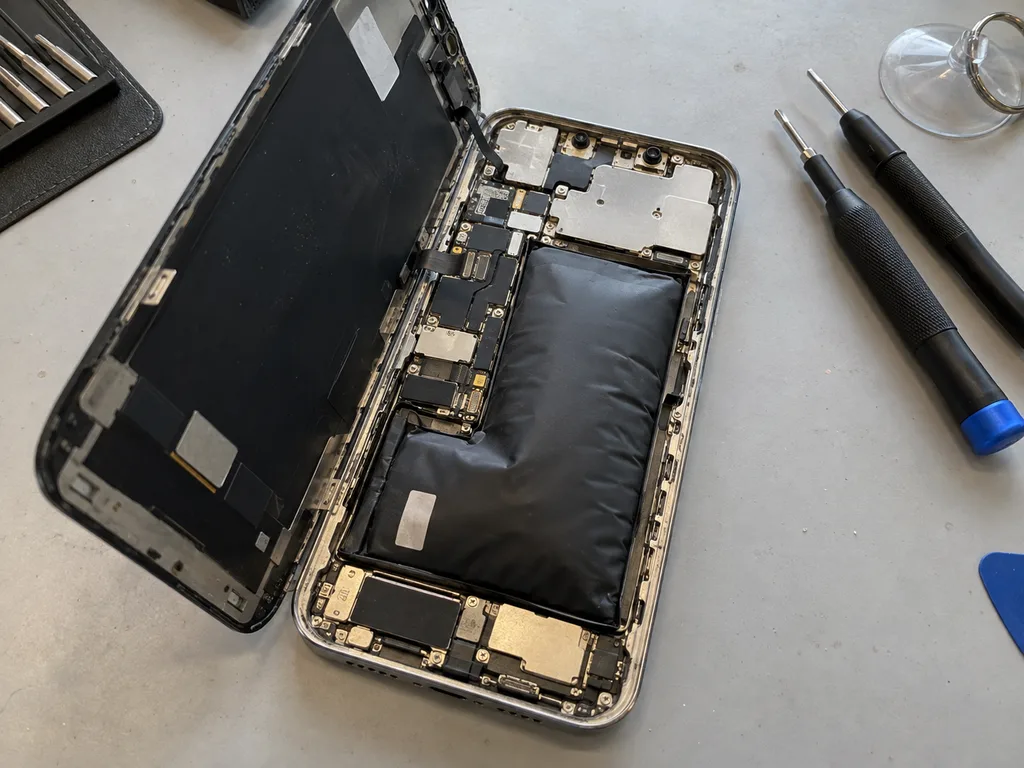
Before photo: the swollen battery of iPhone 13Before: a swollen battery in iPhone 13
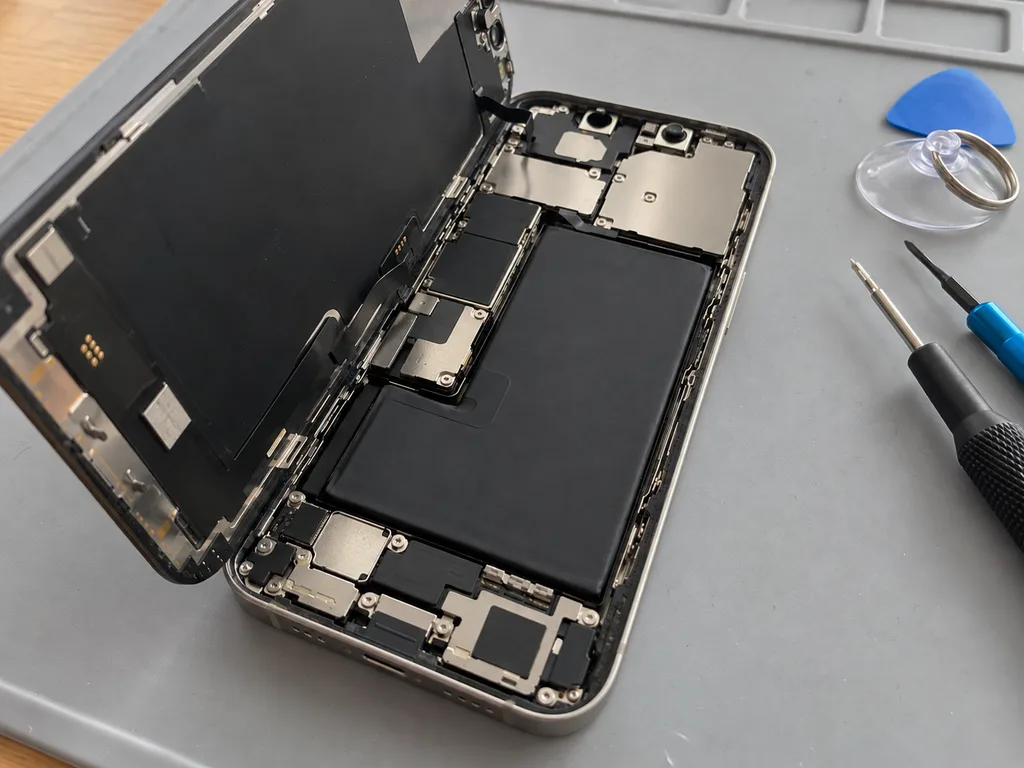
After photo: a new batteryAfter: a new battery in iPhone 13
BeforeAfter

iPhone 13: died by midday

25 minOriginalWarranty up to 1 year
Problem
Capacity 71%, the phone shuts down in the cold at 30% charge. The battery has swollen and started to lift the screen.
What we did
Replaced the battery and transferred the controller data — iOS shows the capacity without warnings.
+29%capacity, a day without charging
I want the same
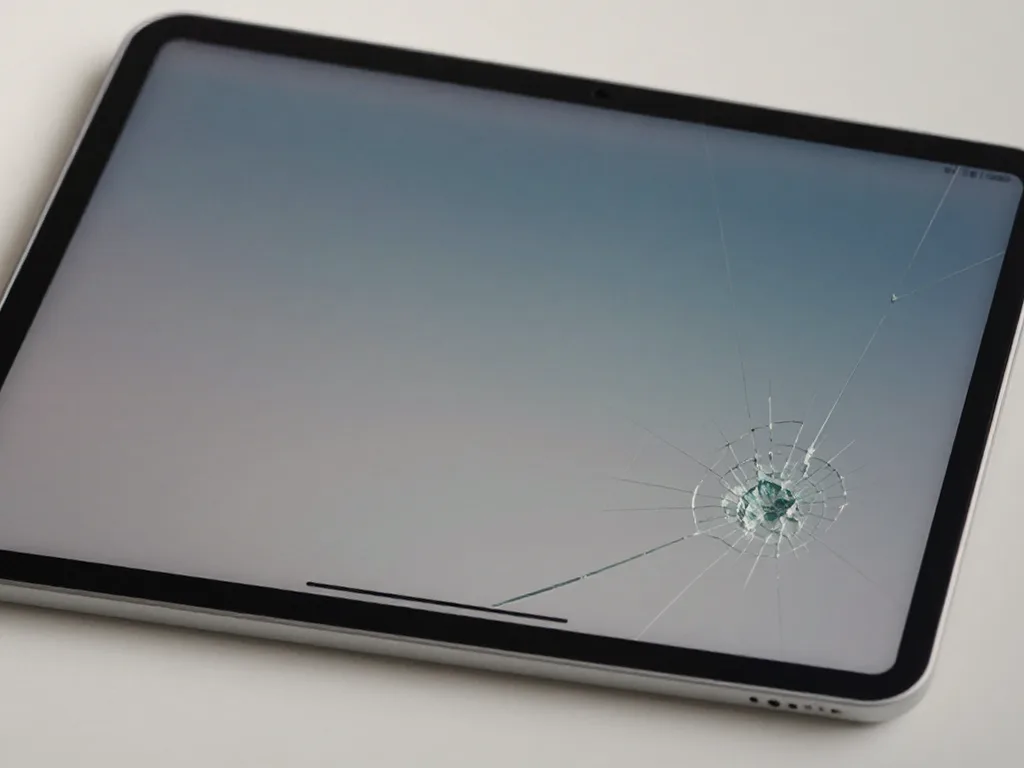
Before photo: cracked iPad glassBefore: cracked iPad glass
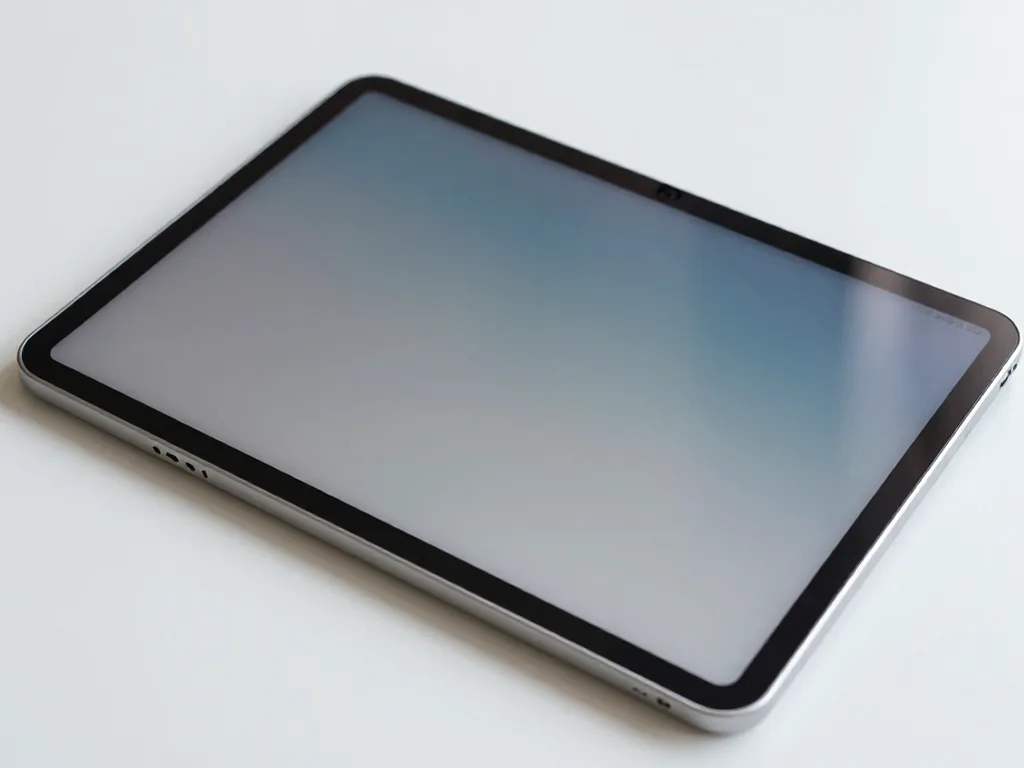
After photo: iPad with a new displayAfter: iPad with a new display
BeforeAfter

iPad Air M2: dropped from a table

1 dayOriginalFree courier
Problem
The glass is covered in a web of cracks, the touchscreen responds intermittently.
What we did
Replaced the glass with the display, checked Apple Pencil and Touch ID. The courier picked it up and brought it back.
1 daythe client didn't leave home
I want the same
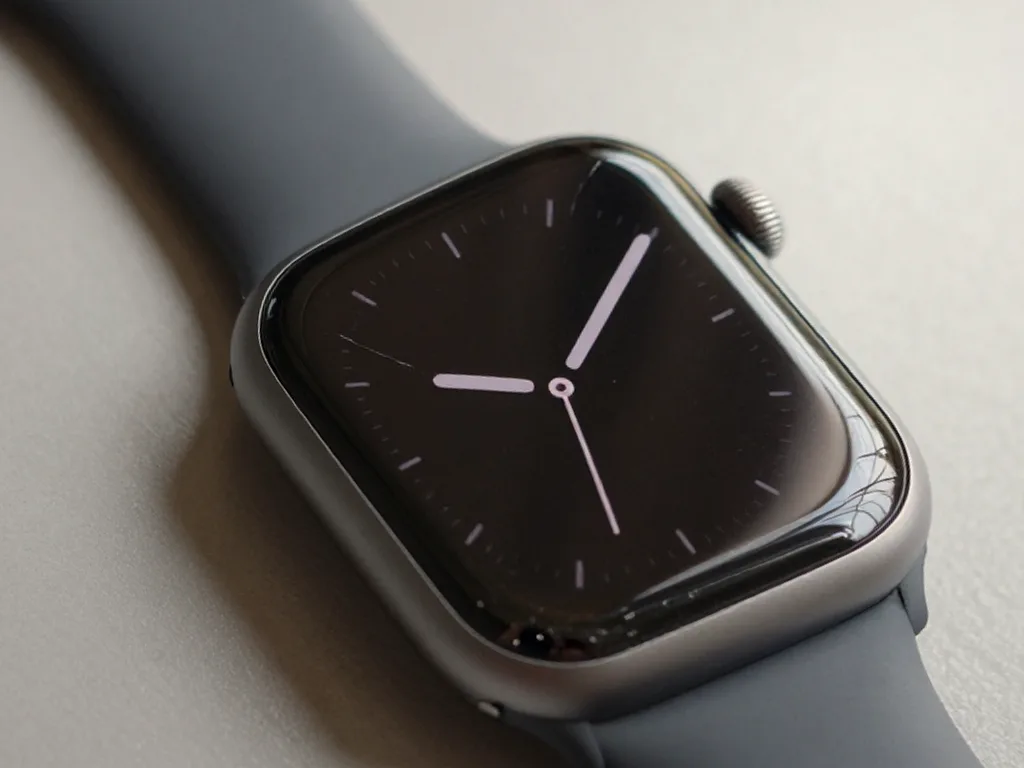
Photo before: cracked watch glassBefore: cracked watch glass
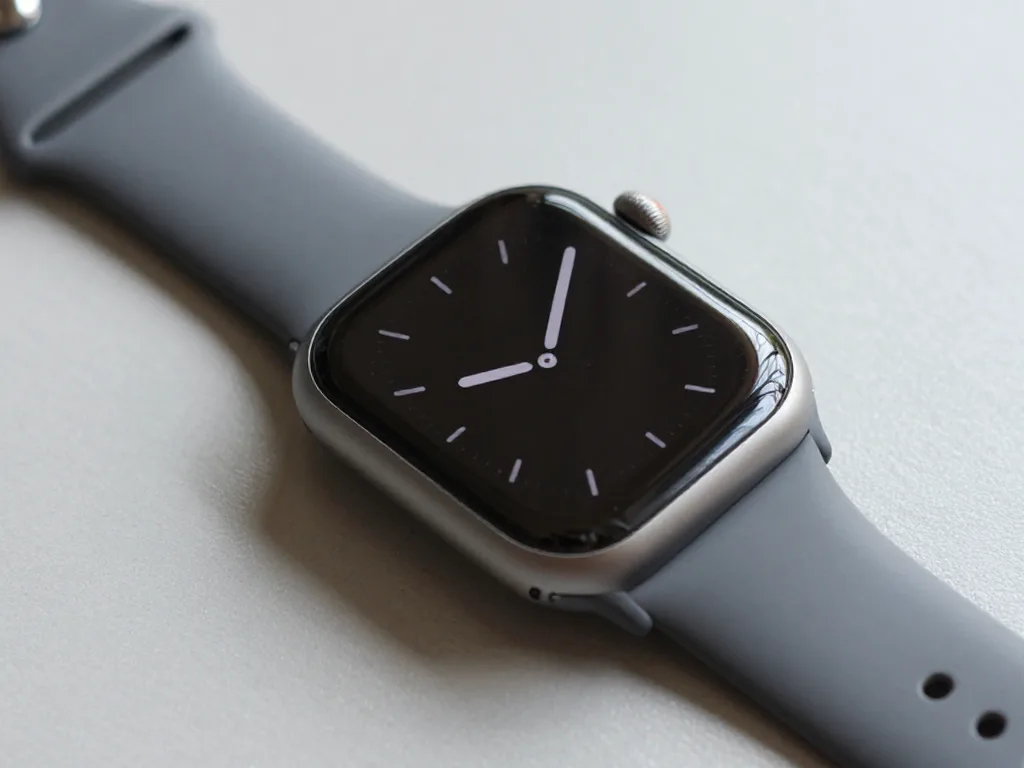
Photo after: watch with new glassAfter: watch with new glass
BeforeAfter

Apple Watch Series 9: crack in the glass

1 dayGlass onlyWarranty up to 1 year
Problem
A crack across the whole screen, the image and touch sensor are intact.
What we did
We only re-glued the glass — the display was not replaced. We restored the seal and checked it in a pressure chamber.
−30 000 ₸against display replacement
I want the same
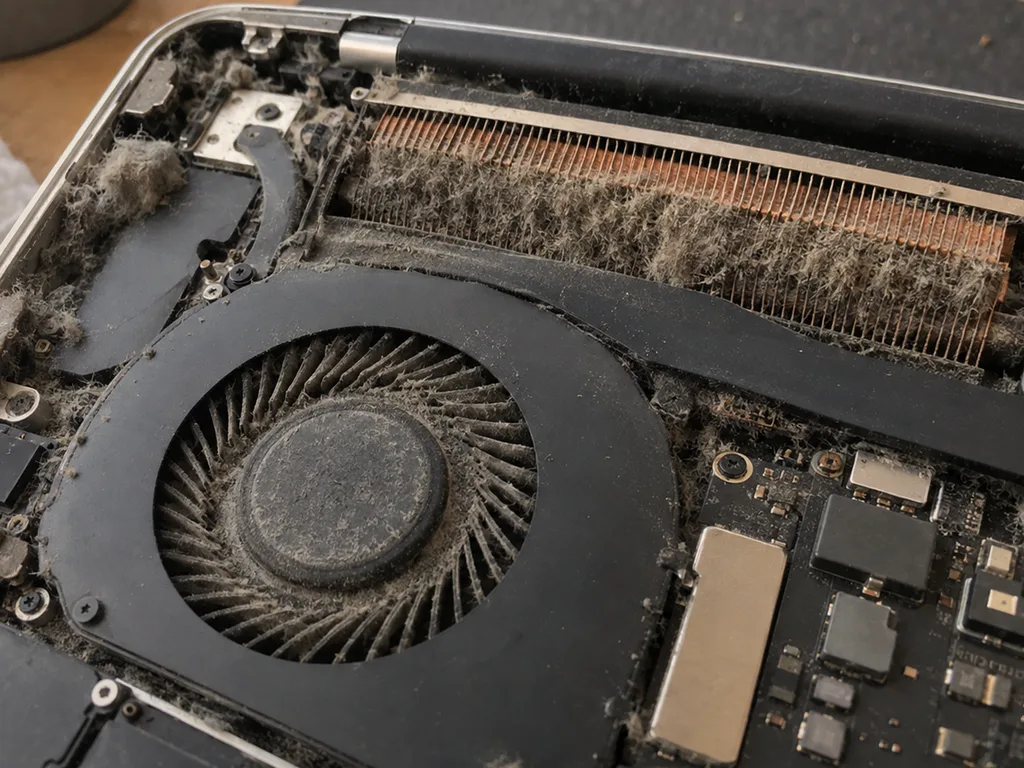
Before photo: dusty MacBook fanBefore: dusty MacBook fan
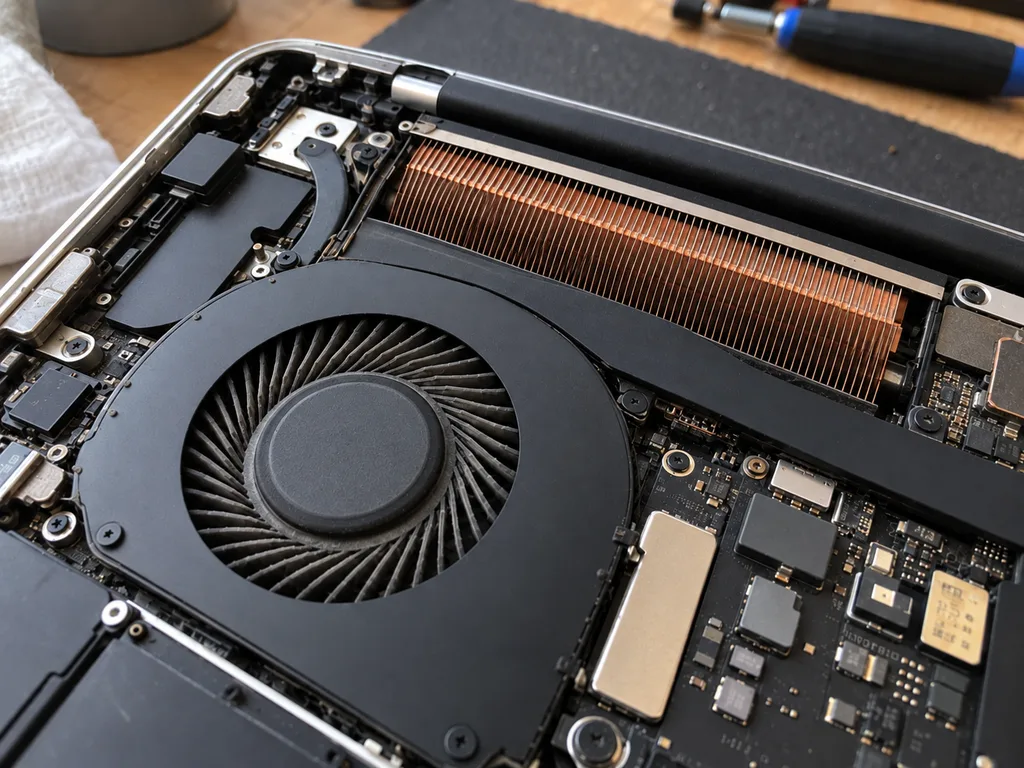
After photo: clean fanAfter: clean fan
BeforeAfter

MacBook Pro 14 M3: noisy and overheating

1 hourCleaningWarranty 3 months
Problem
Under load 98 °C, fans at maximum, Final Cut lags.
What we did
Cleaned the fans and heatsink, replaced the thermal paste and thermal pads.
−27 °Cunder load in Final Cut
I want the same
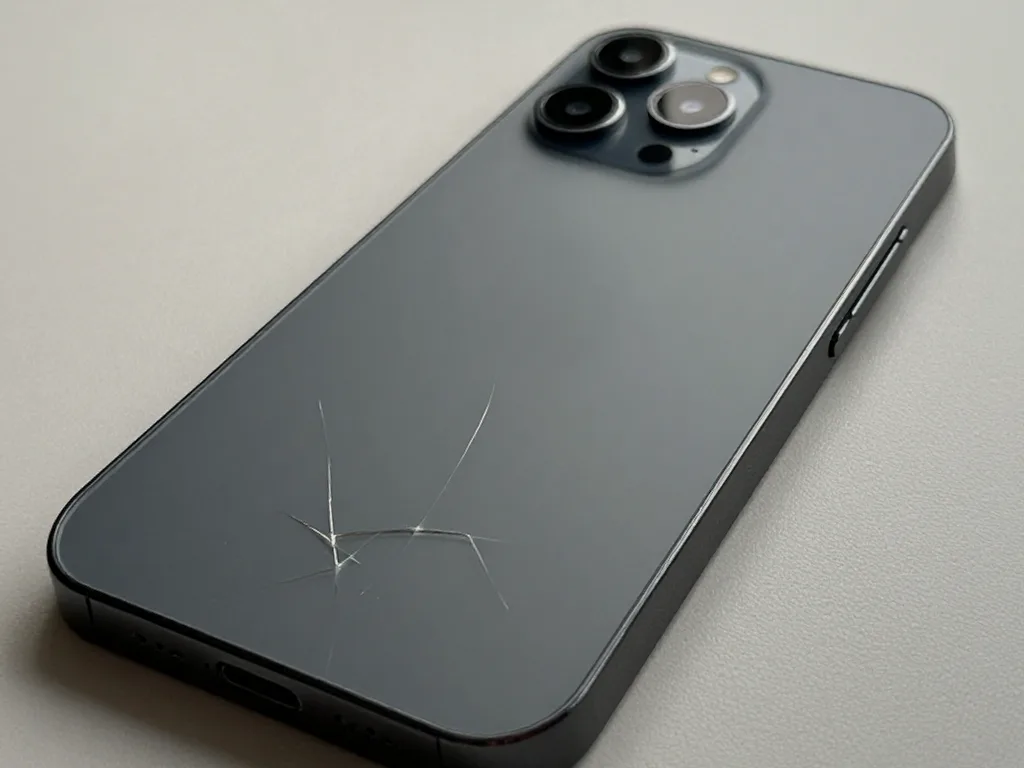
Before photo: broken back coverBefore: broken back cover
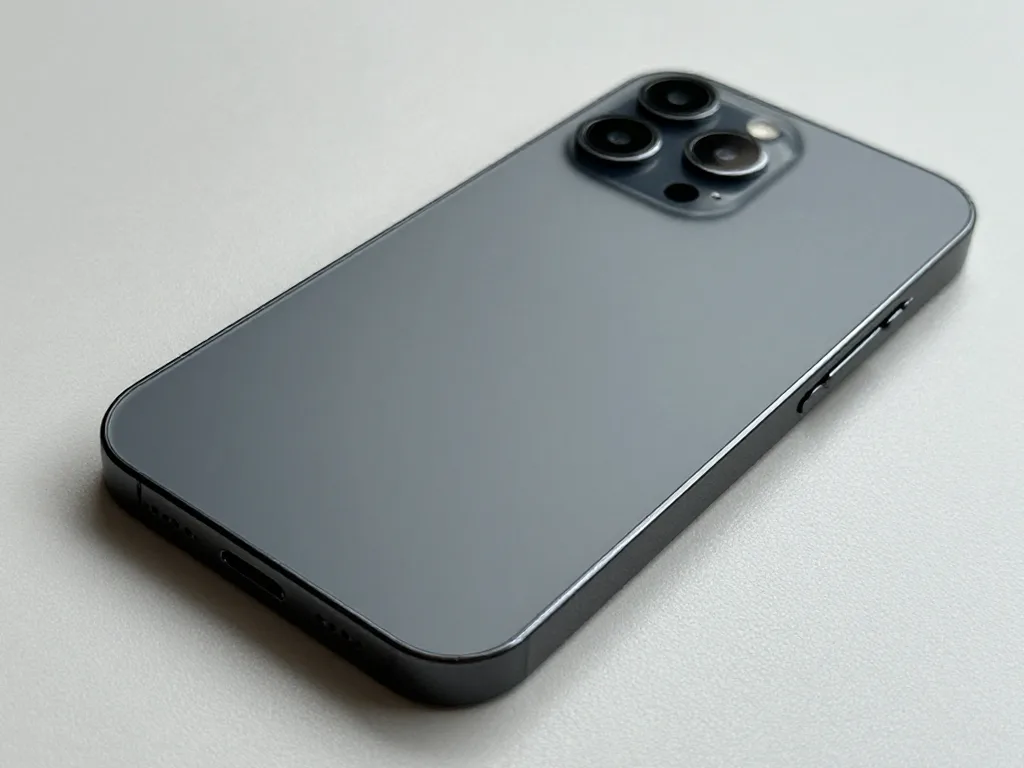
After photo: new back coverAfter: new back cover
BeforeAfter

iPhone 14 Pro: broken back cover

60 minOriginal colorWarranty up to 1 year
Problem
The back glass is cracked, the shards catch on clothing, and MagSafe holds weakly.
What we did
Removed the old glass with a laser, fitted new glass matching the body colour, and checked MagSafe and wireless charging.
60 minMagSafe holds like new
I want the same
Photo before: cracked camera glassBefore: cracked camera glass
Photo after: new camera glassAfter: new camera glass
BeforeAfter

iPhone 13: cracked camera glass

20 minOriginalWarranty up to 1 year
Problem
A crack in the main camera glass, glare and haze in photos.
What we did
We replaced the lens glass and checked autofocus and stabilization on the stand.
20 minphotos are sharp again
I want the same
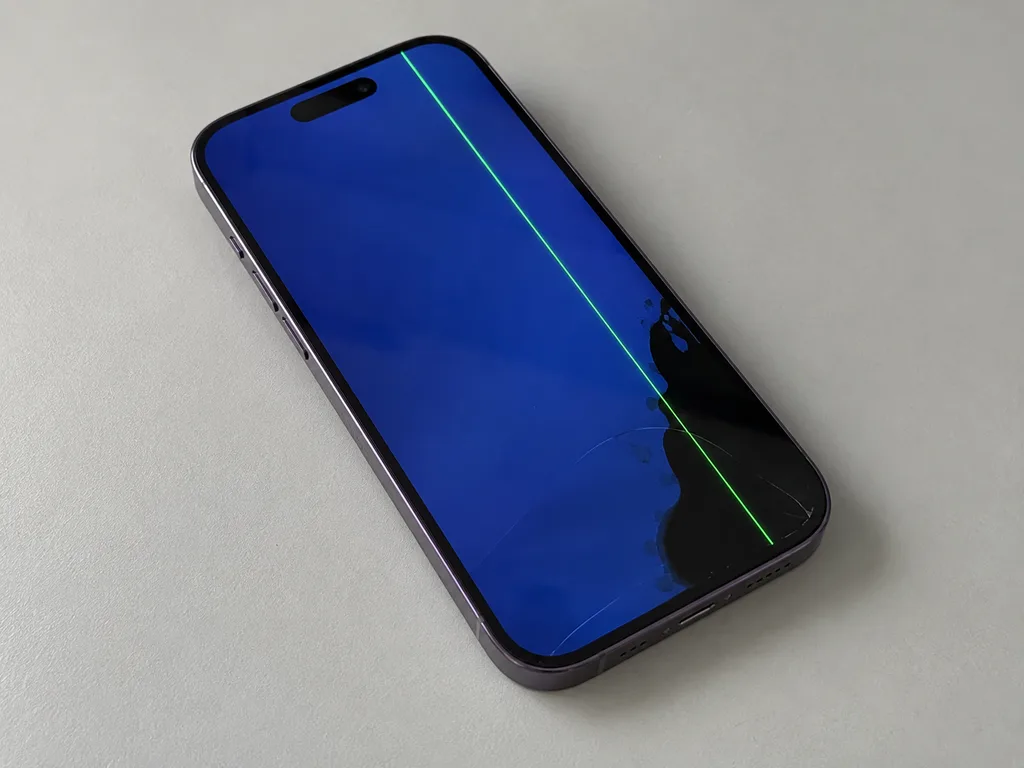
Photo before: green line on the iPhone screenBefore: green line and black spot on the iPhone 14 Pro screen
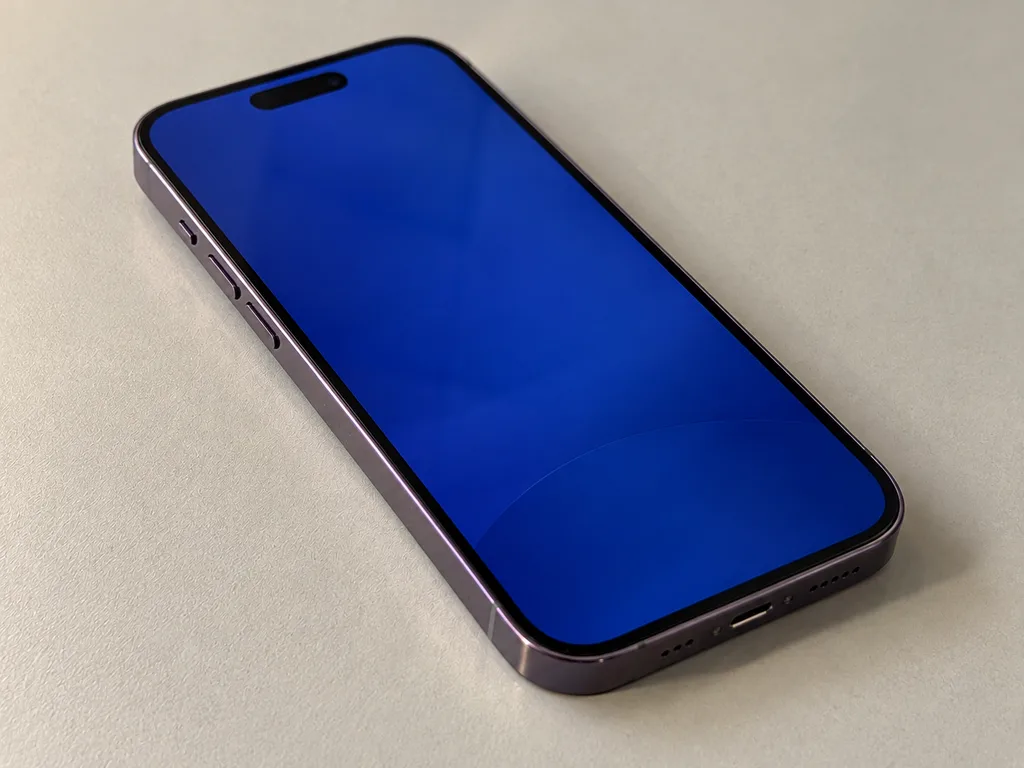
Photo after: new screenAfter: iPhone 14 Pro with a new screen
BeforeAfter

iPhone 14 Pro: green line after a drop

40 minOriginalWarranty up to 1 year
Problem
The glass is intact, but a green stripe runs across the screen and a black spot is growing in the corner.
What we did
Replaced the display module with an original one, transferred True Tone, and checked Face ID.
40 minscreen like new
I want the same
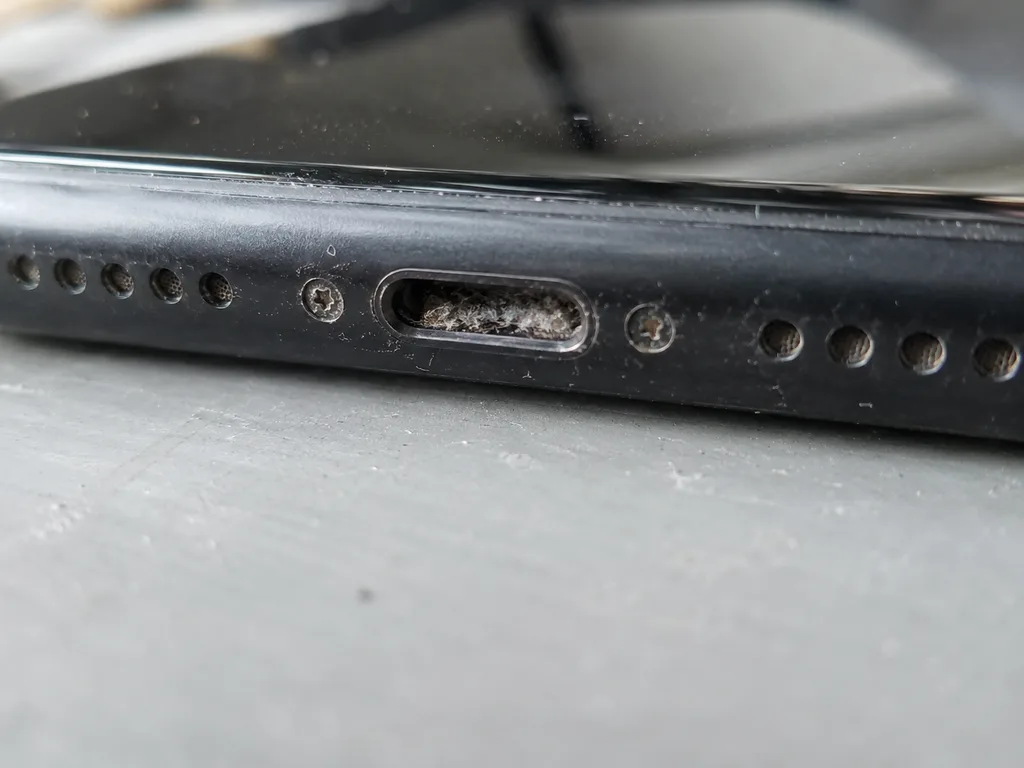
Before photo: Lightning port clogged with lintBefore: Lightning port clogged with lint
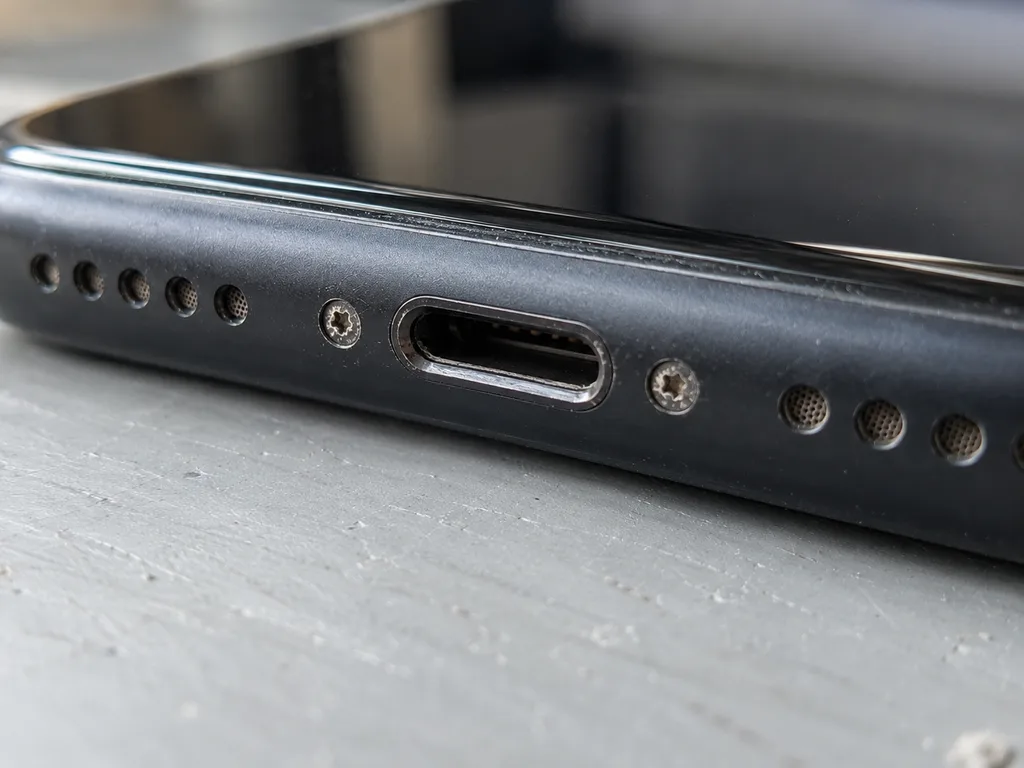
Photo after: clean connectorAfter: clean connector
BeforeAfter

iPhone 11: won't charge

40 minOriginalWarranty up to 1 year
Problem
It only charges at an angle, the cable falls out. Inside the connector there is a dense layer of pocket lint.
What we did
We cleaned the connector, one contact was bent — we replaced the charging flex cable and checked fast charging.
40 mincharges on the first try
I want the same

From your message to a review repair path in Almaty

Usually the whole process takes less than an hour. Board repair — 1–3 days.

Book a repair
  1. Step 1

    Message or call

    5 min

    You send a photo of the damage on WhatsApp — we quote the price and available time. Or you call a courier.

  2. Step 2

    Free diagnostics

    15 min

    An engineer checks the device in front of you and shows what is broken. 0 ₸, even if you decline the repair.

  3. Step 3

    Price in the receipt

    2 min

    We fix the price, the part (original or analog), the timeline and the warranty. You sign — we start.

  4. Step 4

    Repair while you wait

    20–40 min

    Before installation we show you the new part in its factory packaging. You wait in the waiting area with coffee and Wi‑Fi.

  5. Step 5

    Checking 32 functions

    10 min

    Face ID, True Tone, cameras, microphones, speakers, charging, network. You check them together with the engineer.

  6. Step 6

    Pick up your device

    warranty up to 1 year

    Together with the receipt, warranty card and the old part. Payment — Kaspi, card or cash.

Who customers thank in their reviews

Technicians for iPhone, Mac, iPad, Apple Watch and AirPods repair.

1 / 8
MNMukhpilov Nail — smartphone repair technician, iServices service center in AlmatyPhoto: Mukhpilov Nail

Mukhpilov Nail

smartphone repair technician
10years of experience
4.83rating, 83 reviews
SBSybanbaev Birzhan — firmware specialist, iServices service center in AlmatyPhoto: Sybanbaev Birzhan

Sybanbaev Birzhan

firmware specialist
7years of experience
4.75rating, 74 reviews
GKGamid K — phone repair technician, iServices service center in AlmatyPhoto: Gamid K

Gamid K

phone repair technician
9years of experience
4.8rating, 65 reviews
AAArman A — on-site technician, iServices service center in AlmatyPhoto: Arman A

Arman A

on-site technician
8years of experience
4.9rating, 43 reviews
DGDenis Gushchin — display replacement technician, iServices service center in AlmatyPhoto: Denis Gushchin

Denis Gushchin

display replacement technician
20years of experience
5.0rating, 34 reviews
DADuisebaev Azhdar — connector replacement technician, iServices service center in AlmatyPhoto: Duisebaev Azhdar

Duisebaev Azhdar

connector replacement technician
7years of experience
4.3rating, 35 reviews
MRMolchanov Rinat — Apple repair and diagnostics engineer, iServices service center in AlmatyPhoto: Molchanov Rinat

Molchanov Rinat

Apple repair and diagnostics engineer
10years of experience
4.85rating, 33 reviews
SAShokan A — diagnostics technician, iServices service center in AlmatyPhoto: Shokan A

Shokan A

diagnostics technician
8years of experience
5.0rating, 37 reviews
Gamid K, phone repair technician
“If the repair didn’t suit you or you have a complaint, write to me personally.”
Gamid Kphone repair technician · +7 701 333-47-01

Apple service center reviews in Almaty from real customers

Send a photo of the fault and the device model. An engineer will reply on WhatsApp, give the price and available time — no calls or forms.

  1. 5 minAn engineer replies and names the price
  2. 0 ₸Diagnostics in front of you in 15 minutes
  3. 30 minMost repairs — while you wait

Apple Repair Service Reviews Almaty and How to Verify a Workshop Yourself

In short

Reading Apple service center reviews in Almaty is most useful when the reviews describe what you can check in person. At iServices we fix most devices while you wait, show the new part in factory packaging, fix price, part, turnaround and warranty on the receipt, and return the old part with a warranty up to 1 year.

Mukhpilov NailWe reply on WhatsApp within 10 minutes
Ask

What Real Apple Repair Service Reviews Say About Repair Feedback

Repair reviews help when they name checkable details of the process rather than only emotions. Here are the wordings that signal a real visit.

Signals That a Review Comes From a Real Visit

  • A receipt with fixed terms: the reviewer quotes price, component type, turnaround and warranty.
  • A sealed module shown: the writer saw the new unit in factory packaging.
  • A function test and the old unit: the review describes checking Face ID, cameras and charging, then leaving with the replaced piece.

What People Mention Most Often After a Repair

When reading Apple service center reviews in Almaty, look for the same checkable points: the price held steady after the paperwork, the new component arrived sealed, and the old one came back in hand. Reviewers also describe the two-minute paperwork that locked the terms before a technician touched the device, and the guarantee card valid up to 1 year. A workshop that puts these steps on paper gives a reviewer something concrete to describe, so the process matters more than the feedback wording. That is why we fix the terms on the receipt before work starts and hand back the old part with the warranty card.

How Apple Repair Service Reviews Help You Check a Workshop Visit

Reviews help you shortlist, but the decision is made on site. Here is what to look at while the device is still in the workshop.

What to Watch Before the Repair Starts

  • Paperwork first: price, component, turnaround and warranty are fixed on the document before work.
  • Component choice: pick original or aftermarket; the engineer shows the new unit in factory packaging.
  • Written proof: get the receipt filled in before the device goes to the back; a verbal estimate is hard to check later.

The Handover Check in 32 Functions

Functions to verify at handover after repair
What to checkHow to verifyWhy it matters
Face IDUnlock and re-scanConfirms the front sensor block
True ToneOpen display settingsShows the screen is calibrated
CamerasShoot photo and videoChecks both lenses and focus
MicrophonesRecord a voice memoConfirms call and video audio
Charging and networkPlug in, make a callVerifies port and signal

Where to Find Service Feedback and What to Compare

Reviews sit on map listings, in catalogues and on workshop websites. What matters more than the venue is the set of facts you hold each note against.

Sources Worth Reading and How to Compare Them

  • Map listings and catalogues: useful for volume and star averages; compare notes by device, symptom and step.
  • Rating beside count: a dozen high notes mean less than hundreds middling; weigh volume with stars.
  • Repeating signals: read platforms together; the same complaint or praise twice outweighs one note.

Direct Contractor or Middleman and Why It Shows in Reviews

  • Who does the work: direct contractor with own technicians and premises, not an aggregator.
  • Track record: eleven years and 46,000+ repairs across two branches give customer notes a checkable history.
  • The middleman gap: passing devices to a third party makes timeline and warranty vague.

What a Review Rarely Captures About Timing and Parts

Timing and component choice seldom appear in reviews, yet both decide whether a customer leaves satisfied. Here is how each works in practice, from our own figures.

How Long the Work Actually Takes

job types compared by duration and on-site waiting
JobTypical timeWait on site
iPhone screen40 minutesYes
iPhone battery25 minutesYes
Camera glass20 minutesYes
MacBook or iPad1 hour to 1 dayPartly
Board repair1–3 daysNo

Original Part or Aftermarket and What the Receipt Shows

  • Your choice is recorded: original or aftermarket is written on the receipt; 64% pick the former.
  • Coverage is tied to it: the installed item and its warranty up to 1 year are named there.
  • Keep the paperwork: it links the component to your coverage, so later claims are settled easily.

How to Leave Feedback That Helps the Next Customer

A precise review spares the next person a wasted trip. Note these points during your visit so the text you publish stays accurate.

Details Worth Noting During Your Visit

  • Paperwork: note the named component, sealed replacement, and functions tested with you.
  • The handover set: receipt, warranty card and old component let you match promise to delivery.
  • Our check: the engineer runs the 32-function test before you for about 10 minutes.

Where Your Feedback Is Seen

  • Map listings and review catalogues: a note here reaches a wide audience.
  • The workshop's own page: messages go straight to the team.
  • Public posts: a short write-up naming the component type is easy to match.

Summary: Apple Service Center Reviews

The signal that matters most is not the number of stars but whether a review describes steps you can repeat and verify yourself.

  • Named details: trust reviews naming a device, symptom and specific process step over bare star ratings.
  • Cross-checking: compare the same details across several sources before committing to a workshop.
  • Receipt first: on site, get price, part, turnaround and warranty written on the receipt before work starts.
  • Your own handover check: repeat function tests at pickup — Face ID, True Tone, cameras, microphones, speakers, charging, network.
  • Useful feedback: leave a note mentioning the part and tests you watched.

What readers ask about Apple service center reviews

Did not find an answer? Message us on WhatsApp: an engineer replies, not a bot.

Ask a question
Can a workshop delete a negative review about its Apple repair in Almaty?

On most platforms a business can reply to a review or report it if it breaks the rules, but it cannot remove it on its own. If a critical review vanishes, the platform's moderators usually took it down.

Is it better to review an Almaty repair shop right away or after some time?

A short note on the day of pickup is fine, but the most useful reviews come after some days of normal use. By then you know whether the battery, screen or charging really works as it should.

Do reviews about iPhone repair tell me anything about MacBook repair at the same shop in Almaty?

Partly: they show how the workshop communicates and keeps its promises. Laptop board work is a different skill, though, so look for reviews that mention your type of device.

What does it tell me when a workshop replies to its reviews?

Calm replies with specifics suggest that complaints are taken seriously and handled. Template thank-you notes under every comment say much less.

Can I add photos to my repair review?

On most map and review platforms you can. Before posting a photo of the receipt or the device, cover your phone number and the serial number.

Why do ratings of the same Almaty workshop differ between platforms?

Each platform attracts different people and moderates reviews in its own way. Compare the content of the comments rather than the star figure alone.

How to find us for reviews address in Almaty

Address
Kabanbay Batyr St., 260a, at the corner of Dzhambul and Auezov streets (entrance from the courtyard)
Opening hours
Mon–Fri 10:00–19:00Sat–Sun 11:00–18:00
Phone and messengers
+7 727 339-99-12WhatsApp: +7 701 333-47-01
Directions map: iServices Almaty — Kabanbay Batyr, 260a© OpenStreetMapFind us on the maps: Google Maps · 2GIS