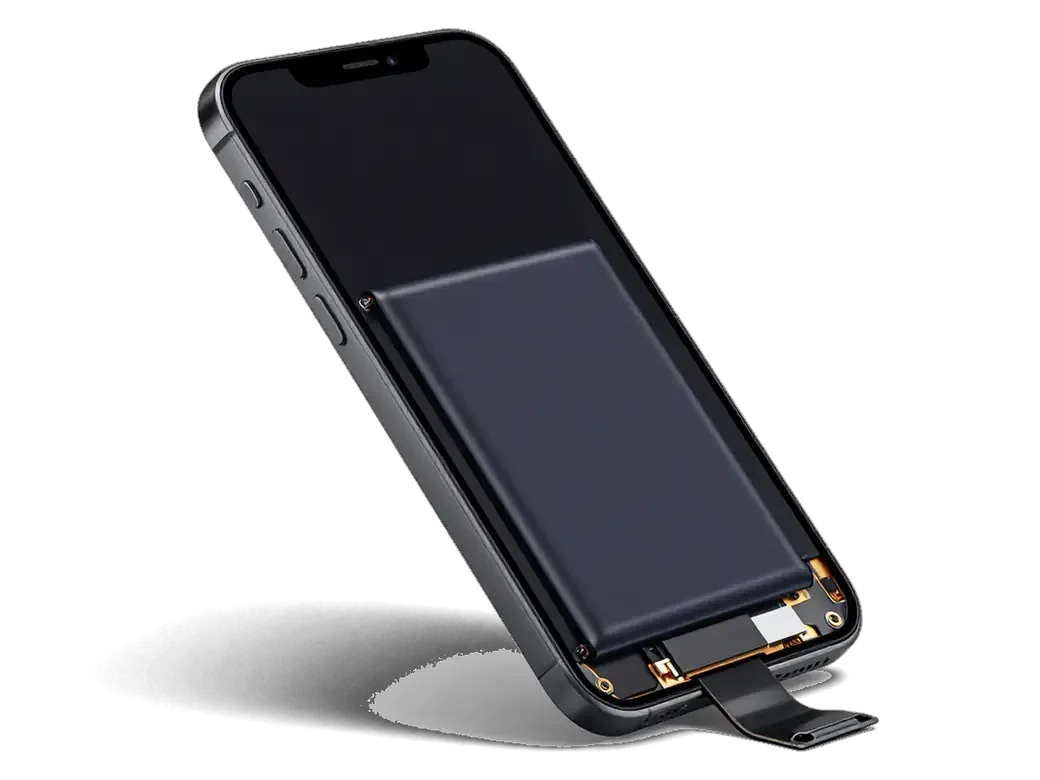
On the iPhone 6 the side button sits on the right edge and reaches the board through a thin flex cable. Most failures start at that contact or the ribbon, not at the metal piece you press.
What Actually Fails Inside the Button
The metal piece you press is rarely the broken part; the dome underneath or the ribbon that carries the signal to the board is what fails most often. A drop on the corner deforms the outer key and its bracket, so the dome no longer sits flush and the click stops registering. Dust and pocket grit work under the part over years and wear its conductive surface until it stops closing the circuit. The ribbon itself is glued along the frame and bends every time you press, so its traces crack at the fold after enough cycles. A loose cap that still clicks usually means a worn dome, while a cap that clicks with no reaction points to the cable — the two need different parts, so the diagnosis decides the job.
When the Phone Presses Buttons on Its Own
Random screenshots, sudden lock screens and shutdowns on a 6 are a classic sign of a stuck dome or a shorted ribbon, not a software virus. Power and volume signals travel the same ribbon, so one point that stays closed can fire several actions at once — a screenshot here, a lock there, then a long-press that triggers a shutdown prompt. Owners often try a force restart first and see the phone behave for an hour, which proves nothing: the strip keeps shorting at the same bend. Because that single cable carries power and volume signals, one stuck spot can trigger several actions — so swapping only the visible key leaves the real fault in place.
Power, volume or mute switch and where each sits for iPhone 6 button replacement
On the iPhone 6 the power button sits on the right edge, while volume up, volume down and the mute switch stay on the left edge. Which button failed decides what the engineer opens.
Button Map for the iPhone 6
Button positions and what each one is tested for| Button | Where it sits on iPhone 6 | What the engineer checks |
|---|
| Power / lock | Right edge | Dome click, flex continuity, board contact |
|---|
| Volume up | Left edge | Cap travel, dome, shared flex |
|---|
| Volume down | Left edge | Cap travel, dome, shared flex |
|---|
| Mute switch | Left edge, above volume | Switch flex, vibration feedback |
|---|
Why the Same Fault Feels Different on Each Button
We see the power button fail from edge impacts far more often than the volume keys, because the right edge takes the hit when the phone lands on its side. The bracket behind the power cap bends first, then the metal dome underneath loses its snap and the press starts to feel soft or needs extra force. The two side keys sit on a shared flex with separate domes, so one dead key with a working neighbour usually points to a single worn dome rather than a broken connection. A mute switch that clicks but does not silence the phone is a different story again, since the switch rides its own small flex. A power button that works only when pressed hard usually means a partly collapsed dome, and that is the stage where a quick cable swap still saves the cap and bracket.
How We Tell a Hardware Fault from a Software Glitch
Before any part is quoted, an engineer separates the hardware from the system, because a frozen iOS can behave exactly like a dead button.
The Free 15-Minute Check in Front of You
We run a free 15-minute diagnostic in front of the customer, testing the key in iOS, checking the ribbon and showing what is actually broken before any part is quoted. The engineer opens Settings and the on-screen test menu, presses the control a dozen times and watches whether the contact registers each push or drops some of them. The ribbon itself is inspected under light for creases, corrosion or a torn trace near the connector, and the metal dome underneath is checked for the click that tells you the switch still has travel. Testing in the system first matters because a control that responds in the diagnostic menu but not on the home screen is a software issue, and no replacement would fix it.
Using AssistiveTouch Until the Repair
- Turn it on: Settings → Accessibility → Touch → AssistiveTouch, then tap the floating dot.
- Lock the screen: Use Device → Lock to replace a dead power button.
- Control sound level: Device → Volume Up / Down works without the side keys.
- Restart safely: Device → Restart avoids holding the power key.
- Back up first: Save a copy before the visit in case the ribbon worsens.
- Force a restart: The same menu handles a frozen app and screenshots, keeping a stuck switch from locking the phone mid-task.
What the iPhone 6 Button Replacement Involves
The work takes 20 to 40 minutes and is usually done while you wait. Below is what actually gets swapped, which option you can pick, and why the fingerprint reader never enters the picture.
Original Part or Aftermarket Flex
Two part options compared by feel and lifespan| Option | What you get | Best for |
|---|
| Original flex | Factory dome feel, long service life | Daily-use phone |
|---|
| Aftermarket flex | Working button, shorter lifespan | Backup or older device |
|---|
| Choice on receipt | Price and warranty fixed before work | Both options |
|---|
Why Touch ID Is Not Part of This Job
Touch ID lives in the Home button, not in the side or top keys, so swapping the power, volume or mute components does not touch the fingerprint sensor. The internal strip carries only the mechanical contacts and the dome that registers each press, while the biometric sensor sits on a separate connector under the bottom button. This is why the reader keeps working exactly as before once the new component is seated. That is also why a failing Home button is a separate repair with its own hardware and pricing, and why a working reader stays untouched through a side-swap. If your bottom button is the one misbehaving, ask for it to be quoted separately. When you book an iPhone 6 button replacement in Astana, the engineer confirms on the receipt which keys are being swapped so the reader stays out of the job.
What We Check Before Handing the Phone Back
- Every control: Power, both side keys and the mute switch pressed in turn.
- Mute feedback: The switch should buzz and show the silent icon on screen.
- Screen lock: Confirm the phone locks and wakes on a single press.
- Full function pass: 32 checks including cameras, speakers and charging.
- Paperwork: Receipt, warranty card and the old part go home with you.
Timing, Water Damage and Getting the Phone to Us
Timing depends on whether liquid or an impact was involved; in a straightforward case the button is swapped while you wait in the seating area rather than left overnight.
How Long the Work Takes
Most button jobs take 20–40 minutes while you wait, and 72% of our repairs finish while the customer is in the waiting area. The engineer answers on WhatsApp within 5 minutes and quotes from a photo, so the component and the slot are agreed before you travel across the city. A courier can be called if the trip does not fit your day, and the whole chain from first contact to pickup usually stays under an hour. Payment by Kaspi, card or cash is settled on collection, alongside the receipt, the warranty card and the old component. Sending a photo of the damage on WhatsApp first means the engineer can quote and hold a free slot, so the visit itself is mostly the repair rather than the queue.
After Water or a Drop
Water leaves oxide on the button contacts and a drop bends the cap or bracket, so both cases need the flex checked rather than just the visible key. Liquid creeps along the ribbon and settles under the dome, where it keeps working at the metal until the trace darkens and the press stops registering. An impact shifts the bracket by a fraction of a millimetre, which is enough to stop the cap from reaching the contact underneath. After liquid, the dome can read as pressed even when dry, which is why the device sometimes wakes or screenshots on its own until the contact is cleaned or replaced. Water diagnostics can run up to two days when corrosion has spread, so bring the phone in early instead of waiting for the button to fail completely.
Bringing the Phone In
- WhatsApp first: Send a photo or clip and get a quote within 5 minutes.
- Walk in: Visit the Astana branch during opening hours, including Saturday and Sunday.
- Courier: Arrange a pickup if you cannot come in person.
- On the receipt: Price, part, turnaround and warranty fixed before work starts.
- Payment: Kaspi, card or cash when you collect.
Summary: iPhone 6 Button Replacement
A worn button on the iPhone 6 is a mechanical fault with a predictable fix, and the five points below cover what matters most.
- The flex, not the cap: A dead or self-pressing control usually means a worn dome or a damaged flex cable, not the plastic cap itself.
- Know your layout: On this model the power switch sits on the right edge, while volume and mute sit on the left.
- Diagnose first: A short in-system test separates hardware from a software glitch, so no part gets swapped on a guess.
- Touch ID is safe: Fingerprint repair is a separate Home-button job and stays untouched by side-key work.
- Check on pickup: Press every control and feel the mute vibration during handover, while the engineer is still beside you.







 iPad
 MacBook
 iMac
 Mac mini and Studio
 Apple Watch
 AirPods
 Apple Pencil
 Apple TV
 HomePod




