MN Photo: Mukhpilov Nail
Mukhpilov Nail
smartphone repair technician
10years of experience
4.83rating, 83 reviews

Studio Display shows no picture or crackles — we find the cause free and quote before repair.
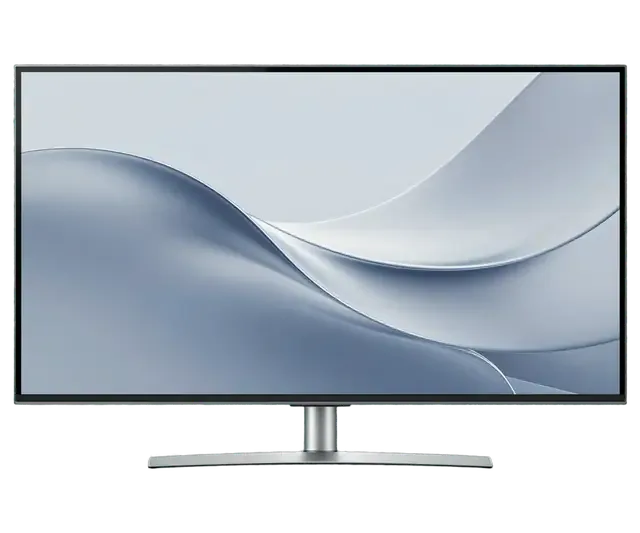
From a blank screen to a stand that will not hold its angle: the faults people most often bring in for this Retina display.
The display is on but shows nothing, or flashes and goes dark.
The built-in camera shows noise and grain, or will not start.
Interference, crackle at volume or one channel quieter than the rest.
Callers cannot hear you although the mic is chosen in settings.
Brightness wanders and the picture blinks when a mode changes.
USB-C on the back misses accessories or charges only now and then.
The display tilts forward by itself and the hinge creaks.
Firmware hangs during installation and the display restarts repeatedly.
The monitor emits a thin whine or hum, especially at low brightness.
Stains remain on the screen after wiping with a cleaning agent.
The Mac wakes up but the monitor stays dark until the cable is reconnected.
After an hour of work the image disappears and the back of the case is hot.
We name the amount after diagnostics: it depends on the faulty unit, whether the panel, camera, speakers or board.
| Service | Original | Aftermarket |
|---|---|---|
| Display panel replacement | 75 900 ₸ | 46 900 ₸ |
| Glass replacement | 29 900 ₸ | 16 900 ₸ |
| Backlight repair | 21 900 ₸ | 13 900 ₸ |
| Control button replacement | 15 900 ₸ | 8 900 ₸ |
| Other repairs | Price | |
| Board repairmicrosoldering · 1–3 days | 11 900 ₸per job | |
The technician agrees the scope and amount with you before any work starts.
For the panel, camera and speakers the choice of part is discussed after inspection, because quality and cost depend on it.
A display this expensive deserves a careful workshop, so here is what sets our approach apart in practice.
11 years of repairs makes it faster to tell a display fault from a firmware glitch, a cable or the computer itself.
Completed repairs carry a warranty up to 1 year. The terms and coverage are explained before work begins.
Panels, cameras and boards are serviced by experienced technicians who can reassemble the display with care.
After diagnostics you receive the jobs and the amount. We start the repair only with your approval.
We receive customers in Almaty and Astana, so the display can be handed in wherever suits you.
Monday to Friday from 10:00 to 19:00, weekends and holidays from 11:00 to 18:00.
Usually the whole journey — from message to pickup — takes less than an hour; complex repairs follow the timeline in the receipt.
Book a repairYou send a photo of the damage on WhatsApp — we quote the price and available time. Or you call a courier.
An engineer checks the device in front of you and shows what is broken. 0 ₸, even if you decline the repair.
We fix the price, the part (original or analog), the timeline and the warranty. You sign — we start.
Before installation we show you the new part in its factory packaging. You wait in the waiting area with coffee and Wi‑Fi.
The image and backlight, the camera and speakers (if any), the ports. You check them together with the engineer.
Together with the receipt, warranty card and the old part. Payment — Kaspi, card or cash.
Technicians for iPhone, Mac, iPad, Apple Watch and AirPods repair.
Photo: Mukhpilov Nail Photo: Molchanov Rinat
 Photo: Shokan A
 Photo: Sybanbaev Birzhan
 Photo: Denis Gushchin
 Photo: Duisebaev Azhdar

“If the repair didn’t suit you or you have a complaint, write to me personally.”
Send a photo of the fault — an engineer will reply on WhatsApp, give the price and a time you can come in.
Apple Studio Display 5K Repair in Almaty for Power and Sound Faults
Apple Studio Display 5K repair Almaty is done by iServices as a direct contractor with in-house technicians, not a middleman. We begin with a free 15-minute diagnostic in front of you, then fix the power supply, sealed power cable, camera, speakers or board. Most jobs finish same day, with warranty up to 1 year.
A Studio Display is more than a front pane and a metal shell. Behind it sit a power supply, a control board, a camera, speakers and microphones, and most of these parts can be repaired rather than replaced.
The Studio Display is a 27-inch 5K monitor with a built-in supply, a sealed cord and its own A13 chip that drives the camera and audio. The matrix renders 5120×2880 pixels, while the A13 handles Centre Stage framing, the six-speaker array and the three-microphone setup for calls. Because the supply lives inside the housing rather than in an external brick, heat and voltage faults concentrate around the same circuitry that feeds the display. The lead is moulded into the aluminium body and cannot be unplugged or swapped the way a laptop charger can. Since that cord is fixed at the factory, a chewed or bent one is not a "buy a new lead" problem — it is a bench job that needs the unit opened and a fresh one sealed back in.
The stand type (tilt, tilt-and-height or VESA) and the standard or nano-texture finish are chosen at purchase and both affect how the unit is handled on the bench. A tilt-and-height stand adds a counterbalanced hinge that must be released before the rear housing comes off, while a VESA mount version has no stand at all and sits on a bracket during work. Nano-texture carries a fine etched layer that scatters light instead of reflecting it, and that layer changes how the monitor is lifted and cleaned. Nano-texture should only be wiped with the dry cloth made for it, since ordinary wipes polish the etched layer and leave a permanent smear — worth remembering long before any repair is needed.
A display that stays black with no indicator and no chime is the most common reason owners call us. Here is how we tell a power fault apart from a cable or Mac problem.
If the display gives no chime, no indicator and no image, we test the built-in power supply and the sealed cord first, because they account for most no-power cases. The Studio Display runs its PSU inside the aluminium housing, so there is no external brick to swap on a whim. Our engineer opens the unit, measures the rails on the power board and checks the moulded lead for a break near the strain relief. A completely silent monitor is actually easier to diagnose than an intermittent one — there is a single fault to chase instead of a loose connection that comes and goes. When the screen stays dead in every socket, book the free 15-minute check before buying any part. If you need apple studio display 5k repair in Almaty, our engineer will pinpoint the fault during that check.
We repair or replace the internal power supply and the moulded cord, and we show the new part in its factory packaging before it goes in. The PSU sits behind the panel, so the job means separating the glued screen from the chassis, swapping or reflowing the board and re-sealing the glass. The sealed lead is cut out and a fresh one is spliced and insulated to factory routing. Price, part, turnaround and warranty are fixed on the receipt before work starts, and 64% of customers pick an original component. A damaged cord often comes from pets or repeated bending at one spot, so after the fix route it so nothing rests on it.
The camera and sound on this display run through the A13 chip and its firmware, so a share of these complaints is settled without replacing any parts at all.
The camera and speakers on a Studio Display are driven by the built-in A13 chip, so a fault can come from the firmware, the chip or the speaker hardware itself. That processor also runs the microphones and audio output, which is why several complaints often appear together after one interrupted update or one failed component. A silent speaker and a dark lens in the same unit point toward this shared path rather than two separate breakdowns. Permissions are the other half of the picture: macOS controls access per application, and a revoked toggle looks exactly like dead hardware. If the video feed works in a browser call but not in a recording app, the fault is usually in software permissions rather than in the monitor, which saves an unnecessary repair.
A stuck firmware update is restored by connecting the display to a Mac and reflashing it, and we do this on the bench with a test Mac. The procedure takes a stable cable, a charged host machine and patience: the chip must accept the image in one pass, and an interrupted write leaves the unit in recovery mode with no video, no microphones and no sound. Our engineers keep a dedicated Mac for this job, so the unit does not need to travel with its owner's computer. An interrupted update is the most common cause of a "dead" sensor and microphone, so it is worth finishing updates on a stable connection rather than mid-session.
The display is held to the chassis with adhesive tape, much like an iMac, so every internal job begins with lifting the screen and ends with sealing it back down.
Flicker, horizontal lines and dark spots can come from the matrix, the control circuitry or a loose internal connection, so the symptom alone does not name the part. A backlight driver that loses regulation produces a slow pulse across the whole image, while a failing timing controller throws thin lines in one band of the screen. A loosened flex cable at the bottom edge behaves like both and often appears after the unit has been moved. Distinguishing them takes a controlled test image and a look at the circuitry, not a guess from the owner's description. A spot that stays in the same place on a white background points to the matrix, while lines that move with the image usually point to the control side or a cable.
We lift the screen with suction tools and a dedicated cutting tool, then re-seal it with fresh adhesive so it sits flush again. The glass on this monitor is thin and the gap between it and the chassis is narrow, so the cutting wire has to follow the original tape line rather than force its own path. We work slowly around the corners, where the display is most easily chipped, and keep the unit face-down on a padded surface throughout. The adhesive is single-use, so a screen that was opened before and not re-sealed properly is the usual reason dust gets behind the glass. Before closing, the engineer wipes the inner surface and checks that no fragment of old tape sits under the new seal.
Board-level faults we repair under a microscope, and this is the one job that takes longer than a same-day fix. A failed capacitor or a cracked solder joint on the control circuitry is often only a fraction of a millimetre across, so the work is done on a soldering station with magnification rather than by eye. Typical candidates are the power regulation section and the connectors that feed the matrix, both of which take heat and vibration over years of use. This kind of work is worth doing before replacing a whole module, because a single failed component on the control side can mimic a dead panel. We show the removed part and the repaired area once the unit powers up cleanly again.
After the diagnosis, three questions come up most often: how long the job takes, what the coverage includes, and how the monitor physically reaches the workshop.
| Type of work | Turnaround |
|---|---|
| Power supply or cable replacement | 20–40 minutes |
| Camera, speaker or firmware fault | same visit |
| Screen removal and re-sealing | 1 hour to 1 day |
| Board repair under the microscope | 1–3 days |
Every repair carries coverage up to 1 year, and the price, the part, the turnaround and the terms are fixed on the receipt ahead of work starting. Our engineers show the new component in its factory packaging prior to installation, so you see whether it is an original part or an aftermarket one — 64% of customers pick the original. The receipt also names the old component, which is returned to you together with the warranty card. A document that spells out the exact part is what lets you compare two quotes fairly, so ask for it prior to agreeing to anything: a vague estimate hides the difference between a genuine module and a compatible copy.
A courier can be called across the city, and a run takes about 90 minutes — free when it comes with a repair. If you bring the monitor yourself, keep it upright and hold the stand rather than the panel, since pressure on the glass is what cracks it in transit. Once the job is done, you and the engineer run the final check together: image, camera, sound and ports, roughly 32 functions over about 10 minutes, in our workshops in Almaty and Astana. Ask to see the picture on a dark background during that check — flicker and faint lines show up there long before they appear on a bright desktop.
A Studio Display fault usually comes down to one of four things: power delivery, the connecting wire, firmware or the 5K glass itself. The points below summarise how each one is approached.
Did not find an answer? Message us on WhatsApp: an engineer replies, not a bot.
Ask a questionYes, the power supply is built into the Studio Display rather than an external brick. When the display shows no sign of life at all, this unit is the first suspect, and it is diagnosed and repaired inside the case.
Yes, a cracked screen is fixed by replacing the panel assembly. The engineer also checks the camera, microphones and speakers afterwards, since they sit close to the damaged area.
Do not try to tighten anything yourself, because the mechanism is built into the stand and is not meant to be adjusted by the user. If the display sinks or will not stay at an angle, the stand mechanism is inspected in the workshop.
Usually not: the ultra-wide Center Stage camera crops the frame to follow you, so in dim light the picture turns noisy. Better front lighting and the latest firmware, installed through macOS Software Update, usually make a visible difference.
It can show a picture on a PC with a suitable USB-C or Thunderbolt port, but brightness control and firmware updates need a Mac. If you use it mainly with Windows, keep a Mac nearby for updates.
The camera, microphones and speakers use the same cable as the picture, and some adapters or hubs pass only video. Connect the display directly with the cable from the box before suspecting the electronics.
Проблема была такая: монитор не выходил из режима сна — и непонятно, что делать. По результатам диагностики разобрались с управлением питанием.
С Studio Display (2022) вышла неприятность: камера работала с перебоями. После обращения проверели работу камеры и подключения.
 iPad
 MacBook
 iMac
 Mac mini and Studio
 Apple Watch
 AirPods
 Apple Pencil
 Apple TV
 HomePod
