MN Photo: Mukhpilov Nail
Mukhpilov Nail
smartphone repair technician
10years of experience
4.83rating, 83 reviews

Pro Display XDR flickers or won't turn on — we'll check the backlight and power for free and lock the price in the receipt.
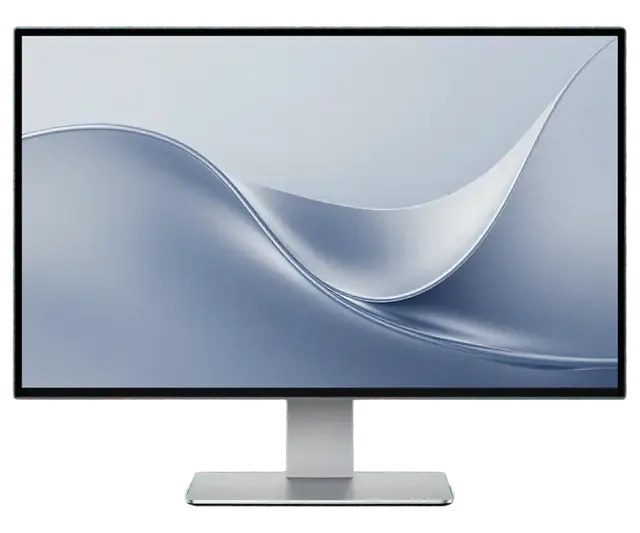
From a black screen to flickering backlight, here is what usually lies behind each symptom of a studio display.
The display is powered but shows no picture and the light does not change.
The image goes out after a while or when the Thunderbolt cable is moved.
Brightness jumps; some zones flash or dim against a light background.
Streaks, spots or a coloured haze appear, mostly on plain backgrounds.
No reaction to power: the internal supply may have failed.
The display lowers brightness by itself or enters a protective mode.
The rear ports miss devices or drop them at random.
The body sways, the tilt will not hold and the mechanism sticks.
Colored or black dots light up on the screen, noticeable against a gray background.
The monitor update freezes or aborts with an error.
White backgrounds look yellowish or pinkish on part of the screen.
The laptop doesn't receive power from the monitor via Thunderbolt cable.
We name the price after diagnostics: it depends on which part has failed and what components are needed.
| Service | Original | Aftermarket |
|---|---|---|
| Display panel replacement | 75 900 ₸ | 46 900 ₸ |
| Glass replacement | 29 900 ₸ | 16 900 ₸ |
| Backlight repair | 21 900 ₸ | 13 900 ₸ |
| Control button replacement | 15 900 ₸ | 8 900 ₸ |
| Other repairs | Price | |
| Board repairmicrosoldering · 1–3 days | 11 900 ₸per job | |
The technician agrees the exact scope and amount with you before any repair starts.
With complex equipment the origin of a part matters; after diagnostics the technician explains the options and risks.
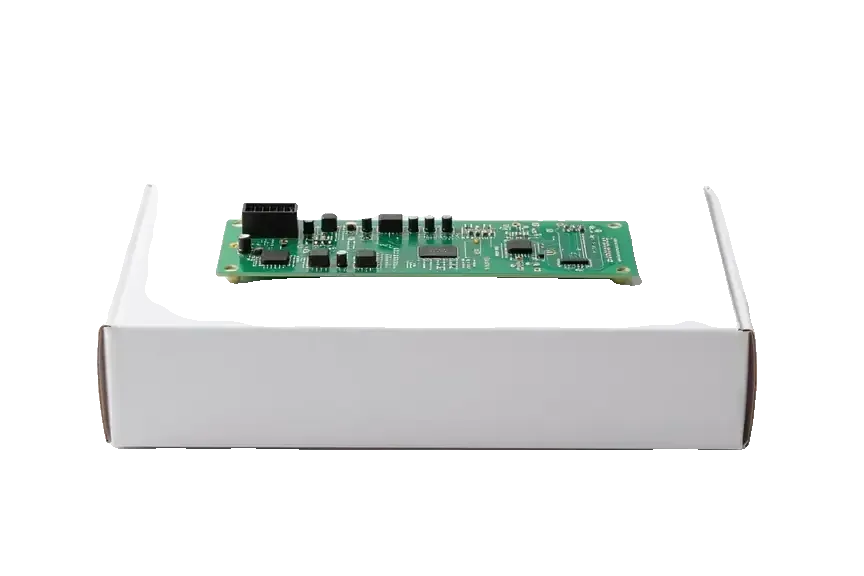
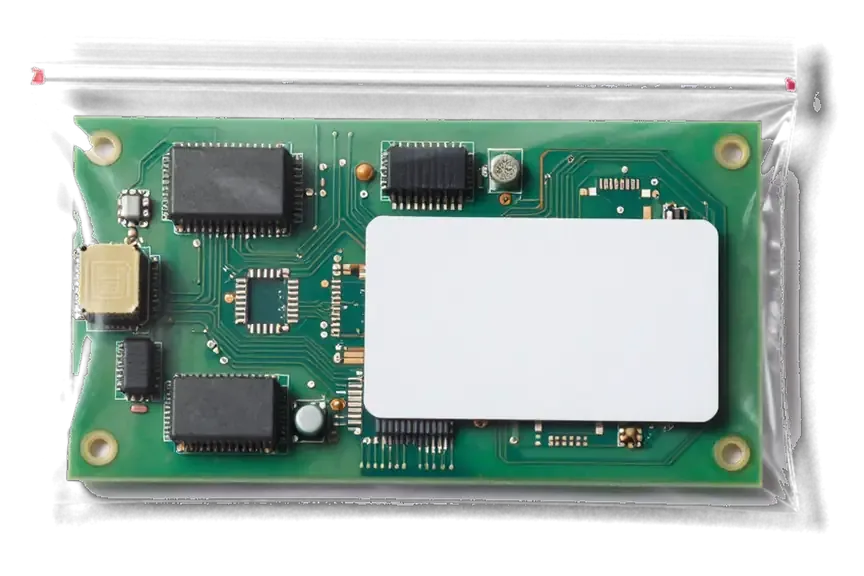
A pro display deserves careful handling, so we find the cause first and only then talk about the scope of work.
11 years of working with displays and computers helps find the cause without needless swaps or guesswork.
Completed repairs carry a warranty up to 1 year. We state the terms in advance, before the work begins.
Complex units such as power, backlight and boards are diagnosed by experienced technicians with suitable equipment.
After diagnostics you receive the required jobs and the amount, and the decision remains with you.
We receive customers in Almaty and Astana, so you can bring a problem to whichever city suits you.
Monday to Friday from 10:00 to 19:00, Saturday, Sunday and holidays from 11:00 to 18:00.
Usually the whole journey — from message to pickup — takes less than an hour; complex repairs follow the timeline in the receipt.
Book a repairYou send a photo of the damage on WhatsApp — we quote the price and available time. Or you call a courier.
An engineer checks the device in front of you and shows what is broken. 0 ₸, even if you decline the repair.
We fix the price, the part (original or analog), the timeline and the warranty. You sign — we start.
Before installation we show you the new part in its factory packaging. You wait in the waiting area with coffee and Wi‑Fi.
The image and backlight, the camera and speakers (if any), the ports. You check them together with the engineer.
Together with the receipt, warranty card and the old part. Payment — Kaspi, card or cash.
Technicians for iPhone, Mac, iPad, Apple Watch and AirPods repair.
Photo: Mukhpilov Nail Photo: Molchanov Rinat
 Photo: Shokan A
 Photo: Sybanbaev Birzhan
 Photo: Denis Gushchin
 Photo: Duisebaev Azhdar

“If the repair didn’t suit you or you have a complaint, write to me personally.”
Send a photo of the fault — an engineer will reply on WhatsApp, give the price and a time you can come in.
Apple Pro Display XDR Repair in Almaty for Studio Work
Apple Pro Display XDR repair in Almaty is handled by iServices as a direct contractor with its own technicians and workshop, not an agency. We run free 15-minute diagnostics in front of you, fix power and control boards under a microscope, and back every job with a warranty up to 1 year.
This is a professional 6K display with few internal nodes, but each is expensive, so the first job is to work out which part has failed prior to the monitor travelling anywhere.
The Pro Display XDR is a 32-inch 6K monitor whose backlight is split into many local dimming zones, and the parts that fail are the power supply, the control board, the LED backlight and its drivers, the panel and the internal cables. The 6016×3384 matrix sits behind LEDs grouped into hundreds of independently driven areas, each fed by driver circuitry on the back of the chassis. A single Thunderbolt 3 input carries video and data, three USB-C ports run off the same logic, and the supply is built into the housing rather than sitting in an external brick. Internal ribbon and power cables link those boards to the display and the LED array. Because the PSU sits inside the chassis, a dead unit is often a board-level fault rather than a display fault, so the screen itself survives more often than owners expect.
| Symptom | Likely node | What we check first |
|---|---|---|
| No power, no light | Supply, control board | Voltage at the internal rail |
| Flicker or dimming | LED backlight, drivers | Uniformity under test images |
| Bands or dark patches | Backlight zones, panel | Zone-by-zone brightness map |
| No signal to Mac | Thunderbolt port, cable | Second cable and second Mac |
| Dead USB-C ports | Control board | Port continuity and current |
A soft halo around bright objects on a dark background is how local dimming behaves, not a defect, and it appears on every unit of this model. Each lit zone brightens a patch wider than the object itself, so a bright cursor or a white title on black bleeds slightly into its neighbours. The effect grows with contrast — a full-screen HDR scene with small highlights shows more halo than a bright desktop — and it fades as the lit area grows. Viewing angle matters too: at an angle the glow spreads unevenly because the array sits behind the screen. A halo becomes a real fault only when it turns into a hard-edged bright patch that stays in one place regardless of what is displayed, and that pattern points to a stuck zone or a driver, worth mapping on a test image prior to booking anything.
Prior to carrying a 32-inch display anywhere, rule out the external causes — a lead and a computer produce the same symptoms as a failed panel, and both are far cheaper to fix.
We run free diagnostics in front of you for 15 minutes, checking power, signal and illumination even if you decide not to repair. The engineer connects the display to a bench machine, feeds it a gradient and a white field, and watches how the screen behaves at different brightness levels. Power delivery gets measured at the internal supply, the Thunderbolt input is checked for a stable handshake, and the illumination is inspected for dark corners, banding and uneven zones. You see each step on the screen itself, so nothing is described to you second-hand. Illumination faults can hide behind a single bright test image and only show on a gradient. If you decline the work, the diagnostics still cost nothing. If you are looking for Apple Pro Display XDR repair in Almaty, this check shows exactly what the display needs prior to any work being agreed.
Send a photo of the damage on WhatsApp and an engineer replies within 5 minutes with a price and a free time slot. The picture tells us whether we are looking at a cracked nano-texture layer, a dark band along one edge or a display that never lights up at all, and it lets us reserve the right bench before you arrive. We then fix the price, the part, the turnaround and the warranty on the receipt before any work starts, so the figure quoted from the photo is the figure you pay. A picture taken in a dark room shows lighting bands and halos far better than one shot in daylight, so it speeds up the first estimate considerably.
Most failures on this monitor start on the boards, not on the panel. Here is what actually gets repaired, why the internal supply gives out, and how long each job takes.
The power supply is built into the chassis, and when it fails the display shows no light at all or drops out after a few seconds of use. The unit sits behind the vented rear panel, where heat from the 6K screen and the backlight drivers has nowhere to go during long colour-grading sessions. Repeated thermal cycling dries out the electrolytic capacitors and cracks solder joints on the switching transistors, so the rail sags under load. A PSU that fails only under load can pass a quick on-off test, so a proper check runs the display at full brightness for several minutes with a lab unit on the bench. If your screen dies after ten minutes of Resolve work but boots fine cold, suspect this module before the display.
We repair the control board under a microscope, and board-level jobs take 1 to 3 days because every trace and driver is checked by hand. This module carries the backlight drivers, the timing logic and the port controllers, and a single failed driver can kill one dimming zone or one input. On the bench we use a soldering station with hot air and a lab unit to feed the rails in isolation, so a shorted driver shows up prior to damaging anything else. Component-level repair is usually worth attempting prior to a full swap, since it keeps the original calibration data tied to that specific unit. A replacement carries its own factory profile, which may not match your screen.
| Job | Typical time | What we verify after |
|---|---|---|
| Port and cable fault | 20–40 minutes | Signal on a test Mac |
| Backlight driver | 20–40 minutes | Zone uniformity |
| Power supply | 1–3 days | Full-brightness run |
| Control board | 1–3 days | All ports and dimming |
| Panel replacement | 1–3 days | Brightness and colour |
Restoring even illumination and the reference presets is the whole point of a repair here, since a 6K display with drift is useless for colour grading. Below is how we verify both before a monitor leaves the bench.
After repair we check 32 functions in about 10 minutes, including brightness uniformity, ports and signal, using reference images on a known-good Mac. The Pro Display XDR relies on a full-array local dimming backlight split into 576 individually driven zones, so one weak zone shows up as a dim patch in dark HDR scenes rather than as an obvious dead spot. We run grey ramps, checkerboards and full-field white, then compare readings across the screen with the Thunderbolt and USB-C ports under load. An engineer logs each group of zones prior to signing off. Uniformity is judged on a grey gradient rather than a white screen, because a solid white field hides the zone-to-zone differences that matter in HDR work.
Reference modes and presets are stored in the monitor's firmware, so they survive a board repair as long as the firmware is intact and updated through macOS afterwards. The Thunderbolt signal carries the video, but the calibration tables live on the display itself, which is why a swapped cable never resets your custom preset. What does change behaviour is an interrupted firmware write during a supply fault: the display may boot into a default profile that looks close but sits slightly off in the shadows. Check the preset name in System Settings after any board work, then confirm it matches the mode you grade in. If the control module is replaced outright, the presets are restored by updating the monitor firmware from a connected Mac, not by recalibrating by hand.
Flicker that returns following a repair usually means a driver or a connector was marginal rather than fully dead, so it passed the first test and failed under heat. Every dimming zone has its own driver, and a cold chassis can mask a solder joint that opens once the aluminium body warms to operating temperature. The lattice back panel vents heat well, yet the driver circuitry sits close to the power supply, which is exactly where thermal drift appears first. A unit that only flickers after an hour of HDR work points to thermal behaviour, so the test run should last long enough to warm the chassis. Ask for that warm-up check specifically, because a two-minute power-on test proves almost nothing on this model.
Nano-texture glass and the large chassis demand care both when you clean the screen and when you move it. Here is how to avoid damaging the display on the way to us.
Nano-texture glass is cleaned only with the special cloth, without liquids or paper towels, because the etched surface traps residue that ordinary wiping spreads. The matte finish comes from a microscopic etch, not a coating, so any fibre that sheds leaves material inside the surface rather than on top of it. The manufacturer ships a dedicated cloth with every nano-texture display for exactly this reason, and a dry microfibre cloth of the same grade works as a substitute. Wipe in one direction with light pressure, and never use alcohol, ammonia or screen sprays — the etch holds the liquid and dries unevenly. A single wipe with a paper towel can leave micro-scratches that show up as a faint haze under studio lighting, and that damage cannot be polished out.
We fix the price, the component, the turnaround and the warranty on the receipt prior to work starting, and you get the display back with the receipt, the warranty card and the replaced module. The new unit is shown in factory packaging prior to installation, and the receipt takes about two minutes to complete. Our warranty runs up to 1 year, and 64% of customers choose an original component rather than an aftermarket one. After the repair you check the display together with the engineer, and the monitor is returned with the old module in the box. Keeping it matters for a professional display, because that module carries the original factory data that can be useful if a future fault appears.
Five things are worth keeping in mind prior to deciding what to do with a failing 6K display — they save time, money and a lot of guesswork.
Did not find an answer? Message us on WhatsApp: an engineer replies, not a bot.
Ask a questionA faint halo on a black background is a trait of zone-based lighting. If the effect suddenly grows stronger or has only just appeared, show the display to a technician for a check.
Swap the cable, then try another port and another computer. If the flicker persists everywhere, the cause is in the display itself: backlight or power. A diagnosis is the next step.
It is better not to. Inside there is complex electronics and power circuits where voltage can remain. A careless move may make the fault worse, so leave diagnostics to a technician.
Disconnect the power and do not switch it on again. Even with a normal picture, the backlight or flex cables may be damaged. Show it to a technician before the damage develops.
Not always. Protective dimming when hot is part of the design. If it happens in normal conditions at low brightness, the cooling and sensors should be checked.
Only with the special polishing cloth supplied with the display, or a replacement of the same kind. Ordinary microfibre, paper towels and sprays can leave marks on the etched surface that cannot be polished out.
С Pro Display XDR (2019) вышла неприятность: после скачка напряжения экран не включался. В итоге провели диагностику блока питания.
 iPad
 MacBook
 iMac
 Mac mini and Studio
 Apple Watch
 AirPods
 Apple Pencil
 Apple TV
 HomePod
