KS Photo: Kudiret S.
Kudiret S.
iCloud unlock specialist
10years of experience
4.37rating, 100 reviews

Pro Display XDR is dark or striped — we find the cause with you, and a experienced technician names the price upfront.
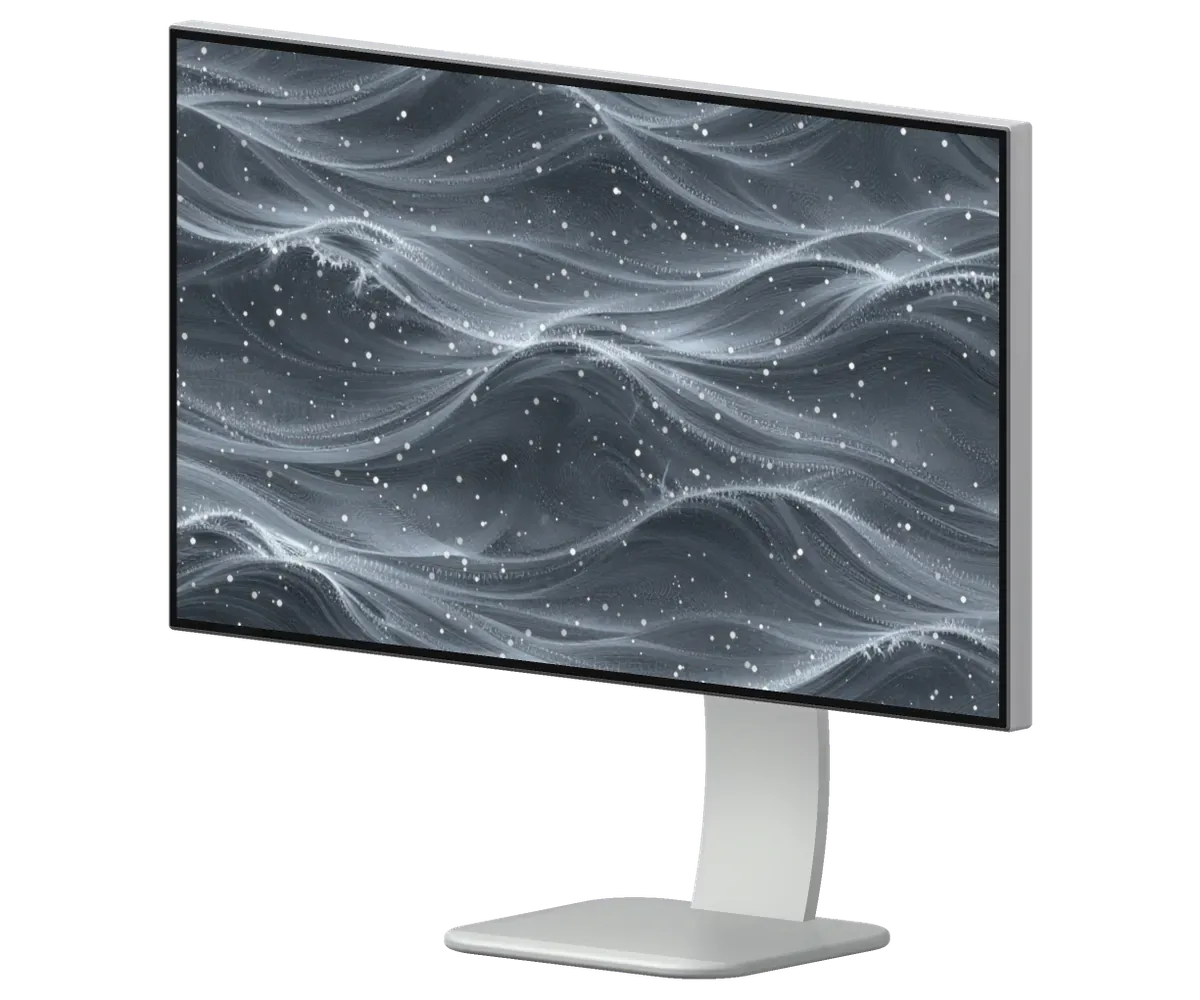
What studios and offices bring a Pro Display XDR in for: blanking, flicker, streaks, darker edges, power faults, ports and the stand.
The picture drops when the source changes or a projector is attached.
Brought in from the frost and switched on at once: unstable backlight.
Horizontal lines on plain frames and during colour grading.
A side is clearly dim on a light background and colour drifts.
After sleep the screen stays dark until the cable is unplugged.
Following a voltage spike the display will not start or keeps rebooting.
A drive or keyboard disappears whenever the cable is touched.
A creak on tilting, the angle will not lock and the body rocks.
A visible glow around white objects and the cursor.
Smudges and scratches left on the screen coating after wiping.
A thin squeal or hum from inside while the monitor is on.
The Thunderbolt cable is connected, but the monitor is missing in settings.
We name the amount after diagnostics: it is set by the faulty unit and by any parts that have to be replaced.
| Service | Original | Aftermarket |
|---|---|---|
| Display panel replacement | 75 900 ₸ | 46 900 ₸ |
| Glass replacement | 29 900 ₸ | 16 900 ₸ |
| Backlight repair | 21 900 ₸ | 13 900 ₸ |
| Control button replacement | 15 900 ₸ | 8 900 ₸ |
| Other repairs | Price | |
| Board repairmicrosoldering · 1–3 days | 11 900 ₸per job | |
You learn the jobs and the cost before the repair begins, and the decision is yours.
For an expensive display it is best to discuss the part after inspection, since colour, lifespan and cost depend on it.
What Pro Display XDR owners in Astana receive: experience with costly equipment, a warranty and hours for busy people.
Eleven years in repair taught us not to rush: checks come first, recommendations afterwards.
Owners of professional displays trust us with them, since we first identify the root cause and discuss the scope of work only afterwards.
Power and backlight are checked by experienced technicians who handle delicate electronics with care.
Inspection and diagnostics first, then the jobs and the amount. We proceed only after your approval.
A professional display needs a careful approach, so our team identifies the root cause before discussing any repair plan.
Why creative teams and studios entrust their professional screens to our care and attention
Usually the whole journey — from message to pickup — takes less than an hour; complex repairs follow the timeline in the receipt.
Book a repairYou send a photo of the damage on WhatsApp — we quote the price and available time. Or you call a courier.
An engineer checks the device in front of you and shows what is broken. 0 ₸, even if you decline the repair.
We fix the price, the part (original or analog), the timeline and the warranty. You sign — we start.
Before installation we show you the new part in its factory packaging. You wait in the waiting area with coffee and Wi‑Fi.
The image and backlight, the camera and speakers (if any), the ports. You check them together with the engineer.
Together with the receipt, warranty card and the old part. Payment — Kaspi, card or cash.
Technicians for iPhone, Mac, iPad, Apple Watch and AirPods repair.
Photo: Kudiret S. Photo: Kamran A.

“If the repair didn’t suit you or you have a complaint, write to me personally.”
Send a photo of the fault — an engineer will reply on WhatsApp, give the price and a time you can come in.
Apple Pro Display XDR Repair in Astana for Working Professionals
iServices handles Apple Pro Display XDR repair in Astana with its own technicians, not through a middleman. Diagnostics take 15 minutes and cost nothing — we do them while you watch. Backlight, control board and power supply repairs are carried out under a microscope, and every job comes with a warranty of up to 1 year. Most jobs finish while you wait.
This 32-inch 6K screen, the Pro Display XDR, uses a zoned backlight, and its supply unit sits inside the chassis. Below we break down which of its assemblies can actually be repaired rather than swapped as a whole.
Brightness on the 32-inch 6K Pro Display XDR comes from a backlight divided into many zones dimmed independently; a supply module inside the chassis feeds them all. The 6016×3384 panel sits behind a lattice-pattern rear housing that doubles as the heatsink, and the local dimming array drives hundreds of LED zones separately so dark areas of an image stay genuinely dark. That architecture explains a lot about fault behaviour: there is no external brick to swap, no separate driver box on the desk. Because the supply sits inside the housing, a failing unit shows up as flicker or shutdowns rather than a dead external brick, so the symptom points inward, not to the wall socket. When a display cuts out under load but restarts after cooling, we test the internal rails first.
| Component | What we do | Typical turnaround |
|---|---|---|
| Power supply | Repair or replace | 1–3 days |
| Control board | Microscope-level repair | 1–3 days |
| Backlight drivers | Repair or replace | 1–3 days |
| Panel (matrix) | Replacement | from 1 day |
| Thunderbolt / USB-C ports | Repair or replace | 20–40 min |
We are the direct contractor with our own workshop and technicians, so your monitor is not passed to a third party between diagnosis and pickup. That matters for a display this dense: the same engineer who reads the fault on the bench also signs off the finished unit. A single owner of the job means one receipt, one warranty and one point of contact if a symptom returns after the repair. Behind our technicians stand 46,000+ completed repairs, and before any work begins the part and the warranty terms go onto the receipt. A short handover chain protects the owner as much as the workshop.
Not every defect looks like a breakdown. Below is a symptom map that separates what belongs to normal zoned backlighting from what actually requires the unit to be opened.
A soft halo surrounding a bright object against a dark background is normal for zoned backlighting; sharp bands, dark patches or uneven brightness across the panel, however, point to a genuine fault. The Pro Display XDR divides its light into hundreds of local dimming zones, and each zone brightens or dims on its own, so a white cursor on a black field will always glow slightly at the edges. That glow is even, symmetrical and moves with the object. A defect behaves differently: a vertical stripe stays in place, a corner reads dimmer than the rest, or a cluster of zones stays dark on a full-white image. Judge it on a plain grey or white test image rather than on HDR video, because moving content hides the very unevenness you are looking for.
| Symptom | Likely cause | Where we look |
|---|---|---|
| No power, no light | Power supply | PSU and input stage |
| Flicker or random shutdown | PSU or backlight driver | Board under microscope |
| Dark patches or bands | Backlight zones | LED drivers |
| No signal over Thunderbolt | Cable, Mac or port | Cable test first |
| Ports not working | Port or board | USB-C / Thunderbolt |
Flicker tied to brightness changes usually originates in the supply module or a backlight driver, whereas a signal that drops and returns often begins at the cable or at the Mac. A panel that dims in rhythm with on-screen content points to the driver stage feeding the LED zones, because that circuit regulates current as brightness shifts. A dropout that cuts the image for a second and restores it, sometimes with a reconnect chime, behaves like a Thunderbolt link problem — the cable, the port on the display, or the host machine. Note whether the flicker appears at low brightness only, since that pattern narrows the fault to the driver stage before anything is opened.
Before you load a 7.5 kg display into a car, it is worth ruling out the cheap causes. The check order below saves a trip and spare handling of the panel.
Swap the Thunderbolt cable and connect a second Mac before suspecting the display, because a bad cord can imitate a dead screen perfectly. A Pro Display XDR carries 6K video, power delivery and USB data over one Thunderbolt 3 link, and a lead that has been bent, coiled tightly or crushed under a monitor arm often loses the high-bandwidth lanes first while still passing low-speed data. Use a cord rated for Thunderbolt 3 and at least 40 Gbps, plugged straight into the computer rather than through a hub or dock. If your machine has several ports, move the connector to another one, since a single dead port produces the same black screen. If the image returns with a different lead but the same computer, the display is fine and the fault was in the wire all along.
If the display fails with a known-good lead and computer, the fault is internal and we move to opening the unit and testing the board. The built-in supply module is measured first under a laboratory load, then the timing and control board is inspected for damaged lanes and heat marks. When an Apple Pro Display XDR repair in Astana reaches this stage, it becomes clear what the fault is: board-level work, the power supply module or the panel itself — and the timeline differs for each. Board-level work happens under a microscope, and before we begin, the price, part, turnaround and warranty terms are entered on the receipt. An internal fault confirmed this way is fixed on the bench, so the repair path is settled before the housing is opened.
Two internal faults cause most serious Pro Display XDR failures: the built-in PSU and the control circuitry behind it. Here is how component-level work differs from a straight swap, and what each approach means for turnaround.
We repair the built-in PSU at component level, replacing failed parts on the circuitry rather than swapping the whole unit when the fault allows it. The module sits inside the display housing and feeds the zoned backlight and the 6K panel, so a weak rail shows up as flicker, dimming or a screen that refuses to wake. Our engineer traces the rail with a bench supply and a soldering station, checking capacitors, regulators and the driver stage in sequence. A unit that only fails under load is caught on a lab bench supply, which a simple on/off test would miss. Ask for that loaded test explicitly if your display works cold and dies after an hour of editing.
Board repair is done under a microscope and takes 1–3 days, because tracing a fault at component level cannot be rushed. The control circuitry houses the timing logic, the voltage regulation stage and the backlight drivers — and if just one component there shorts out, the symptoms can look exactly like a failed panel. Working under magnification lets our technicians follow a trace, reflow a joint and replace a driver without disturbing neighbouring elements. Before work starts, the price, the part and the turnaround are fixed on the receipt, so a multi-day job never becomes open-ended. This is the one task that will not finish while you wait, so plan a short gap in your workflow around it.
| Work type | Typical time | While you wait |
|---|---|---|
| Port or cable-side fix | 20–40 min | Yes |
| Backlight driver swap | 20–40 min | Yes |
| Power supply repair | 1–3 days | No |
| Board repair | 1–3 days | No |
Once the display is back on your desk, three things decide how long it stays there: how you clean the glass, how you move it, and whether the result was checked properly.
Clean nano-texture glass only with the dedicated cloth — no liquids, no paper towels — since the etched surface scratches easily. That finish is microscopic pitting rather than a coating, so any abrasive pass leaves a permanent bright streak that polishing cannot remove. Use the cloth supplied with the display, dry, in straight passes, and keep it in its sleeve between cleanings. For heavier marks, breathe on the glass and wipe once — never press. Wiping a dry, dusty screen with a rough cloth grinds particles into the texture, so dust it off before any contact. Hold the fabric by the edges, shake it out after each session, and replace it once it stiffens or picks up grit — a fresh cloth is far cheaper than a replacement display.
The Pro Stand detaches from the display, so transport it separately, and a courier can be called if you would rather not move a 32-inch unit yourself. Release the stand with the lever at the back, pack the arm and base flat, and keep the VESA adapter or original foam if you have it. Carrying the unit by the stand or the grille risks flexing the frame, so support it from the base with two hands. The lattice rear panel is venting, not a handle — fingers through it bend the housing and can stress the mounts. If a courier delivers the unit, we unpack and inspect it with you before starting any work, so existing damage is recorded on paper instead of being debated later.
Once the repair is done, we verify 32 functions in roughly 10 minutes together with you, and the device is returned along with the receipt, warranty card and the old part. The check covers the screen, backlight zones, ports, power delivery and the brightness and color behaviour your color-critical work depends on. The price, part, turnaround and warranty are fixed on the receipt before work starts, so nothing on the bill changes afterward. Coverage lasts up to 1 year, and the replaced component — original module or aftermarket one, whichever was agreed — is handed back so you can see what came out of your display. Keep the receipt and warranty card together; they are what a claim rests on.
A short recap of what matters when deciding how to handle a fault on this display, from reading the first symptoms to the final handover.
Did not find an answer? Message us on WhatsApp: an engineer replies, not a bot.
Ask a questionIt can show a picture on a PC with a suitable Thunderbolt port and graphics, but features such as reference modes and brightness control are designed around macOS. For mixed offices, plan to keep at least one Mac at hand for firmware updates and setup.
Not necessarily. Reference modes and thermal protection limit brightness. If the dimming happens in a cool room in normal mode, the backlight and the power supply should be checked.
Yes. It smooths surges and covers sudden cuts. For a display with a powerful backlight it is useful protection, especially in buildings where the voltage is uneven.
Swap in a cable known to be good and try another port. If the picture steadies, the cable was at fault. If the fault stays, the display needs to be checked.
It is preferable. Without it, use rigid packaging with fitted inserts, keep the screen upright and put nothing on top.
The factory calibration is stored in the display itself, and the engineer checks the reference modes after the work. For colour-critical jobs, verify it with your own instrument; macOS offers a fine-tune calibration option for this display.
Телефонмен кеңестім, кейін апардым. Кепілдік берді, бұл маңызды. Екі күннен кейін өзі қоңырау шалды. Мастер бәрін түсіндірді. Диагностика тегін болды. Барлығы ресми, чек берді. Жұмысты сол күні аяқтады. Қосымша жұмыс қажет болды, бірақ бағаны көтермеді. Бағаны алдын ала айтты, соңында өзгермеді. Жақсы сервис)
Думала, проще новое купить. Проблема — полосы. Сейчас работает без нареканий.
Камран А. пообещал и сделал, без напоминаний. Пользуюсь и вспоминаю добрым словом
Проблема — не включается. Камран А. объяснял без умных слов, за это спасибо. Вернули — проверил, всё ок.
Хотел сначала в официальный, но там очередь и цена. Проблема — не включается. Функционирует, тьфу-тьфу.
Было ощущение, что ремонт не окупится. Проблема — мерцает подсветка. Диагностику сделали при мне. Внутри оказалось: плата. Сравнивал — здесь дешевле. Ни разу не пожалел.
Живу в Есиле, искала поближе к дому. Проблема — не включается. Позвонила в i-service по номеру из объявления. Третий месяц — никаких проблем
Ребёнок поиграл, теперь мерцает подсветка. Сказали, что перезвонят, и правда перезвонили. Сейчас работает без нареканий.
Было ощущение, что ремонт не окупиться. Проблема — мерцает подсветка. Мастер вышел, послушал и срозу забрал в работу. Работает, даже лучше прежнего!!
Скептически относился, пока не забрал. Проблема — полосы. Камран А. объяснял без умных слов, за это спасибо. Вернули — проверил, всё ок

 iPad
 MacBook
 iMac
 Mac mini and Studio
 Apple Watch
 AirPods
 Apple Pencil
 Apple TV
 HomePod
