Face ID failures show up as different messages and behaviours, and each one points to a different part of the TrueDepth system. Reading the symptom correctly is the first step before any repair.
Three iOS Messages and What Each One Means
The message "A problem was detected with Face ID" means the TrueDepth assembly itself has failed, while "Face ID is not available" usually points to a disconnected or damaged ribbon cable. A greyed-out toggle after a drop most often traces to a torn top cable, and "Unable to activate Face ID" appears when the dot projector returns no depth map at all. That component sits beside the infrared lens and floods your face with roughly 30,000 invisible points to build the depth map; when its output drops, iOS disables the whole unlock path. A proximity sensor fault, by contrast, never blocks unlocking — it only keeps the display lit against your ear. If the message appears only after a screen swap, the cause is almost always the upper connector rather than the emitter, so the phone does not need a full module rebuild.
Symptom to Faulty Node at a Glance
Symptom-to-node matching for TrueDepth faults| Symptom | Likely node | What we check | Typical fix |
|---|
| "A problem was detected with Face ID" | Dot projector | Emitter output under test | Projector repair |
|---|
| Face ID unavailable after screen swap | Top flex cable | Cable seating and continuity | Flex restoration |
|---|
| Screen stays on at the ear | Proximity sensor | Sensor response in call test | Flex or sensor repair |
|---|
| Face ID works, front camera dark | Front camera module | Camera and IR sensor test | Module-level repair |
|---|
| No Face ID and no flash | Shared top flex | Full top assembly | Flex replacement |
|---|
Why We Repair the TrueDepth Module for iPhone XS Face ID Repair Instead of Replacing It
The single most common question about iPhone XS Face ID repair is why a new TrueDepth unit cannot simply be installed. The answer sits in how Apple pairs the module to each phone.
The Module Is Paired to Your Board
We restore your original TrueDepth unit because it is cryptographically paired to the Secure Enclave on the XS board, so a component pulled from another handset will never activate. Each assembly carries a unique key burned in at the factory, and the Secure Enclave checks that key at every unlock — swap in a donor unit and the device rejects it. This pairing is also why a repair quote depends on which component failed, not on the price of a whole assembly. That is why iPhone XS Face ID repair in Astana starts with restoring the paired module rather than fitting a donor. In our workshop the engineer photographs the unit under the microscope before touching it, and we keep the factory component in the device unless a single failed element has to be replaced.
The Four Parts That Actually Fail
- Dot projector: projects the infrared grid onto your face and is the element most often damaged by drops.
- Flood illuminator: lights your face with infrared so the camera can see it in the dark.
- Infrared camera: reads the projected pattern and is checked together with the front camera.
- Proximity sensor: sits on the top flex and turns the screen off during calls.
How Drops, Water and Past Repairs Break Face ID
Most iPhone XS Face ID failures trace back to one of three events, and knowing which one applies to your handset shapes both the diagnosis and the repair time.
Drops and Impacts
A drop shifts or cracks the dot projector inside the TrueDepth module, which is why Face ID stops working even when the screen looks untouched. The emitter sits in a metal bracket behind the front camera, and a 30-centimetre fall onto tile is enough to knock it out of alignment with the infrared sensor beside it. The component then projects a distorted dot pattern, the handset cannot match it to the stored face map, and the lock icon simply refuses to open. Cracks in the lens show up under our microscope as hairline fractures across the glass, and a bent bracket tilts the emitter by fractions of a millimetre. If the device also took a hard hit, the logic board underneath deserves a check, since a bent substrate can mimic a projector fault.
Water and Corrosion
Water corrodes the TrueDepth flex and connector, and after liquid contact our diagnostics can take up to two days because corrosion spreads slowly across the contacts. Liquid reaches the assembly through the earpiece mesh and the gap around the front camera, then sits between the flex cable and the board connector where it is invisible from outside. Copper traces turn green within hours, and the emitter loses the stable voltage it needs to fire. Handsets that dried out and worked for a week can fail later, once the corrosion eats through a contact that was only partly damaged. Do not power the device on repeatedly after water contact, since each boot pushes current through wet contacts and turns a cleanable trace into a board-level repair.
Keeping Face ID Alive Through a Screen Replacement
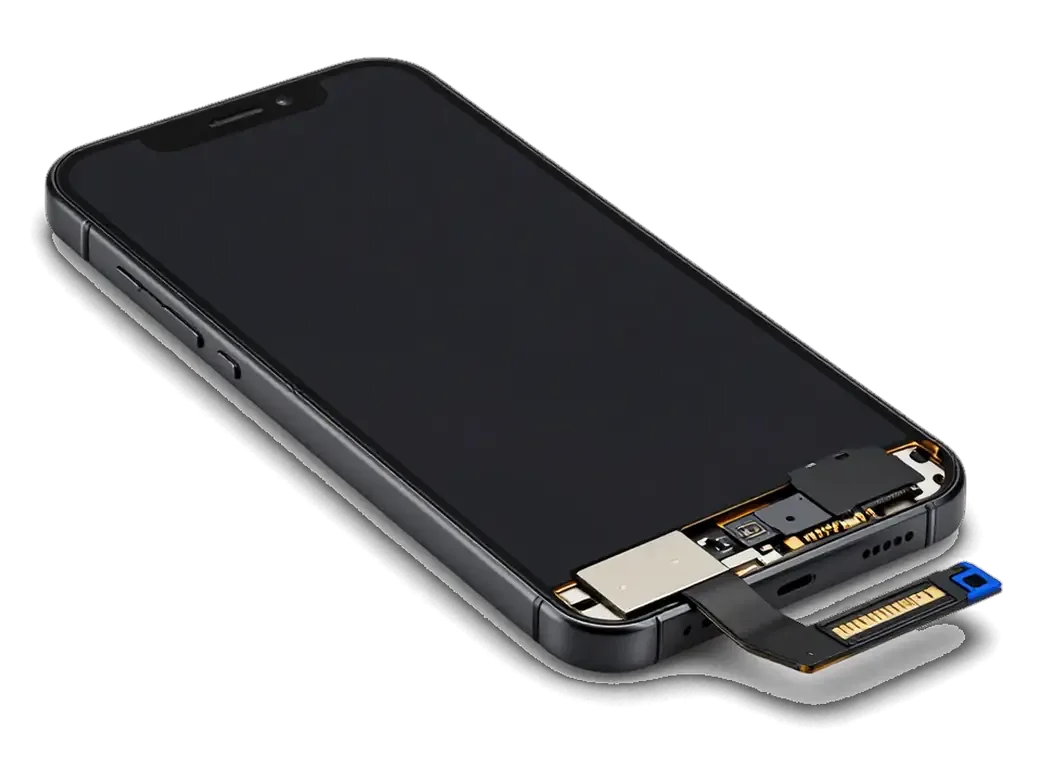
The iPhone XS uses an OLED display, and the sensors that make Face ID work sit on a flex attached to the top of that panel. How the flex is handled decides whether Face ID survives.
How We Move the Sensors to a New Screen
We transfer the original top flex with its proximity sensor and TrueDepth connections onto the new screen, so Face ID keeps working with the same paired module. This cable carries the earpiece speaker, the ambient light sensor and the infrared flood illuminator wiring, and all of it has to seat flat against the new glass before the panel goes back on the frame. Our technicians lift it with a heated separator, never with a metal blade, then test the proximity sensor and auto-brightness before closing the phone. On most jobs the transfer adds 15 to 20 minutes to a 40-minute panel replacement, which still fits inside our standard while-you-wait window. The transfer is the step where most third-party screen jobs go wrong, because the ribbon is thin and a single crease can break the proximity sensor without touching Face ID itself.
Original and Aftermarket Screens Compared
How screen options differ for Face ID| Screen type | Top flex fit | True Tone | Face ID risk |
|---|
| Original | Direct fit | Preserved | Low |
|---|
| Aftermarket | Needs careful transfer | May need programming | Medium |
|---|
| Refurbished | Varies by batch | Often lost | Medium to high |
|---|
What to Expect During Your Visit
The repair itself is only part of the visit. Here is what happens from the first message to the moment you walk out with a working Face ID.
From WhatsApp Photo to Fixed Quote
Send a photo of the damage on WhatsApp and an engineer replies within 5 minutes with a price and a free time slot, then confirms everything on a receipt before work starts. Free diagnostics take 15 minutes in front of you, even if you decide not to repair — the technician opens the device and shows which component of the TrueDepth assembly failed. The new part arrives in factory packaging and is shown to you before installation, so what sits inside the phone matches what sits on paper. The receipt fixes the cost, the component, the turnaround and the warranty in about 2 minutes, so nothing on the bill changes once the phone is open. Ask for the old component back at handover — comparing it with the fresh one is the quickest way to see what actually broke.
The 32-Point Check We Run With You
- Face ID: you unlock the phone several times in bright light and in a dark room, since an unstable projector often passes only one test.
- Front camera and proximity sensor: the engineer checks both, because they share the top flex and a fault there mimics a Face ID error.
- True Tone and auto-brightness: confirmed on the new screen after a replacement, where a missing transfer shows up at once.
- Charging, speakers and network: quick checks that catch a loose connector before you leave the waiting area.
- Paperwork: you get the receipt, the warranty card and the old component, and the full 32-function run takes about 10 minutes.
Summary: iPhone XS Face ID Repair
Face ID repair on the iPhone XS comes down to a few facts worth carrying into any conversation about your device, whether you are still deciding or already booking a slot.
- Paired hardware: the Face ID module is matched to your phone's board, so a repair restores the original part rather than fitting a new one.
- Message points to the node: the iOS warning on the display names a specific component, and that component sets how long the job takes.
- Three common causes: drops, liquid contact and earlier panel work account for nearly every TrueDepth failure.
- Display swaps need care: Face ID survives a glass replacement only when the top flex with its sensors is moved across intact.
- Before work starts: ask for a written quote, a function check in your presence and the warranty terms on paper.







 iPad
 MacBook
 iMac
 Mac mini and Studio
 Apple Watch
 AirPods
 Apple Pencil
 Apple TV
 HomePod




