Eng

iPhone 7 Plus Speaker Replacement in Astana

iPhone 7 Plus sounds hoarse or too quiet — a new speaker in half an hour, and you keep the old one.

Silver iPhone 7 Plus smartphone seen from the front
Price incl. labor
from 15 900 ₸
Warranty
6 months
  • Sound check
  • Grille cleaning
  • Opening the case

How to tell an iPhone 7 Plus speaker has failed

Crackle, buzz, faint sound and a caller who fades away: how the earpiece or the bottom speaker announces its failure.

Crackle and buzz

At volume the sound crackles, music rattles, and a voice on speakerphone is distorted beyond recognition.

Quiet sound

Ringtone and voice are barely audible even with the volume slider at the top and a clean speaker grille.

Caller cannot be heard

The earpiece at your ear gives silence or hiss, so you have to switch on speakerphone.

Sound drops out

The speaker works in fits: after a shake or heating the sound vanishes and returns for no reason.

How much an iPhone 7 Plus speaker replacement costs

The table shows the minimum price of the work, and the total depends on the chosen part and on which speaker must be replaced.

ServiceOriginalAftermarket
Speaker replacement26 900 ₸15 900 ₸
Earpiece speaker replacement26 900 ₸15 900 ₸
Microphone replacement26 900 ₸15 900 ₸
Charging port replacement22 900 ₸13 900 ₸
Display replacement38 900 ₸32 900 ₸
Battery replacement27 900 ₸15 900 ₸
Housing replacement58 900 ₸32 900 ₸
Camera glass replacement19 900 ₸10 900 ₸
Main camera replacement58 900 ₸32 900 ₸
Front camera replacement28 900 ₸15 900 ₸
Home button replacement32 900 ₸19 900 ₸
Button replacement26 900 ₸15 900 ₸
Vibration motor replacement26 900 ₸15 900 ₸
Proximity sensor replacement26 900 ₸15 900 ₸
Display glass replacement40 900 ₸22 900 ₸
Other repairsPrice
Audio codec replacementboard-level chip · microsoldering27 900 ₸with parts
Water damage cleaningcorrosion cleaning · diagnostics up to 2 days17 900 ₸per job
Power controller replacementboard-level chip · microsoldering23 900 ₸with parts
Wi-Fi module repairwireless module · board-level repair21 900 ₸with parts
Logic board repairmicrosoldering · 1–3 days61 900 ₸per job
Storage replacement and upgradememory chip installation30 900 ₸with parts
Firmware flashingsoftware restore, no parts replaced10 900 ₸per job
Touch ID repairpaired to the board — no aftermarket27 900 ₸per job
Modem repairboard-level chip · microsoldering19 900 ₸with parts

An original part costs more than an aftermarket one, and the technician names the exact sum after testing the sound.

How an iPhone 7 Plus speaker replacement is carried out

A speaker replacement starts with a sound check and cleaning the grille and ends with a test and warranty, and these are the stages.

  1. 01
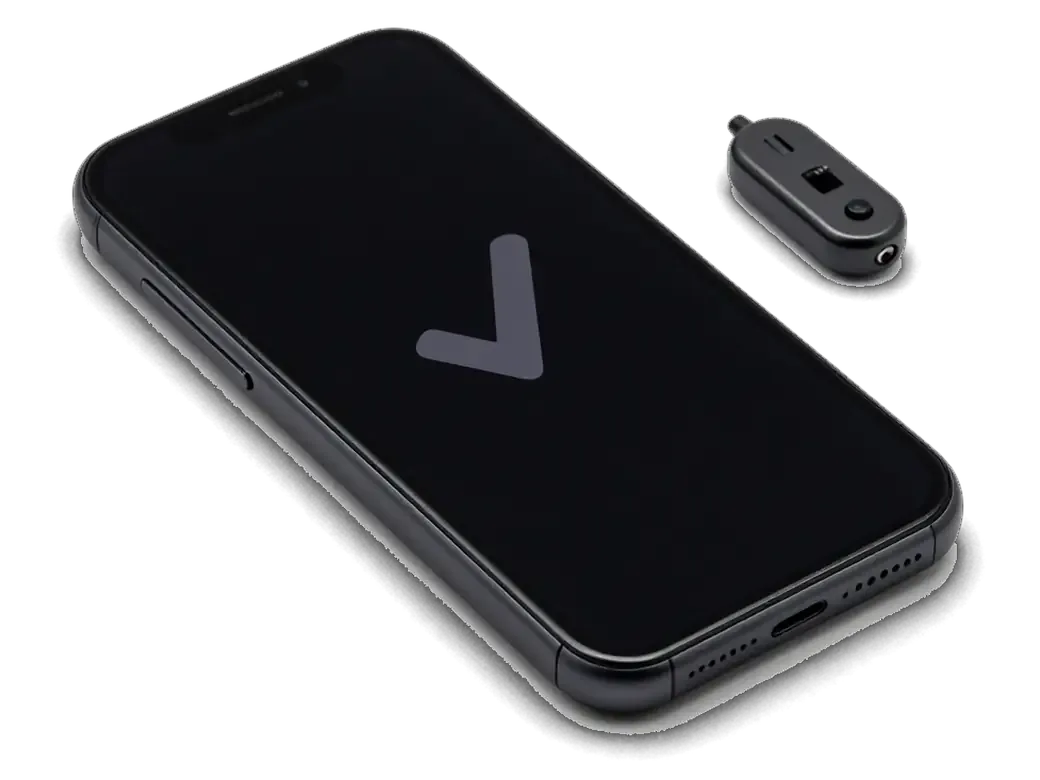
    iPhone with a checkmark on screen and a sound tester nearby
    Sound check

    We test the earpiece and the bottom speaker, microphones and headphones to find the actual faulty part.

  2. 02
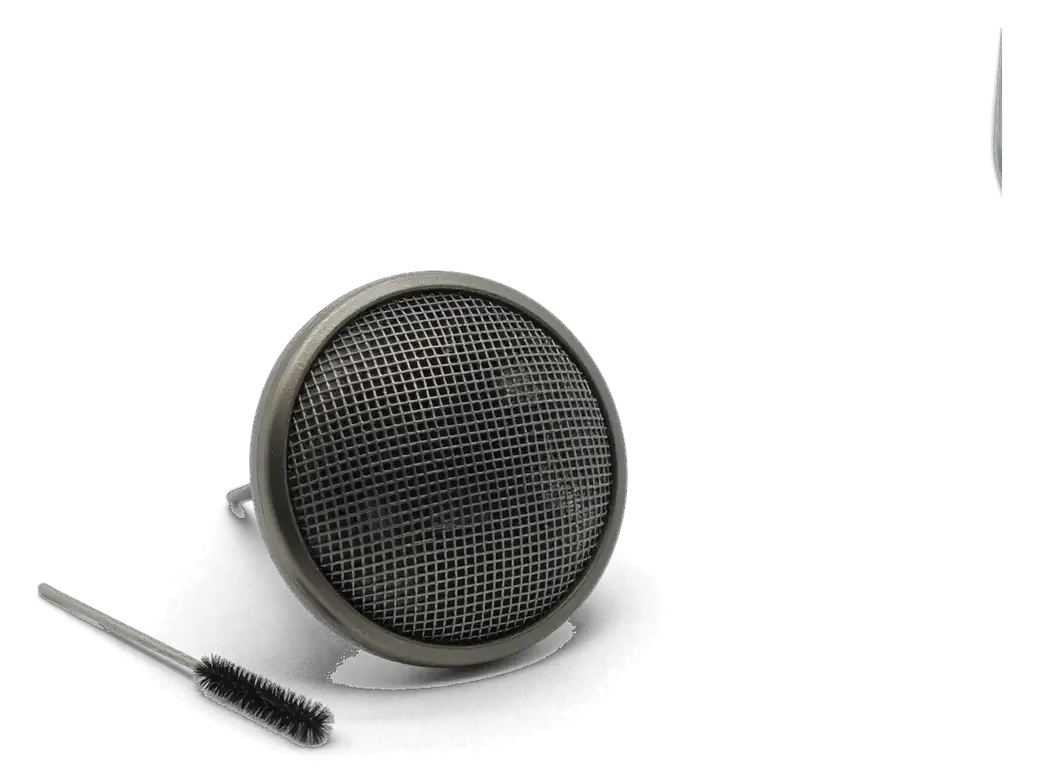
    iPhone speaker grille with a cleaning brush
    Grille cleaning

    The meshes are cleared of dust and dirt, because sometimes sound returns without any replacement.

  3. 03
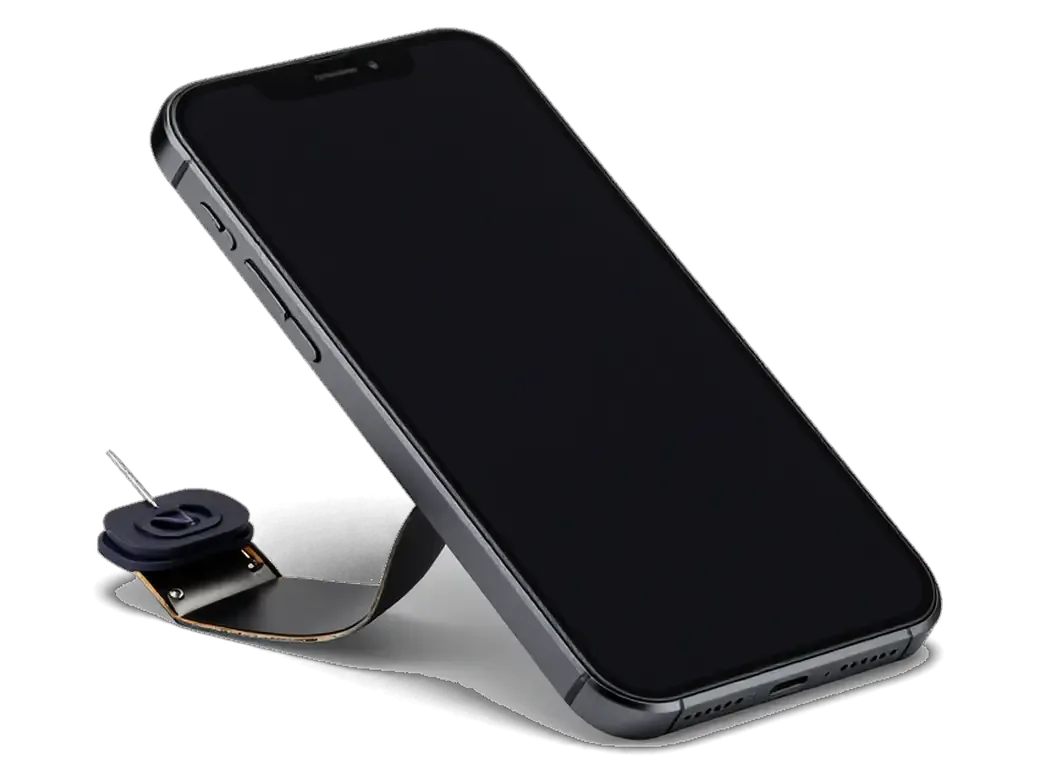
    Opened iPhone with the display tilted up and a tool
    Opening the case

    The battery is disconnected and the display module lifted without harming the cables.

  4. 04
    Removed iPhone speaker with its flex cable
    Removing the old part

    We undo the fixings and take the speaker out, inspecting the contacts for oxidation.

  5. 05
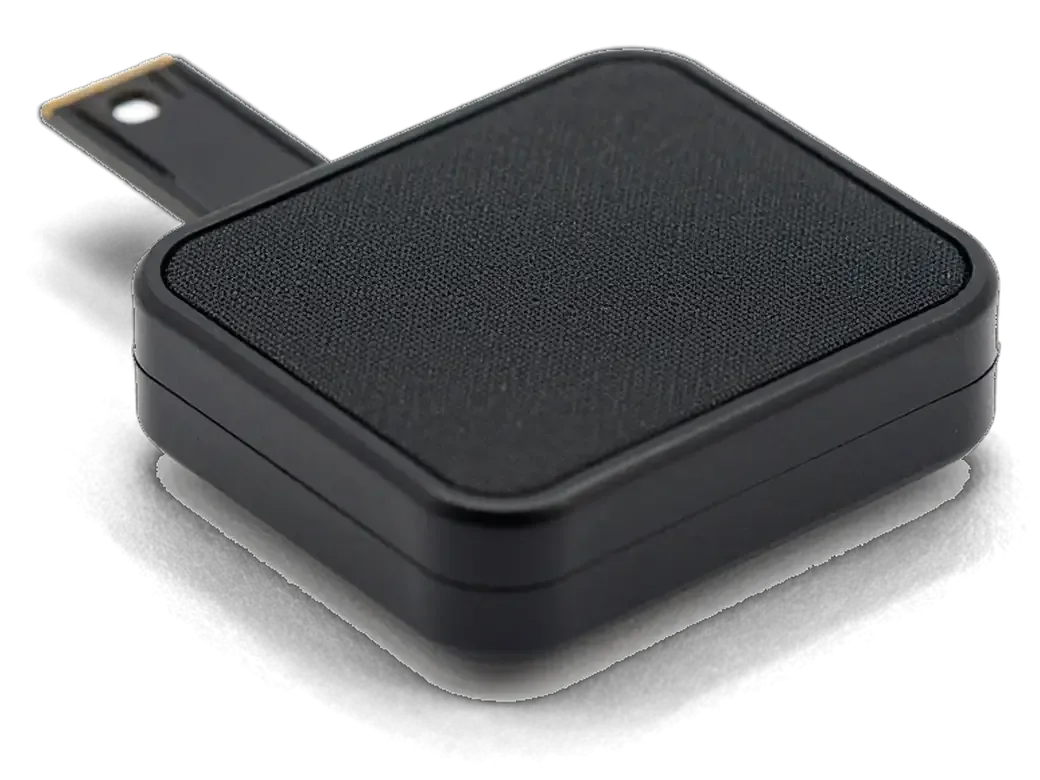
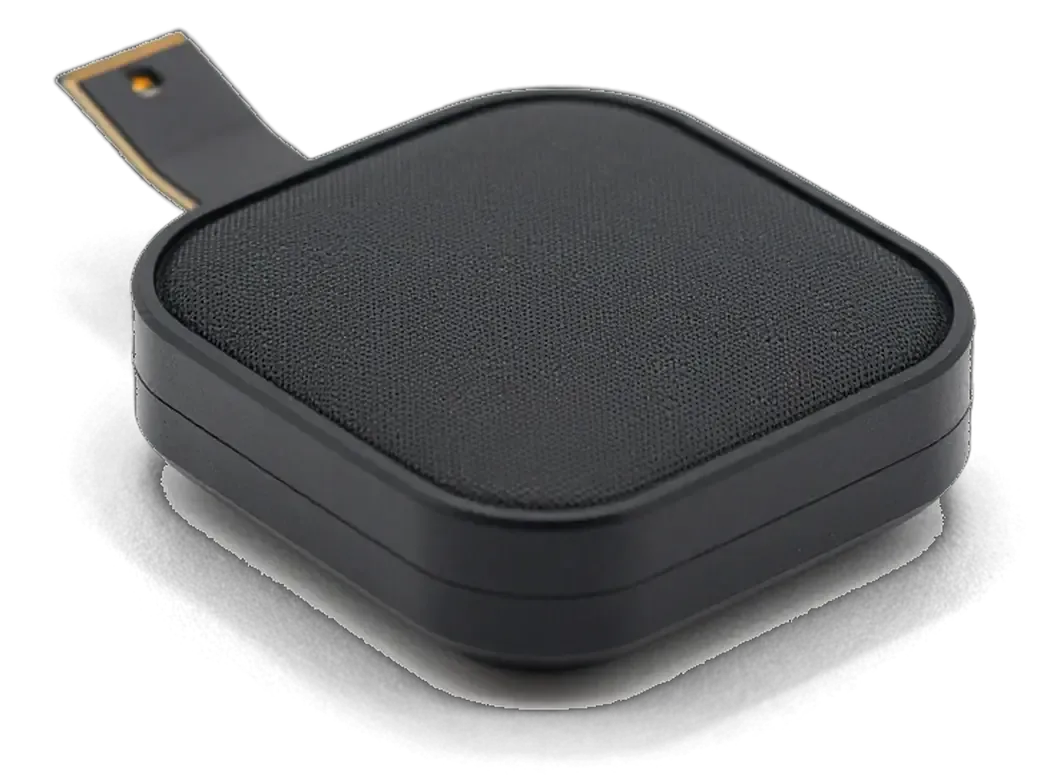
    New iPhone speaker with an adhesive gasket
    Fitting the new speaker

    The part is seated, fixed and connected, and we check that it lies firmly.

  6. 06
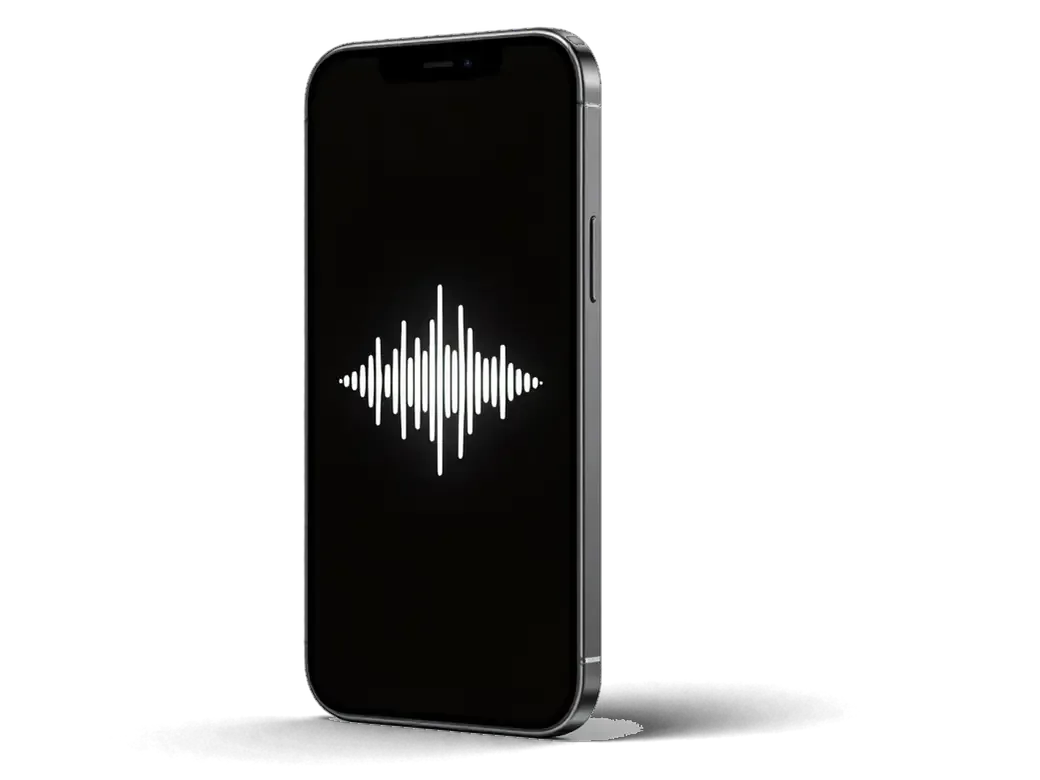
    iPhone with a speaker icon and clear waves on the screen
    Test and warranty

    Ringtone, music and speakerphone are tried, then the work is covered by a warranty up to 1 year.

  7. iPhone 7 Plus speaker replacement
    from15 900 ₸

    Sound is loud and clean again in calls, in music and in video.

    Price for my model

Choosing the part for an iPhone 7 Plus speaker replacement

The part sets loudness and clarity, so compare the options across four points.

Original Applewarranty up to 1 year
iPhone 7 Plus38 900 ₸
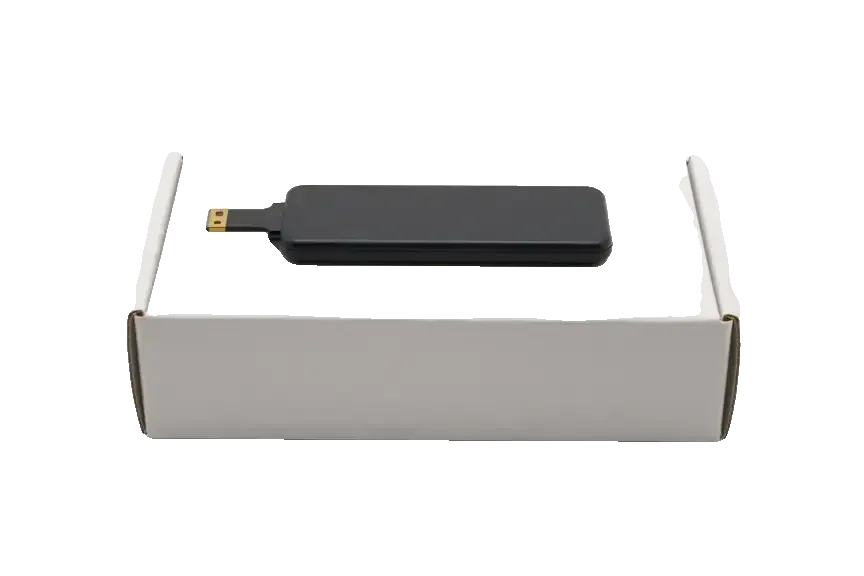
Original: iPhone speaker on a white box
Sound
Clean, loud like a new phone
Bass
Deeper, with no rattle
Cost
Higher than aftermarket
Best for
Frequent music listeners
Chosen by 64% of clients
Book with an original part
Aftermarketwarranty 6 months
iPhone 7 Plus32 900 ₸−15%
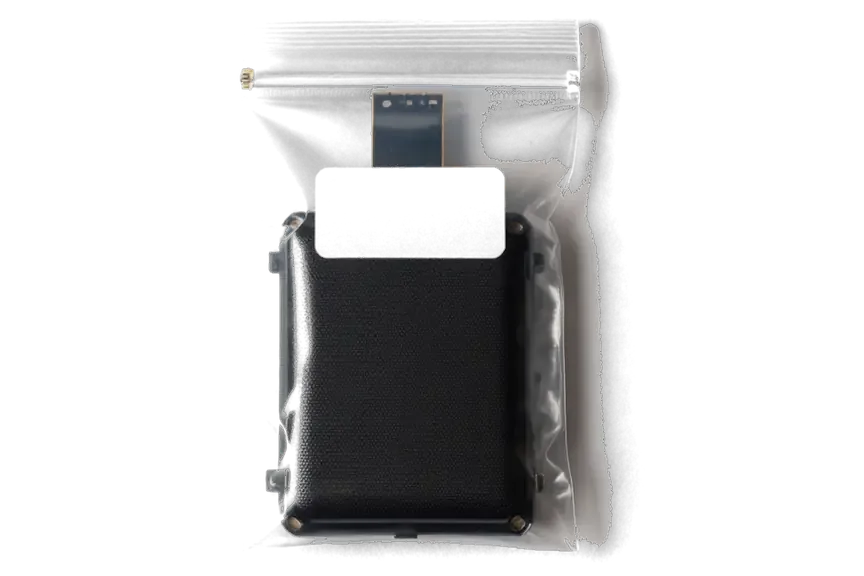
Analog: iPhone speaker in an antistatic bag
Sound
Quieter, slight noise possible
Bass
Weaker, buzzes at peaks
Cost
Lower, fits a tight budget
Best for
Calls and messages
Chosen by 36% of clients
Book with an aftermarket part

Why iPhone 7 Plus sound is repaired at iServices

Phone audio fails for many reasons, which is why we check before swapping a part, and that is explained below.

11years

Eleven years of repairs

Our technicians have repaired Apple devices for eleven years and quickly tell speaker wear from corrosion or a board fault.

1year

Warranty up to 1 year

The fitted speaker and the technician's work carry a warranty up to 1 year, so sound is not left as your worry.

6technicians

Experienced technicians

Speakers are replaced by experienced specialists who take the case apart carefully and protect the gasket and cables.

2options

Checked before replacing

We first clean the mesh and rule out other causes, so you do not pay for a part that is in good order.

2cities

Two cities

Workshops operate in Almaty and Astana, and a warranty question can be closed wherever suits you.

7days a week

Visits by timetable

We wait for you on weekdays 10:00–19:00 and on weekends and holidays 11:00–18:00, so you can come after work.

iPhone 7 Plus before and after repair

1 / 1
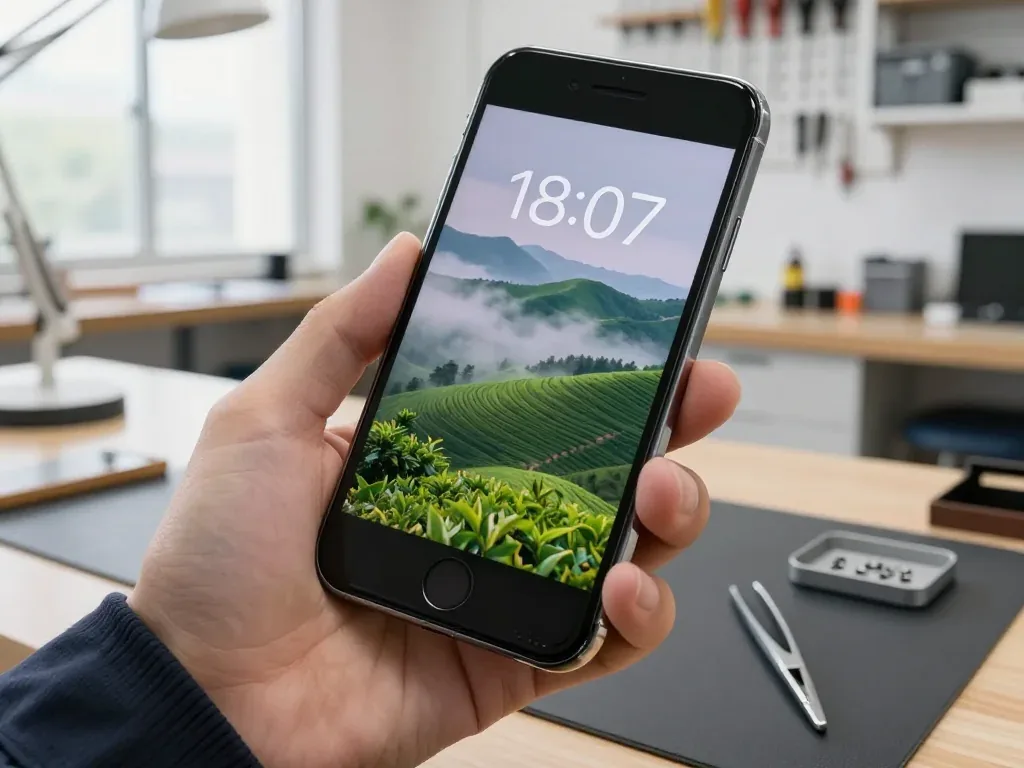
Technician holds a powered-on black iPhone 7 Plus showing a misty tea plantation wallpaper

iPhone 7 Plus: call audio barely audible

A client from Astana said the other person was hardly audible during calls, and on speaker the sound came out crackly. We replaced the speaker and checked the sound — calls are clear now.

from 15 900 ₸repair cost
I want the same

How iPhone 7 Plus speaker replacement is done in Astana

The whole journey — from message to finished phone. We give you the old part.

Book a replacement
  1. Step 1

    Message or come in

    5 min

    You message us on WhatsApp with the model and what happened — we give you the price and time. Or you come in without an appointment.

  2. Step 2

    Diagnostics in front of you

    10 min

    We check the sound in calls and on speakerphone, clean the mesh: sometimes cleaning is enough.

  3. Step 3

    Price in the receipt

    2 min

    We note the model, the part (original or aftermarket), the price, the timeframe, and the warranty.

  4. Step 4

    We show the new speaker

    1 min

    We open the factory packaging in front of you and check the number against the receipt.

  5. Step 5

    We replace the speaker

    time on the receipt

    We install the new speaker and seal the case with water-resistant adhesive.

  6. Step 6

    You check together with the engineer

    warranty up to 1 year

    Calls, speakerphone, music, notification sound. You get the phone, the receipt and the old speaker.

Meet the iServices team

Technicians for iPhone, Mac, iPad, Apple Watch and AirPods repair.

1 / 5
BSBakmukhammed S. — on-site iPhone technician, iServices service center in AstanaPhoto: Bakmukhammed S.

Bakmukhammed S.

on-site iPhone technician
13years of experience
4.93rating, 107 reviews
GSGalymzhan S. — iPhone repair technician, iServices service center in AstanaPhoto: Galymzhan S.

Galymzhan S.

iPhone repair technician
8years of experience
4.79rating, 90 reviews
ZSZhandos Sh. — iPhone screen replacement technician, iServices service center in AstanaPhoto: Zhandos Sh.

Zhandos Sh.

iPhone screen replacement technician
6years of experience
4.65rating, 112 reviews
DTDarkhan T. — iPhone firmware technician, iServices service center in AstanaPhoto: Darkhan T.

Darkhan T.

iPhone firmware technician
8years of experience
4.44rating, 19 reviews
KSKudiret S. — iCloud unlock specialist, iServices service center in AstanaPhoto: Kudiret S.

Kudiret S.

iCloud unlock specialist
10years of experience
4.37rating, 100 reviews
Bakmukhammed S., on-site iPhone technician
“If the repair didn’t suit you or you have a complaint, write to me personally.”
Bakmukhammed S.on-site iPhone technician · +7 701 333-47-01

We'll quote iPhone 7 Plus speaker replacement in Astana from a photo in 5 minutes

Send a photo of the screen and the iPhone model. An engineer will reply on WhatsApp, give the price and today's available time.

  1. 5 minAn engineer replies and names the price
  2. 0 ₸Diagnostics in front of you in 15 minutes
  3. 30 minMost repairs — while you wait

iPhone 7 Plus Speaker Replacement in Astana Done While You Wait

In short

At iServices in Astana, iPhone 7 Plus speaker replacement starts with a free 15-minute check in front of you, so we confirm whether the earpiece, the loudspeaker or the audio codec is at fault. Most jobs take 20–40 minutes while you wait, and every repair carries a warranty up to 1 year.

iServices Editorial TeamWe reply on WhatsApp within 10 minutes
Ask

Which iPhone 7 Plus Speaker Replacement Speaker Is Actually Failing

The iPhone 7 Plus carries two speakers that work as a stereo pair, and the first job is to establish which of them has gone quiet — and whether the cause is hardware at all.

Earpiece or Loudspeaker as Two Different Parts

The iPhone 7 Plus carries two speakers — the earpiece at the top under the screen for calls, and the bottom speaker for ringtones, speakerphone and video — and together they produce stereo sound. When a customer describes the fault, the wording usually names the part: "I can't hear anyone on calls" points to the earpiece, while "the ringtone is muffled" or "speakerphone sounds dead" points to the bottom loudspeaker. We hear both versions daily at our bench, and the two parts fail for different reasons — the top unit collects earwax and face oil, the bottom takes dust, pocket lint and liquid. A quick self-test tells them apart before any visit — play a video with the phone held sideways and cover each grille in turn; whichever side goes silent points to the part that needs attention.

Speaker Software or Settings

Before blaming hardware, rule out the software side — a stuck headphone mode, a paired Bluetooth device, a muted ringer switch or a low volume slider can all mimic a dead speaker. Check the obvious chain first: the side switch above the volume buttons, the volume slider in Control Center, and the Bluetooth menu for a headset still connected from another room. The Lightning port matters too — corrosion or lint inside it can leave the phone convinced that a dock or headset is plugged in, which routes audio away from the grilles entirely. If sound returns through wired headphones but never through the grilles, the audio path is fine and the fault sits in the speaker or its mesh, which is exactly what a bench check confirms.

Why the 7 Plus Sounds Different From Older iPhones

The iPhone 7 Plus was the first Plus model to fire sound from both ends of the body, so its earpiece doubles as a stereo channel, while earlier iPhones played everything through the bottom loudspeaker alone. This generation also dropped the 3.5 mm jack, so the Lightning port became the only wired audio route — another reason a dirty port can fake a speaker failure here. That difference matters when diagnosing — on a 7 Plus a silent top grille kills half the stereo field in video and games, whereas on a mono iPhone the same fault would only affect call audio.

Matching the Symptom to the Real Cause

The same muffled or distorted sound on a 7 Plus can come from the membrane, the protective mesh or the board. Each noise pattern maps to a cause.

From Crackle to Silence Symptom Map

Symptom patterns and the part they point to
SymptomLikely causeWhat we do
Crackling at high volumeTorn loudspeaker membraneReplace the loudspeaker
Quiet or dead earpieceTop speaker or clogged meshClean the mesh or replace
Muffled after waterOxidation on the contactsClean and dry, then retest
Sound only on speakerphoneFailed earpiece, live loudspeakerReplace the top speaker
No sound at allBoard or codec faultBoard-level diagnosis first

When the Grey Speaker Button Points to the Board Fault

On a 7 Plus a greyed-out Speaker button during a call is a known sign of a failing audio codec on the board, not of a dead speaker, and swapping the speaker in that case would not bring the sound back. The codec sits on the main board and routes every sound signal, so when it fails the phone mutes the call output while the loudspeaker still plays video fine. We confirm this with a free 15-minute diagnostic in front of you before touching any part. That is why we test the codec before quoting a speaker job — a board-level fault needs microsoldering under a microscope.

Cleaning, Replacing or Board Level

Not every quiet speaker needs a new component. Dust packed into the grille and liquid that crept inside produce similar symptoms but call for different work, and the free diagnostics shows which one you are facing.

A Clogged Mesh Is Not a Broken Speaker

A layer of dust, lint or pocket grit over the protective mesh can drop the volume of the loudspeaker by half while the part itself is perfectly healthy, and clearing it restores the sound without a new component. The openings sit against the pocket lining all day, so they slowly fill with a matted mix of fabric fibres and skin flakes that no outside brush fully lifts. We take the cover off, clear it under magnification and test the unit with a tone sweep before deciding anything. We inspect the mesh prior to touching the audio part, because a customer who came in for a replacement sometimes leaves with a clean cover and the factory unit still in place.

What Water Does to the Speaker

After liquid contact the iPhone 7 Plus speaker often goes muffled rather than dead, and in many cases it recovers once the moisture and oxidation are cleaned out instead of being swapped outright. The 7, 7 Plus and 8 Plus carry an IP67 rating, which covers a brief dip in fresh water but not steam, salt or a splash into a drink. Oxidation creeps across the spring contacts behind the unit, so the coil still moves but the signal arrives weak and crackly. The sooner the phone reaches the bench the better the odds, since corrosion spreads while the device sits — and water damage diagnostics can take up to two days to give a clear answer.

How the Replacement Itself Works

The loudspeaker in the 7 Plus sits under the screen and at the bottom edge, so swapping it means opening the phone, lifting the display and renewing the seal. Below is what comes off and how it goes back together.

Original or Aftermarket Speaker

Two speaker options and the seal that closes the frame
Part optionWhat it isBest for
Original speakerGenuine module, factory packagingDaily-use phones
Aftermarket speakerTested compatible moduleBackup devices
Adhesive gasketFresh foam ring for the displayEvery job

Sealing the Phone Back Up

The iPhone 7 Plus carries an IP67 rating, and when the display comes off for a speaker job we renew the adhesive gasket so the frame closes tight again, though factory-level water resistance cannot be fully guaranteed after any opening. That gasket is a thin foam ring running the full perimeter of the screen module, and it compresses between glass and chassis once the clips and screws are back in place. A worn or reused ring leaves a gap along the top edge, which is exactly where moisture enters first. If you are looking for iPhone 7 Plus speaker replacement in Astana, this is the stage where the seal decides how well the device holds up afterwards. That is why we advise treating a repaired 7 Plus as splash-resistant rather than waterproof, and keeping it away from pools and sinks even though it survived a rainy day before.

Timing, Handover and Warranty

Timing, the sound check at handover and the warranty are what most owners want settled before they book a visit. Below is how the process runs with us and what stays in your hands afterwards.

From WhatsApp Photo to Speaker Pickup

The whole visit usually takes less than an hour: an engineer replies on WhatsApp within 5 minutes and quotes from a photo, then the free 15-minute diagnostics in front of the customer confirms the fault before any work starts. You watch the check itself — the engineer opens the device at the counter and shows exactly which speaker has failed, so the decision is made with the component visible, not on trust. Most jobs finish in 20–40 minutes while the customer waits in the seating area with coffee and Wi-Fi, and 72% of repairs are completed on the spot rather than left overnight. A courier can be called if you would rather not come in at all.

The Sound Check Before You Leave the Bench

At handover we run a 32-point check of about 10 minutes that covers both speakers, microphones, charging and network, and the customer tests a call, speakerphone, ringtone and video together with the engineer. That last step matters more than the checklist: a loudspeaker can pass a test tone and still rattle on a real ringtone at full volume, so we play one. The earpiece is checked on an actual call, with the phone held to the ear the way you use it, and stereo is confirmed on a video so both channels are heard separately. The device goes back with the receipt, the warranty card valid up to 1 year and the old speaker, so there is a record of what was changed and a spare in hand if anything is ever questioned.

Summary: iPhone 7 Plus Speaker Replacement

A working 7 Plus speaker rests on four decisions: which speaker is failing, whether the cause sits on the part or on the board, clean versus replace, and how the result is verified at handover.

  • Two speakers, two parts: the earpiece handles calls from the top bezel, while the loudspeaker fills the bottom grille; test each one with a call and a media track.
  • Symptom points to cause: crackle at high volume usually means a torn diaphragm, while a grey speaker icon or silence from both outputs shifts suspicion to the audio codec.
  • Cleaning beats replacing: lint packed into the grille or a clogged mesh can mute output entirely, and a mesh clean restores loudness where a new part would have been wasted.
  • Codec boundary on the 7 Plus: when both outputs fail together and the grey icon stays, the audio IC needs board-level work rather than a swap.
  • Verify at handover: play a track at full loudness, run a call, and check the microphone and ring switch on pickup, with the warranty card in hand.


What owners want to know about iPhone 7 Plus speaker replacement

Did not find an answer? Message us on WhatsApp: an engineer replies, not a bot.

Ask a question
Why does the iPhone 7 Plus play music from the earpiece too?

The iPhone 7 Plus has stereo sound: the earpiece above the screen works as the second speaker. So if music sounds lopsided, either the bottom speaker or the earpiece may be weak. Both are tested separately before a part is chosen.

Will a new speaker fix the greyed-out speakerphone icon on an iPhone 7 Plus?

Usually not, because a grey speakerphone button in calls points to the audio chip on the board, a known weak spot of this generation. The speaker itself is often fine in that case. The engineer confirms the cause and offers a board repair instead.

Does replacing the iPhone 7 Plus earpiece affect the proximity sensor?

It can if done carelessly, since the earpiece sits next to the front camera and proximity sensor flex. That is why the flex is lifted gently and checked after assembly. Make a test call: the screen must go dark when you raise the phone to your ear.

Why is only one side quiet when I watch video on my iPhone 7 Plus in landscape?

In landscape both stereo channels play, so one quiet side shows which speaker has weakened. If the side with the earpiece is muffled, the top speaker is the suspect. The engineer plays a test track and replaces just that one.

Can I use my iPhone 7 Plus with a broken bottom speaker until the repair?

Yes, calls through the earpiece will still work, but the ringtone and speakerphone will be quiet or silent. You may miss calls, so turn on vibration in the meantime. Do not push anything into the grille, as this can tear the membrane.

What sound checks should I run on my iPhone 7 Plus after a speaker replacement?

Play a ringtone at full volume, make a call through the earpiece and switch to speakerphone. Then record a short video and play it back to check stereo balance. Do this at the counter so any issue is handled right away.

Customer reviews of iPhone 7 Plus repair

1 / 5
4.9

iServices network rating on Google Maps, wikicity and our website · 2 028 reviews
Google Maps4.438 reviews ›wikicity5.015 reviews ›Reviews on the iServices website4.91 975 reviews ›
РЛ
Родион Л.Order No. •••76 · 7 June 2025
iPhone 7 Plus · screen

Знакомый мастер раньше работал с Apple, дал наводку. Ну вот, дожил: телефон в руки не взять, экран в паутине. Проблема — треск при разговоре. Ғалымжан С. посмотрел и честно сказал: менять не надо. Сейчас работает без нареканий

iServices customer review, in Russian
АГ
Айнура Г.Order No. IS‑•••64 · 20 February 2023
iPhone 7 Plus · sound

Позвонила по объявлению, приехала на следующий день. Утром включила, а у него хрипит динамик. Позвонила, описала проблему, сказали привозить — посмотрят. Пришлось ставить: шлейф. Заплатила 25 000 тенге, и всё. Проверила на всех режимах — держит.

iServices customer review, in Russian
ЗЖ
Захар Ж.Order No. IS•••99 · 19 September 2021
iPhone 7 Plus · sound

Ғалымжан С. провозился, но сделал. Назвали срок — два дня, уложились. Третий месяц — никаких проблем.

iServices customer review, in Russian
ЛМ
Ләззат М.Order No. IS‑•••34 · 19 February 2019
iPhone 7 Plus · sound

Бағасын білмей тұрып, бірнеше жерге қоңырау шалдым. Телефонмен кеңестім, кейін апардым)

iServices customer review, in Kazakh
МП
Майя П.Order No. IS•••07 · 30 November 2017
iPhone 7 Plus · sound

Ғалымжан С. — мастер от бога, если можно так сказать. Ответили в WhatsApp, потом созвонились. Ни шума, ни запаха, всё штатно.

iServices customer review, in Russian
Showing 5 of 5See all reviews

Where to get iPhone 7 Plus Speaker replacement in Astana

Address
Astana, Kabanbay Batyr Ave., 7/2
Opening hours
Mon–Fri 10:00–19:00Sat–Sun 11:00–18:00
Phone and messengers
+7 727 339-99-12WhatsApp: +7 701 333-47-01
Directions map: iServices Astana© OpenStreetMapFind us on the maps: Google Maps · 2GIS