Before booking anything, an owner can spend five minutes ruling out the cable, the adapter and lint packed into the port. All three produce the same symptoms as a worn flex.
Signs the Lightning Port Is the Problem
- Charges only at an angle: the tablet takes power when the plug is tilted and drops it the moment the cable moves, which points to a bent or dirty contact.
- Charge flickers on movement: a hand brushing the cable interrupts charging, so the connector no longer sits tight in the Lightning socket.
- "This accessory is not supported": the tablet rejects a cable that works elsewhere, a sign the lower flex cannot read the accessory chip.
- Computer never sees the tablet: the same flex carries power and data, so a damaged contact breaks both at once.
- Slow charge on a good adapter: power trickles in because only part of the pin surface still makes contact with the plug.
A Five-Minute Check Before You Book a Repair
Swap in a known-good Lightning cable and a different power adapter first, then look into the port with a light and lift out lint with a wooden or plastic toothpick, never a metal pin or needle. A cable that charges another tablet and a 12 W adapter that powers it rule out the accessories within two minutes. Shine a phone torch into the socket: a grey felt-like plug of pocket lint sitting against the back wall is the most common finding. Work the toothpick along the wall at a shallow angle and pull debris toward you. Metal tools scrape the gold contacts and turn a cleaning job into a flex replacement. If charging stays unreliable after a clean cable, adapter and port, the fault sits inside the tablet.
What the iPad 4 flex cable replacement part does and why it fails
The lower flex links the charging port to the mainboard, and it is the first suspect when an iPad 4 stops taking a charge. Here is what sits inside that thin strip and what wears it down.
A Ribbon With a Connector, Not a Separate Socket
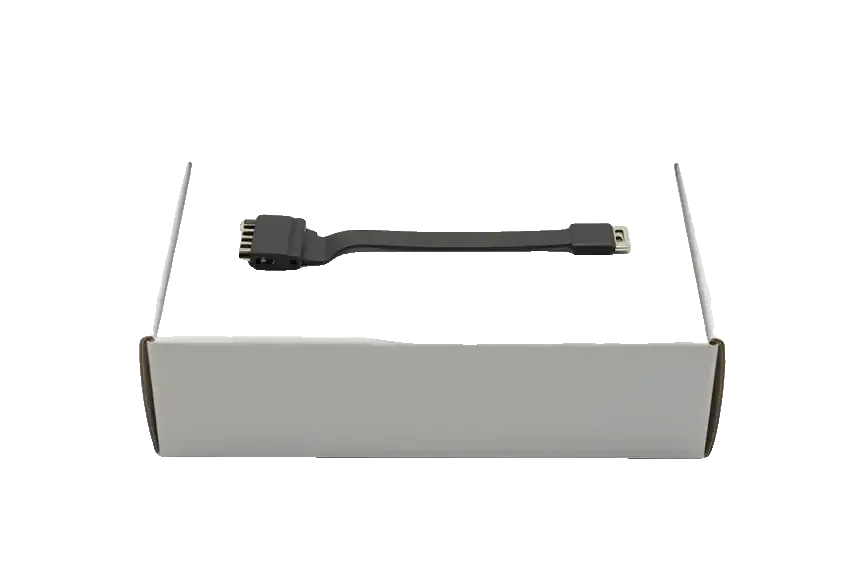
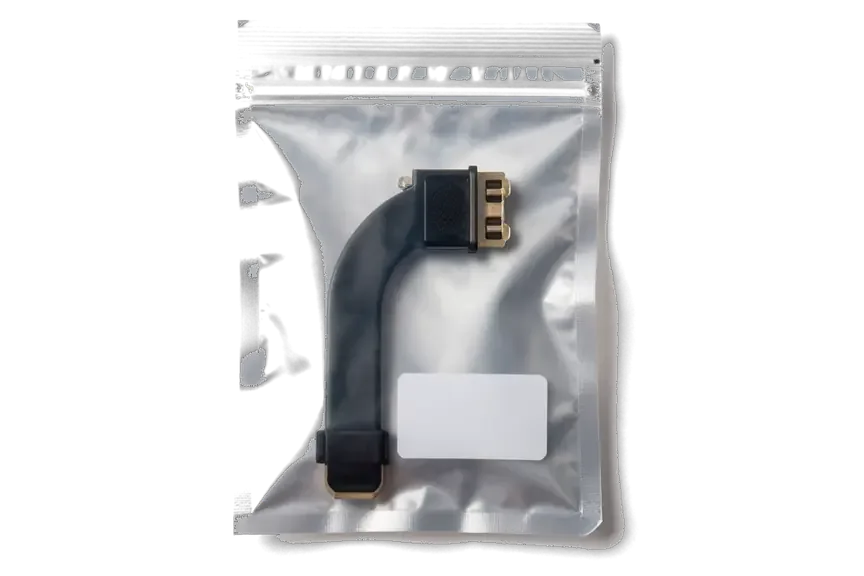
The lower flex on an iPad 4 is a thin ribbon that carries the Lightning port at one end and plugs into the mainboard at the other, so current and data travel through it together. This strip also feeds the microphone and the antenna contact near the bottom edge, which is why a failing flex can cut more than just power. Older iPad 2 and iPad 3 bodies used a wide 30-pin block that unplugged as a separate piece. Because the Lightning receptacle is soldered onto the ribbon, a single bent pin or worn contact cannot be swapped on its own, which is why the whole part is replaced as one unit.
How the Port Wears Out in Daily Use
- Angled unplugging: pulling the cable out sideways levers the connector inside its housing and slowly loosens the solder joints.
- Pocket lint and dust: fine fibres pack into the opening and stop the plug from seating fully, so contacts pit over months.
- Moisture and oxidation: sweat, rain or a damp bag leave a film on the pins that corrodes them and raises resistance.
- Impact near the base: a drop onto the bottom corner can crack the ribbon or shift the connector where it meets the mainboard.
- A loose cheap cable: a wobbling unbranded plug wears the contacts faster than the tablet ages, so the cord matters as much as how you unplug it.
iPad 4 flex cable replacement, battery or power controller
Three components produce nearly identical symptoms on an iPad 4, and a new flex cable will not help if the cell or the power controller is the real culprit. Here is how to tell them apart.
Matching the Symptom to the Likely Cause
Fault patterns mapped to the part that usually causes them| Symptom | Likely cause | What it means |
|---|
| Charges only at an angle | Worn Lightning port on the flex | Flex replacement |
|---|
| "Accessory not supported" | Damaged data contacts | Flex replacement |
|---|
| Dies early, shuts down under load | Worn cell | Cell replacement |
|---|
| Dead on every cable and adapter | Power controller | Board-level repair |
|---|
| Charges slowly, cable gets warm | Cable, adapter or port | Check cable first, then flex |
|---|
When the Flex Is Not the Answer
If a new flex brings no charge, we move to the cell and then to the power controller, and board-level faults we repair under a microscope, which takes 1 to 3 days rather than the hour a flex job needs. A swollen or ageing cell shows up fast on a charging-current test, so it is ruled out before anyone reaches for a soldering iron. The controller itself sits on the logic board, and its failure looks like a dead port: no current on any cable, no response to a charger swap. Water damage is the case where the first diagnosis can stretch to two days, because corrosion beneath the shield has to be cleaned before anyone can say whether the logic board is recoverable.
How We Replace the Flex Cable on an iPad 4
On an iPad 4 the Lightning ribbon sits under the display, so the job starts with the glass. Below is how the replacement runs in our workshop and how long the tablet stays with us.
Why the Screen Comes Off First
On an iPad 4 the glass is glued into the frame and the LCD sits above the flex, so reaching the Lightning ribbon means warming the glue, lifting the glass and removing the matrix before the old cable can come out. The touch panel is held by a full perimeter of glue, not by clips, and the Retina matrix underneath is connected by three separate flex connectors that must be released in order. Warm air softens the compound to a workable state, a thin blade runs the gap and suction lifts the panel evenly. The glass on these tablets is old and brittle, so the technician works the seam slowly around the whole edge instead of levering at one corner. If you are looking for an iPad 4 flex cable replacement in Astana, this is the sequence the technician follows at our workshop.
From WhatsApp Photo to Pickup
- Photo quote: send a picture of the port and cable damage on WhatsApp, and an engineer replies within 5 minutes with a price.
- Free diagnostic: the engineer opens the check in front of you and shows what is broken, even if you decide not to repair.
- Receipt first: price, part, turnaround and warranty are written on the receipt within 2 minutes, before the tablet is opened.
- Part in packaging: you see the new flex in its factory packaging before installation, so the component is confirmed on the spot.
- Handover: the device comes back with the receipt, warranty card and the old part, giving a physical record of what was changed.
How Long the Job Takes
Turnaround for each job type at our workshop| Work | Typical time | Notes |
|---|
| Free diagnostic | 15 minutes | In front of the customer |
|---|
| iPad flex replacement | 1 hour to 1 day | Depends on model and glue |
|---|
| Battery replacement | 1 hour to 1 day | Depends on model and glue |
|---|
| Board repair | 1 to 3 days | Under a microscope |
|---|
| Water damage diagnosis | Up to 2 days | Corrosion check first |
|---|
Original or Aftermarket Flex and What We Check Afterwards
The part you choose and the checks after reassembly decide whether the tablet charges normally again. Here is how we tell a genuine flex from a lookalike, and what gets tested before the device leaves the bench.
Choosing Between an Original and an Aftermarket Flex
We stock a genuine Lightning flex and a tested aftermarket one, and 64% of our customers pick the original, which holds its contacts longer under daily plugging. The factory part uses the same connector plating and pin spring tension as the ribbon it replaces. The cheaper variant is thinner, its pins lose grip sooner, and data sync can turn intermittent before charging does. Either option is shown in factory packaging before installation, and the choice is written on the receipt in two minutes. An aftermarket unit makes sense when the tablet is already old and the budget is tight, but ask what the warranty covers on each, because the two parts are not backed the same way.
The Checks Before the Tablet Goes Back to You
- Charging and data sync: we connect the Lightning cable, confirm the battery icon reacts, then link to a laptop and verify the device appears in Finder.
- Cameras and microphones: front and rear lenses open, focus and record, and the mics pick up voice in a short test clip.
- Speakers and buttons: sound plays from both channels at full volume, and the volume and power keys click and respond.
- Touch across the screen: we drag a finger over all four corners and the edges to catch dead zones left by the screen removal.
- Network and True Tone: Wi-Fi connects, and the display shifts colour temperature under changing light as it should.
Summary: iPad 4 Flex Cable Replacement
A failing charging port on an iPad 4 is rarely the end of the tablet. These five points sum up what decides the diagnosis, the job and the time it takes.
- Worn flex, not a dead device: a port that charges only at an angle or reports an unsupported accessory points to a tired Lightning flex, not a failed tablet.
- Rule out the simple causes first: try a known-good cable and adapter and clear lint with a plastic tool before assuming the worst.
- Same symptom, different culprit: the battery or the power controller can imitate a bad flex, and only a current test separates them.
- Glued glass sets the pace: on this model the flex sits under the screen, so removal and fresh adhesive make up the slow part.
- Plan for the timeline: a flex replacement runs from an hour to a day, while board-level faults take several days under a microscope.










 MacBook
 iMac
 Mac mini and Studio
 Apple Watch
 AirPods
 Apple Pencil
 Apple TV
 HomePod





