On an iPad 4 the symptom "it will not hold a charge" can come from the battery, the Lightning port or the power controller, so the source must be found before any part is changed.
Signs the Battery Is Worn Out
A worn iPad 4 battery shows up as sudden shutdowns at 10–30 % charge, fast drops in percentage, shutdowns in cold weather and long charging times. The percentage can sit at 40 % and then collapse to zero the moment you open a heavy game or a video call. Deep discharge makes it worse: leave the tablet at 0 % for a few weeks and the cells lose capacity they will not recover. Cold mornings on a balcony or in a car push a tired cell below the voltage the board needs, and the device switches off with charge still showing. Because iPadOS has no Battery Health screen like iPhone, the practical test is behaviour under load and in the cold, not a single percentage reading.
Battery, Lightning Port or Power Controller
What each charging symptom points to| Symptom | Likely source |
|---|
| Charges only at a certain cable angle | Lightning port |
|---|
| Drops from 40 % to zero under load | Battery |
|---|
| Shows charging but percentage stays flat | Power controller |
|---|
| Shuts down in cold weather | Battery |
|---|
| No current draw at all | Port or controller |
|---|
How We Reach the iPad 4 Battery Replacement Inside an iPad
On iPad 4 the battery is glued in beneath the display, so access runs through the front glass — and that single step decides how cleanly the whole replacement goes.
Why the Screen Comes Off First
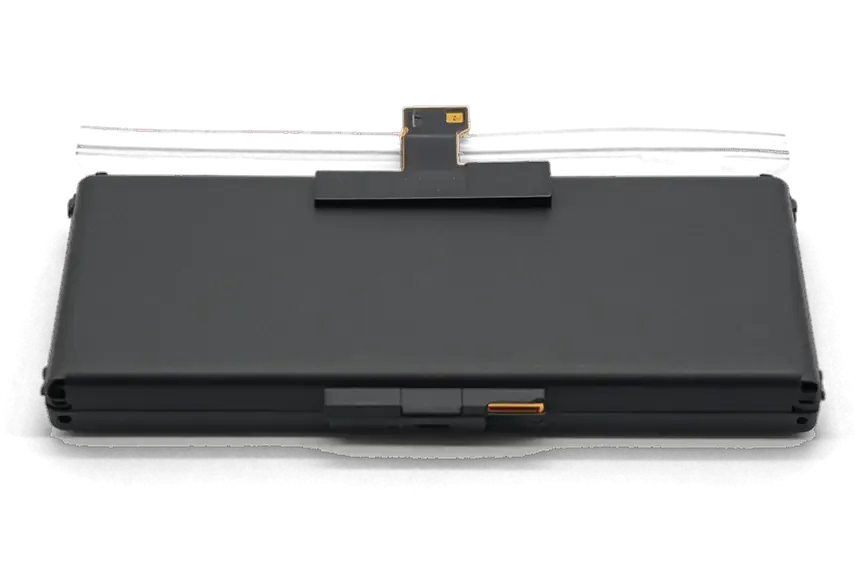
On iPad 2, 3 and 4 the battery sits under the display, so the glued front glass has to be warmed and lifted before the cell can be disconnected. The panel is held to the frame by a bead of adhesive that softens at a controlled temperature, and we run heat along all four edges on a heating plate rather than aiming a gun at one spot. Once the glue gives, thin plastic tools slide under the glass and work around the perimeter, separating it from the LCD underneath without levering against the matrix. No cutting blade touches the panel — the LCD is the part most easily ruined by a slip. The glass on these models is brittle with age, so controlled heat and plastic tools matter more than speed — a rushed opening is what cracks it.
A Swollen Battery Is a Safety Issue
If the screen on your iPad 4 has started to lift at one edge, the first suspect is a swollen battery, and we ask you to stop charging it and bring it in. A cell that has gassed up pushes the glass outward from the frame, and the gap grows week by week until the adhesive lets go or the panel cracks under the pressure. We treat these as priority jobs: the engineer opens the tablet with the customer watching, removes the cell first and only then inspects the LCD for damage. A swollen cell keeps pressing on the glass and the board even when the tablet is off, so the sooner it is removed the less chance of a cracked screen or a damaged board.
Original or Aftermarket Battery for the iPad 4
An iPad 4 battery replacement in Astana starts with one decision: which power cell goes inside. The option you pick shapes runtime, how honestly the charge indicator behaves, and how long the warranty holds.
How the Two Options Differ
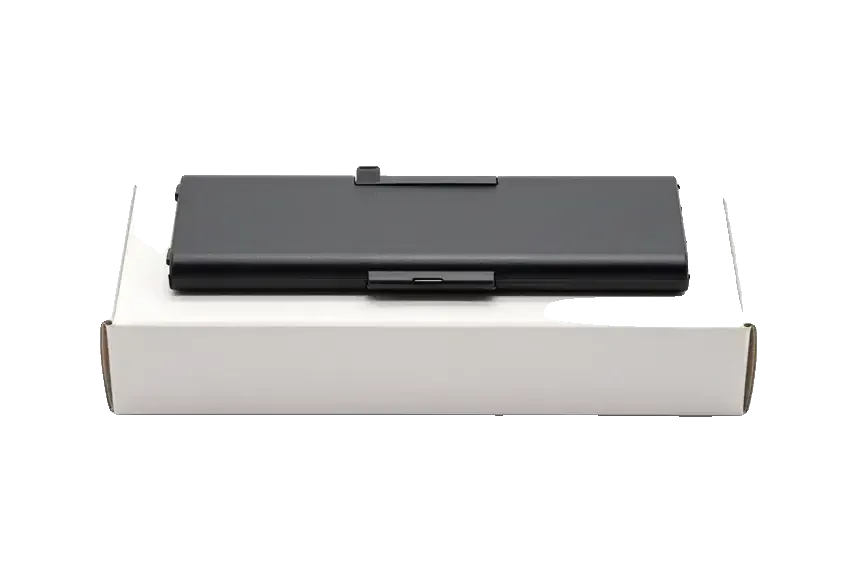
We offer an original battery or an aftermarket one, and 64% of our customers choose the original part for the longer service life and steadier charge indicator. The aftermarket unit costs less, holds fewer charge cycles and can drift at a low level, while the first option keeps runtime predictable on a tablet that still runs daily. In practice, the choice comes down to how long you plan to keep using the device: the original part suits a tablet that stays in daily service, while the aftermarket unit fits a secondary device or a tighter budget, and the difference shows up mainly in cycle count and charge-level accuracy over time. Both arrive in factory packaging and are shown to you before installation, and both are covered by the same guarantee card.
What You Get Back with the Tablet
We show the new battery in factory packaging before installation, hand back the old part, the receipt and the warranty card, and coverage runs up to 1 year. Your photos, apps and accounts stay untouched — a swap does not wipe storage, so there is no need to back up beforehand. The turnaround is named after diagnostics: for iPad it ranges from 1 hour to 1 day, and you can wait in the seating area with coffee and Wi-Fi. After the work an engineer walks you through 32 checks, about 10 minutes, covering charging, speakers, cameras and network. Keep the old cell: its swelling or wear pattern shows how the tablet was charged, which helps you avoid repeating the same habit with the new one.
Booking and Turnaround for iPad 4 Battery Replacement
A visit is easy to plan ahead: send a photo on WhatsApp, we name the turnaround and a free slot, and the battery replacement itself usually takes from one hour to a day.
From WhatsApp Photo to a Fixed Receipt
An engineer replies on WhatsApp within 5 minutes and quotes from a photo, then at the visit we run free diagnostics in front of you for 15 minutes and fix price, part, turnaround and warranty on the receipt in 2 minutes. The check covers charge behaviour, the Lightning port and the power controller, so we confirm the battery is the failing part before anything is opened. If you cannot come in, a courier can be called to collect the tablet. Getting the part and the turnaround written down before work starts means nothing changes mid-repair, and you can wait in the seating area with coffee and Wi-Fi while it is done.
How Long the Job Takes and What We Check After
Most tablet battery jobs take from 1 hour to 1 day, and after the repair we check 32 functions in about 10 minutes together with you, including charging, network, cameras, microphones and speakers. The battery connector on the logic board, the display seating and the antenna contacts get particular attention, because those are the points most often disturbed when the screen comes off. You then leave with the receipt, the warranty card and the old part. A full function pass after the battery swap catches a loose connector or a disturbed antenna before you leave, which is cheaper to fix on the spot than on a second visit.
Is a New Battery Worth It on an Older iPad
The iPad 4 is no longer a current model, so the practical question is not how a battery gets swapped but whether a fresh cell brings a real improvement for how the device is actually used.
When a Fresh Battery Makes Sense
A new battery is worth it on an iPad 4 when the device still does a real job — a child's learning screen, a bedside reader, a kitchen video panel — and the only thing failing is runtime. Those roles ask little of the processor and nothing of the camera, so a healthy cell restores hours of use lost to sudden shutdowns at 30–40 %. Swapping the battery does not erase photos, notes or saved files, and iPadOS boots exactly as it did before, with the same apps and account. What it cannot do is speed up a unit that already stutters in newer apps or has run out of storage — the swap fixes runtime, and every other limit stays where it was. Weigh the whole picture before booking: if the machine is slow everywhere, a battery alone changes little.
Caring for the New Battery and Storing the Tablet
A new battery needs no special calibration — a few normal full cycles settle the charge indicator, and a device kept in storage should sit around half charge and be topped up every few months. The fresh unit is bonded on new adhesive strips, so the first days bring nothing unusual beyond the ordinary drain of a working screen. Charge it the way you always did, avoid leaving it plugged in for days on end, and let it run down to 10–15 % occasionally so the gauge keeps tracking real capacity. Storage is where most old units die: leaving one at 0 % for months pushes the cell into deep discharge, and that is the state where a stored tablet often refuses to turn on later. A short top-up every two or three months keeps a rarely used machine ready whenever someone picks it up.
Summary: iPad 4 Battery Replacement
A worn battery changes how the whole tablet feels, and the decision comes down to a few practical points worth weighing ahead of any booking.
- Confirm the cause first: a free 15-minute check in front of you separates a tired cell from a Lightning port or power controller fault prior to ordering any component.
- Pick the cell deliberately: original and aftermarket options differ in service life and cost, and the choice is written on the receipt before work begins.
- Plan the turnaround: an iPad battery swap takes from 1 hour to 1 day, and 72% of repairs are completed in the waiting area.
- Read the paperwork: price, component type, turnaround and a warranty of up to 1 year are fixed on the receipt, and the old part comes back with the device.
- Treat swelling as urgent: a bulging battery puts pressure on the screen and internals, so it is worth handling before the display takes damage.









 MacBook
 iMac
 Mac mini and Studio
 Apple Watch
 AirPods
 Apple Pencil
 Apple TV
 HomePod





