MN Photo: Mukhpilov Nail
Mukhpilov Nail
smartphone repair technician
10years of experience
4.83rating, 83 reviews

Mac Pro shuts down during rendering or won't turn on — we'll find the fault for free and quote the price before any work starts.
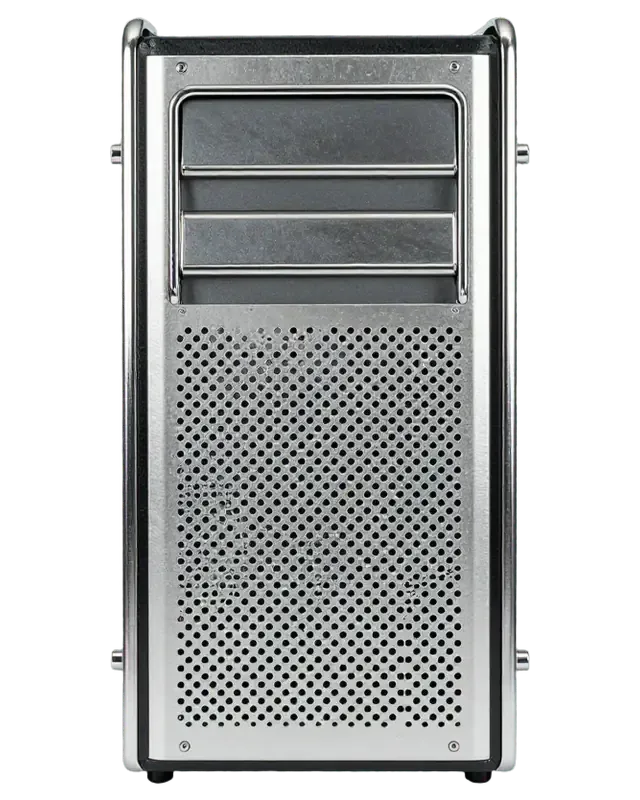
A workstation seldom fails out of the blue: fan noise and heat usually climb first, then the machine starts shutting down under load.
The tower is lifeless: the supply, a power rail or board protection has tripped.
A render or heavy calculation kills the session: heat, a power shortfall or a GPU fault.
Chassis fans run flat out: dust, worn bearings or a faulty sensor.
Black display or artefacts: the PCIe slot, the module or the card itself.
Freezes and restarts point to a bad module, so we test slots and modules one by one.
macOS cannot find the drive or will not boot: controller, firmware or the disk itself.
Thunderbolt, USB or Ethernet is dead: a controller, a socket or a board circuit.
The update stalled and the system will not boot: recovery plus a hardware check.
A burnt smell comes from the chassis — unplug the station and don't power it on.
One of the cards has disappeared from System Report after a restart.
The server connection cuts out or runs at low speed.
The station sleeps and ignores the keyboard until power is cut.
Pricing for Mac Pro work is given once diagnostics have identified the fault; ask by phone or WhatsApp.
| Service | Original | Aftermarket |
|---|---|---|
| Power supply replacement | 80 900 ₸ | 44 900 ₸ |
| Fan replacement | 24 900 ₸ | 13 900 ₸ |
| USB-C / Thunderbolt ports replacement | 37 900 ₸ | 20 900 ₸ |
| Other repairs | Price | |
| SSD installationstorage installation | 39 900 ₸with parts | |
| RAM replacementmemory chip installation | 16 900 ₸with parts | |
| Graphics card replacementboard-level chip · microsoldering | 89 900 ₸with parts | |
| Dust cleaningdisassembly and dust cleaning | 17 900 ₸per job | |
| Logic board repairmicrosoldering · 1–3 days | 44 900 ₸per job | |
| Wi-Fi module repairwireless module · board-level repair | 33 900 ₸with parts | |
| MacOS installationOS installation, no parts replaced | 12 900 ₸per job | |
The cost depends on the model, the part and the complexity of the fault, so we do not quote an exact figure in advance.
On a Mac Pro the choice of part depends on the computer's role, because downtime on a workstation is very costly.
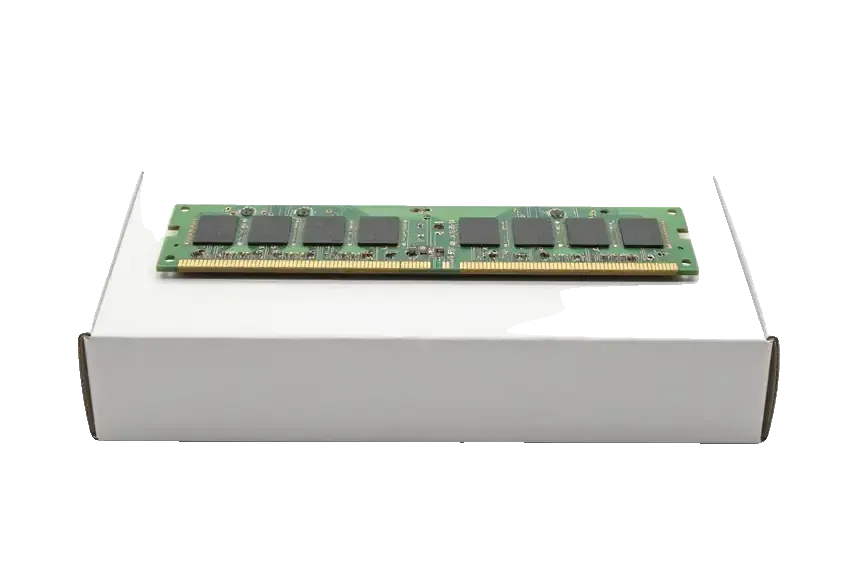
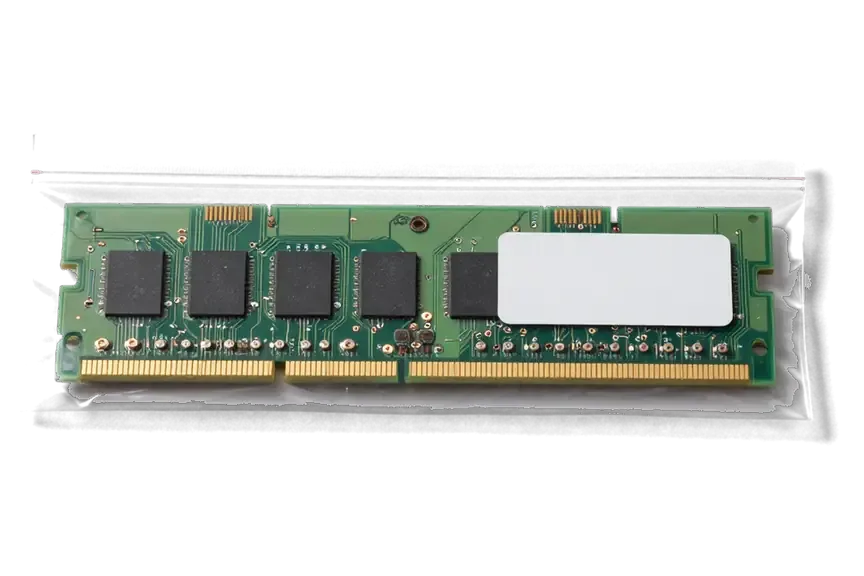
A pro machine needs its fault tested under real load and explained plainly, not fixed by swapping parts and hoping.
Eleven years of Apple repair means we know how complex workstations are built and where they tend to give up.
Repairs are covered by a warranty up to 1 year: if the fault returns, we look into what happened and find a solution together.
The tower is opened by experienced technicians who handle high-power parts and sensitive electronics with care.
We name the cost after diagnostics, once the fault is identified, so you pay for the real problem and not a guess.
The service works in Almaty and Astana, so support continues even if the workstation moves.
We are open 10:00–19:00 on weekdays and 11:00–18:00 on weekends and holidays, so there is time to come by.
Usually the whole journey — from message to pickup — takes less than an hour; complex repairs follow the timeline in the receipt.
Book a repairYou send a photo of the damage on WhatsApp — we quote the price and available time. Or you call a courier.
An engineer checks the device in front of you and shows what is broken. 0 ₸, even if you decline the repair.
We fix the price, the part (original or analog), the timeline and the warranty. You sign — we start.
Before installation we show you the new part in its factory packaging. You wait in the waiting area with coffee and Wi‑Fi.
Startup and operation under load, ports, Wi‑Fi and Bluetooth, sound. You check together with the engineer.
Together with the receipt, warranty card and the old part. Payment — Kaspi, card or cash.
Technicians for iPhone, Mac, iPad, Apple Watch and AirPods repair.
Photo: Mukhpilov Nail Photo: Molchanov Rinat
 Photo: Shokan A
 Photo: Sybanbaev Birzhan
 Photo: Denis Gushchin
 Photo: Duisebaev Azhdar

“If the repair didn’t suit you or you have a complaint, write to me personally.”
Send a photo of the fault — an engineer will reply on WhatsApp, give the price and a time you can come in.
Mac Pro Repair in Almaty for Cylinder, Tower and Silicon Models
For Mac Pro repair in Almaty, owners trust iServices across every generation, from compact cylinder to Intel towers and Apple Silicon workstations. Free 15-minute diagnostics run in front of you, most units fixed while you wait, every job backed by a warranty up to 1 year. Original or aftermarket parts are your call, fixed on the receipt before work starts.
Mac Pro ships in three broad builds, and what can be replaced differs sharply between them. We start by identifying the generation, then explain what comes out and what is built in for good.
| Build | Cooling and graphics | What swaps out |
|---|---|---|
| Cylinder (Intel) | Two GPU boards on one central heatsink, single fan | Graphics boards, SSD, fan assembly |
| Tower (Intel) | Multiple fans, MPX GPU modules | DIMM memory, MPX graphics, PCIe cards, PSU |
| Tower (Apple Silicon) | Ultra chip with integrated GPU | PCIe cards only, memory and GPU are in-chip |
On the cylinder, two graphics boards share one central heatsink and a single fan, so heat builds up and GPU failures are common — we see this layout more than any other workstation fault. Under sustained load the boards run close to their thermal ceiling, and the first sign is usually artifacts on screen, sudden restarts or a fan that never drops back to idle. Because both GPU boards sit against the same heatsink, one failing board can drag the other into the same heat cycle. A cylinder that runs hot under load long before it fails is the cheapest warning sign to act on, since cleaning and thermal service cost far less than a board replacement. For owners in the city, Mac Pro repair in Almaty covers exactly this kind of thermal and GPU work.
The Intel tower is the most serviceable build we work on, with DIMM memory, MPX graphics modules, PCIe cards and the power supply all designed to come out. The T2 chip handles security and the SSD controller, so storage work on this build goes through the chip rather than a loose drive. These towers arrive most often with a supply that no longer holds a stable rail or a GPU module that has lost contact in its slot. Because these parts are modular, a tower that fails to power on is often a supply or cable issue rather than a dead board, which changes both the diagnosis and the turnaround.
On an Apple Silicon Mac Pro the PCIe slots accept expansion cards, but memory and graphics live inside the Ultra chip and cannot be added or swapped. What you buy at the start is what the workstation keeps: the unified memory is soldered into the package and shared with the GPU cores, so there is no DIMM to change and no module to upgrade. The PCIe bays remain useful for capture cards, storage controllers and audio interfaces, and a fault in those cards is straightforward to isolate. Owners sometimes buy a workstation expecting to grow memory later, so it is worth confirming the configuration you need up front rather than planning an upgrade that the design does not allow.
The symptom you notice usually points to a different part of the machine than you expect. Matching it to a likely cause helps you describe the fault clearly and understand what the engineer will check first.
A Mac Pro that stays silent usually points to the supply unit, the cable or the board, and we test the PSU first because it is the most common and most replaceable cause. A experienced technician begins with the cord and the outlet, then moves to the rails and the POST sequence, watching for a chime or a diagnostic LED before opening the chassis. On the tower the supply is a separate module, so a failed unit is a straight swap; on the cylinder it is more integrated and the check runs longer. A machine that clicks or spins its fans briefly before dying behaves differently from one that is completely dead, so note which happens, as it narrows the fault before anything is opened.
Liquid contact and heavy dust both shorten a workstation's life quietly, and after water we sometimes need up to two days of diagnostics before we can name the damage. Liquid reaches the board through the top vents and the rear ports, so the visible spill says little about what corroded underneath; the engineer strips the unit, inspects the logic board under magnification and checks connectors for residue. Dust is the slower problem: a clogged central heatsink on the cylinder traps heat long before any fault shows, and thermal paste that has dried out stops transferring heat to the fins. Periodic cleaning costs less than waiting for the GPU to fail.
Diagnostics is where a repair is actually decided, so we run it in front of you and show what has failed instead of handing back a verdict you cannot verify.
Our free diagnostics take about 15 minutes with the engineer working in front of you, and you pay nothing even if you decide not to repair. The engineer opens the case, reads the POST indicators, runs a memory check and walks you through each result as it appears on screen. Nothing is sent to a back room and nothing is decided without your seeing it. If the machine has taken in water, the check can stretch to two days, because corrosion on the logic board only reveals itself once the board is dry and under the microscope. Watching the procedure run means you see which component fails and why, so a second opinion elsewhere starts from the same facts rather than a guess.
Before any work starts we fix the price, the part, the turnaround and the warranty on the receipt, and that takes about two minutes. The receipt names whether the replacement is original or aftermarket, states the term in hours or days, and carries a warranty of up to 1 year. We show the new component in its factory packaging before it goes in, and you sign off on the agreed scope while the machine is still closed. A written record protects both sides, because the agreed item and term cannot drift once the workstation is open and the job is underway.
Some faults are solved by replacing a part, others need work at board level. The choice depends on the node and on whether a replacement exists for your build.
When the fault sits on the board itself, we repair it under a microscope, and this work typically takes one to three days. Our technicians trace the failed rail with a soldering station, replacing individual components instead of the whole logic board. This matters on the cylinder, where the GPU and storage are soldered in place and cannot be sourced separately, and on Silicon builds where memory is unified at the factory. Component-level work also covers liquid damage, where corrosion often eats through several traces at once; on those jobs diagnostics can stretch to two days before we quote. Keeping the original serial-matched parts in place is worth weighing when a full swap would mean losing components no longer made as spares.
You choose between an original part and an aftermarket one, and we show the new component in its factory packaging before it goes in. We quote both options on the receipt, along with the turnaround and the warranty, so the decision is made with the numbers in front of you rather than after the work is done. Across our repairs, 64% of customers pick the original, and the split shifts with the machine's role. A workstation under daily professional load rewards the longer-lived option, while a backup unit that runs a few hours a week may not need it. Whichever you take, the old component goes back to you with the receipt and the warranty card.
A workstation that is down costs working hours, so how fast it returns, whether the data survives and how the unit is handed back matter as much as the repair itself.
On Intel towers the SSD is tied to the T2 chip, and firmware recovery on T2 and Apple Silicon runs through DFU, so data handling needs care ahead of any board work. The storage modules in a cylinder sit on the same logic board a technician works on, which means a failed controller or a corrupted firmware partition can take the drive with it. DFU restores the firmware layer, not the files on it, and a restore through macOS can wipe the volume when the boot chain refuses to load. We ask owners to run a Time Machine backup or copy key folders to an external drive at the intake stage. A current backup is the single most useful thing an owner can bring, because firmware recovery can reset the unit even when the hardware repair succeeds.
Most MacBook and iPad jobs finish in an hour to a day, board work takes one to three days, and a courier across Almaty reaches us in about 90 minutes, free with a repair. A tower or cylinder is heavy and awkward to carry through a doorway, and a knock to the aluminium housing can bend a PCIe slot or crack a connector long before anyone opens it. iServices works from two locations, here and in Astana, and the courier run covers the city so the unit travels in a padded case rather than on a lap. Our engineers reply on WhatsApp within five minutes and quote from a photo, which lets you plan the downtime while the workstation still sits at your desk. A heavy tower is awkward to move yourself, so booking the courier removes transit damage and keeps the schedule intact.
After the repair we check 32 functions over about ten minutes, and you test the ports, network and display together with the engineer at handover. The check covers the items that fail quietly on a workstation: memory slots under load, Thunderbolt and USB ports, Wi-Fi and Ethernet, audio output and the GPU under a short render. We show the new part in its factory packaging before installation and fix the price, part, turnaround and warranty on the receipt ahead of work, so the document matches what you collect. The unit goes back with the receipt, the warranty card and the old part, and our warranty runs up to 1 year. A handover that includes the old part and the warranty card gives you a record to compare against if anything behaves differently later.
A workstation rarely fails without warning, and the choices made at the start of a repair decide how it ends. Below are the points that matter most when you hand a Mac Pro to a workshop.
Did not find an answer? Message us on WhatsApp: an engineer replies, not a bot.
Ask a questionMost often the cause is heat, a power shortfall or a faulty expansion card. During diagnostics the system is started in a minimal configuration while temperatures and power are checked.
Yes, many faults of the cylinder model are still fixable, from power problems to the fan and ports. Its graphics boards are a known weak spot and cause freezes and artefacts with age. The technician tells you after diagnostics whether repair is sensible for your unit.
On the Intel models, the cylinder and the Intel tower, you can, because they use replaceable memory modules, while the Apple silicon tower has memory built into the M2 Ultra chip. A wrong or poorly seated module can leave the workstation unable to start. Check compatibility with the technician before buying memory.
Repeating beeps at startup usually mean the computer does not detect its memory modules. Reseating or replacing a faulty module often solves it. If the beeps continue with good memory, the board is checked.
The risk depends on the kind of fault. If a drive is damaged, the chance of recovery can be judged only after an inspection. So make a backup copy in advance.
Mention the deadline when you book, and the diagnosis is done in your presence first. The technician then says honestly whether the fault can be fixed at once or needs a part to be ordered. Bring the workstation with its power cable so testing can start straight away.
С Mac Pro (M2 Ultra 2023) вышла неприятность: несколько портов перестали распознавать устройства. В итоге проверили разъёмы и цепи подключения; Спасибо Аждар: разобрался с нюансами без лишних разговоров.
На Mac Pro Intel (2019) при подключении внешнего накопителя появлялись ошибки. По результатам диагностики проверели порты и работу хранения данных.
У моего Mac Pro (M2 Ultra, 2023) звук на подключённую акустику выводился с перебоями. В сервисе разобрались с настройками и аудиовыходом.
С Mac Pro (M2 Ultra 2023) вышла неприятность: изображение иногда исчезало на внешнем мониторе. Ребята проверили видеовыход и соединения.
 iPad
 MacBook
 iMac
 Mac mini and Studio
 Apple Watch
 AirPods
 Apple Pencil
 Apple TV
 HomePod
