A grey switch and a vanished Bluetooth icon are not an iOS glitch. They signal that the system has stopped seeing the combined wireless module, and the reason sits inside the device rather than in a setting.
What a Greyed-Out Wi-Fi Switch Really Means
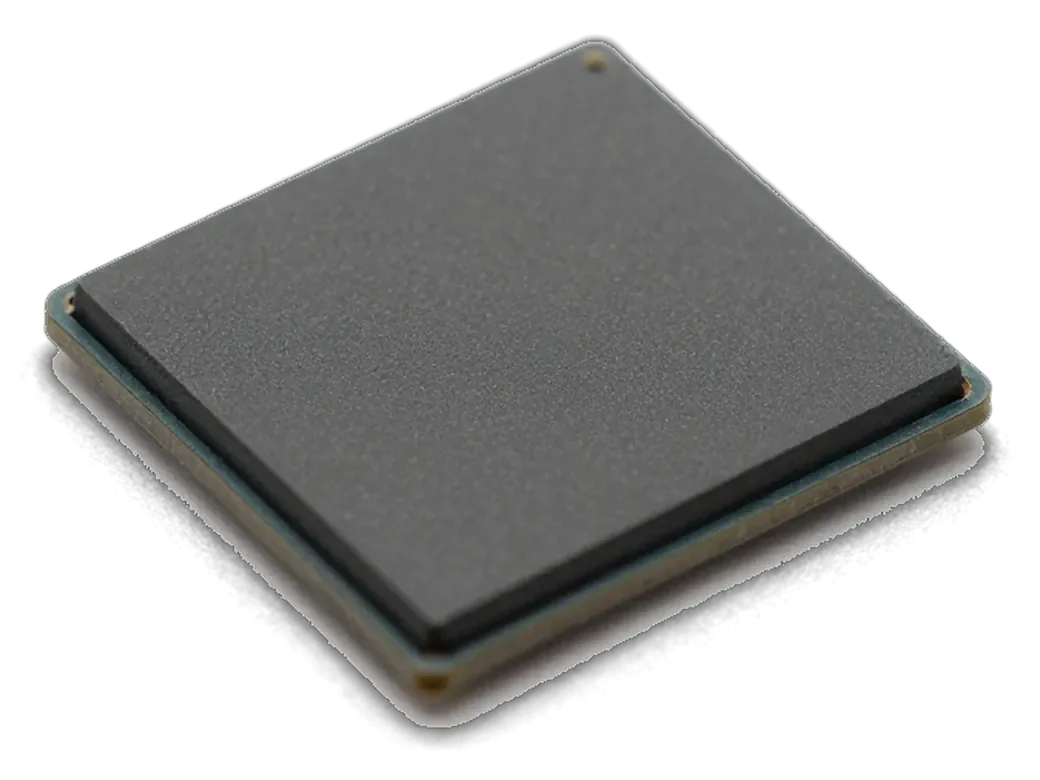
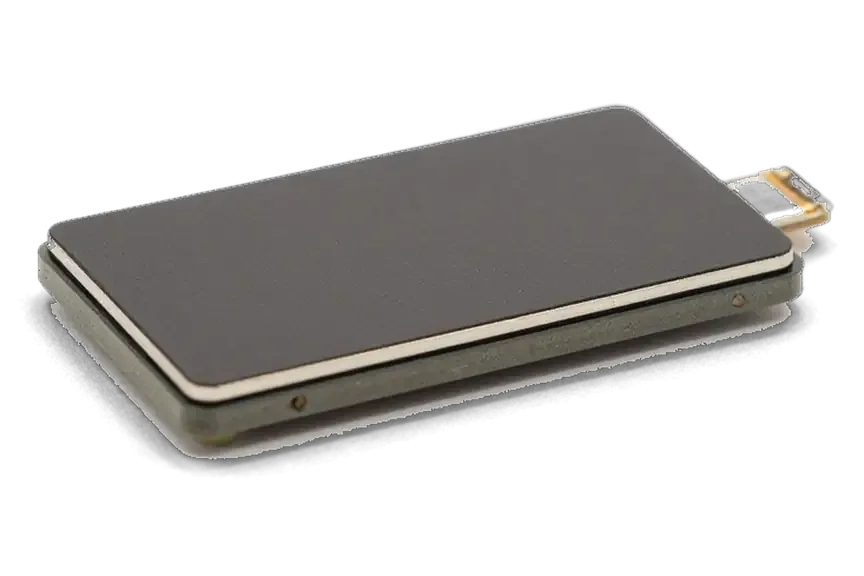
A grey Wi-Fi toggle that will not slide back to green almost always points to a hardware fault in the wireless module or in the solder joints holding it to the board, not to an iOS setting. The chip is soldered to the logic board, and its supply line runs through inductors and capacitors beside it. A single cracked joint under that chip, a shorted capacitor or a corroded pad after moisture is enough for the system to hide the control entirely. Restarting, resetting network settings and restoring firmware change nothing, because the handset has no radio to switch on. If the toggle stays grey but the device still shows a Wi-Fi address, the module is alive and the fault is more likely in the feed path.
Why Bluetooth and AirDrop Fail at the Same Time
- One combined chip: both radios share a single module, so a failure takes both interfaces down at once.
- AirDrop and hotspot: file transfer and Personal Hotspot rely on that chip, so neither appears in the share sheet.
- Paired wearables: an Apple Watch or AirPods loses its link because the handset can no longer broadcast over Bluetooth.
- Different case: losing only Bluetooth while Wi-Fi stays strong usually means a feed line or connector fault, not a dead module.
Quick Checks You Can Run Before Booking iphone wi-fi module repair in Astana
A few checks take five minutes and show whether a board repair is needed at all. If Wi-Fi has not returned after them, diagnostics decides the next step.
Three Settings Tests That Rule Out Software
- Restart the phone: hold the side button and volume key, slide to power off, wait thirty seconds, switch it back on with the toggle still grey.
- Reset network settings: open Settings, General, Transfer or Reset iPhone, Reset, then Reset Network Settings, clearing saved networks and VPN profiles.
- Join a second router: connect to a different known network in another building and watch whether the switch stays grey.
- Check for an iOS update: install the pending update, since a failed radio firmware load can leave the module unreachable.
- Test at close range: stand next to the router during the reset, because a weak feed line can look dead from another room.
Reading the Wi-Fi Address Field
We ask every customer to open Settings, About and read the Wi-Fi address line, because an empty or missing field tells our engineers the system no longer sees the module, while a filled field points toward the feed line or a loose connection. The same screen lists the Bluetooth address, and when both values disappear together the module itself is the likely cause rather than one feed line. A filled address with a grey toggle usually means the radio talks to the system but cannot hold a signal. Send a screenshot on WhatsApp and an engineer can often tell you which repair path you are on before you leave home.
Module, Antenna or Software and How We Tell Them Apart
Three faults produce almost the same complaint, yet each is fixed differently. The table links what you see on screen to the part that usually causes it and the work that follows.
Symptom to Cause to Repair at a Glance
Complaints matched to the part that usually fails| What you see | Likely cause | Work involved |
|---|
| Grey Wi-Fi switch, no networks listed | Module or its solder joints | Board-level module repair |
|---|
| Wi-Fi only near the router | Contact or feed line | Connector service |
|---|
| Bluetooth gone, Wi-Fi fine | Feed path or connector | Connector service |
|---|
| Empty Wi-Fi address field | System cannot see the module | Module diagnosis under microscope |
|---|
When Water or a Fall Changes the Picture
A fall cracks the solder under the module and heat slowly loosens it, while water corrodes the power line that feeds it; in both cases our engineers confirm the cause under the microscope before quoting the job. A phone that took a hit on the corner often keeps a working module with a broken joint beneath it, so the part survives while the connection fails. Liquid damage reads differently: corrosion creeps along the power line and the module loses voltage before it loses data, so the toggle can die without any impact. After liquid contact we sometimes keep the phone for up to two days of diagnostics, because corrosion keeps spreading and a module that tests fine on day one can fail again on day three.
How the Board Repair Runs and What It Costs
A Wi-Fi module repair is work on the logic board, not a whole-block swap. Below is the path from a photo in a messenger to a device handed back with every function checked.
From WhatsApp Photo to Microscope
We start iphone wi-fi module repair in Astana from a photo or short video on WhatsApp, where an engineer replies within five minutes with a price and a free time slot, then confirms the fault during a free 15-minute diagnostic in front of you. The engineer opens the device, reads the circuitry under a microscope and shows you the damaged area on screen, so the verdict comes from the hardware rather than from a guess. Before any soldering begins, the price, the part, the turnaround and the warranty go onto the receipt, so nothing on that list can change once the housing is open.
Reballing, Donor Module or Antenna Fix
- Reballing: the module is lifted, its solder balls renewed on a stencil, then it goes back onto the same pads.
- Donor module: a known-good chip from a donor board is transplanted when the original is cracked or burnt.
- Antenna fix: bent or corroded contacts are cleaned and re-soldered when the part tests healthy under the lens.
- Combined case: a fall often damages both chip and antenna line, so inspection decides the job order.
How Long You Wait and How You Pay
Board-level module repair usually takes 1 to 3 days, because the layers have to be separated and the job is done under a microscope, and we tell you the exact turnaround on the receipt before starting. The bill follows the work actually needed, so a phone that only needs connector contacts is never charged for a full module swap. You can pay by Kaspi, card or cash when you collect the phone, and a courier can be arranged if you cannot come to the branch yourself. Most module jobs are finished while the customer waits in the waiting area, where coffee and Wi-Fi are available, and the engineer hands the device back together with the receipt, the warranty card and the old part.
What We Check After the Repair and How the Warranty Works
A module that merely switches on is not a finished repair. After soldering, we confirm the device holds a network at distance, reconnects on its own and keeps its speed with you in the room.
The 32-Point Check We Run With You
- Full function sweep: after repair, a 32-function check lasts about ten minutes, with you beside the engineer.
- Network and speed: the handset connects to Wi-Fi, loads pages and keeps a steady signal.
- Bluetooth pairing: we pair a headset and confirm the link stays up once the screen locks.
- Dependent features: AirDrop, hotspot and location services are opened one by one to confirm they respond.
- Distance walk: you move to the far end of the room from the router, since close-range-only modules fail later.
Functions That Come Back With the Module
Restoring the module brings back AirDrop, the personal hotspot, updates over Wi-Fi, iCloud backups and the Bluetooth link to a paired Apple Watch or AirPods, all of which depend on the same chip. A greyed-out toggle usually takes the whole chain down at once, which is why owners often notice the watch disconnect before they notice the missing network. Updates stall too: iOS waits for a Wi-Fi connection and quietly queues the download, so the phone can sit for days on an older build without any visible warning. A handset that has been running on mobile data for weeks often needs its iCloud backup re-enabled by hand, and the practical advice is to check that toggle right after the repair, before trusting the next automatic backup.
Warranty, Receipt and Your Data
Board repair does not touch the storage chip, so your photos and messages stay on the device, and every job leaves with a receipt, a warranty card up to 1 year and the old part in the box. The receipt lists the component we fitted — original or aftermarket — the turnaround and the coverage, fixed before work starts. Keep that paper, because the warranty is tied to the part named on it, and a later repair elsewhere can void the coverage on the module we installed. If the device develops a fault on the same line, bring the receipt and the old part — the engineer compares the fitted component against the record before any new work is agreed.
Summary: iPhone Wi-Fi Module Replacement
A greyed-out Wi-Fi toggle is a board-level symptom, not a settings glitch; the outcome depends on which component failed. Four points summarise the result.
- Grey toggle means hardware: a switch staying off after a network reset points to the Wi-Fi module, feed line or board trace, not software alone.
- Diagnosis comes first: free 15-minute diagnostics separate a module fault from a feed line or water-damage case before ordering parts.
- Part choice drives the result: 64% pick an original part; an aftermarket module restores function at lower cost with shorter service life.
- Time and terms are fixed up front: most module work takes 20–40 minutes while you wait; price, part, turnaround and warranty terms are on the receipt.







 iPad
 MacBook
 iMac
 Mac mini and Studio
 Apple Watch
 AirPods
 Apple Pencil
 Apple TV
 HomePod




