Eng

iPad 3 Camera Replacement in Astana

We fix a blurry or dead iPad 3 camera by replacing the rear or front module within an hour, original or aftermarket, keeping your data intact.

iPad with a dark blue wallpaper and a large grey crossed-out camera icon in the center of the screeniPad with a camera viewfinder and a blurry frameiPad with camera viewfinder showing a dark spot and stripe on the frame
iPad with the screen on and a dark blue abstract wallpaper with waves
BeforeAfter
Camera unavailable
Price incl. labor
from 13 900 ₸
Warranty
6 months
  • Testing in apps
  • Opening the case
  • Swapping the module

Signs that an iPad 3 camera has failed

A failing camera shows itself as a black frame, blur in any light, a rattling module or a message that the camera is unavailable.

Photos look foggy

Pictures are soft, smeary in the centre or spotted: the lens is scratched, dirty or the module has shifted.

Black image in an app

Opening Camera or FaceTime shows a dark screen, or the app says the camera is unavailable.

Focus never locks

The view drifts and will not sharpen on anything, as if the camera shakes: the autofocus mechanism is broken.

Same blot on every shot

One identical dark spot or streak appears on all photos: dust under the lens or a damaged sensor.

iPad 3 camera replacement prices in Astana

The final sum depends on whether the rear or front camera is changed and on the part chosen.

ServiceOriginalAftermarket
Main camera replacement24 900 ₸13 900 ₸
Front camera replacement60 900 ₸33 900 ₸
Display replacement44 900 ₸27 900 ₸
Display glass replacement24 900 ₸13 900 ₸
Battery replacement30 900 ₸17 900 ₸
Charging port replacement24 900 ₸13 900 ₸
Home button replacement24 900 ₸13 900 ₸
Button replacement28 900 ₸15 900 ₸
Speaker replacement24 900 ₸13 900 ₸
Microphone replacement24 900 ₸13 900 ₸
Housing replacement49 900 ₸27 900 ₸
Flex cable replacement23 900 ₸17 900 ₸
Other repairsPrice
Wi-Fi module repairwireless module · board-level repair20 900 ₸with parts
Water damage cleaningcorrosion cleaning · diagnostics up to 2 days13 900 ₸per job
Logic board repairmicrosoldering · 1–3 days33 900 ₸per job
Firmware flashingsoftware restore, no parts replaced8 900 ₸per job

The technician gives the total after inspection, when it is clear whether the camera itself or its cable is to blame.

What a camera job consists of

The technician opens the tablet, removes the old rear or front module, fits the new one and tests shooting.

  1. 01
    iPad tablet with a checkmark on the screen — camera check
    Testing in apps

    Both cameras are switched on and checked for focus, sharpness and flash so we know which one is misbehaving.

  2. 02
    Opened iPad with the display tilted back and modules visible
    Opening the case

    The glass is warmed and lifted, and the cables unplugged to reach the camera modules.

  3. 03
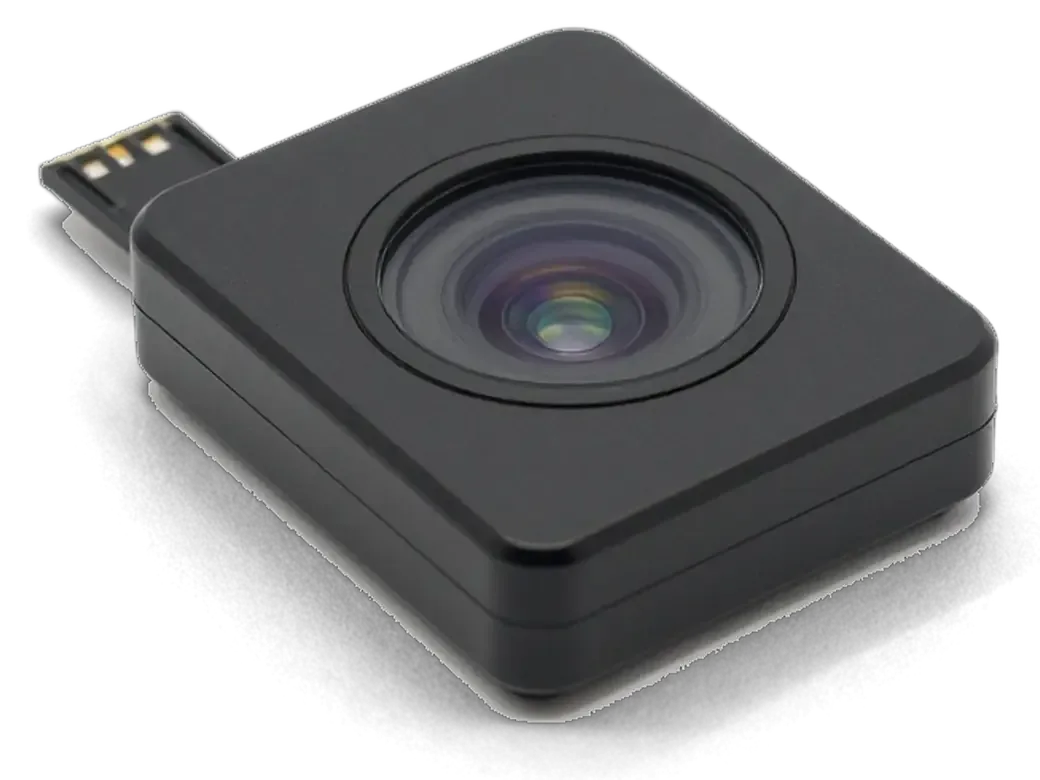
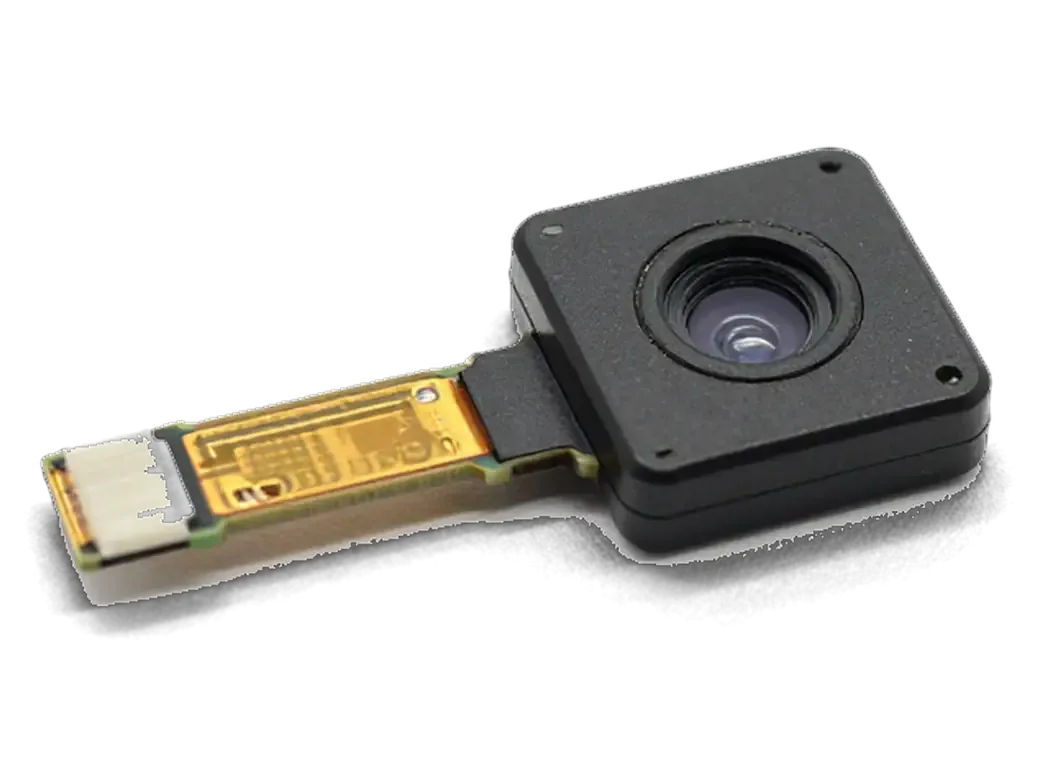
    Camera module for iPad with a flex cable
    Swapping the module

    The faulty module comes out and a new one goes in, with the cable seated firmly in its connector.

  4. 04
    iPad camera module and a brush for cleaning the lens
    Cleaning inside

    Dust is removed from the lens, the window and neighbouring contacts so photos come out without spots.

  5. 05
    Adhesive frame for the iPad display
    Reassembly and bonding

    The glass returns onto adhesive, and we make sure no gap is left between the screen and the frame.

  6. 06
    iPad tablet with a checkmark on the screen after test photos
    Trial shots

    We take photos and make a video call on both cameras and check sharpness and colour before handover.

  7. iPad 3 camera replacement
    from13 900 ₸

    The tablet returns with a camera tested in shooting and in a video call.

    Price for my model

Original or aftermarket module for iPad 3 camera replacement

For a camera it matters that the module seats exactly in its connector and gives a sharp picture in your usual use.

Original Applewarranty up to 1 year
iPad 344 900 ₸
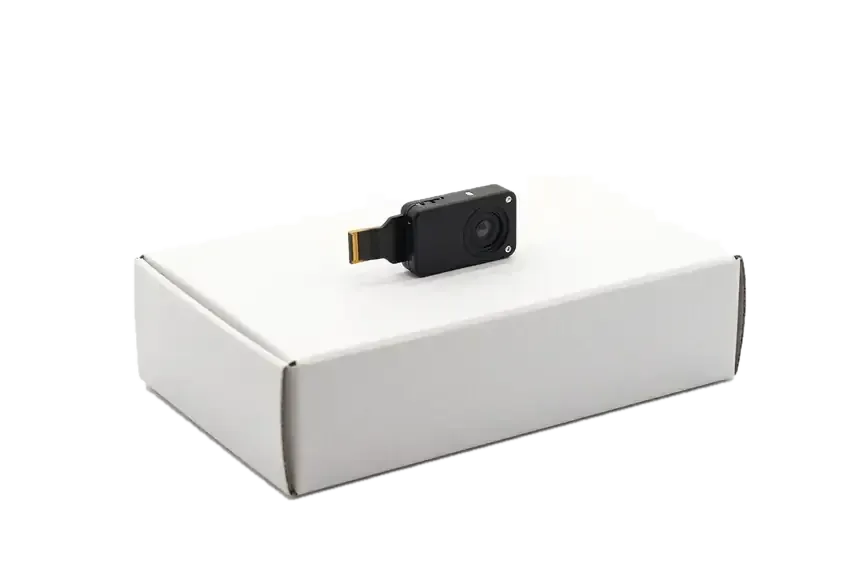
Original: camera module for iPad on a white box
Sharpness
Lens and sensor as designed
Autofocus
Locks on subjects as before
Best for
Scans, documents and video calls
Availability
Ask the technician before visiting
Chosen by 64% of clients
Book with an original part
Aftermarketwarranty 6 months
iPad 327 900 ₸−38%
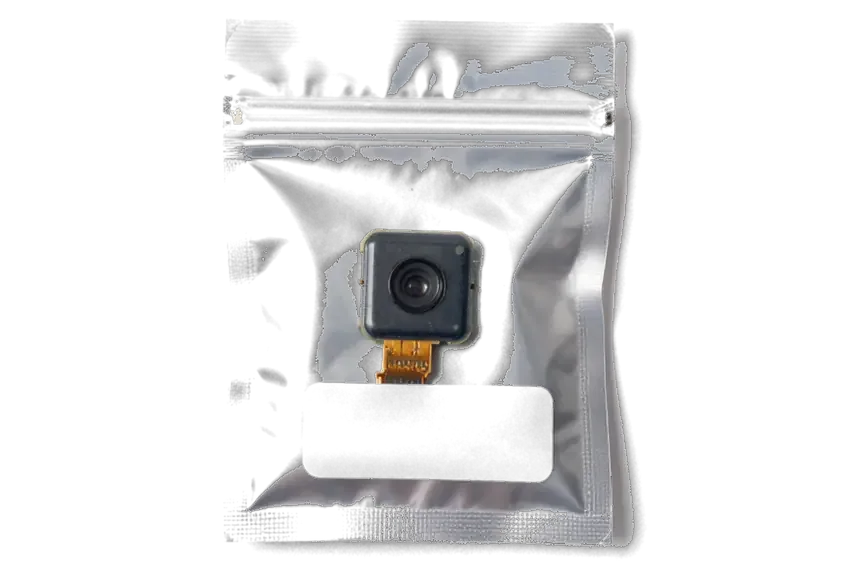
Analog: camera module for iPad in an antistatic bag
Sharpness
Enough for everyday pictures
Autofocus
Sometimes slower and less exact
Best for
Casual photos and calls
Budget
A little cheaper than original
Chosen by 36% of clients
Book with an aftermarket part

What you get from our camera repair

You can leave an older tablet with confidence: a warranty up to 1 year and the choice of part is yours.

11years

Years of Apple repairs

We have fixed Apple devices for eleven years, so we know how cameras in iPad 3 era tablets are built and where they tend to fail.

1year

A warranty on the work

The completed repair carries a warranty up to 1 year: if a defect linked to our work appears after the swap, we fix it.

2options

The right diagnosis

First we find out what is guilty: the module, the cable, dust under the glass or software. A part is changed only if needed.

6technicians

Experienced technicians

Camera modules are tiny and their cables are thin, so the tablet is opened by a specialist used to careful work.

5min

You choose the part

We offer an original and an aftermarket module, explain how the picture differs and leave the decision to you.

7days a week

Receiving in Astana

We are open Mon–Fri 10:00–19:00 and on weekends and public holidays 11:00–18:00, so you can pick a convenient time.

iPad 3 before and after repair

1 / 1
Silver iPad 3 face down with the camera visible in the corner, a technician's hands on both sides

iPad 3: camera wouldn't turn on

The client brought in the tablet after the camera stopped opening — the app would just close on launch. We replaced the camera module and tested the shooting: everything works, the shots are clear.

from 13 900 ₸repair cost
I want the same

How iPad 3 camera replacement is done in Astana

Usually the whole journey — from message to pickup — takes less than an hour; complex repairs follow the timeline in the receipt.

Book a repair
  1. Step 1

    Message or call

    5 min

    You send a photo of the damage on WhatsApp — we quote the price and available time. Or you call a courier.

  2. Step 2

    Free diagnostics

    15 min

    An engineer checks the device in front of you and shows what is broken. 0 ₸, even if you decline the repair.

  3. Step 3

    Price in the receipt

    2 min

    We fix the price, the part (original or analog), the timeline and the warranty. You sign — we start.

  4. Step 4

    Repair while you wait

    20–40 min

    Before installation we show you the new part in its factory packaging. You wait in the waiting area with coffee and Wi‑Fi.

  5. Step 5

    Post-repair check

    10 min

    Screen and touch, Face ID or Touch ID, cameras, microphones, speakers, charging, Wi‑Fi. You check together with the engineer.

  6. Step 6

    Pick up your device

    warranty up to 1 year

    Together with the receipt, warranty card and the old part. Payment — Kaspi, card or cash.

Meet the iServices team

Technicians for iPhone, Mac, iPad, Apple Watch and AirPods repair.

1 / 5
BSBakmukhammed S. — on-site iPhone technician, iServices service center in AstanaPhoto: Bakmukhammed S.

Bakmukhammed S.

on-site iPhone technician
13years of experience
4.93rating, 107 reviews
GSGalymzhan S. — iPhone repair technician, iServices service center in AstanaPhoto: Galymzhan S.

Galymzhan S.

iPhone repair technician
8years of experience
4.79rating, 90 reviews
ZSZhandos Sh. — iPhone screen replacement technician, iServices service center in AstanaPhoto: Zhandos Sh.

Zhandos Sh.

iPhone screen replacement technician
6years of experience
4.65rating, 112 reviews
DTDarkhan T. — iPhone firmware technician, iServices service center in AstanaPhoto: Darkhan T.

Darkhan T.

iPhone firmware technician
8years of experience
4.44rating, 19 reviews
KSKudiret S. — iCloud unlock specialist, iServices service center in AstanaPhoto: Kudiret S.

Kudiret S.

iCloud unlock specialist
10years of experience
4.37rating, 100 reviews
Bakmukhammed S., on-site iPhone technician
“If the repair didn’t suit you or you have a complaint, write to me personally.”
Bakmukhammed S.on-site iPhone technician · +7 701 333-47-01

We'll quote iPad 3 camera replacement in Astana from a photo in 5 minutes

Send a photo of the screen and the iPad model. An engineer will reply on WhatsApp, give the price and today's available time.

  1. 5 minAn engineer replies and names the price
  2. 0 ₸Diagnostics in front of you in 15 minutes
  3. 30 minMost repairs — while you wait

iPad 3 Camera Replacement in Astana with Warranty up to 1 year

In short

For iPad 3 camera replacement in Astana, iServices covers both the rear iSight and front FaceTime module, showing the new part in factory packaging. Free diagnostics take 15 minutes in front of you, iPad work finishes within 1 hour to 1 day, and the warranty is up to 1 year and is fixed on the receipt.

iServices Editorial TeamWe reply on WhatsApp within 10 minutes
Ask

Why the iPad 3 camera replacement stops working and how to check it yourself

A black viewfinder does not always mean a dead module. A few checks separate a software glitch from a hardware fault before any part is ordered.

Black Screen in the Camera App but the Display Works

A black viewfinder on a display that otherwise shows the interface points to the camera module or its flex cable far more often than to software. The iPad 3 camera replacement in Astana job starts from this exact symptom in most cases we handle. When the sensor itself fails, the Camera app still opens and the shutter button still animates, but the frame stays dark. A damaged flex between the module and the logic board produces the same picture, because the sensor never receives power. iPadOS rarely causes this on its own — a system fault usually freezes the whole interface instead. Force-close the app and switch cameras inside FaceTime: if the front unit also stays dark, the fault sits deeper than one app.

Symptoms That Point to a Specific Fault

  • Dark frame only on the rear unit: the back sensor or its ribbon is failing, while the front one works.
  • Blurry shots with no focus lock: the autofocus coil has jammed or the lens has shifted.
  • Spots in the same place on every photo: dust sits on the sensor or the lens window is scratched.
  • Wavy lines or colour bands: the flex connection is loose or partly torn.
  • Switching cameras freezes the viewfinder: the sensor draws too much current and the system drops it.

What actually gets replaced on an iPad 3 camera replacement

A camera replacement is not one single job. What failed decides which part is ordered and how long the work takes.

Rear iSight, Front FaceTime or the Flex Cable

We replace the rear iSight and the front FaceTime unit separately, so you only pay for the camera that actually failed. Both sit on short flex cables that run to connectors on the main board, and each connector feeds a single sensor. If the rear camera shows a black frame while the front one still captures video, the front unit is healthy and stays in place. A camera that works intermittently or drops out when the tablet is flexed usually has a failing flex cable rather than a dead sensor, and that is a different part to order. Ask which of the three is being quoted before you agree — the sensor and the cable are not the same line on the receipt.

Repair Options and What Each One Involves

Five fault types and the work each requires
OptionWhat it fixesPart involvedTypical work
Rear unit swapDead or blurry iSightiSight unitReplace unit
Front unit swapNo FaceTime videoFaceTime unitReplace unit
Flex cable repairIntermittent cameraCamera flexReseat or replace
Lens window cleanSpots in one spotNoneClean or polish
Lens window swapScratched or chipped glassWindow glassReplace window

Can You Fit a Camera From an iPad 4

Cameras from a different generation are not a drop-in fit, because the sensor, connector and mounting differ between the third model and the fourth. The newer tablet uses a different sensor assembly and a revised bracket, so the part does not seat the way the original does even when the flex reaches the board. Even where a connector looks similar, mixing generations risks a camera that powers on but never focuses, which is harder to diagnose than a clean failure. A correct-generation unit is the only route that keeps autofocus and image stabilisation behaving as they did before the fault.

How we reach the cameras without damaging the screen in iPad 3 camera replacement

On the iPad 3 the cameras sit beneath the display, so the difficult part is not the swap itself but reaching the sensor safely.

Why the Glass and Retina Panel Have to Come Off

On this tablet the cameras sit under the display assembly, so we reach them only by removing the glued touch layer and the Retina panel above them. The front FaceTime unit sits behind that same surface, and the rear iSight assembly is mounted close to the frame edge, which is why the whole panel has to lift clear rather than tilt. The touch layer is bonded to the aluminium frame with a full perimeter of glue, and on a device this old that bond hardens with every year of use. We warm the perimeter gradually with controlled heat, work a thin tool along the edge and cut the bond line by line instead of pulling the surface up in one movement. Cold glass on an older tablet cracks far more easily than warm glass, and an uneven heat map leaves one corner stuck while the opposite side is already free.

How We Protect the Screen During the Job

We control heat and lifting pressure so the original glass and panel come away intact, and we reassemble on fresh adhesive. The heat mat stays under the frame rather than the surface, and we keep the lifting tool flat against the bond line so it never digs into the digitizer layer. A screen that was already cracked or previously reglued is the main risk factor, so we flag it during diagnostics before any work starts. The free check takes 15 minutes in front of you, and if the surface is already lifting at one corner we say so before the first tool touches the tablet. The Retina panel is lifted with a suction cup and supported from below, never left hanging on its flex cables. Fresh glue goes on during reassembly, so the surface seats flush and the panel sits at the same height as before.

Original Part or Aftermarket and What the Warranty Covers

A camera unit comes in two versions, original or aftermarket. The choice changes the component you receive, not the length of the warranty.

How the Two Part Options Compare

Two camera versions and what each includes
OptionBest forGuarantee
Original unitDaily camera useUp to 1 year
Aftermarket unitSecondary tablet6 months
Factory packagingShown before fittingBoth options
Old componentReturned to ownerBoth options

What the Warranty Covers After the Swap

Every camera replacement we do is covered by a guarantee up to 1 year, and the terms are written on the receipt before work begins. That document lists the chosen option, the turnaround and the guarantee period, so the paper matches the component the engineer shows you in factory packaging. Our technicians have handled 46,000+ repairs over 11 years, and each camera job ends with a 32-point check of True Tone, cameras, microphones, speakers, charging and network. On average 72% of jobs finish while the customer waits in the waiting area. Keep the guarantee card and the old component we return — both are needed if a claim ever comes up, and the old unit proves which piece was swapped.

From WhatsApp Photo to Pickup and How Long It Takes

From the first message to pickup the path is short, and most steps can run while you wait in the waiting area.

How the Process Runs Step by Step

  • Photo on WhatsApp: send a picture of the damage and an engineer replies within 5 minutes with a price.
  • Free diagnostics: the engineer checks the device in front of you for 15 minutes, even if you decide not to repair.
  • Receipt first: price, part, turnaround and warranty are fixed on the receipt in about 2 minutes before work starts.
  • Factory packaging: the new part is shown to you in its factory packaging before installation.
  • Handover: the device comes back with the receipt, warranty card and the old part.

How Long an iPad 3 Camera Job Takes

An iPad 3 camera replacement in Astana usually takes from 1 hour to 1 day, and 72% of our repairs are finished while the customer waits. The camera itself is a small module, but reaching it means lifting the glass and the Retina panel, then resealing the assembly so dust stays out. That extra step is what separates a tablet job from a 20-minute camera glass swap. Our technicians have handled 46,000+ repairs over 11 years, so the sequence is routine rather than exploratory. Because the screen has to come off and be resealed, a tablet job runs longer than an iPhone camera swap — plan for a same-day pickup rather than a quick stop. If you want to skip a second trip, ask for the courier when you send the photo.

What We Check Together Before You Leave

After the swap we check 32 functions in about 10 minutes, and you test the cameras, microphones and speakers together with the engineer. The list covers True Tone, charging and network as well, because a camera module sits on the same flex as several other parts. Testing both cameras in the Camera app and in FaceTime catches a misaligned front module before you leave, which is far easier to fix on the spot than later. A front camera that looks fine in the app can still show a shifted frame in FaceTime, so we open both. Payment by Kaspi, card or cash closes the visit.

Summary: iPad 3 Camera Replacement

A camera fault on the iPad 3 rewards careful diagnosis before any part is ordered, and the points below summarise what matters most when planning the job.

  • Symptom first: a black viewfinder on a working display points to the camera unit or its flex cable, not to the app itself.
  • Spots that stay put: marks fixed in one spot on every photo mean dust or a scratched lens window, while a dead camera shows no image at all.
  • Access is the work: on the iPad 3 both cameras sit under glued glass and the Retina panel, so reaching them is the difficult stage.
  • Two routes to choose from: original and aftermarket parts are equally available, and the decision depends on how often you shoot.
  • Same-day turnaround: an iPad camera job is usually finished on the day, with both cameras checked together at pickup.

Answers about iPad 3 camera replacement

Did not find an answer? Message us on WhatsApp: an engineer replies, not a bot.

Ask a question
Why does the iPad 3 front camera look so blurry on video calls?

The front camera on the iPad 3 was low-resolution from the start, so a soft picture on calls is normal and not a fault. It needs replacing only if the image is black, frozen, striped or covered in spots.

The iPad 3 rear camera will not focus. Can that be fixed?

Yes, a camera that hunts for focus or stays blurry at every distance usually has a worn focus mechanism inside the module. The module is replaced as a whole, and focus is checked on near and far objects afterwards.

Does the screen have to come off to replace an iPad 3 camera?

Yes, the iPad 3 opens from the front, so the display is lifted to reach either camera. That is why the engineer warms the adhesive carefully and refits the glass with fresh tape.

The iPad 3 Camera app opens to a black screen. Is it the module?

Not always: first restart the tablet and switch between the front and rear cameras. If one of them works and the other stays black, the module or its cable is at fault; if both are black, the board needs checking.

Will FaceTime pick up the new iPad 3 camera without any setup?

Yes, the system recognises the replaced module on its own, and no settings need changing. At pickup, open the Camera app and make a short FaceTime test so you can see both cameras working.

Is dust inside the iPad 3 lens a reason to replace the camera?

Sometimes it is enough to clean the lens window and the outer surface of the module. If the dust or a spot sits inside the module itself, cleaning will not help and the iPad 3 camera is replaced.

iPad 3 camera replacement in Astana client reviews

4.9

iServices network rating on Google Maps, wikicity and our website · 2 028 reviews
Google Maps4.438 reviews ›wikicity5.015 reviews ›Reviews on the iServices website4.91 975 reviews ›

Where to get iPad 3 Camera replacement in Astana

Address
Astana, Kabanbay Batyr Ave., 7/2
Opening hours
Mon–Fri 10:00–19:00Sat–Sun 11:00–18:00
Phone and messengers
+7 727 339-99-12WhatsApp: +7 701 333-47-01
Directions map: iServices Astana© OpenStreetMapFind us on the maps: Google Maps · 2GIS