Eng

iMac display replacement in Astana

Cracked glass or lines on your iMac? We replace the display in 2 days and show you the new part in its factory packaging.

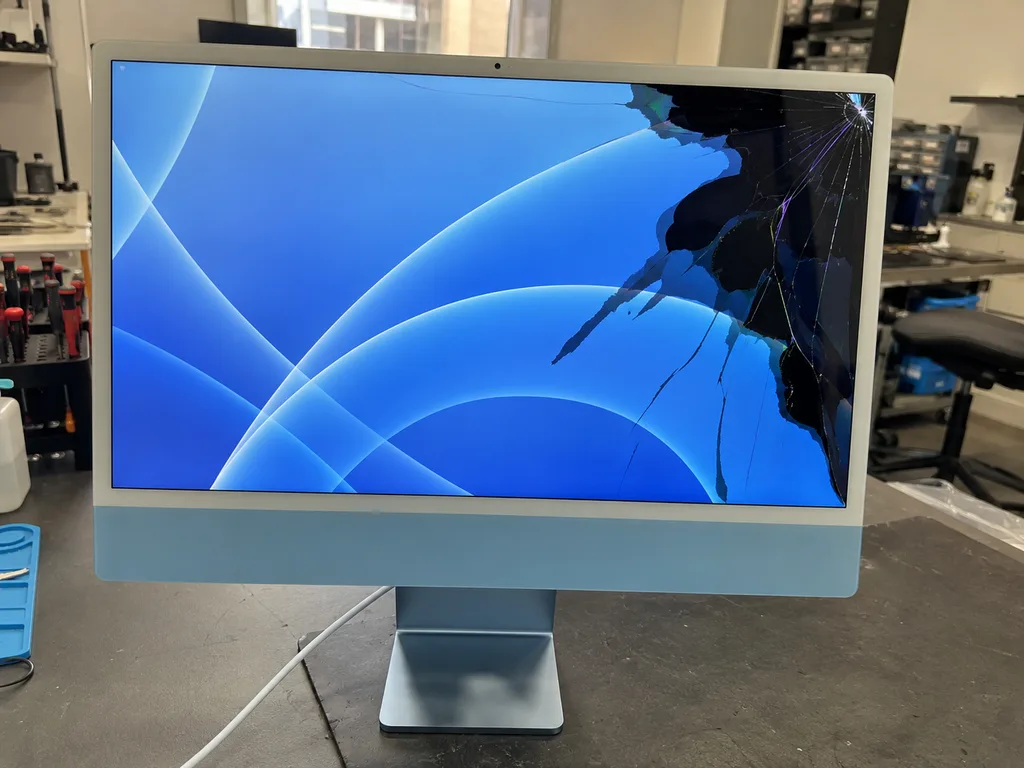
iMac with a crack in the screen glass and a dark blue screensaveriMac with colored stripes and flickering on the screeniMac with dark spots and light bleed on the screen
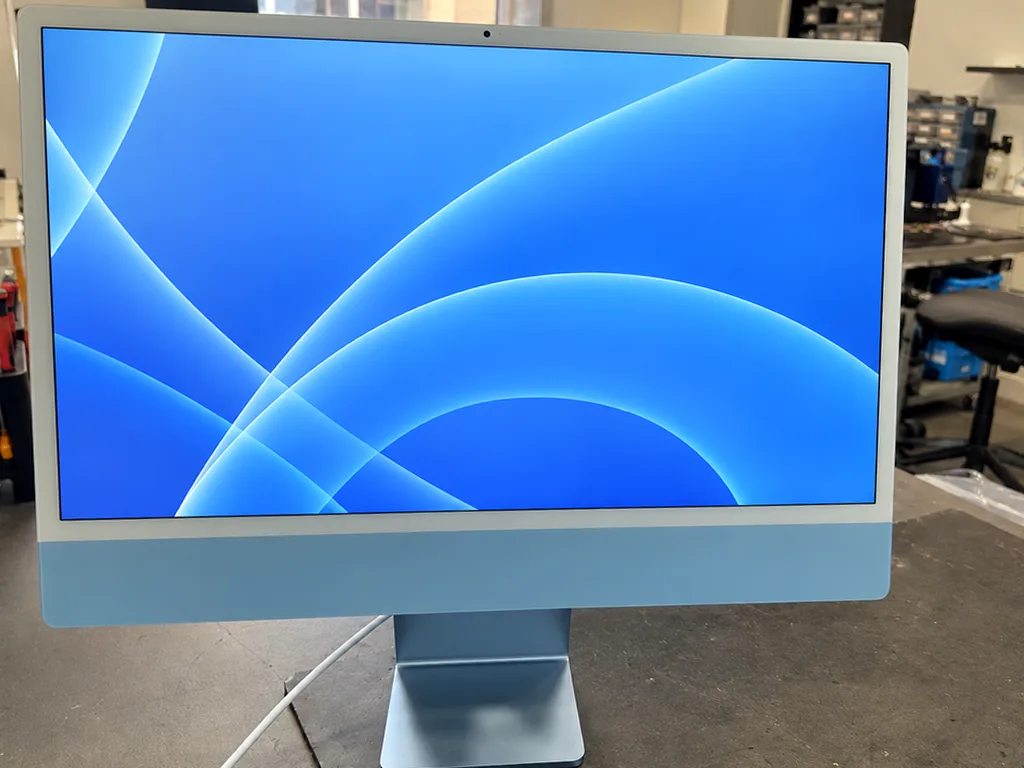
iMac with the screen on and a dark blue abstract screensaver
BeforeAfter
Cracked glass
Price incl. labor
from 44 900 ₸
Warranty
up to 1 year
  • Screen inspection
  • Separating the display
  • Preparing the frame

When iMac display replacement is the answer

A chipped glass, stripes, dark spots and a dim picture: the usual reasons why an all-in-one screen is replaced as a whole.

A crack or chip in the glass

A line creeps in from the edge, the image distorts beside it, and you may hear a faint crunch when pressing.

Stripes and flicker

Coloured or black lines cross the picture, and the screen flickers, especially after hours of work when it is warm.

Dark spots and glow

On a white background you see clouds, yellow edges or black areas that were not there before.

A dim picture

Brightness is at maximum but the image still looks faint, as if the backlight has failed or aged badly.

iMac display replacement cost in Astana

The table shows the price of the work for several iMac generations; the technician selects the right part for your model.

ServiceOriginalAftermarket
iMac 24" M1 display replacement146 900 ₸90 900 ₸
iMac Pro 27" (2017) display panel replacement639 900 ₸395 900 ₸
iMac power supply replacement80 900 ₸44 900 ₸
iMac fan replacement24 900 ₸13 900 ₸
iMac speaker replacement37 900 ₸20 900 ₸
iMac 27" Intel display panel replacement146 900 ₸90 900 ₸
iMac 24" M4 display panel replacement383 900 ₸237 900 ₸
iMac 24" M1 display panel replacement639 900 ₸395 900 ₸
iMac 21.5" Intel display panel replacement254 900 ₸157 900 ₸
iMac glass replacement69 900 ₸38 900 ₸
Other repairsPrice
iMac SSD installationstorage installation43 900 ₸with parts
iMac RAM replacementmemory chip installation15 900 ₸with parts
iMac dust cleaningdisassembly and dust cleaning15 900 ₸per job
iMac logic board repairmicrosoldering · 1–3 days50 900 ₸per job
iMac graphics card replacementboard-level chip · microsoldering71 900 ₸with parts
iMac Wi-Fi module repairwireless module · board-level repair34 900 ₸with parts
iMac macOS installationOS installation, no parts replaced13 900 ₸per job

The technician gives the final amount after inspection, once it is clear whether the whole panel or only the glass must change.

What iMac display replacement involves

An all-in-one display swap covers separating the panel, preparing the frame and a final brightness check, and this is how it unfolds.

  1. 01
    iMac with a magnifier icon on the screen — inspection
    Screen inspection

    The technician inspects the glass, tests the picture on several backgrounds and decides if a cable is at fault.

  2. 02
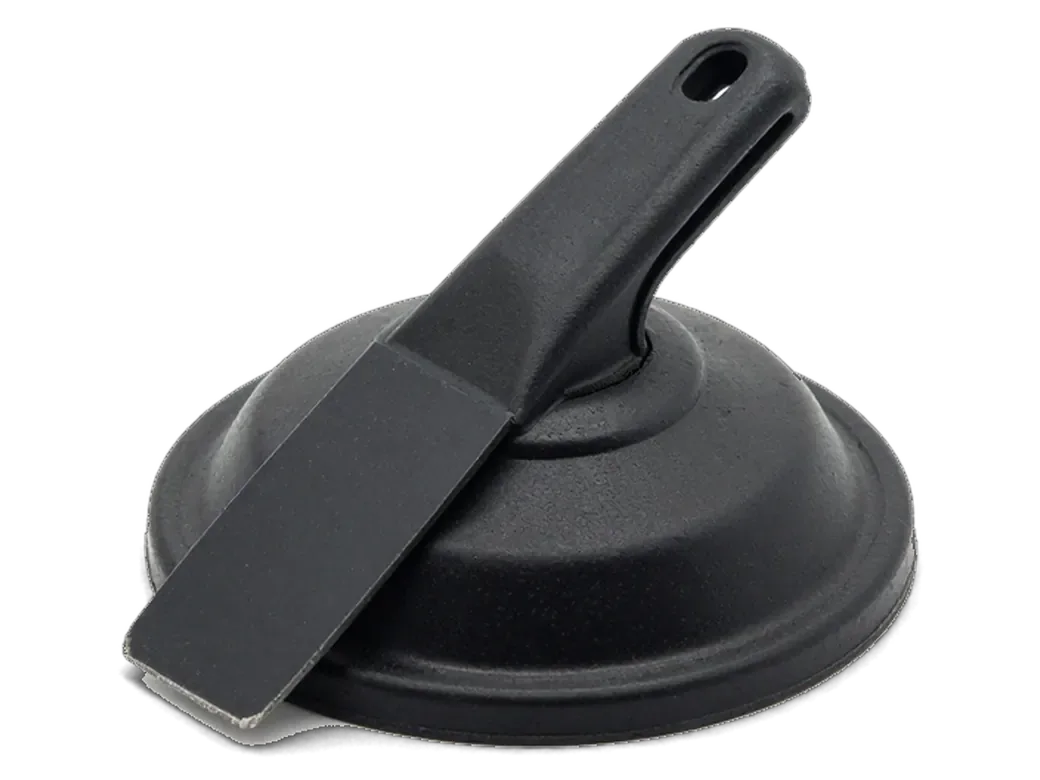
    Suction cup with a spatula for separating the iMac display
    Separating the display

    The glued glass is released from the body with gentle heat so the frame and neighbouring parts stay safe.

  3. 03
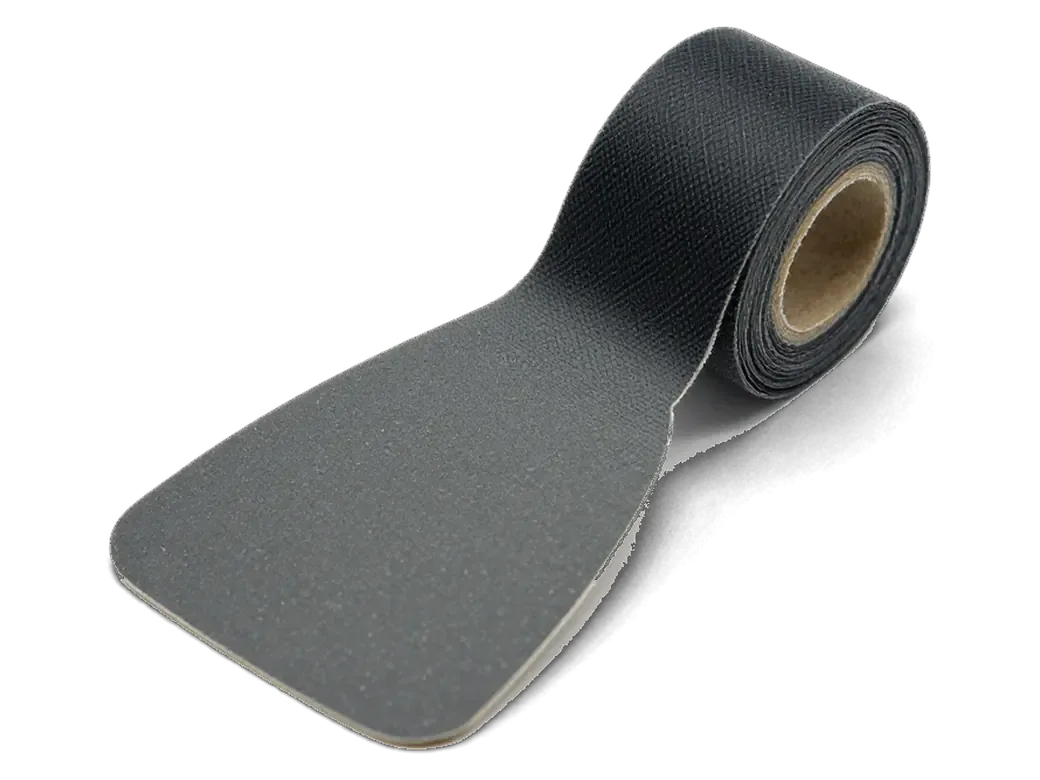
    Scraper and adhesive strips for preparing the iMac case
    Preparing the frame

    Old adhesive and dust are cleaned from the frame so the new screen sits flat without gaps.

  4. 04
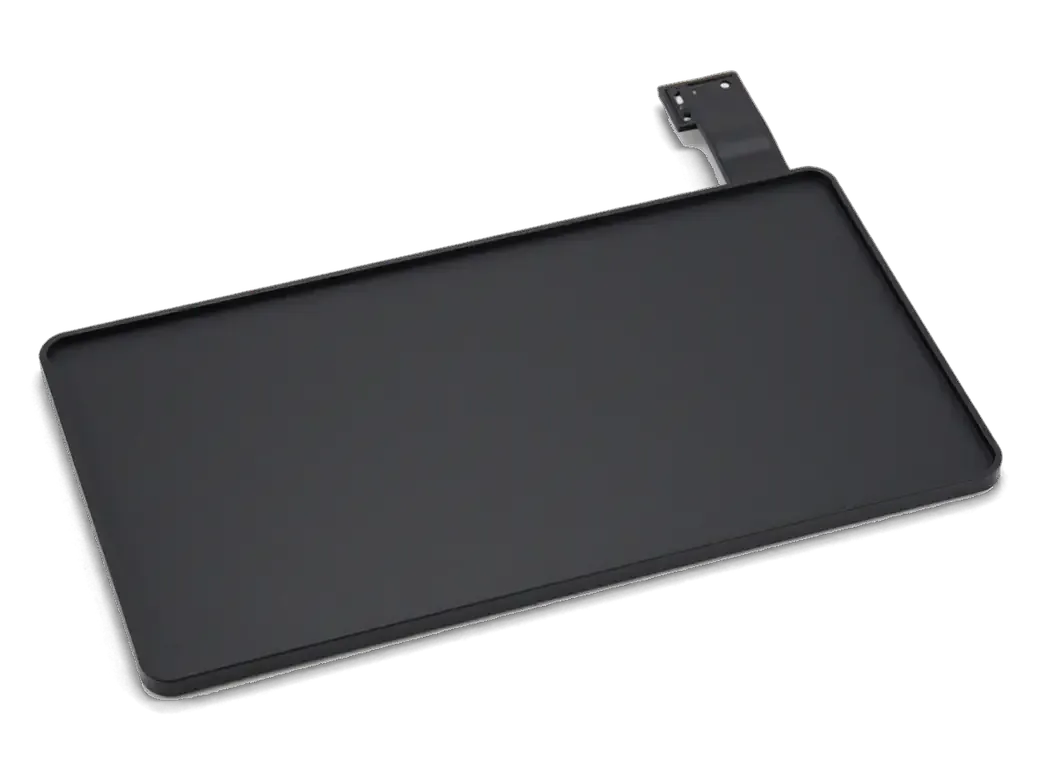
    New display module for iMac with a flex cable
    Fitting the new display

    Cables are connected and the picture checked before the screen is glued around its edge.

  5. 05
    iMac with a sun icon on the screen — brightness check
    Brightness and colour test

    White and black fields and gradients are viewed to confirm there are no stripes or dark patches.

  6. 06
    iMac with a checkmark icon on the screen — final assembly
    Final assembly

    The case is closed, macOS starts, and the computer runs under load until it clearly behaves steadily.

  7. iMac display replacement
    from44 900 ₸

    You get an even screen with no stripes, spots or gaps at the edge.

    Price for my model

Which panel to choose for an iMac display replacement

An original screen is closer to the factory look, while an aftermarket one costs less and handles everyday work.

Original Applewarranty up to 1 year
iMac display replacement146 900 ₸
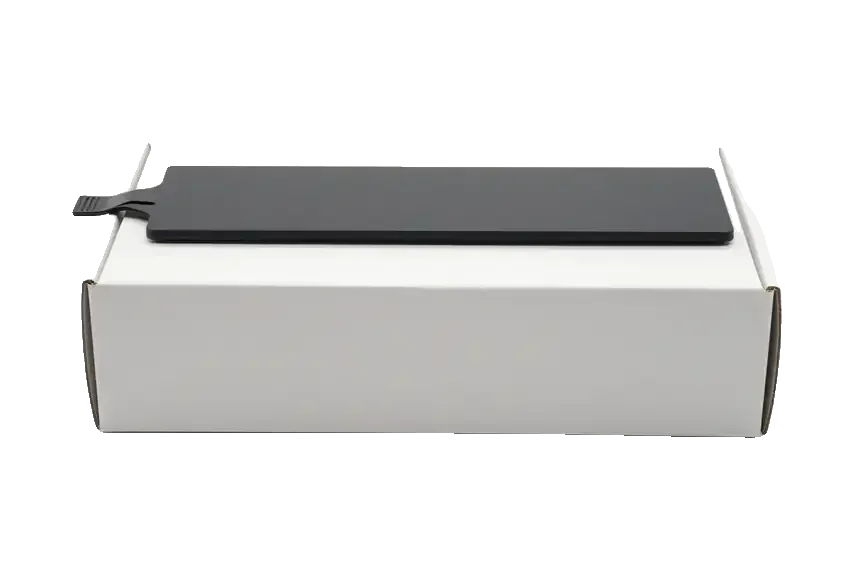
Original: iMac display on a white box
Colour, brightness
Like a new iMac, with no visible difference
Compatibility
Highest, including fine colour behaviour
Best for
Design, photography and video editing
Warranty
Up to 1 year on the completed work
Chosen by 64% of clients
Book with an original part
Aftermarketwarranty 6 months
iMac display replacement90 900 ₸−38%
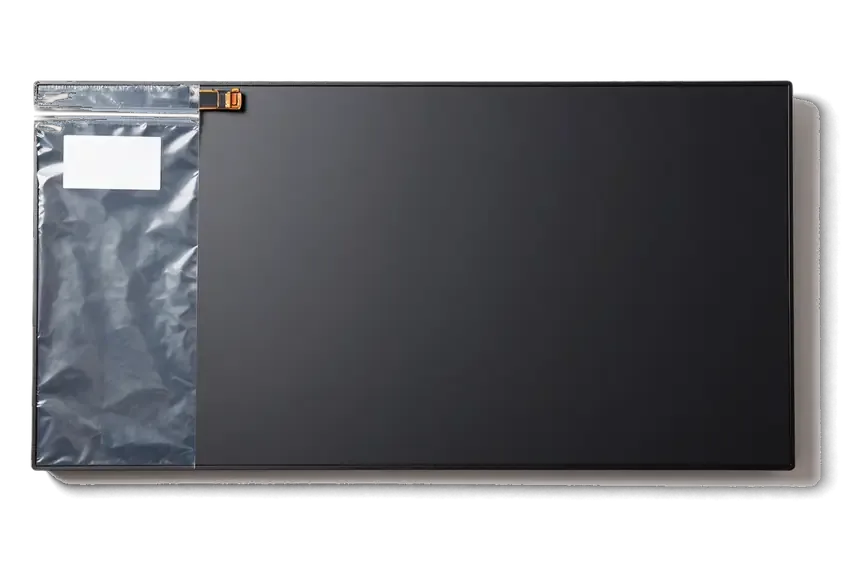
Analog: iMac display in an antistatic bag
Colour, brightness
Good for documents, websites and video
Compatibility
Tint and brightness may differ slightly
Best for
Office work, study and everyday tasks
Warranty
Up to 1 year on the completed work
Chosen by 36% of clients
Book with an aftermarket part

What you get by choosing us

An all-in-one screen is fragile and costly, so it pays to know what you receive when you leave it with a technician in Astana.

11years

Years of screen repair

11 years of repair work taught us how to separate glued glass safely and avoid damaging the panel.

1year

Warranty up to 1 year

The finished job comes with a warranty up to 1 year, and the technician explains the terms before repair begins.

6technicians

Experienced technicians

Experienced technicians replace the screen and know how to handle the adhesive, cables and backlight.

2options

A choice of part

Take an aftermarket screen for the office or an original for colour work; the difference is shown before fitting.

32checks

Tested before closing

The picture is checked before the final bonding, so the case need not be reopened over a small detail.

7days a week

Open at the weekend

Mon–Fri 10:00–19:00, weekends and holidays 11:00–18:00, so you can drop in whenever it suits you.

iMac display replacement in Astana before and after

1 / 1
Before photo: cracked display glassBefore: cracked display glass
After photo: new displayAfter: new display
BeforeAfter

iMac 24 M1: crack on the screen

2 daysOriginalWarranty up to 1 year
Problem
During a move it was hit with the corner of a box, and a crack and a spot appeared on the screen.
What we did
Replaced the display assembly, transferred the calibration, checked the camera and microphones.
2 daysscreen like new
I want the same

How iMac display replacement is done in Astana

Usually the whole journey — from message to pickup — takes less than an hour; complex repairs follow the timeline in the receipt.

Book a repair
  1. Step 1

    Message or call

    5 min

    You send a photo of the damage on WhatsApp — we quote the price and available time. Or you call a courier.

  2. Step 2

    Free diagnostics

    15 min

    An engineer checks the device in front of you and shows what is broken. 0 ₸, even if you decline the repair.

  3. Step 3

    Price in the receipt

    2 min

    We fix the price, the part (original or analog), the timeline and the warranty. You sign — we start.

  4. Step 4

    Repair while you wait

    20–40 min

    Before installation we show you the new part in its factory packaging. You wait in the waiting area with coffee and Wi‑Fi.

  5. Step 5

    Post-repair check

    10 min

    Screen, camera, microphones, speakers, ports, Wi‑Fi and Bluetooth. You check together with the engineer.

  6. Step 6

    Pick up your device

    warranty up to 1 year

    Together with the receipt, warranty card and the old part. Payment — Kaspi, card or cash.

Meet the iServices team

Technicians for iPhone, Mac, iPad, Apple Watch and AirPods repair.

1 / 2
KSKudiret S. — iCloud unlock specialist, iServices service center in AstanaPhoto: Kudiret S.

Kudiret S.

iCloud unlock specialist
10years of experience
4.37rating, 100 reviews
KAKamran A. — MacBook repair technician, iServices service center in AstanaPhoto: Kamran A.

Kamran A.

MacBook repair technician
4years of experience
4.33rating, 117 reviews
Bakmukhammed S., on-site iPhone technician
“If the repair didn’t suit you or you have a complaint, write to me personally.”
Bakmukhammed S.on-site iPhone technician · +7 701 333-47-01

We'll quote a price for iMac display replacement in Astana from a photo in 5 minutes

Send a photo of the screen and the iMac model. An engineer will reply on WhatsApp, give the price and today's available time.

  1. 5 minAn engineer replies and names the price
  2. 0 ₸Diagnostics in front of you in 15 minutes
  3. 30 minMost repairs — while you wait

iMac Display Replacement in Astana with Clear Diagnostics

In short

iServices handles iMac display replacement in Astana with a free 15-minute diagnostics done in front of you, so you see exactly what failed before any work starts. We fit either an original panel or an aftermarket one, show the part in factory packaging, and back the job with a warranty up to 1 year.

iServices Editorial TeamWe reply on WhatsApp within 10 minutes
Ask

When a Failing Screen Is Really a Display Problem

An iMac screen fails in a handful of distinct ways, and not every symptom means the matrix itself is gone. Here is how to read the signals before booking a display replacement in Astana.

Cracks, Lines and Dark Patches That Point to the Panel

A cracked outer glass, vertical or horizontal lines, and bright or dark patches at the edges are the classic signs that the display block itself is damaged. The LCD matrix sits laminated under that glass, so a strike to the corner pushes stress straight into the liquid-crystal layer. Lines that run edge to edge usually trace a broken column or row driver, while white clouds in the corners come from pressure on the backlight diffuser. A dark spot that grows week by week points to trapped moisture or a failing seal. A single hairline crack often spreads across the display once the machine warms up, so a screen that looks usable on arrival can fail within days of continued use. When the damage reaches the panel layer, iMac display replacement in Astana is the step that restores a clean picture.

Black Screen With Sound Still Playing

When the computer boots and plays sound but shows nothing, we first connect an external monitor to see whether the machine is outputting a picture at all. A clean image on that second screen means the graphics chip works and the fault sits in the built-in display, while no signal on either display points to the graphics stage. A loose or pinched display ribbon cable gives the same dead screen, and reseating it costs far less than a new block. Sound with a faint image visible under a torch means the backlight LEDs or their driver failed, not the LCD itself. If the external screen stays clean while the built-in one is dark, the fault usually sits in the display or its ribbon cable rather than the graphics, which changes what we quote for.

Glass, Panel or Whole Block and What Your Model Allows

On some iMacs the glass lifts off on its own, on others it is bonded straight to the panel. The generation decides what actually gets replaced.

Why Modern iMacs Need the Whole Display Block

On thin-body Intel models, Retina 4K/5K units and the 24-inch M1/M3, the glass is laminated directly to the LCD, so the two cannot be separated without destroying the matrix. The front layer and the liquid-crystal matrix sit under one continuous sheet of adhesive, with no air gap left to slide a blade into. Older magnet-mounted glass was a separate component held by a steel frame, which is why a scratched outer sheet used to be a small job. On a laminated 4.5K assembly the display is one sealed unit with the backlight and flex cables already bonded. Trying to peel laminated glass off to save on a component usually cracks the LCD underneath, which turns a single replacement into a full block swap anyway.

Matching the Part to Your iMac Generation

Which display part each iMac family needs
iMac familyGlass and panelWhat we replaceFixing method
Older Intel (magnet glass)SeparateGlass alone or panelMagnets, no adhesive
Thin Intel, Retina 4K/5KLaminated blockWhole display blockAdhesive strip
24-inch M1/M3Laminated 4.5K blockWhole display blockAdhesive strip

How We Confirm the Display Is the Real Fault

Before ordering any component, we make sure the fault sits in the display itself and not in a cable, the backlight or the logic board, so a replacement is never booked on a guess.

Free Diagnostics in Front of You

We run free diagnostics in front of you and it takes about 15 minutes, even if you decide not to go ahead with the repair. The engineer opens the device on the bench, checks the image output, the display cable, the backlight and the logic board while you watch, and names the faulty component before anyone talks about parts. On many machines the symptom points one way and the actual fault sits elsewhere, which is why we test the display under load and at different brightness levels rather than judging from a single photo. Watching the test on your own machine means you see which cable or panel responds when we flex it, instead of taking a diagnosis on trust.

Telling a Panel Fault From a Cable or Board Fault

  • Moving the display cable: lines or flicker that appear and vanish as the connector is reseated usually mean a loose or worn cable, not a dead display.
  • Backlight flicker: a screen that dims or pulses instead of going fully dark tends to point at the backlight driver or board rather than the LCD.
  • External monitor test: the same image on a second display separates graphics faults from display faults in one step.
  • Gentle pressure on the display: a defect that shifts under light pressure sits in the LCD layer itself and cannot be fixed by reseating anything.
  • Test images and colour fields: solid grey, white and black fields expose stuck pixels, banding and uneven backlighting that a normal desktop hides.

The Replacement Itself and the Adhesive Reseal

The swap itself takes less time than most owners expect, but the adhesive reseal and the way the cables are carried over decide how the screen looks and holds up afterwards.

Cutting the Adhesive and Lifting the Screen Safely

On glued models we cut the adhesive strip with a dedicated tool and suction cups, because prying the glass directly is what cracks an otherwise intact matrix. The cutting wire runs along the full perimeter behind the front glass, separating the display block from the aluminium frame without levering against the display edges, which is where stress marks and spider cracks start. Suction cups then lift the freed block straight up and away, so the thin LCD layer never bends under uneven pressure. The old adhesive is removed completely before the new strip goes on, since leftover residue is what lets dust and moisture back in around the edges. Do not let anyone lift the glass by hand on a glued unit — even a careful pull can chip the corner and turn a simple replacement into a full block swap.

Fitting the New Panel and Resealing the Frame

We transfer the camera and display cables to the new block, seat it on a fresh adhesive strip and press the frame down evenly so the seal is uniform all round. The FaceTime camera, its flex and the display connector move across first, because a pinched or half-seated cable shows up later as a dead camera or a flickering backlight. An engineer shows the new matrix in its factory packaging before installation, so you see the part that goes in before the frame closes. A reseal done in a clean, dust-free moment is what keeps bright spots from appearing at the edges weeks later, so we do the final press only after the display is powered and checked. Ask to see the old adhesive come off in one piece — torn residue left behind is the usual reason edges lift again.

Choosing the Part and Checking the Result

What sits inside the frame matters, but so does what you see on the screen and hold in your hands when you leave. This section covers the part choice and the final check.

Original Panel or Aftermarket and How We Fix the Choice

We offer both an original display and an aftermarket one, and 64% of our customers choose the original part. The original matrix matches the factory colour profile, brightness ceiling and viewing angles, so photo and video work stays predictable from the first boot. An aftermarket unit fits the same frame and covers everyday browsing, documents and video calls without complaint. We show you the new component in factory packaging before installation, name which type it is, and write that choice on the receipt so nothing is ambiguous later. On the older 21.5-inch bodies the difference in tint is easier to spot against a white background than on the 27-inch units. The right pick depends on how colour-critical your work is, since an aftermarket unit can differ slightly in brightness and tint even when it fits perfectly.

What We Check Before You Take the Device Home

  • Dead pixels and uniformity: we open a plain grey and white image, because a busy wallpaper hides the faint edge spots that appear later on a blank document.
  • Backlight and brightness: we sweep the level across its full range and look for bright corners or a dim band along one edge.
  • Colour and tint: we compare a white field against a reference to catch a display that reads too warm or too cool.
  • Camera and cables: we open the front camera and confirm the display connectors hold a stable signal with no flicker when the frame is tapped.
  • Receipt and warranty: the price, the exact component, the turnaround and a warranty up to 1 year are fixed on the receipt before work starts, and you leave with the old component.

Summary: iMac display replacement

Display work on an iMac comes down to a few decisions: which part, how the frame is resealed, and what proof you leave with. Here is the short version.

  • Laminated screens: on thin-body and Retina models the glass is bonded to the matrix, so the whole display block is replaced rather than the cover alone.
  • Not always the display: lines, flicker or a dark screen do not automatically mean a dead display — a cable or board fault is ruled out first.
  • Adhesive reseal: the screen sits on an adhesive strip, so a proper job always includes cutting the old strip and sealing the frame with a new one.
  • Part choice: original and aftermarket units differ in brightness and tint, which matters most for colour-critical work.
  • Paper trail: a written receipt listing the component, turnaround and warranty is what protects you if anything goes wrong later.

What Astana customers ask about iMac display replacement

Did not find an answer? Message us on WhatsApp: an engineer replies, not a bot.

Ask a question
Can only the glass be replaced on an iMac if the panel underneath is fine?

On slim iMacs, usually not. Since the thin redesign the cover glass is laminated to the panel, so cracked glass means a new display module. Only the older, thicker iMacs have a separate glass that comes off on magnets.

Should I keep using an iMac with a cracked screen that still shows a picture?

Better not. Cracks spread with vibration and temperature swings, and fragments or moisture can then reach the panel and its cable. Switch the iMac off and show it to a technician while the damage is limited to the front.

Is the iMac 24 display replaced the same way as on the larger iMac models?

The principle is the same: the display is glued to the case, cut free and fitted back on fresh adhesive. The panels themselves differ in size and connectors, so each generation takes its own part, and the technician confirms the exact model first.

Can a bright dot or dead pixel on an iMac be fixed without a new display?

A truly dead pixel cannot be repaired on its own; it is part of the panel. Sometimes what looks like a spot is dust trapped behind the glass, and cleaning removes it. The technician looks closely and tells you which case it is.

Does the iMac drive have to come out for a display replacement in Astana?

No, the drive stays in place and your files are not touched. The display is lifted off the front, and the rest of the computer stays assembled. A fresh backup is still a sensible habit before any repair.

Why does the screen flicker after frost?

Most likely condensation has settled on the panel or the backlight is overloaded. Do not power on the iMac straight from the cold, and show it to a technician if flicker remains.

Can I bring my iMac for a screen replacement in Astana at the weekend?

Yes, on Saturdays and Sundays the service works from 11:00 to 18:00. Send a photo of the screen and the model on WhatsApp beforehand, so the right panel and a free slot are confirmed before you carry the iMac over.

Customer reviews of iMac repair

1 / 10
4.9

iServices network rating on Google Maps, wikicity and our website · 2 028 reviews
Google Maps4.438 reviews ›wikicity5.015 reviews ›Reviews on the iServices website4.91 975 reviews ›
ДД
Дана Д.Order No. IS‑•••04 · 29 May 2022
screen

Проблема — чёрные пятна. Жандос Ш. разобрался в редкой модели. Шум ушёл, работает тихо.

iServices customer review, in Russian
ВР
Валерия Р.Order No. ЗК‑IS‑•••67 · 2 May 2020
screen

Проблема — треснул экран. Жандос Ш. — мастер от бога, если можно так сказать. Кулер не слышно, греется меньше.

iServices customer review, in Russian
ЛИ
Ләззат И.Order No. ЗК‑IS‑•••38 · 20 April 2020
screen

Жандос Ш. всё сделал при мне, за пятнадцать минут. Шум ушёл, роботает тихо.

iServices customer review, in Russian
КТ
Ксения Т.Order No. IS•••52 · 27 October 2026
iMac 24″ (M4, 2024) · screen

У нас в офисе три таких ноутбука, один сломался. Проблема — полосы на экране. Камран А. сам позванил и сказал, что готово. Крутится ровно, без рывков.

iServices customer review, in Russian
АЦ
Айша Ц.Order No. ЗК‑IS‑•••85 · 8 February 2026
iMac 24″ (M4, 2024) · screen

Обидно, техника не из дешёвых. Проблема — шумит. Камран А. — мастер от бога, если можно так сказать. Ответили в WhatsApp, потом созвонились. Экран яркий, батарея держит!!

iServices customer review, in Russian
МЩ
Мурат Щ.Order No. •••01 · 16 November 2025
iMac 24″ (M4, 2024) · screen

Обидно, техника не из дешёвых. Проблема — полосы на экране. Третий месяц — никаких проблем)

iServices customer review, in Russian
БГ
Бауыржан Г.Order No. IS‑•••28 · 4 November 2025
iMac 24″ (M4, 2024) · screen

Работал годами — и на тебе. Проблема — перегревается. Диагностику сделали при мне. Внутри оказалось: блок питания. По деньгам вышло ровно, без сюрпризов. Обращусь ещё. Экран яркий, батарея держит.

iServices customer review, in Russian
КФ
Камила Ф.Order No. •••46 · 26 September 2025
iMac 24″ (M3, 2023) · screen

До этого обращалась в сервис у дома, там только развели руками. Работал в жару, и вот — полосы на экране. Приняли без записи, оформили за пять минут. Внутри оказалось: матрица. 19 000, и гарантия в комплекте. Ни шума, ни запаха, всё штатно.

iServices customer review, in Russian
КХ
Клавдия Х.Order No. IS•••70 · 20 September 2025
iMac 24″ (M4, 2024) · screen

Искала, где есть оригинальные запчасти, а не «как оригинал». Проблема — полосы на экране. Работает, как будто и не ломалось.

iServices customer review, in Russian
ӘУ
Әлия У.Order No. IS•••62 · 9 September 2025
iMac 24″ (M4, 2024) · screen

Живу в Есиле, искала поближе к дому. Проблема — шумит. Камран А. посмотрел и честно сказал: менять не надо. Экран яркий, батарея держит.

iServices customer review, in Russian
Showing 10 of 17

Where to get iMac display replacement in Astana

Address
Astana, Kabanbay Batyr Ave., 7/2
Opening hours
Mon–Fri 10:00–19:00Sat–Sun 11:00–18:00
Phone and messengers
+7 727 339-99-12WhatsApp: +7 701 333-47-01
Directions map: iServices Astana© OpenStreetMapFind us on the maps: Google Maps · 2GIS